Home
Fortnite Live Event Timer: When Does the Unstable Story Moment Start?
Players are advised to be logged in by 1:00 PM ET and inside the dedicated event playlist no later than 1:45 PM ET to avoid login queues.
As Chapter 7, Season 3 approaches its dramatic conclusion, the Fortnite live event timer has appeared in the lobby, signaling the arrival of the "Unstable Story Moment." This event serves as the narrative bridge between the current season and the upcoming transition on August 20. According to GameRant , this event focuses on the Zero Point Stabilizer, a massive structure at the center of the map that has been showing signs of volatility throughout the season.
For many players, the live event is the highlight of the season, offering a shared cinematic experience that permanently alters the game's lore. However, missing the event due to technical issues or timing errors is a common frustration. This guide provides the exact global start times, queue-busting strategies, and post-event gameplay tips to ensure you don't miss a second of the action.
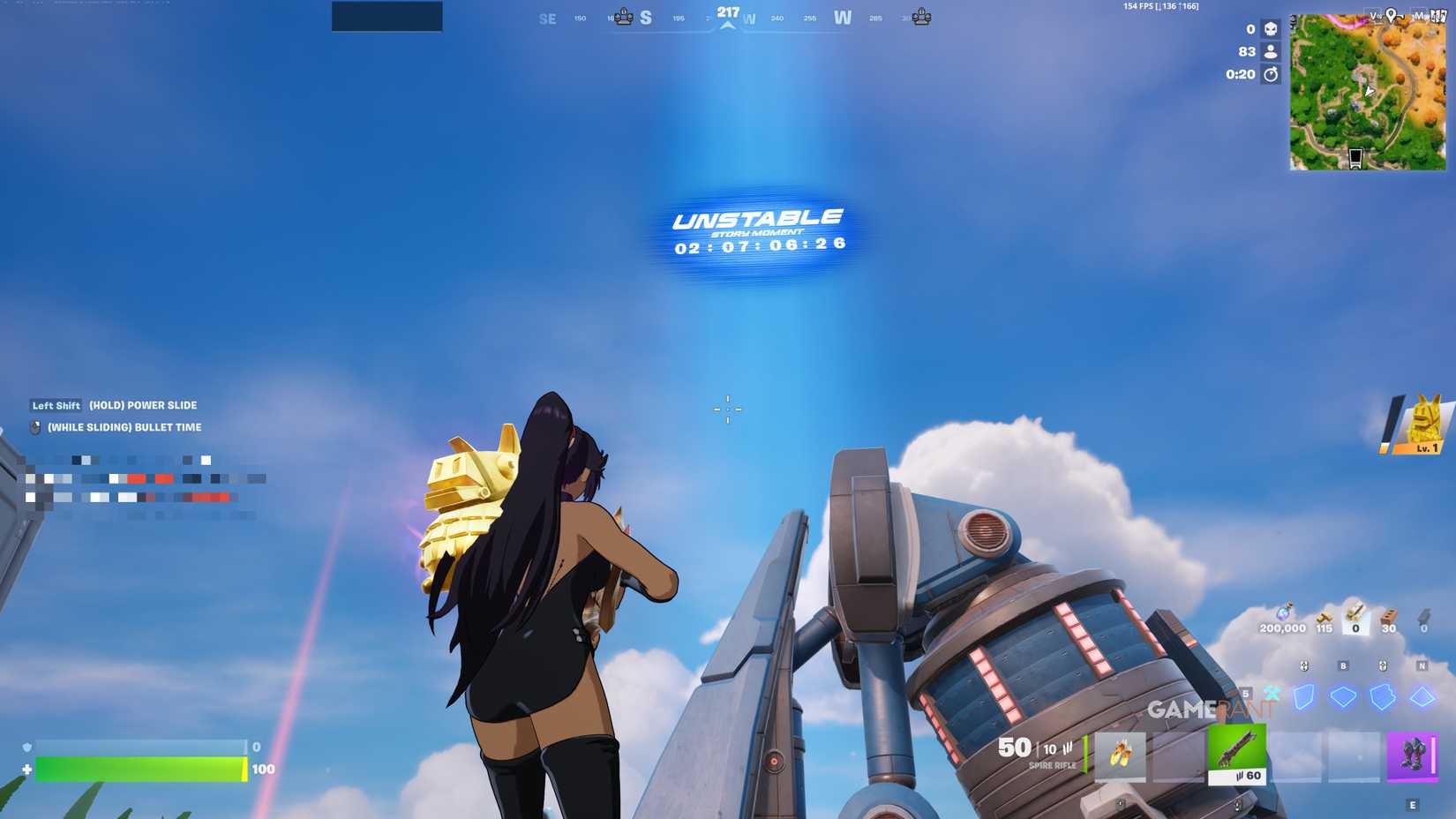
Image source: GameRant
What Time Does the Fortnite Live Event Begin in Your Region?
The Unstable Story Moment is a global, one-time-only occurrence. Unlike standard game updates, you cannot replay this event once it concludes. The timer is synchronized across all platforms, meaning players in London, New York, and Tokyo will witness the event simultaneously. Based on reports from Polygon and other major outlets, the primary trigger occurs at 2:00 PM ET.
While the main cinematic begins at the top of the hour, veteran players know that the "soft start" begins much earlier. At 1:30 PM ET, the Zero Point Stabilizer will begin emitting unique visual effects, and environmental damage in the immediate area will be significantly reduced. This 30-minute window is intended for players to find a good vantage point and interact with the community before the "Point of No Return" at 1:55 PM ET, when all player-vs-player damage is disabled.
| Region | Local Start Time (Aug 15) |
|---|---|
| Pacific Time (PT) | 11:00 AM |
| Eastern Time (ET) | 2:00 PM |
| UTC | 6:00 PM |
| British Summer Time (BST) | 7:00 PM |
| Central European Summer Time (CEST) | 8:00 PM |
| Japan Standard Time (JST) | 3:00 AM (Aug 16) |
| Australian Eastern Standard Time (AEST) | 4:00 AM (Aug 16) |
It is important to note that these times represent the moment the event *triggers*. If you attempt to log in at exactly 2:00 PM ET, you will almost certainly be met with a "Servers at Capacity" message. The influx of millions of players simultaneously creates a bottleneck that typically lasts 15 to 20 minutes—longer than the event itself.
How to Join the Unstable Story Moment Without Getting Stuck in a Queue
Securing your spot in the event requires more than just knowing the time; it requires a logistical plan. Epic Games typically disables core game modes, including Ranked, Creative, and standard Battle Royale, approximately 30 to 60 minutes before the event begins. This is done to clear server resources for the dedicated event playlist.
The "Unstable" event tile will appear in the Discovery menu at approximately 1:30 PM ET. This is a special mode that supports larger player counts per instance and disables the "Storm" mechanics that usually force players together. To ensure you are not left in the lobby, follow this sequence:
- Update Early: Check for game updates at least 24 hours before the event. Platforms like the Nintendo Switch often require manual confirmation for "stealth patches" that can block login.
- The 60-Minute Rule: Log into the Fortnite main menu by 1:00 PM ET. This places you past the initial login gate before the heaviest traffic hits.
- Playlist Switch: As soon as the "Unstable" playlist appears (usually 1:30 PM ET), select it and enter a match immediately. Do not wait in the lobby for the timer to hit zero.
- Stay Active: Once inside the event match, move your character periodically. While the game is more lenient during events, being flagged as AFK (Away From Keyboard) can occasionally result in a disconnection.
According to community insights on Reddit , one of the most common mistakes is staying in the lobby to watch the timer reach zero. The lobby timer is merely a guide; the actual event happens inside the match instances. If you are still in the lobby when the timer hits zero, the servers may struggle to find you a match instance in time.
How to Avoid Being Kicked for Inactivity in the Lobby
If you choose to log in very early (more than 90 minutes before the event), you run the risk of being timed out by the server's inactivity heartbeat. To prevent this, veteran players use the "Item Shop Refresh" tactic. Every 10 to 15 minutes, navigate to the Item Shop or change a piece of gear in your Locker. This sends a small packet of data to the server, confirming that your session is active and should not be terminated.
For mobile and cloud gaming users (such as Xbox Cloud Gaming or GeForce Now), this is even more critical. These services often have their own internal inactivity timers that are stricter than Fortnite's. Ensure you are actively interacting with the screen to prevent the cloud session from closing, which would force you back into a long login queue.
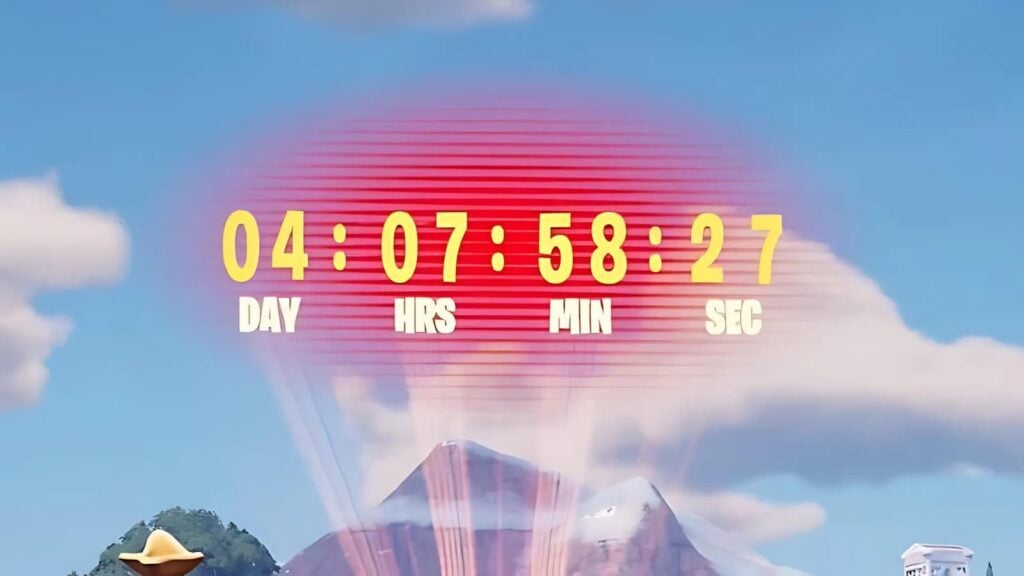
Image source: ONE Esports
What Happens During the Zero Point Stabilizer Event Phase?
The Unstable Story Moment is expected to be a highly interactive experience. Unlike early Fortnite events that were largely passive, recent "Story Moments" involve player participation. Based on the current map layout, the Zero Point Stabilizer at the center of the island will be the focal point. At 1:55 PM ET, the Storm will freeze in place, and all weapons in your inventory will be disabled, replaced by a "cinematic camera" tool or a specialized traversal item.
Sources like GamesRadar suggest that players will be granted Jetpacks, similar to the mechanics seen in the OG Final Showdown. This allows the community to fly around the Stabilizer to witness the structural collapse from multiple angles. The cinematic portion itself is expected to last approximately 3 minutes, featuring high-fidelity animations that bridge the gap to the Season 4 narrative.
"The Unstable event represents a significant advancement in how Epic Games handles mid-season transitions, blending live gameplay with scripted narrative beats that respond to player proximity."
During the event, keep an eye on the Stabilizer's core. Data miners have suggested that the "Unstable" nature of the event refers to reality shifts. You may see flashes of previous maps or "remixed" versions of classic POIs (Points of Interest) appearing momentarily in the sky. These are not just visual flair; they often provide clues about the theme of the next season.
How to Maximize Your Rewards During the Sprite Power Hour
One of the most unique aspects of the August 15 event is the "Sprite Power Hour." Immediately following the conclusion of the cinematic (approximately 2:10 PM ET), a 120-minute window begins where the spawn rates for Mythic Zero Point and Grim Sprites are significantly increased. These sprites are essential for completing the Chapter 7, Season 3 "Stability" collection and earning the exclusive "Fractured Core" Back Bling.
To make the most of this two-hour window, you should prepare your inventory *before* the event cinematic starts. Since combat is disabled during the event, you can safely drop all weapons and fill your slots with movement-based utility items. A top-tier strategy for the Power Hour includes:
- Shockwave Grenades
- Essential for rapid traversal between Sprite spawn points in hilly terrain.
- Grapple Gloves
- Allows for sustained movement across the central forest biome where Grim Sprites are most common.
- Flowberry Fizz
- Provides a low-gravity effect that, when combined with the Zero Point's energy, allows for massive leaps across the map.
Because the Power Hour only lasts for 120 minutes, every second counts. Avoid the temptation to immediately log out and watch event recaps on YouTube. Stay in the game, utilize your movement items, and focus on the glowing purple and green rifts that appear near the Stabilizer ruins. These rifts are the primary source of the Mythic Sprites.
Comparing the Unstable Event to the OG Final Showdown
There has been some confusion within the community regarding the two major events scheduled for August 2026. It is vital to distinguish between the "Unstable Story Moment" and the "OG Final Showdown." While both involve the Zero Point, they serve different purposes in the Fortnite calendar.
The Unstable event (August 15) is a narrative bridge. It concludes the "Stabilizer" storyline of Chapter 7, Season 3 and sets the stage for the season end. The OG Final Showdown (scheduled for August 29) is a legacy celebration, likely involving the return of the original Chapter 1 map for a limited time. According to Beebom , the August 29 event will have a much longer downtime period, potentially lasting up to 48 hours as the game transitions to a new Chapter.
For the current event on August 15, downtime is expected to be minimal. The game will likely remain online for the Sprite Power Hour, with a standard maintenance window occurring later on August 20 to launch the new season. If you are looking to finish your Battle Pass, the August 15 event is your "final warning" to reach Level 100 or Level 200 for the Super Styles.
Frequently Asked Questions
Can I watch the event if I can't log in?
Will there be a replay mode for the Unstable event?
Do I get a free reward for attending the event?
What happens if my game crashes during the timer?
Is the event replayable later in the day?
Final Checklist for the Fortnite Live Event
To ensure you have the best possible experience during the Unstable Story Moment, keep these key takeaways in mind:
- Confirm the time: The event triggers at 2:00 PM ET on Saturday, August 15, 2026.
- Log in early: Be in the main menu by 1:00 PM ET to bypass the heaviest login traffic.
- Join the playlist: Enter the "Unstable" event mode as soon as it appears at 1:30 PM ET.
- Prepare your inventory: Drop weapons and equip movement items for the Sprite Power Hour immediately following the event.
- Stay active: Interact with the Item Shop or move your character to prevent being kicked for inactivity.
- Record the moment: Use external software to capture the cinematic, as Replay Mode will likely be disabled.
Prepare your loadout now and coordinate with your squad to ensure everyone is logged in before the countdown hits zero.