Home
Home
How to Find and Open the Hidden Bunker on Spaceport in Arc Raiders
Understanding the Hidden Bunker Event Mechanics on Spaceport
In the high-stakes world of Arc Raiders , the Hidden Bunker on Spaceport represents one of the most complex and rewarding map conditions available to players. Unlike standard extraction runs, this event is a "Map Condition" that affects the entire server. When active, it is visible on the main menu before you even deploy, signaling that the environment has shifted to accommodate this specific trial.
According to IGN's documentation , the event operates on a strict 40-minute timer. During this window, players must coordinate (or compete) to trigger the bunker's opening. Once the 40 minutes expire, a final 10-minute extraction window begins. If you are inside the bunker when the primary timer ends, you still have that brief grace period to finish your downloads and reach an extraction point.
The event is widely considered a high-level challenge, typically recommended for players at Level 15 or above. This is not due to the puzzle complexity alone, but because of the aggressive ARC spawns—including Wasps, Hornets, and Rocketeers—that defend the activation sites. Participating in this event requires a mix of traversal skills, combat proficiency, and tactical patience.
Precise Location of the Hidden Bunker Entrance
Finding the bunker is often the first hurdle for new Raiders. The entrance is unmarked and blends seamlessly into the industrial architecture of the Spaceport's Southwest sector. Specifically, you will find the heavy blast doors situated between the Fuel Lines and Fuel Processing zones.
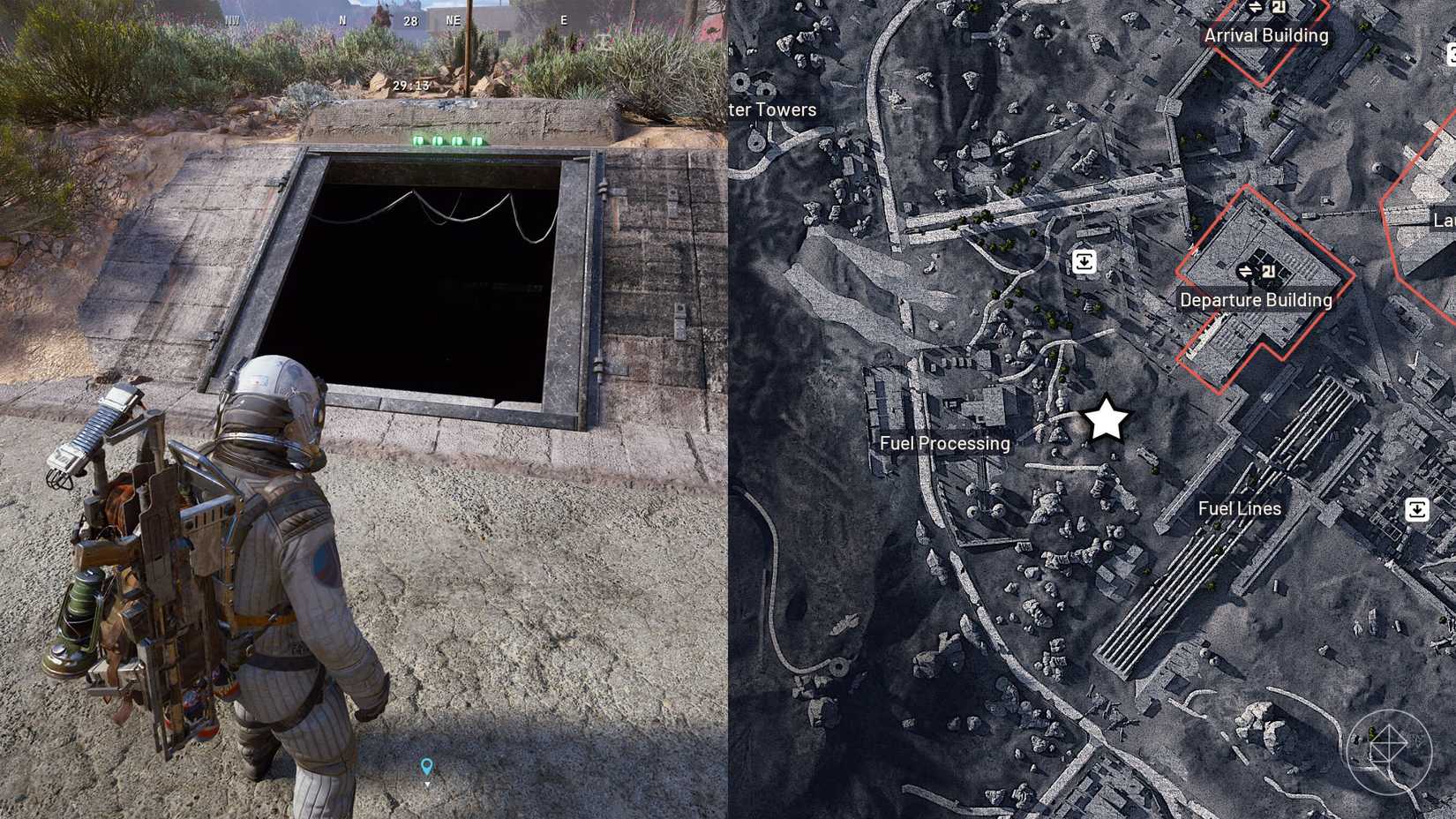
Image source: Polygon.com
While the door remains locked for most of the match, it serves as a landmark for teams planning their route. Because the bunker is located in the Southwest, teams that finish their final antenna activation in the South or West sectors have a significant advantage in reaching the loot before "rats"—players who wait near the door without contributing to the activation—can slip inside.
Step-by-Step Guide to Triggering the Bunker Event
Opening the bunker is a multi-stage process that requires interacting with four satellite antennas scattered across the map. It is not enough to simply find them; each antenna requires a two-step activation sequence that leaves you vulnerable to ARC counter-attacks.
- Locate the Antenna: Find the satellite dish on the designated rooftops (North, East, South, West).
- Initiate Connection: Interact with the terminal at the base of the dish. This triggers an ARC alert.
- Defend the Perimeter: ARC units will drop in to stop the connection. You must stay near the terminal to ensure the "Establish Connection" bar continues to fill.
- Send the Signal: Once the bar is full, the terminal light will change. You must manually trigger the "Send Unlock Signal" to count the antenna as complete.
- Repeat: All four antennas must have their signals sent for the bunker door to cycle open.
Navigating the Four Antenna Locations Across the Map
The antennas are always located on high-ground positions, making traversal gear a necessity. According to GameSpot's tactical overview , players should ideally equip a Zipline or Snap Hook before entering a Spaceport match with the Hidden Bunker condition active.
North Sector
Located on the highest rooftop near the northern edge. This is often the most difficult to reach without a Zipline and is frequently the first one teams target to get the "long trek" out of the way.
East Sector
Situated atop the warehouse complexes. This area has high visibility, meaning you are easily spotted by other squads while defending the terminal.
South Sector
Closest to the bunker itself. Activating this last is a common strategy to ensure your squad is the first through the door once it unlocks.
West Sector
Found near the docking bays. This antenna often spawns more Rocketeer-class ARC units, requiring heavy ordnance or precise sniping to defend effectively.
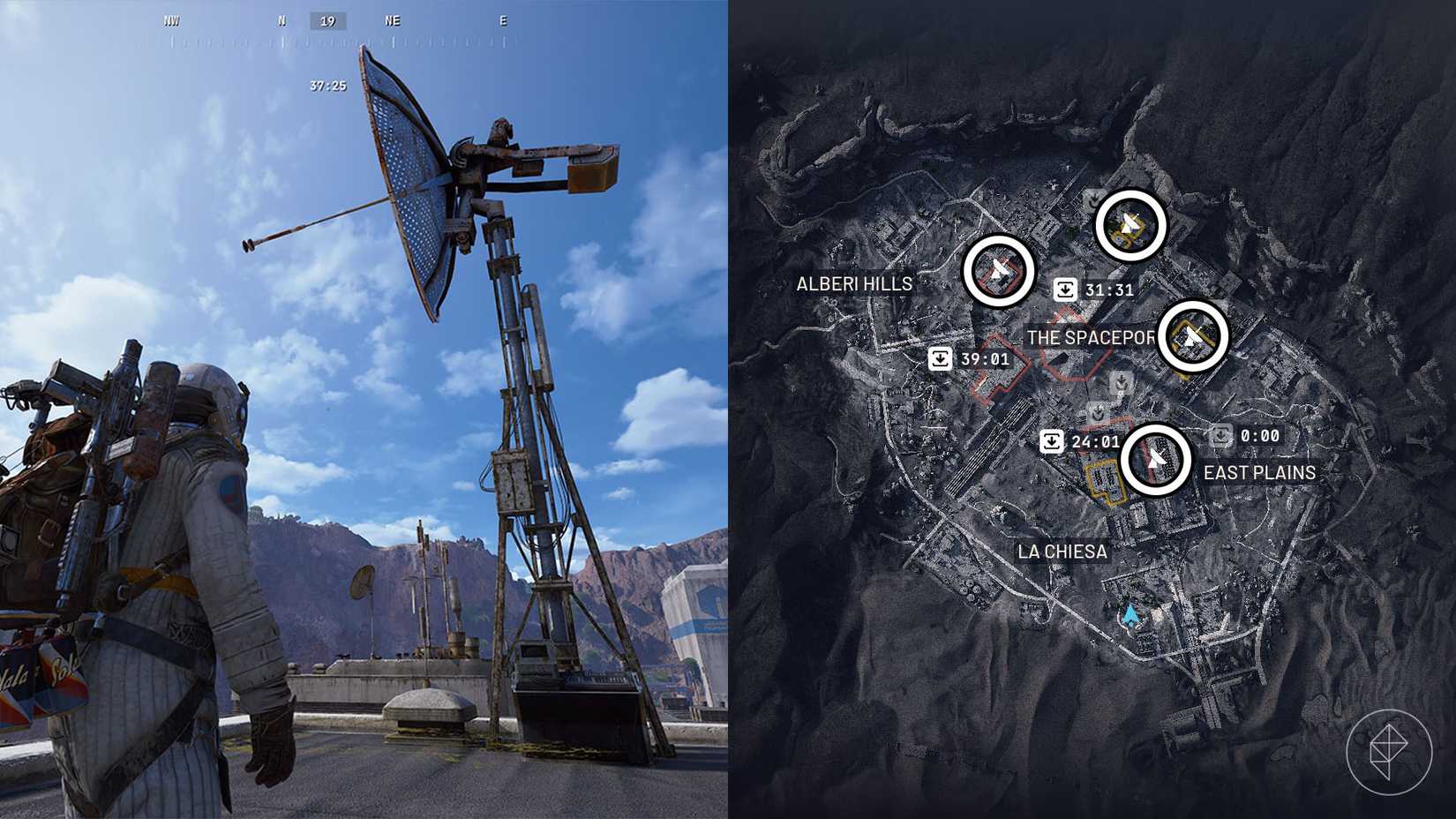
Image source: Polygon.com
Solving the Terminal Download Puzzle and the Proximity Rule
Once the doors hiss open, the real challenge begins. Inside the bunker, you will find a series of yellow terminals. The goal is to "Download Data" from these stations to earn XP and Trial points. However, the mechanics inside are governed by a strict proximity rule that many players find confusing.
As noted in community discussions on Reddit's Pro Tips guide , you must stay within approximately 20 feet of an active terminal. If all players leave this radius, the download will stall and eventually reset, turning the terminal light red.
- Yellow Light
- The terminal is active and currently downloading. At least one player is within the required radius.
- Red Light
- The download has been interrupted or abandoned. You must wait for a 1-2 minute reset timer before you can attempt the download again.
- Green Light
- The download is complete. XP has been awarded to the squad, and the terminal is now inactive for the remainder of the match.
There is a minor discrepancy in the community regarding the total number of terminals. While some early guides suggest there are 8 terminals, more recent "Pro" breakdowns confirm there are 6 terminals (5 on the lower floor and 1 on the upper balcony). Completing all 6 provides a maximum Trial score of 9,600 points.
Tactical Strategies to Prevent Loot Stealing and Camping
The "Leech" or "Rat" problem is a significant frustration in the Arc Raiders community. Because the bunker opening is a server-wide event, any player can enter once the door is unlocked, regardless of whether they helped activate the antennas. This leads to squads "camping" the Southwest corner while you do the hard work of fighting ARC units across the map.
To counter this, veteran players utilize the North-to-South Workflow . By starting with the North and East antennas and finishing with the South antenna, your squad naturally migrates toward the bunker entrance. This ensures you are physically closer to the door when the final "Send Signal" interaction occurs, significantly reducing the window for campers to steal your position.
In a full squad, another effective tactic is to have one player "anchor" the bunker area. While two players handle the final antenna, the third player stays hidden near the bunker door. As soon as the door begins its opening animation, the anchor can move in to secure the interior, providing a safe landing zone for the rest of the team.
Evaluating the Rewards and the Volcano Blueprint Myth
Is the Hidden Bunker worth the 40-minute investment? For most players, the answer is a resounding yes, but perhaps not for the reasons you think. There is a common myth that the Volcano Blueprint —a highly sought-after weapon schematic—only drops inside the bunker crates.
Evidence from experienced Raiders suggests that the Volcano Blueprint is actually a map-wide drop that only occurs while the Hidden Bunker condition is active. While the crates inside the bunker have a high probability of containing it, you could technically find it in a random toolbox on the other side of the map during the event. However, the bunker remains the most reliable source for high-tier crafting materials and massive XP gains.
| Feature | Standard Spaceport Run | Hidden Bunker Event |
|---|---|---|
| Max XP Potential | Moderate (Combat/Extraction) | High (3,000+ from Terminals) |
| Loot Quality | Standard / Red Area | Top-tier / Rare Blueprints |
| Risk Level | Medium | Very High (PvP & ARC) |
| Time Commitment | 15-20 Minutes | 40-50 Minutes |
Investigating the Mystery of the Upper Floor Quest Item
One of the most intriguing aspects of the Hidden Bunker is an object found on the upper floor that remains a mystery to the general player base. It appears as a large, metallic sphere—often referred to by the community as the "big ball"—and it pings as a Quest Item when scanned.
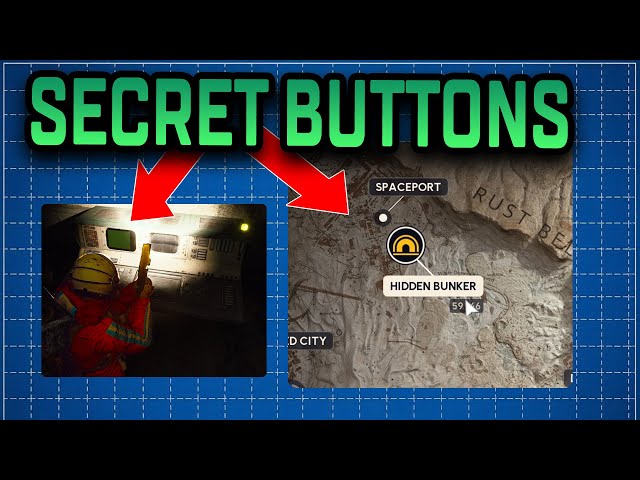
Image source: YouTube
Currently, there is no known use for this item in the standard gameplay loop. Some players speculate it is part of a multi-map puzzle that has yet to be fully implemented, while others believe it may be a placeholder for a future story expansion. Regardless of its current utility, its presence suggests that the Hidden Bunker holds secrets that go beyond simple data downloads.
Troubleshooting Common Issues with the Bunker Door and Terminals
Even with a perfect plan, things can go wrong. Here are the most common issues players encounter and how to fix them:
Problem: All 4 antennas are active, but the door is still locked.
Solution:
Check your map or the antenna terminals. It is highly likely that someone forgot the second interaction. Remember, you must "Send Unlock Signal" after the connection is established. If the terminal light isn't a steady, bright color, it hasn't sent the signal yet.
Problem: The terminals inside are stuck on red and won't let me interact.
Solution:
This happens when a download is started and then the player leaves the 20ft radius. The terminal enters a lockout state to prevent spamming. You must wait for the internal reset timer (usually 60 to 120 seconds) before the terminal returns to a neutral state and allows a new download to begin.
Problem: I can't reach the North antenna rooftop.
Solution:
The North antenna is specifically designed to gatekeep squads that aren't prepared. If you don't have a Zipline, look for nearby industrial cranes or smaller ledges that can be used for "parkour" jumps. However, the Snap Hook is the most reliable way to ensure access.
Frequently Asked Questions
Can you solo the Hidden Bunker event?
Does the Volcano Blueprint only drop inside the bunker?
What happens if the 40-minute timer runs out while I'm inside?
Do I need a specific keycard to enter the bunker?
How many terminals are actually inside the bunker?
Key Takeaways for a Successful Bunker Run
- Check the Map Condition on the main menu before deploying to ensure the event is active.
- Equip Traversal Tools like the Zipline or Snap Hook to reach the rooftop antenna locations.
- Perform Two Interactions at every antenna: one to connect and one to send the final signal.
- Follow a North-to-South Path to ensure your squad is near the Southwest bunker when it opens.
- Respect the 20ft Rule inside the bunker to prevent terminal downloads from resetting.
- Watch for Campers near the bunker entrance who may try to steal your hard-earned loot.
- Investigate the Upper Floor for the mysterious quest item, even if its current use is unknown.
Before your next drop, coordinate with your squad to assign specific antenna sectors and ensure at least one person is carrying high-capacity magazines for the terminal defense phase.