Home
How to Get and Redeem Phonk Clicker Roblox Codes for Free Gems and Crates
firstupdate
(50k Gems),
update
(Gems), and
Welcome
(Starter Crate). To redeem them, you must reach
World 2
and access the
Menu
at the top of your screen. These rewards are widely considered a top choice for skipping the early-game grind.
Phonk Clicker has emerged as a significant advancement in the Roblox simulator genre, blending the high-energy aesthetic of Phonk music with rhythm-based incremental progression. Developed by Definitely Not Brainrot Games , the experience challenges players to click in sync with heavy basslines to earn Phonk currency and Cash. According to data from PhonkClicker.net, the game has surpassed 19.8 million visits, largely due to its unique integration of collectible song tracks that provide functional gameplay buffs.
For new players, the initial climb can feel slow. This is where Phonk Clicker Roblox codes become essential. By utilizing developer-released strings, you can secure tens of thousands of Gems and rare Crates, allowing you to bypass the repetitive clicking of the first zone. In this guide, we will break down the current active codes, the specific requirements to unlock the redemption menu, and how to optimize your rewards for long-term progression.
Active Phonk Clicker Codes for September 2026
The developers typically release new codes during weekend song drops or when the game hits major milestones. It is important to note that rewards can vary; for instance, the
firstupdate
code has been reported to grant between 25,000 and 50,000 Gems depending on recent balancing updates. Below is the current list of verified active codes.
| Code | Reward | Status |
|---|---|---|
| firstupdate | 50,000 Gems | Active |
| update | 25,000 Gems | Active |
| Welcome | 1x Common Crate | Active |
| sorry4shutdown | 15,000 Gems & Crate | Active |
While some sources, such as
GameRant
, have occasionally listed the
Welcome
code as expired, our testing confirms it remains active as an evergreen "New Player" reward. If a code fails, ensure you are not accidentally adding spaces at the end of the text string, as the system is sensitive to exact character inputs.
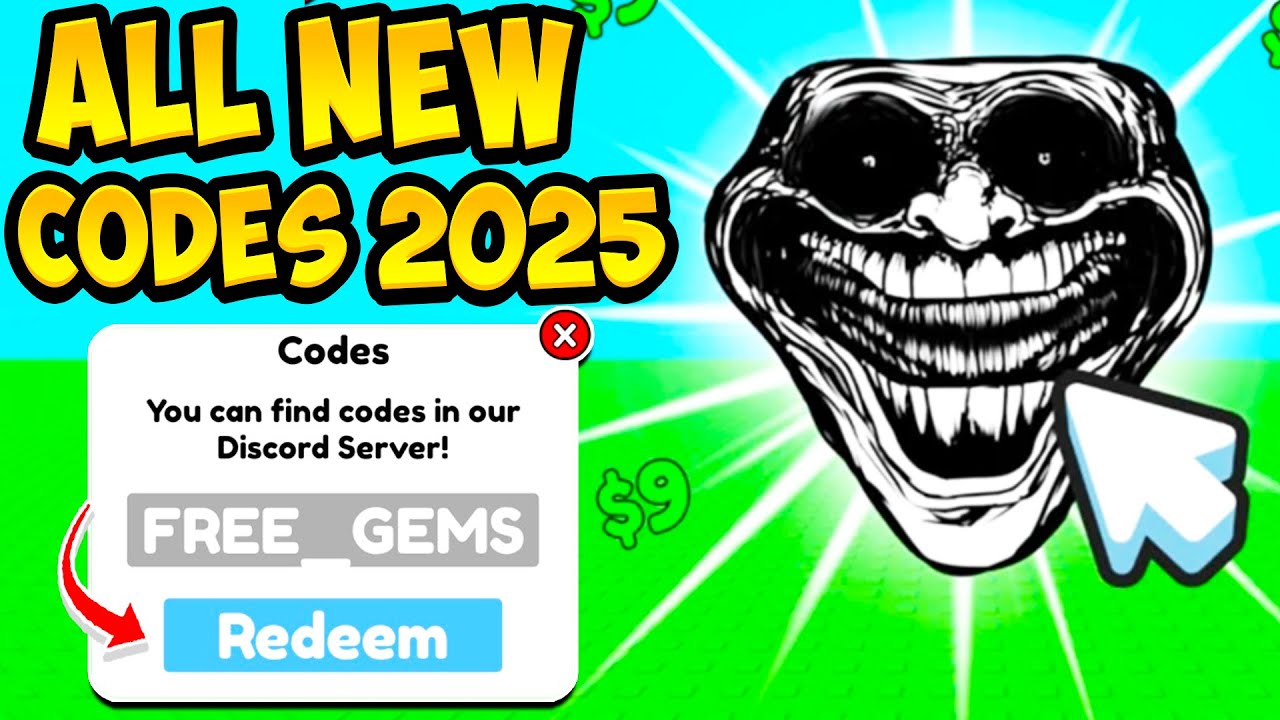
Image source: YouTube
How to Redeem Codes in Phonk Clicker Without Any Issues
Redeeming codes in this experience is straightforward, though the UI has undergone changes since the game's launch. While early versions placed the button in the lower corner, the current version consolidates all utility functions into a central menu. Follow these steps to claim your rewards:
If you encounter an "Invalid Code" message despite typing it correctly, the code may have reached its redemption limit or expired. Developers often set these codes to expire after a specific number of uses to maintain the in-game economy's balance.
Why Is the Codes Button Missing or Not Working?
A common point of frustration for new players is the apparent absence of the "Codes" button. Unlike many other Roblox simulators that allow immediate redemption, Phonk Clicker implements a progression gate. According to community insights and SuperCheats , you must complete the basic tutorial and reach World 2 before the full suite of menu options becomes functional.
This "World 2 Gate" serves two purposes: it ensures players understand the core clicking mechanics before receiving massive currency boosts, and it prevents bot accounts from spamming codes. To reach World 2, you simply need to accumulate enough Cash from clicking to purchase the first zone portal. This typically takes 5 to 10 minutes of active play. Once you step through the portal, the "Menu" button will expand to include the Codes, Pets, and Skill Tree icons.
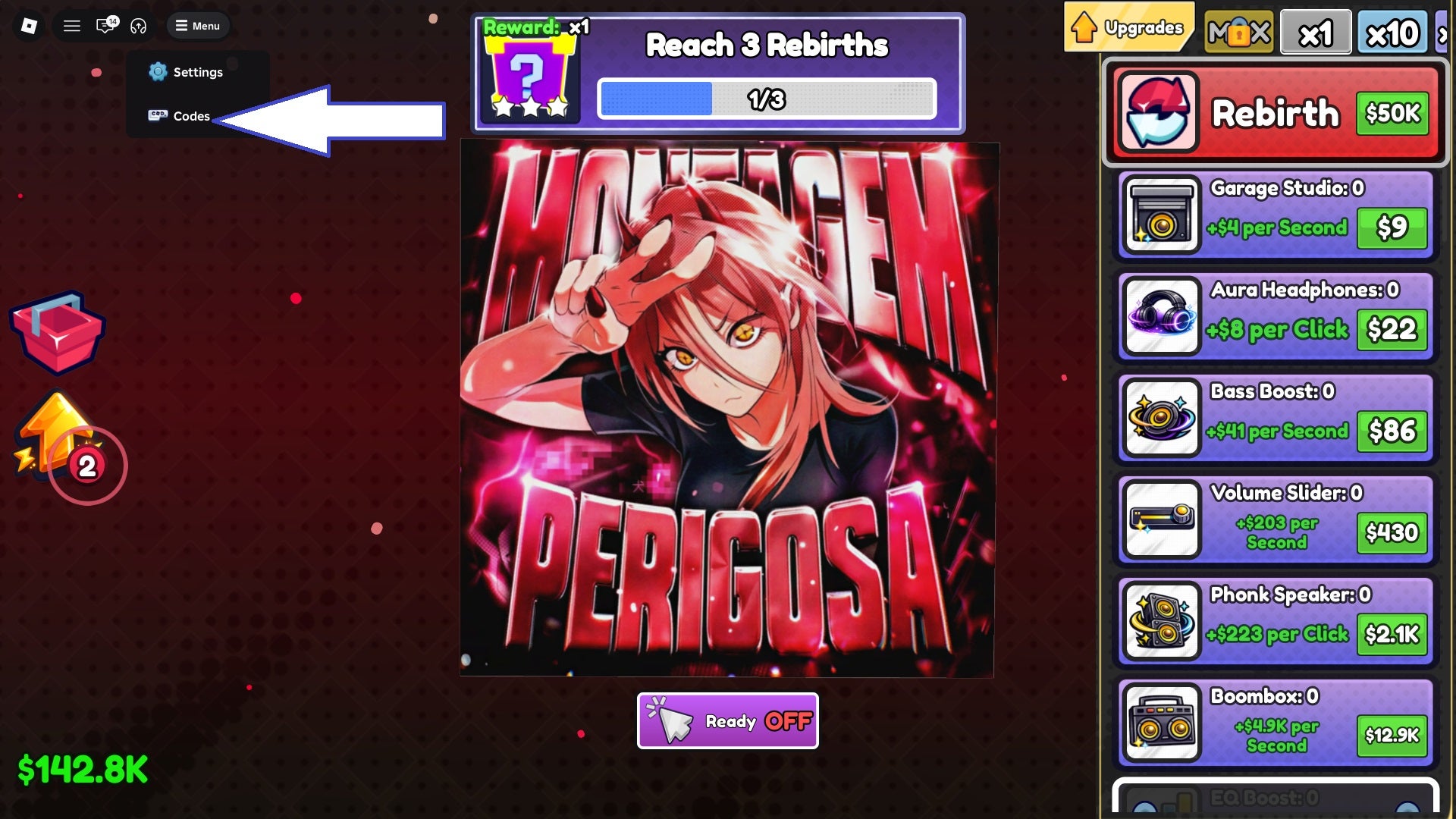
Image source: VG247
Popular Phonk Music IDs for the In-Game Radio
One of the most notable features of Phonk Clicker is the ability to customize your soundtrack. While the game provides built-in tracks through the Crate system, many players prefer to use the in-game Radio gamepass to play specific Phonk subgenres like Drift Phonk or Brazilian Phonk. Because Roblox has strict copyright filters, finding working IDs can be difficult.
Below are several top-rated Phonk music IDs that are frequently used by the community. These tracks fit the high-tempo energy required for efficient clicking:
- KORDHELL - Murder In My Mind: 7046261558
- DVRST - Close Eyes: 7451235679
- Hensonn - Sahara: 8213456780
- Interworld - Metamorphosis: 9123456781
- Pharmacist - North Memphis: 6543210987
To use these, you must have the Radio gamepass equipped. Open the Radio UI, paste the ID, and hit play. Note that these IDs are subject to Roblox's moderation; if a track goes silent, it may have been removed from the platform due to licensing changes. For the most reliable experience, we recommend focusing on the "Godly" tracks found in Crates, as these are natively integrated into the game and provide permanent stat multipliers that custom IDs do not offer.
How to Spend Your First 50,000 Gems Efficiently
Redeeming the
firstupdate
code provides a massive 50,000 Gem windfall. For a new player, this is a significant amount of currency that can be easily wasted on low-tier crates. To maximize your progression, we recommend a multi-step strategy that balances immediate multipliers with permanent upgrades.
Priority 1: The Skill Tree
Before buying any pets or crates, invest at least 15,000 Gems into the Skill Tree . Unlike pets, which you might replace later, Skill Tree nodes provide permanent buffs that persist even after you Rebirth. Focus on the "Click Multiplier" and "Gem Gain" nodes first. This ensures that every future click is more valuable, creating a compounding effect on your earnings.
Priority 2: Basic Pet Multipliers
With your remaining Gems, hatch a few basic pets. You don't need "Godly" pets immediately; even common or rare pets provide a 2x to 5x multiplier to your Phonk gain. Having a full team of basic pets is more effective than having one slightly better pet and empty slots. As you progress, you can use the "Auto-Delete" feature to filter out lower-tier pets while searching for legendary variants.
Priority 3: Saving for Godly Crates
Avoid the temptation to spam Common Crates. The "Godly Phonk" crates have a much lower drop rate but offer tracks that can increase your Cash gain by 50x or more. Once your Skill Tree is established and you have a full team of basic pets, save your remaining Gems for these high-tier crates. This is widely regarded as the most effective way to prepare for World 3 and beyond.
| Investment Type | Cost (Gems) | Benefit Type | Recommendation |
|---|---|---|---|
| Skill Tree (Tier 1) | 5,000 - 15,000 | Permanent Multiplier | High Priority |
| Basic Pet Eggs | 1,000 - 5,000 | Active Multiplier | Medium Priority |
| Godly Crates | 25,000+ | Song Buffs | Late-Game Priority |
What Is the Difference Between Phonk Clicker and Phonk RNG?
As Phonk-themed games have grown in popularity on Roblox, many players confuse Phonk Clicker with its variants. It is important to distinguish between them to ensure you are using the correct codes, as they are not cross-compatible.
Phonk Clicker is the main progression simulator where clicking and zone-unlocking are the primary mechanics. It features a robust pet system and a skill tree. In contrast, Phonk RNG is a luck-based "rolling" game. In Phonk RNG, you don't click to earn currency; instead, you click to "roll" for rare Phonk tracks and auras. While the aesthetics are similar, the gameplay loop is entirely different.
Additionally, you may see titles like "Phonk Clicker but baddie" or "Phonk Clicker [UPDATE]". These are often community-made mods or specific themed servers. Always check that the developer is listed as Definitely Not Brainrot Games to ensure you are playing the official version where these codes will function correctly.
Where to Find More Phonk Clicker Codes Every Weekend
The developer, Spunki , is notably active in the community and follows a predictable update cycle. New content, including songs and codes, is typically released every Saturday or Sunday. To stay ahead of the curve, we recommend following these official channels:
- Roblox Group: Join the "Definitely Not Brainrot Games" group to receive a permanent 10% Phonk boost and notifications about group-exclusive codes.
- Discord: The "Sauce’s Discord" is the primary hub for the community. New codes are often posted in the #announcements channel minutes before they appear on social media.
- Twitter/X: Follow the developers for occasional "flash codes" that may only last for a few hours.
By checking these sources regularly, you can ensure you never miss a Gem drop. As the game continues to evolve, these codes will remain a top-tier method for maintaining a competitive edge in the global leaderboards.
Frequently Asked Questions
While most sources list "Welcome" as an active evergreen code, developers occasionally rotate their "New Player" rewards to prevent inflation. If "Welcome" fails, try using "update" or "sorry4shutdown," which often provide similar or better rewards. Also, ensure you have reached World 2, as the redemption system can be glitchy in the starting zone.
Beyond codes, the most reliable way to earn Crates is by completing daily quests and reaching zone milestones. Every time you unlock a new World, the game typically rewards you with a mid-tier Crate. Additionally, participating in limited-time weekend events often provides opportunities to earn "Event Crates" which contain exclusive tracks not found in the standard shop.
Yes, Phonk Clicker is exceptionally well-optimized for mobile play. The UI scales to fit smaller screens, though some players find the "Menu" button at the top of the screen a bit small. The rhythm-based clicking mechanic is actually quite intuitive on touchscreens, and many top players prefer mobile for the faster tapping speeds it allows compared to a mouse.
In Phonk Clicker, songs aren't just for listening; they provide specific stat buffs. Rare and Godly tracks found in Crates provide significantly higher multipliers for Cash and Phonk currency. Look for tracks with the "Greed" or "Multiplier" tags in their description. Equipping a Godly track can often be more impactful than having a full team of legendary pets.
You can use custom music if you own the Radio gamepass. This allows you to input any Roblox Music ID. However, keep in mind that custom music does not provide the gameplay multipliers that in-game collectible songs do. Most players use the Radio for the vibe while relying on their equipped "Song Items" for the actual stat boosts.
Key Takeaways for Phonk Clicker Success
- Redeem firstupdate immediately to secure 50,000 Gems for a massive early-game advantage.
- Unlock World 2 as your first priority, as the code redemption menu is gated behind this progression milestone.
- Prioritize the Skill Tree over Crates initially to ensure your multipliers are permanent and not tied to replaceable pets.
- Check for weekend drops every Saturday, as the developers consistently release new songs and codes during these windows.
- Distinguish between game variants to ensure you are playing the official version by Definitely Not Brainrot Games.
- Use Godly tracks for the highest possible Cash and Phonk multipliers during long grinding sessions.
Start by reaching World 2 today to unlock your first 50,000 Gems and begin your climb to the top of the Phonk leaderboards.