Home
How to Mod Cyberpunk 2077 NPCs and Understand Their Hidden AI Routines
Managing and modding cyberpunk 2077 npc entities requires a balance of visual fidelity and CPU performance. While background NPCs feature high-quality assets, their AI logic is often simplified to save processing power. To customize them, tools like AppearanceMenuMod (AMM) and Wolvenkit are essential. For optimal performance, mid-range builds should stick to "Medium" crowd density to avoid CPU bottlenecks in dense areas like Japantown.
The Current State of Night City Citizens
As of 2026, the ecosystem of Night City has evolved significantly since its initial launch. The NPCs (Non-Player Characters) that inhabit this neon-drenched metropolis are categorized into three distinct tiers: Main, Secondary, and Background. Main characters like Jackie Welles or Judy Alvarez possess complex facial animations and unique riggings, while background citizens are procedurally generated to fill the streets.
According to community discussions on Reddit , there is a notable "Visual vs. Behavioral Paradox" within the game. Players often observe that background NPCs have remarkably high-quality models that rival protagonists in other titles, yet their AI logic remains relatively simplistic. This discrepancy exists because NPC logic is a CPU-intensive task; rendering a high-poly jacket is often less taxing for modern hardware than calculating a complex 24-hour pathfinding routine for thousands of simultaneous entities.
The Phantom Liberty expansion further refined this ecosystem by introducing espionage-themed NPCs in Dogtown. These characters, ranging from black-market Ripperdocs to shifty informants, feature more reactive dialogue scripts that respond to the player's progression through the expansion's high-stakes political narrative.
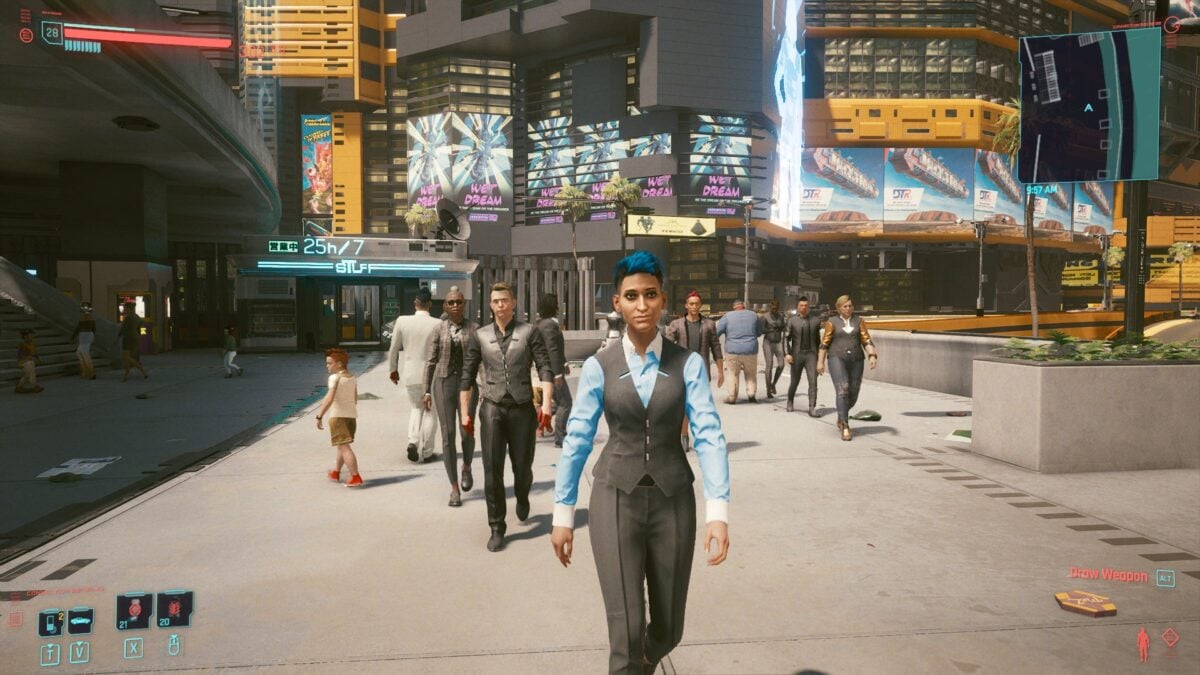
Image source: Kotaku
Why Cyberpunk 2077 NPC AI Behaves Differently Than Other Open Worlds
The AI in Cyberpunk 2077 has been a subject of intense scrutiny, particularly when compared to titles like Grand Theft Auto V or the Hitman series. This comparison, often referred to as the "Crowbcat Effect" after the popular YouTube analyst, highlights the differences in how reactive environments are handled. In Night City, NPCs are designed more as "atmospheric set dressing" than as autonomous agents with persistent lives.
Technical investigations by community members like Bandercoot have debunked the myth of a full 24-hour schedule for every citizen. Instead, most background NPCs follow limited, looping scripts. For example, a character might walk from a noodle stand to a bench, sit for three minutes, and then vanish once they are outside the player's field of view. This "culling" is a necessary optimization to maintain high frame rates on consoles and mid-range PCs.
"NPC behavior is fundamentally a CPU-oriented task. When you see NPCs walking in circles or T-posing, it is often a sign that the game's script engine is being throttled to prioritize rendering performance."
However, specific characters like the Zen Master offer a break from this standard. His interactions are notably innovative, providing a pacifist path that focuses on meditation and environmental storytelling rather than the typical combat-heavy loops found elsewhere in the city. These scripted moments show the potential of the REDengine when AI resources are focused on a single, meaningful interaction.
How to Change NPC Appearance and Create Custom NPVs
For power users, the most exciting aspect of the cyberpunk 2077 npc ecosystem is the ability to modify them. The community has developed a concept known as the "NPV" (Non-Player V), which allows you to turn your own customized protagonist into a spawnable NPC that can follow you, fight alongside you, or simply inhabit your apartment.
The Essential Toolstack
To begin modding NPCs, you will need three primary tools:
- Wolvenkit: The primary integrated development environment for REDengine games.
- AppearanceMenuMod (AMM): A top-tier mod that allows for real-time swapping of NPC outfits and spawning of custom entities.
- Cyber Engine Tweaks (CET): The framework required to run scripts and access the game's console.
Step-by-Step NPV Registration
According to the Redmodding Wiki , creating a custom NPC involves more than just swapping a mesh. You must register the entity so the game recognizes it as a unique character. The process typically follows this workflow:
-
Locate the Mesh:
Find your character's head mesh path, usually located in
tutorial\npv\your_character\head. - Create the Entity (.ent): Use Wolvenkit to define which meshes and textures the NPC will use.
-
LUA Registration:
This is the most critical step. You must register the NPC via a
.luafile in the AMM directory.
Failure to correctly register the
.lua
file is the most common reason NPC mods fail to load. Always ensure your file paths use double backslashes (
\\
) to avoid syntax errors within the Cyber Engine Tweaks environment.
Where to Find the Most Interesting Hidden NPC Interactions
Beyond the main questline, Night City is filled with NPCs that harbor deep lore and secret reactions. One of the most discussed figures is Misty . While she appears as a simple shopkeeper, community analysis on the Fextralife NPC Database suggests a "Misty Polarization." Some players view her as a spiritual anchor, while others point to her subtle dialogue shifts in the "Tower" ending of Phantom Liberty as evidence of hidden resentment toward V for the events leading to Jackie's death.
Other notable interactions include:
- The Zen Master
- A mysterious figure who appears in four specific locations, offering braindances that focus on the elements (Earth, Water, Fire, Air). He is one of the few NPCs who cannot be harmed by the player.
- Jane Perry (Rogue Amendiares)
- The voice actor for Rogue also voices Diana Burnwood in the Hitman series. Fans of both franchises have noted similar "handler" vibes in her dialogue delivery.
- Dogtown Vendors
- Unlike standard vendors, Dogtown's black-market dealers often have unique backstories that you can uncover through high Technical Ability or Street Cred checks.
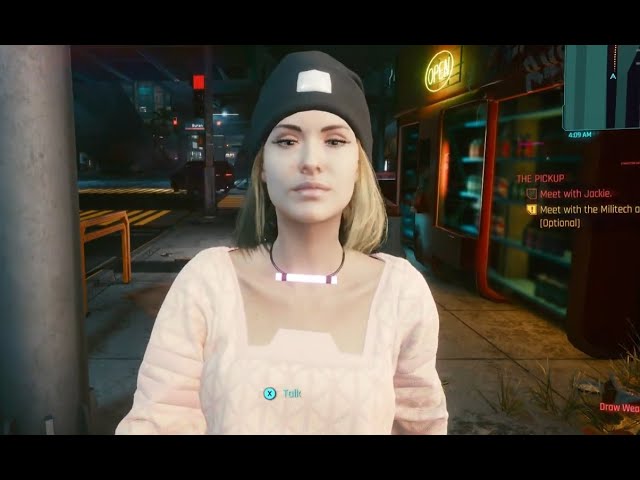
Image source: YouTube
How NPC Density Settings Affect Your Game Performance
Choosing the right NPC density is a critical decision for any player. This setting, found under the "Gameplay" tab, determines how many background citizens the engine attempts to simulate at once. Because each NPC requires pathfinding calculations and collision detection, this setting is heavily CPU-bound.
| Setting | Performance Impact | Visual Result | Recommended Hardware |
|---|---|---|---|
| Low | Minimal | Empty streets; few "clumping" bugs. | Older 4-core CPUs / Steam Deck. |
| Medium | Moderate | The intended balance for immersion. | Modern 6-core CPUs (Ryzen 5600+). |
| High | Significant | Crowded, bustling sidewalks. | High-end 8+ core CPUs (i7-13700K+). |
Even with a top-tier GPU like an RTX 4090, you may experience frame drops in Watson or Japantown if your CPU cannot keep up with the "High" density setting. If you notice stuttering while driving through crowded areas, lowering this setting is often more effective than lowering graphical presets like shadows or reflections.
Common Problems When Modding NPCs and How to Fix Them
Modding the
cyberpunk 2077 npc
system is not without its pitfalls. The most frequent issue reported by users is the "T-Pose" or "Floating Head" glitch. This typically occurs when a mod replaces a character's mesh but fails to include the necessary component registrations in the
.ent
file. If the game looks for a "hat" component that no longer exists in the modded file, it may cause the entire model to fail to animate.
Another common issue involves Script Breaks . Mods like "Night City Enhanced" (available on Nexus Mods ) add new functional vendors to the game. However, if these mods are installed alongside other mods that alter the same world sectors, NPCs may stop spawning entirely. To fix this, always use a load order manager and check for conflicts in Wolvenkit.
Historically, Patch 1.11 was a significant step forward for NPC stability, as it fixed a critical bug where Takemura’s holocall would permanently block all other NPC interactions. If you are returning to the game after a long hiatus, ensure your game version is at least 2.1 or higher to avoid these legacy AI locks.
Frequently Asked Questions
Do Cyberpunk 2077 NPCs have daily schedules and routines?
While CD Projekt Red initially hinted at complex schedules, the reality is more scripted. Most background NPCs follow looping paths within a specific area. They do not have persistent 24-hour lives where they go to work, go home, and sleep. Instead, the game spawns and despawns them based on the player's location to maintain performance.
Can you change NPC clothes without using mods?
No, there is no native feature in the base game to change the outfits of NPCs like Judy, Panam, or random citizens. You must use mods like AppearanceMenuMod (AMM) or specific "Replacer" mods from Nexus Mods to alter their visual appearance.
What is an "NPV" in the modding community?
NPV stands for "Non-Player V." It refers to a modding technique where players export their own customized version of the protagonist (V) and re-import them as a spawnable NPC. This allows players to see their own character in the game world as a companion or background entity.
How do I fix NPCs disappearing when I turn around?
This is a built-in engine optimization called "culling." To minimize this, you can try increasing the "Crowd Density" setting or using mods that increase the despawn distance. However, be aware that this will significantly increase the load on your CPU.
Does NPC density affect FPS on high-end PCs?
Yes, heavily. Even with a powerful GPU, high NPC density can cause "CPU bottlenecks." This means your processor is working so hard to calculate NPC movements and logic that it cannot tell the GPU what to render fast enough, leading to lower frame rates and stuttering.
Key Takeaways
- Use AMM for the most accessible way to change NPC appearances in real-time.
- Lower crowd density if you experience stuttering in dense areas like Watson, as this is a CPU-bound task.
- Follow LUA registration strictly when creating custom NPVs to avoid mod failures.
- Explore Dogtown for the most reactive and advanced NPC scripts introduced in the Phantom Liberty expansion.
- Watch for T-poses as a sign of missing component registrations in your mod files.
- Appreciate the visual fidelity of background NPCs, which ranks among the top in the industry despite simplistic AI.
For the best experience, start by installing AppearanceMenuMod and experimenting with NPC spawning in a low-density area to see how your system handles the extra load.