Home
How to Play Galactic Contention and Master the Squad Star Wars Mod
To play Galactic Contention , you must own the base game Squad on PC. The mod is a free total conversion available via the Steam Workshop . As of late 2026, the mod runs on Unreal Engine 5 (Version 9.0) , offering grand-scale 50v50 combat. For the best stability, users should force DirectX 11 in launch options and set audio quality to Low to prevent common UE5 crashes.
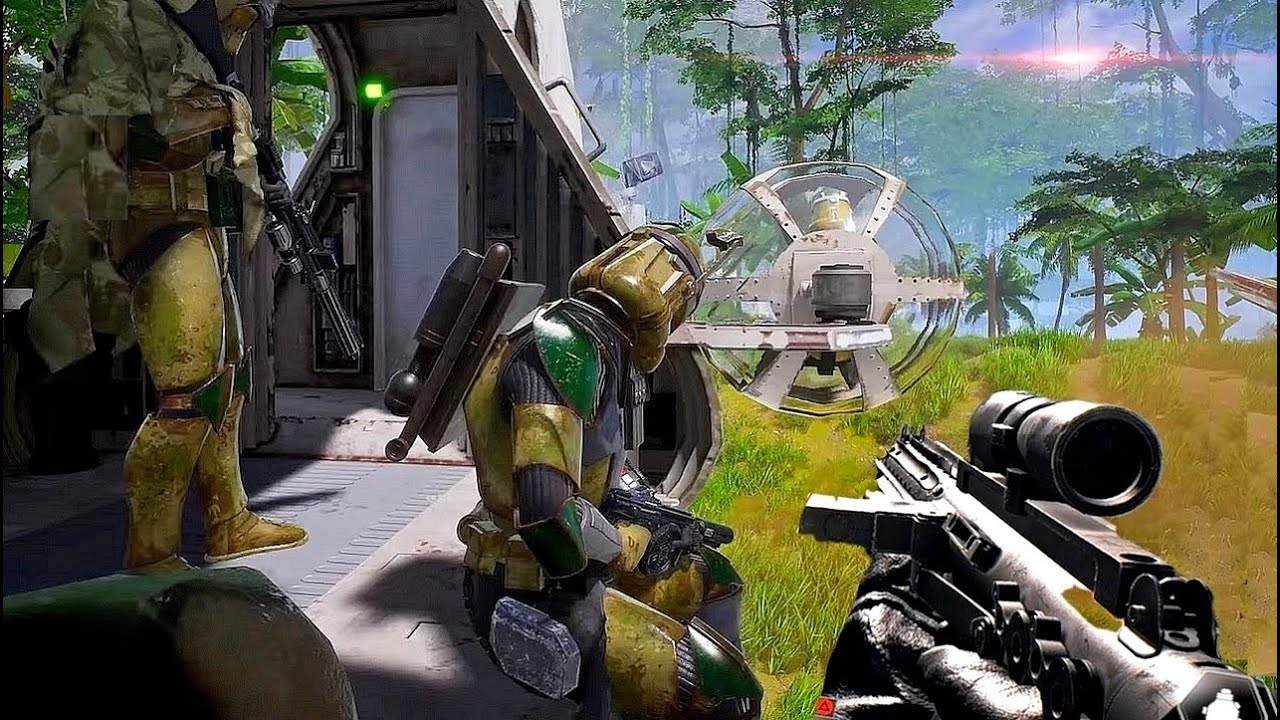
Image source: YouTube
Understanding the Scale and Appeal of Galactic Contention
Galactic Contention (GC) stands out as a premier total conversion mod for the tactical first-person shooter Squad . Unlike arcade-style shooters, GC leverages the core mechanics of Squad —communication, logistics, and combined arms—to create a Star Wars experience that many fans find more immersive than mainstream titles. According to LevelCapGaming , the mod replaces every single asset from the base game, including vehicles, weapons, player models, and environments, to faithfully recreate the Clone Wars era.
Defining the Total Conversion Experience
A "total conversion" means that while the underlying engine and code belong to Squad , the visual and auditory experience is entirely Star Wars. You aren't just playing a "skin" of a modern military game; you are engaging with custom-coded blasters that have unique projectile physics, flying LAAT gunships with authentic flight models, and navigating iconic planets like Geonosis, Felucia, and Umbara. The scale is consistently 100 players (50v50), which allows for a front-line intensity that few other Star Wars games can match.
Tactical Realism in a Sci-Fi Setting
The mod adopts a "milsim-lite" approach. This means that while you are fighting with laser blasters, the rules of engagement are grounded in reality. Positioning, suppressive fire, and squad cohesion are vital for success. You cannot simply "run and gun" your way to victory. Instead, you must work with your Squad Leader (SL) to build Forward Operating Bases (FOBs), manage ammunition supplies, and coordinate strikes against enemy command posts. This depth has led to a dedicated community that values teamwork over individual kill counts.
Step by Step Guide to Installing Galactic Contention on PC
Installing Galactic Contention is relatively straightforward because it is integrated into the Steam ecosystem, but the sheer size of the mod requires some preparation. It is important to note that this mod is not a standalone game; you must have Squad installed in your Steam library first.
Ensure the base game is fully updated. The mod relies on the latest version of the Squad executable to function.
Search for "Galactic Contention" in the Squad Workshop. Look for the version maintained by the official development team (often labeled as the UE5 or v9.0 build).
Click "Subscribe." Steam will automatically begin downloading the files. Be prepared for a download size that often exceeds 50GB.
Once the download finishes, launch Squad. Navigate to the "Server Browser" and look for servers with the "GC" or "Galactic Contention" tag.
Managing the Massive Download and Hardware Requirements
Due to the high-fidelity assets and the Unreal Engine 5 transition, Galactic Contention is hardware-intensive. A Solid State Drive (SSD) is highly recommended, as loading into a 100-player match from a traditional Hard Disk Drive (HDD) can result in timeouts or severe stuttering. Based on community benchmarks, a modern mid-range CPU (such as a Ryzen 7600 or Intel i5-13600K) is often more important than the GPU for maintaining a stable frame rate during heavy combat.
Troubleshooting Server Visibility and the UE5 Migration Status
In recent years, the mod community faced a significant hurdle during the transition to Unreal Engine 5. For several months in 2024, the mod was effectively "down" or in a state of limbo as the small development team worked to rebuild the entire project to match the base game's engine update. As of late 2026, the mod is fully operational, but new players often encounter the "Server Roulette" bug.
The Server Roulette Bug and How to Fix It
Many users report that the in-game server browser appears empty even when they have the mod installed. This is a known issue with how Steam handles large modded server lists. To fix this, you should:
- Refresh Frequently: Sometimes the list takes 30-60 seconds to populate.
- Check Filters: Ensure you haven't accidentally filtered out modded servers or full servers.
- Join via Discord: The Galactic Contention community maintains an official Discord where you can find direct-join IP addresses or see which servers are currently active.
Technical Optimization for Stability and Performance
Even on high-end systems, Galactic Contention can be prone to crashes due to the complexity of the total conversion. Following specific technical configurations can significantly improve your experience and prevent the dreaded "UE5 Crash to Desktop."
While Squad supports DirectX 12, Galactic Contention is widely reported to be more stable on DirectX 11. To force this, right-click Squad in Steam > Properties > General > Launch Options, and type:
-dx11
Forcing DirectX 11 for Enhanced Stability
The Unreal Engine 5 version of the mod introduces advanced lighting and shadows, but these can conflict with certain GPU drivers when using DX12. Forcing DX11 often resolves flickering textures and sudden crashes during map transitions. Additionally, setting your Audio Quality to Low in the in-game settings is a "secret fix" shared by veteran players. This reduces the CPU overhead required to process hundreds of simultaneous blaster sounds and explosions, which is a common cause of performance bottlenecks in 50v50 matches.
Adapting to the Infantry Combat Overhaul Mechanics
One of the most significant changes to Galactic Contention in recent years was the integration of the Infantry Combat Overhaul (ICO) . This update fundamentally changed how blasters behave, moving away from "point-and-click" shooting toward a more realistic, weight-based system.
- High accuracy while moving.
- Instant Aim-Down-Sights (ADS).
- Minimal weapon sway.
- "Run and gun" tactics were viable.
- Heavy sway based on stamina.
- Slower, more deliberate ADS.
- Intense suppression effects (blurred vision).
- Requires teamwork and stationary firing.
Managing Weapon Sway and Suppression
In the current version, if you sprint across a field and immediately try to shoot a B2 Super Battle Droid, your blaster will sway uncontrollably. You must manage your stamina. Staying near your Squad Leader or a Medic provides a "cohesion" bonus that reduces the effects of suppression. When under fire, your screen will blur and your aim will shift; the best way to counter this is to return fire in the general direction of the enemy to suppress them back, allowing your teammates to maneuver.
Faction Strategies and Specialist Kit Management
Galactic Contention primarily focuses on the Galactic Republic and the Confederacy of Independent Systems (CIS). Each faction has unique strengths that require different tactical approaches.
| Feature | Galactic Republic (Clones) | Confederacy (Droids) |
|---|---|---|
| Infantry Strength | High accuracy, versatile kits. | Numbers, specialized droid types. |
| Key Vehicle | TX-130 Saber Tank / LAAT. | AAT Battle Tank / HMP Gunship. |
| Specialist Units | Clone Commandos / ARCs. | Magna Guards / Droidekas. |
| Playstyle | Tactical, squad-focused. | Aggressive, overwhelming force. |
The Race for Specialist Roles
To maintain balance, the mod limits the number of "Specialist" kits available. For example, a team may only have three Clone Commandos or Magna Guards at any given time. These roles are highly sought after because they offer superior armor and unique weaponry. If you want to play these roles, you need to be quick at the start of the match, but remember: specialists are expected to lead the charge and play their role effectively. Failing to do so often results in the Squad Leader asking you to switch to a standard rifleman kit.
Community Etiquette and Essential Squad Naming Rules
Because Galactic Contention is built on the Squad engine, it inherits a strict set of community rules. Most servers are moderated by active admins who enforce "milsim" standards to ensure the game remains fun for everyone.
Mandatory Communication and Leadership Roles
Having a working microphone is not just recommended; on most servers, it is mandatory for Squad Leaders and specialized roles. If you join a squad and do not communicate, you will likely be kicked to make room for a player who will. Furthermore, squad naming is a critical piece of etiquette. If you intend to use a TX-130 tank, your squad should be named "TX-130" or "Armor." This signals to the rest of the team that the vehicle is claimed and being utilized.
Understanding Why Galactic Contention Remains a PC Exclusive
A common question among the community is whether Galactic Contention will ever come to Xbox or PlayStation. As of 2026, there are no plans for a console port, and for several technical reasons, it is unlikely to happen.
- Engine Limitations: The base game, Squad , is a PC-exclusive title. Porting a massive, modded version of a PC-only engine to consoles is a monumental task that the small modding team cannot undertake.
- Control Complexity: Squad utilizes almost every key on a standard keyboard for various functions (ranging from ranging sights to complex vehicle controls). Mapping these to a controller would require a complete UI overhaul.
- Modding Infrastructure: Sony and Microsoft have strict limitations on third-party mods, especially those that use copyrighted intellectual property like Star Wars. The Steam Workshop provides a freedom that console ecosystems currently do not match.
Frequently Asked Questions
The Bottom Line
Galactic Contention offers one of the most immersive Star Wars combat experiences available today, provided you have the hardware to run it and the patience to learn its tactical systems.
- Own Squad on PC via Steam.
- Subscribe to the v9.0 (UE5) mod in the Workshop.
- Use SSD storage to avoid loading timeouts.
- Force DirectX 11 for better stability.
- Communicate with your squad using a microphone.
- Respect server rules regarding vehicle and specialist kit usage.
- Join the Discord to find active servers during off-peak hours.
Start by joining a "New Player Friendly" server to get a feel for the blasters and the ICO mechanics before jumping into specialized roles.