Home
Home
How to Play Slender Multiplayer with Friends on PC and Browser
To play Slender multiplayer immediately, the Grassboii version on Construct.net is a top choice for browser play, supporting up to 8 players. For a more stable experience, download the standalone version from Itch.io or GameJolt . If you own Garry's Mod , the "Stop it Slender" workshop mod offers a highly social, stable environment. The official Slender: The Arrival multiplayer update is currently delayed with a TBA status as of late 2026.
The Slender Man phenomenon, which began as a simple creepypasta, evolved into one of the most recognizable horror gaming experiences of the 2010s. While the original Slender: The Eight Pages was a solitary nightmare, the community has since developed several ways to share that terror with friends. Whether you are looking for a quick browser-based session or a deep, modded experience in Garry's Mod , there are multiple platforms available to test your nerves against the Tall Man.
In this guide, we explore the leading versions of Slender multiplayer available in 2026, providing technical fixes for common lobby issues and pro strategies to help your team survive the forest. We also address the current status of the official multiplayer overhaul for Slender: The Arrival , which remains one of the most anticipated updates in the indie horror scene.
Where Can You Play Slender Multiplayer Right Now?
Navigating the world of fan-made Slender games can be confusing because the "official" title, Slender: The Arrival , does not yet have its promised multiplayer mode fully integrated for all users. Instead, the community relies on several highly polished fan projects and mods. According to community data, these versions vary significantly in terms of player count, stability, and platform compatibility.
The Grassboii Version (Browser and Itch.io)
This is widely considered one of the most accessible versions of the game. Developed by Grassboii, it has amassed over 5 million plays on Construct.net alone [Source 1] . It is a lightweight, 2D-style interpretation that captures the core mechanics of the original 3D game. It supports up to 8 players, making it a top-tier option for larger friend groups who want to jump into a game without a lengthy installation process.
The Killer_bigpoint Version (GameJolt)
For players on Mac or Linux, the version hosted on GameJolt by Killer_bigpoint is a strong contender. It offers a more traditional 3D experience and includes features like an 11-page mode and an integrated voice chat system [Source 5] . While it supports fewer players (up to 4), the atmosphere is notably dense, and the inclusion of "World Records" adds a competitive layer to the survival horror.
Gmod "Stop it Slender"
If you already own Garry's Mod , the "Stop it Slender" mod is often cited as the most stable social experience. It leverages the Source engine's robust networking, allowing for larger lobbies and more complex map interactions. Unlike the standalone fan games, this version often features one player acting as Slender Man, creating a dynamic "One vs. Many" hide-and-seek dynamic that has remained popular on YouTube for over a decade.
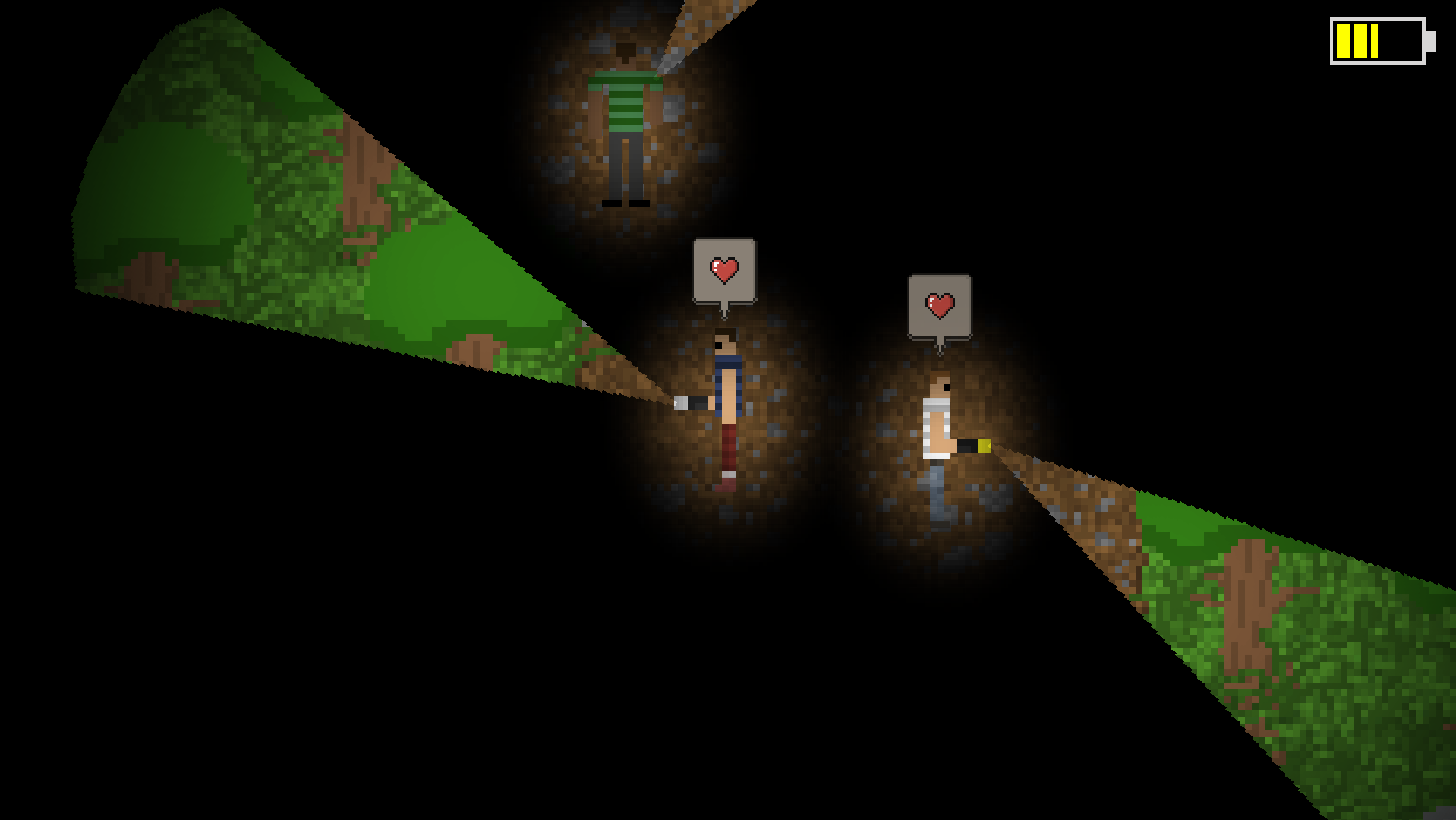
Image source: Grassboii - Itch.io
Play Instantly in Your Browser with the Grassboii Version
The Grassboii version is built on the Construct engine, which allows it to run directly in modern web browsers like Chrome, Edge, or Firefox. This version is particularly impressive because it packs a full multiplayer suite into a file size of only 5.51 MB [Source 1] . This optimization ensures that even players with older hardware can participate without significant frame rate drops.
The core loop remains faithful to the 2012 original: survivors must navigate a dark forest to collect 8 pages while avoiding the Slender Man. However, the multiplayer aspect introduces new variables. You can choose to play against a "CPU Slender" if your group wants a pure co-op experience, or one player can take control of the monster to hunt their friends. The developer has noted that while the description mentions "5 others," the technical lobby cap actually supports up to 8 players simultaneously.
Download the Standalone PC Version for Better Performance
While browser play is convenient, downloading the standalone client from Itch.io or GameJolt is highly recommended for long-term play. Standalone versions are not subject to the memory limitations of a browser tab, which helps prevent crashes during high-intensity moments when Slender Man is close.
The GameJolt version by Killer_bigpoint stands out for its progression system. It features a non-real-money store where players can unlock cosmetic items or gameplay enhancements based on their performance in previous rounds. This version also includes an integrated VoiceChat feature, which is essential for the "proximity chat" experience that many modern horror games utilize to increase immersion. Being able to hear a friend's voice fade away as they are caught in the woods adds a layer of psychological horror that text chat simply cannot replicate.
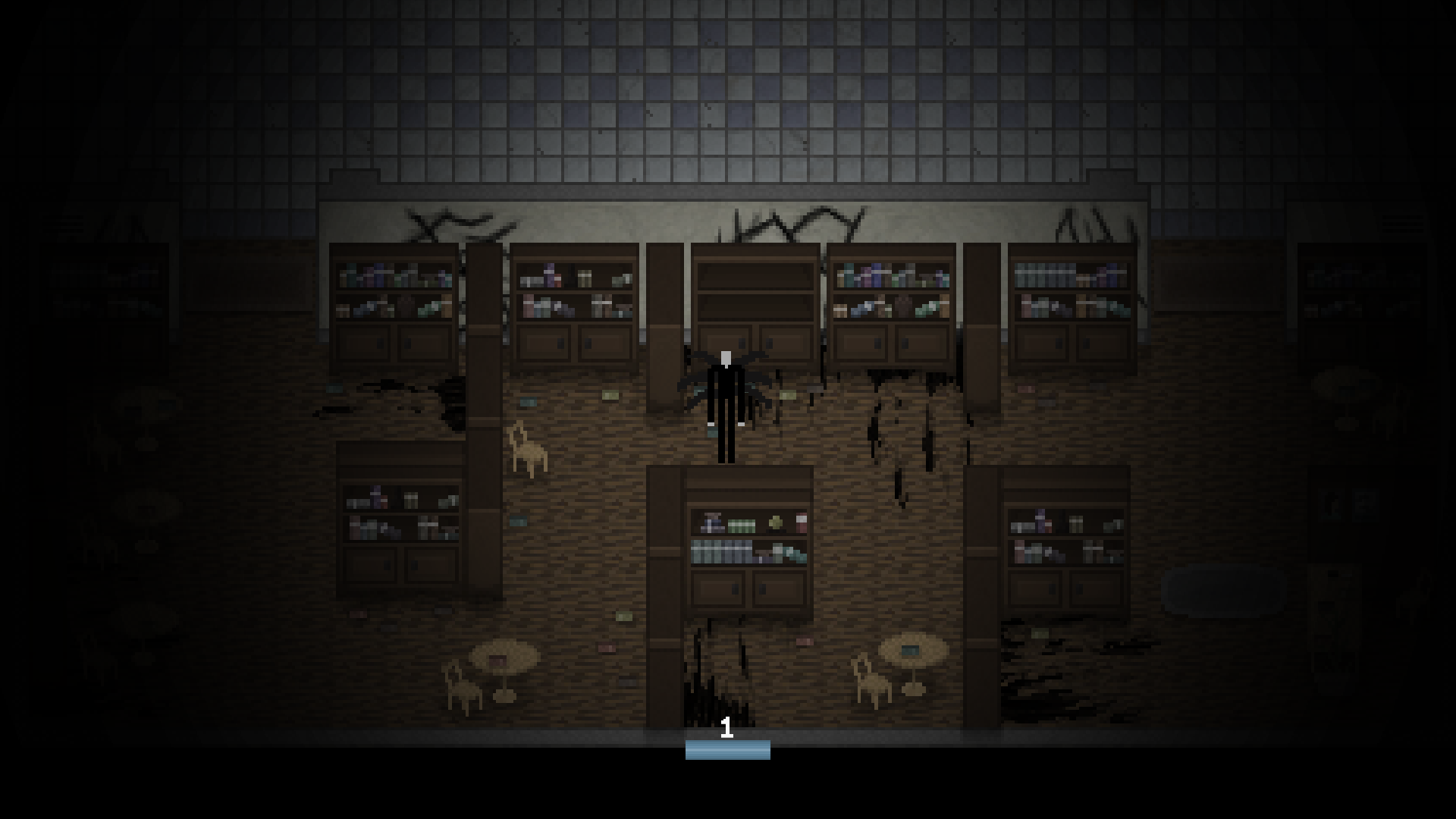
Image source: Grassboii - itch.io
Join the Classic Gmod Stop it Slender Community
Garry's Mod has long been a hub for creative horror mods, and "Stop it Slender" is among the most celebrated. To play this version, you must subscribe to the "Stop it Slender" map and gamemode on the Steam Workshop. The primary advantage here is the variety of maps; while most Slender games are confined to a single forest, Gmod allows you to play in hospitals, abandoned schools, and even urban environments.
Gameplay in Gmod differs slightly from the standalone versions. In many Gmod servers, pages are collected individually. This means that if you find a page, it counts toward your personal total, though some server configurations allow for a shared team total. This creates a tension between helping your teammates and ensuring your own survival. The mod's longevity is evidenced by its massive presence on YouTube, with creators like Vikkstar123 and the Node team producing content that continues to draw new players to the mod years after its initial release [Source 4] .
What is the Status of the Slender: The Arrival Multiplayer Update?
The official developer of Slender: The Arrival , Blue Isle Studios, announced a massive overhaul for the game's 10th anniversary, which included a graphical leap to Unreal Engine 5, three new chapters, and a dedicated multiplayer mode [Source 6] . However, the rollout of these features has been a point of contention within the community.
While the graphical overhaul is available, players looking for the official multiplayer experience should be aware that the Steam "Multiplayer" tag may be aspirational. It is a significant advancement for the franchise, but until the servers are fully live and stable, the fan-made versions remain the primary way to play with friends.
How to Choose the Top Version for Your Group
Choosing the right version depends on three factors: your hardware, your group size, and how much time you want to spend on setup. If you have a group of 8 people and only 20 minutes to play, the browser version is your best bet. If you want a deep, atmospheric session with voice chat and progression, the GameJolt or Gmod versions are superior.
| Feature | Grassboii (Browser) | Killer_bigpoint (PC) | Stop it Slender (Gmod) |
|---|---|---|---|
| Best For | Quick sessions | Mac/Linux users | Large social groups |
| Max Players | 8 | 4 | Variable (5+) |
| Setup Time | 30 seconds | 5 minutes | 15 minutes |
| Platform | Web Browser | Windows, Mac, Linux | Windows (via Steam) |
How to Fix Common Connection and Lobby Issues
One of the most frequent complaints in the Slender multiplayer community is the "Host but No Join" bug. This typically occurs when a player creates a lobby, but their friends see it as "2/4 players" or "Full," even when it is empty. This is often related to how the game handles the Photon Cloud connection versus the local network leader status.
Firewall and Network Exceptions
For the standalone PC versions, you must ensure that the game executable has an exception in your Windows Firewall. Because these games are often "unrecognized" by Windows, the OS may silently block the incoming connections required for other players to see your lobby. If you are hosting, try temporarily disabling your firewall or adding the specific game folder to your "Allowed Apps" list.
Improving Browser Performance
The Construct-based browser version relies heavily on your browser's ability to process JavaScript and WebGL. If you encounter "stuttering" or disconnects, try the following:
- Close unnecessary tabs to free up RAM.
- Disable VPNs, as they can interfere with the Photon Cloud region matching.
- Use a dedicated browser like Chrome or Edge, which typically have the most up-to-date hardware acceleration drivers.
Developer Support Channels
Because these are fan-made projects, traditional customer support does not exist. However, the developer Grassboii maintains a dedicated Discord server where players can get real-time troubleshooting help. If your lobby is consistently freezing at the "Ready" screen, checking the Discord for server status updates is a vital step [Source 1] .
Pro Strategies for Surviving the Slender Man
Surviving Slender Man in multiplayer requires a different mindset than the single-player game. In a group, you have more eyes on the environment, but you also have more targets that can lead the monster directly to you. Understanding the underlying game logic can give your team a significant edge.
Teleportation Logic
In the Grassboii version, Slender Man's teleportation is not entirely random. He cannot teleport directly onto a player's current position if they are at the very bottom of the screen. There is a "safe zone" logic built into the screen-space rendering. Use this to your advantage by keeping your back to the "bottom" of your view when navigating tight corners.
Flashlight Management
Unlike the original game where the flashlight is a simple toggle, many multiplayer versions require you to hold the E key to charge the battery. This creates a vulnerability window where you cannot sprint or interact with pages. Coordinate with your team: one person charges while two others keep their lights on to scan the perimeter.
The Importance of Radio Silence
If you are playing a version with proximity voice chat (like Gmod or the GameJolt version), remember that Slender Man (if player-controlled) can often hear your mic input. Using "radio silence" when you see the screen static start to flicker is a vital tactic. If you continue to talk, you are essentially "pinging" your location to the monster player [Source 11] . Use non-verbal cues, like flashing your light twice, to communicate during high-danger moments.
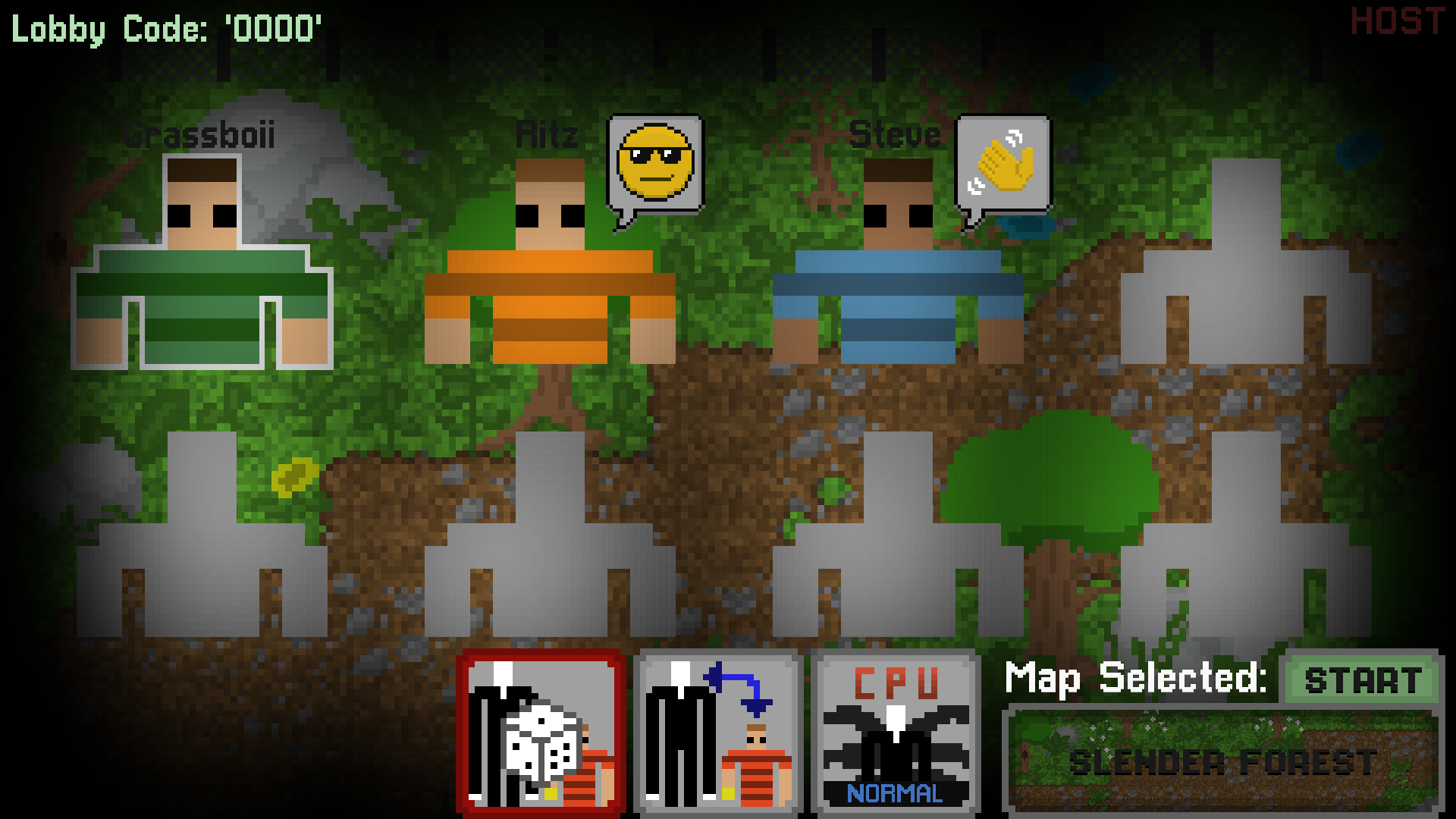
Image source: Grassboii - Itch.io
Frequently Asked Questions
As of October 2026, the official multiplayer update for Slender: The Arrival has faced several delays. While it was originally targeted for 2024, it remains in a "TBA" status for many users. Players should check the official Steam News hub for the most recent patch notes regarding the Unreal Engine 5 overhaul.
The most reliable way is to visit Construct.net and search for the Grassboii version. It requires no download and supports up to 8 players. Ensure your browser has hardware acceleration enabled for the best performance.
The multiplayer update is intended to be cross-platform, but like the PC version, the console release has been delayed. Currently, the 10th Anniversary graphical update is available on consoles, but the multiplayer lobbies are not yet functional.
"Stop it Slender" is the most popular and well-supported mod. You can find it by searching the Steam Workshop for Garry's Mod . It features custom maps, player-controlled Slender Man, and a robust round-based system.
The fan-made versions on Itch.io, GameJolt, and Construct.net are entirely free to play. However, playing the Gmod version requires you to own Garry's Mod , and the official Slender: The Arrival is a paid title.
Key Takeaways for Slender Multiplayer
- Choose the Grassboii version for the fastest setup and largest player lobbies (up to 8 players).
- Download the standalone client from Itch.io if you experience browser lag or connection drops.
- Use the "E" key to charge your flashlight in fan versions, but be mindful of the vulnerability window it creates.
- Check firewall exceptions if your friends cannot see or join your hosted lobby.
- Monitor the official Steam News for updates on the Slender: The Arrival multiplayer overhaul.
- Practice radio silence in proximity chat versions to avoid alerting a player-controlled Slender Man.
- Enable hardware acceleration in your browser settings to ensure a smooth frame rate in web-based versions.
Start by testing the browser version with a small group to ensure your network settings are compatible before moving to the more complex Gmod or standalone installations.