Home
How to Upgrade Stardew Valley Graphics With Top Mods and Visual Settings
Transform your farm from the standard yellowish palette to a lush, modern masterpiece. Whether you are troubleshooting resolution bugs or seeking a complete aesthetic overhaul, this guide covers the essential visual optimizations for 2026.
To improve Stardew Valley's graphics immediately, prioritize DaisyNiko’s Earthy Recolour to reduce eye strain and Artisan Good Icons for better gameplay clarity. If your resolution is locked or appears blurry post-1.6 update, manually setting your resolution to 1400 x 1050 in the options menu often forces a UI reset that resolves scaling issues on high-resolution monitors.
Stardew Valley’s aesthetic is a deliberate choice, rooted in the charm of 16-bit era pixel art. However, for many players, the "vanilla" color palette can feel overly saturated or yellowish, leading to visual fatigue during long play sessions. With the release of the 1.6 update, the game introduced new visual assets and environmental details, but it also shifted the landscape for mod compatibility.
As of late 2024, the modding community has produced over 33,600 mods on Nexus Mods , with a significant portion dedicated specifically to visuals and graphics. You do not need to settle for the default look; through a combination of precise in-game settings and curated community content, you can modernize the game's aesthetic while preserving its core identity. This guide explores how to navigate these options, fix common technical glitches, and select the right mods for your personal playstyle.
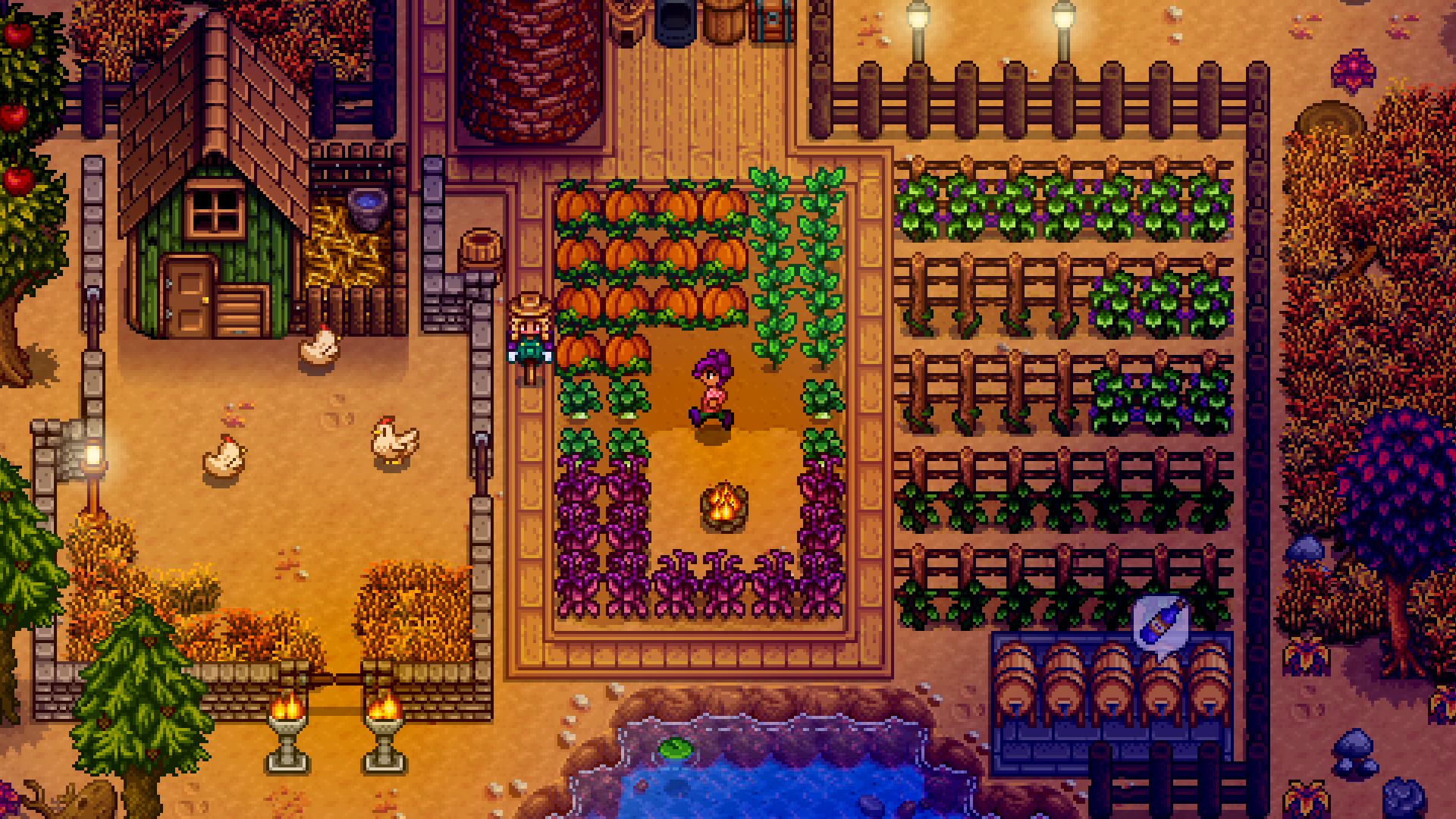
Image source: Pixelated Playgrounds
How to Optimize Stardew Valley Graphics Without Using Mods
Before diving into the world of SMAPI and texture overrides, there are several built-in settings that can significantly improve your visual experience. These are especially important for players on consoles or those who prefer a "Vanilla+" experience without the complexity of third-party software.
Adjusting the In-Game Zoom and UI Scale
One of the most common complaints among players using 4K monitors or large television screens is the "tiny menu" syndrome. Stardew Valley separates Zoom Level from UI Scale . The Zoom Level dictates how much of the world you see on screen; zooming out allows you to see more of your farm but makes sprites smaller. The UI Scale, however, controls the size of your inventory, dialogue boxes, and menus.
For a balanced experience on high-resolution displays, many users find that setting the UI Scale to 125% or 150% while keeping the Zoom Level at 90% or 100% provides the best clarity. This ensures that you can still see your surroundings clearly without straining your eyes to read item descriptions.
Lighting Quality and Ambient Fog
The 1.6 update refined how lighting interacts with the environment. In the options menu, you can toggle Lighting Quality . While higher settings provide smoother transitions between light and shadow, they can impact performance on older hardware or the Steam Deck. If you notice stuttering during rainy days or in the Mines, lowering the lighting quality to "Medium" often resolves the issue without a noticeable loss in visual fidelity.
Additionally, the "Ambient Fog" setting adds a layer of atmospheric depth to certain weather conditions. While beautiful, some players find it obscures gameplay. Toggling this off can provide a sharper, cleaner look if you prefer high visibility over atmosphere.
The Hidden Meaning of Tool Sparkles
Visual cues in Stardew Valley often serve a mechanical purpose. A detail frequently missed by beginners is the color of the sparkles that appear when using tools. According to community research into non-obvious mechanics , these sparkle colors correspond directly to the tool's upgrade level. Recognizing these visual indicators can help you confirm you are using the correct tool tier without opening your inventory, a small but effective way the game uses graphics to communicate efficiency.
How to Fix Common Stardew Valley Graphics Bugs and Resolution Issues
Technical friction can ruin the immersion of Pelican Town. Since the 1.6 update, several specific graphical bugs have emerged that require manual intervention to fix.
Fixing the "Zoomed Out" Resolution Bug
A frustrating issue reported by the community involves the game appearing "too zoomed out," with the resolution selection box in the options menu becoming greyed out and unclickable. This typically happens when the game fails to handshake correctly with the monitor's native resolution settings.
The community-verified workaround for this is to manually set the resolution to 1400 x 1050 . While this might not be your target resolution, selecting this specific value often forces the game's UI engine to reset, unlocking the other resolution options and allowing you to return to your preferred setting. This fix has been widely cited in official support threads as a reliable solution for scaling errors.
Solving the Black Screen Summit Cinematic Glitch
Players who reach the "Perfection" milestone may encounter a bug where the final summit cinematic displays a black background instead of the intended mountain view. This is often caused by a conflict between the game's camera script and high-resolution UI scaling. If this occurs, try lowering your UI scale to 100% before triggering the cinematic to ensure the background assets load correctly.
Dynamic Reflections and Horse Animation Bugs
For those using mods, the Dynamic Reflections mod is a popular choice for adding water realism. However, it is known to cause camera stuttering or "snapping" when the player is riding a horse near bodies of water. If you experience erratic camera movement while mounted, check the mod's configuration file to disable reflections specifically for the horse sprite, which usually resolves the conflict.
The Top-Rated Stardew Valley Recolor Mods to Change the Game’s Atmosphere
Recolor mods are often the first step in a visual overhaul because they change the fundamental "feel" of the game world without altering the gameplay mechanics. They address the common criticism that the vanilla game is too bright or "yellow."
Vanilla Aesthetic
High saturation, vibrant yellows and greens. Provides a classic, cheerful atmosphere but can lead to eye strain during long sessions.
Earthy Aesthetic
Muted tones, deep forest greens, and natural browns. Designed to be "easier on the eyes" and provides a more grounded, realistic feel.
DaisyNiko’s Earthy Recolour
Widely considered one of the top choices for a comprehensive overhaul, DaisyNiko’s Earthy Recolour replaces almost every outdoor tile in the game. It swaps the bright yellow dirt for a rich brown and tones down the neon-green grass. This mod is highly recommended for players who want a "Cozy" aesthetic that feels more like a modern indie title and less like a retro handheld game.
Way Back Pelican Town
If you want to move away from the modern-rural look entirely, Way Back Pelican Town is a significant advancement. It applies a medieval or vintage filter to the buildings and environment, replacing the standard wood and stone with weathered textures. It is a popular choice for players running "themed" farms, such as a vineyard or a historical estate.
| Mod Name | Primary Aesthetic | 1.6 Compatibility | Performance Impact |
|---|---|---|---|
| Earthy Recolour | Muted / Natural | Full | Low |
| Way Back Pelican Town | Medieval / Vintage | Full | Moderate |
| Starblue Valley | Cool / Desaturated | Partial (Requires Patch) | Low |
| Vibrant Pastoral | Enhanced Vanilla | Full | Low |
Improving Gameplay Clarity With Sprite and Portrait Overhauls
Beyond the environment, individual sprites and character portraits play a massive role in how you perceive the game. Improving these elements is not just about beauty; it is about gameplay efficiency.
Artisan Good Icons for Better Organization
In the vanilla game, every type of honey looks identical, as does every bottle of wine or jar of jelly. This can make organizing chests a nightmare. Mods like Artisan Good Icons provide unique sprites for every variety of product. For example, Mead made from different flowers will have distinct colors and labels. This is a top-tier quality-of-life improvement that many veteran players consider essential for late-game farm management.
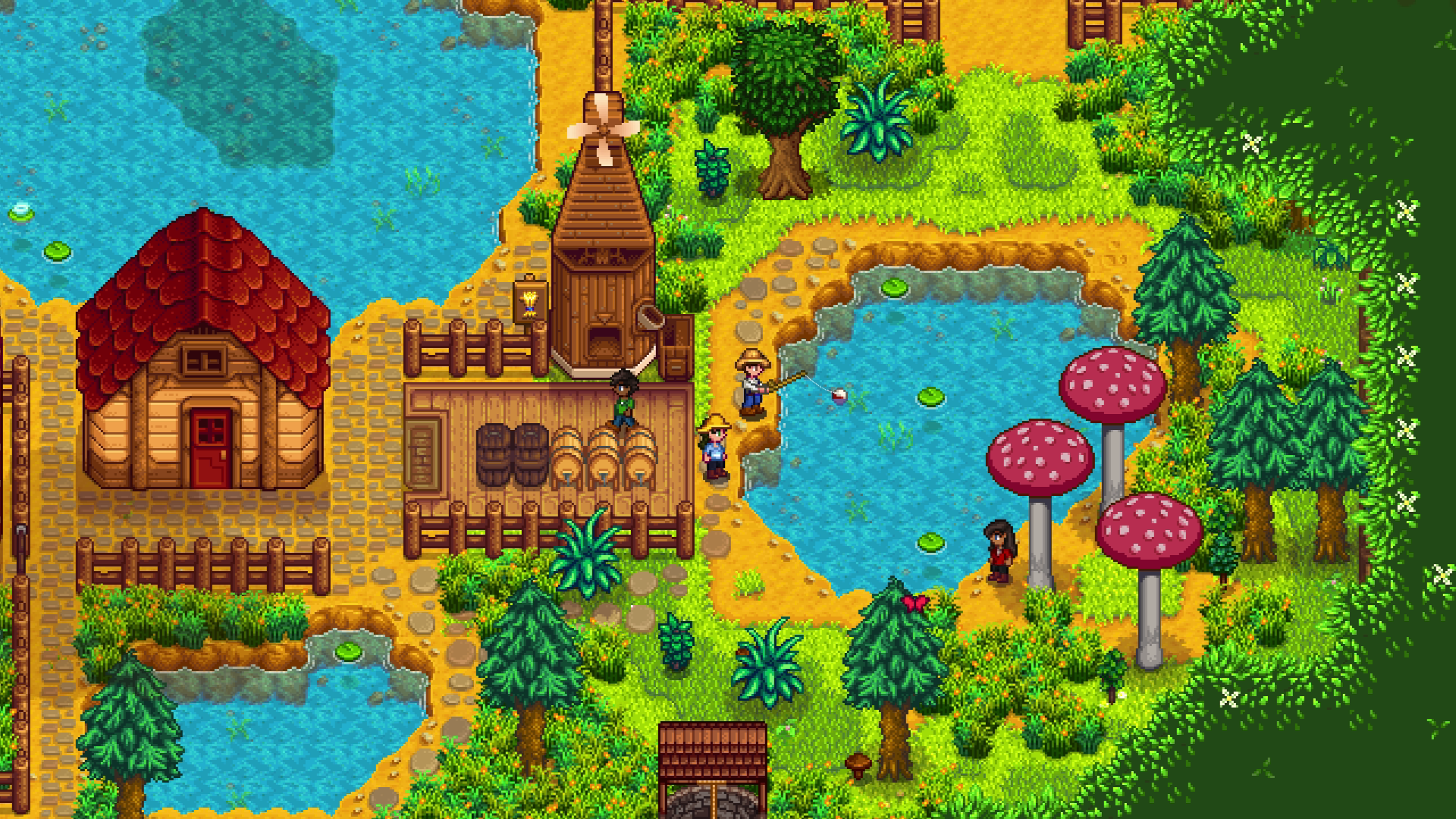
Image source: Pixelated Playgrounds
Elle’s Seasonal Buildings and Customization
In the base game, you are restricted from painting your farm buildings until they are fully upgraded. Elle’s Seasonal Buildings is a highly impactful mod that bypasses this restriction, allowing you to choose from dozens of styles and colors for your barns, coops, and sheds at any time. It also adds seasonal decorations, such as flower boxes in the spring and snow-covered roofs in the winter, which helps the farm feel like a living, breathing part of the world.
Character Portrait Mods: HD vs. Vanilla+
The "Pixel Art Debate" is most prominent when discussing character portraits. Some players prefer HD Portrait mods that replace the pixelated faces with high-resolution illustrations or anime-style art. Others prefer "Vanilla+" mods that simply clean up the existing sprites, adding more expressions or seasonal outfits without breaking the 16-bit aesthetic. According to visual mod rankings , Elle’s Cuter Villagers is a top-rated option for those who want to stay true to the original style while adding much-needed variety.
How Stardew Valley Graphics Differ Across Platforms
Your ability to customize graphics depends heavily on where you play. While the core gameplay remains identical, the visual toolkit varies significantly between PC, console, and mobile.
PC: The Gold Standard for Customization
PC players have the most freedom thanks to SMAPI (Stardew Modding API). Beyond simple texture swaps, PC users can edit internal save files to force specific
zoomLevel
and
uiScale
values that aren't available in the standard menu. This allows for a truly bespoke visual experience tailored to specific monitor setups.
Console: Limited but Stable
Players on Nintendo Switch, PlayStation, and Xbox are limited to the in-game sliders. While you cannot install recolor mods, you can still optimize the experience by adjusting the zoom and lighting settings. A common tip for Switch players in handheld mode is to keep the zoom at 100% but increase the UI scale to ensure the text remains legible on the smaller screen.
Mobile: Specific Texture Glitches
The mobile versions (Android and iOS) have unique graphical quirks. For instance, there is a known texture glitch on Android where garden pots flicker or display incorrectly when placed vertically. Additionally, mobile players often struggle with "sprite bleeding," where a tiny line of the adjacent sprite appears on the edge of an object. Keeping the zoom level slightly above the minimum can often hide these artifacts.
How to Create Your Own Stardew Style Character Art
The "Mod Yourself" trend has become a popular way for players to engage with the game's graphics. Instead of downloading someone else's art, many users are now creating custom villager portraits to represent themselves or their friends in-game.
This process typically involves using software like Photoshop, Aseprite, or Procreate. By following the game's specific 64x64 pixel grid and limited color palette, you can create assets that look like they were designed by ConcernedApe himself. For those who aren't artists, there are royalty-free vector graphics and templates available that provide the basic shapes and shading styles used in Pelican Town, allowing you to "kitbash" your own custom character.
Frequently Asked Questions
Key Takeaways
- Start with a Recolor: DaisyNiko’s Earthy Recolour is widely regarded as a top choice for reducing eye strain and modernizing the game's look.
- Fix the Zoom Bug: Use the 1400 x 1050 resolution trick to reset a locked or greyed-out resolution menu.
- Prioritize Clarity: Install Artisan Good Icons to make your farm organization much more efficient.
- Protect Your Hardware: Use Windowed mode if you see flickering to avoid potential monitor burn-in.
- Balance UI and Zoom: On high-res screens, keep UI Scale high (125%+) and Zoom Level moderate (90%) for the best balance.
- Check 1.6 Compatibility: Always verify that your mods are updated for the latest version to avoid camera and texture glitches.
By combining these technical fixes with curated visual mods, you can create a farm that is both beautiful and highly functional for your long-term playthrough.