Home
Which Stardew Valley QoL Mods Actually Make the 1.6 Update Better?
For the 1.6 era, the most effective Quality of Life (QoL) setup prioritizes SMAPI and Content Patcher as foundational frameworks. To improve daily gameplay without breaking balance, players widely recommend UI Info Suite 2 for tracking NPC schedules, Lookup Anything for in-game data, and Automate for streamlining machine production. For performance, SpriteMaster remains a top choice to reduce the 10-minute load times often caused by high-resolution cosmetic mods.
Why Quality of Life Mods Are Essential for the 1.6 Era
The 1.6 update for Stardew Valley introduced a massive amount of content, from the Meadowlands farm type to the complex mastery system. However, with more content comes more complexity. Many players transitioning to this version find themselves overwhelmed by "mod fatigue"—the result of downloading massive collections containing 150+ mods that often lead to crashes, stuttering, and choice paralysis. According to community discussions , the goal in 2026 has shifted from "more mods" to "smarter mods."
The Vanilla+ Philosophy
The "Vanilla+" approach is currently the most popular way to play. This philosophy focuses on improving the game's interface and reducing friction without altering the core loop or the charming pixel-art aesthetic. Instead of adding new characters or locations, these mods fix small annoyances, such as not knowing when a crop will harvest or losing track of an NPC during a festival. By sticking to verified 1.6-compatible mods, you ensure that your 100-hour save file remains stable while benefiting from modern interface improvements.
1.6 Compatibility Check
It is vital to verify that your chosen mods are updated for the 1.6 mechanics. The new update changed how the game handles data layers and NPC pathing, meaning older mods can cause "red text" errors in the SMAPI console. Most major QoL tools, including the ones listed in this guide, have been officially updated to support the latest features, including the new winter outfits and the expanded farm maps.
How to Install the Core Framework First
Before you can enjoy the benefits of automation or UI tweaks, you must establish a stable foundation. Modding Stardew Valley is remarkably straightforward compared to other titles, but it requires three specific components to function correctly.
- SMAPI (Stardew Modding API): This is the non-negotiable loader for all mods. It launches the game, manages mod loading, and provides a diagnostic console that helps you identify why a mod might be failing.
- Content Patcher: Over 50% of all Stardew mods require this framework. It allows mods to edit the game's data and images without actually overwriting the original files, making it much safer for your installation.
-
Generic Mod Config Menu:
This tool allows you to edit mod settings directly within the game's title screen or options menu. Instead of digging through
.jsonfiles in your file explorer, you can toggle features on and off with a simple UI.
"Maintaining a balanced mod list is key to long-term enjoyment. Focus on tools that provide information you would otherwise look up on a wiki." — Derived from Pathoschild's Mod Recommendations .
The Essential Five Mods Every Player Needs
If you only install a handful of mods, these five provide the most significant impact on daily farm life. They address the most common points of friction identified by players across Nexus Mods collections .
1. UI Info Suite 2
UI Enhancement This mod is widely considered a top choice for any playthrough. It adds icons to your screen that track NPC birthdays, daily luck, and reminders for the "Queen of Sauce" television show. It even shows a dynamic icon when a traveling merchant is in town, saving you a trip to the Cindersap Forest on unproductive days.
2. Lookup Anything
Information Think of this as your in-game wiki. By hovering over any item, crop, or NPC and pressing F1, you receive a detailed popup. It tells you exactly how many days a crop has left to grow, what an NPC's favorite gifts are (with a progression-only mode to avoid spoilers), and which community center bundles still need that specific item.
3. Automate
Efficiency Automate is a notably innovative tool that connects chests to adjacent machines. If you place a chest full of ore and coal next to a row of furnaces, the mod will automatically pull the raw materials and push the finished bars back into the chest. This allows you to focus on exploration and farming rather than manual machine management.
4. NPC Map Locations
Navigation Searching for NPCs like Sebastian or Robin can be frustrating, especially with their complex 1.6 schedules. This mod adds real-time icons to your map, showing you exactly where every villager is at any given moment. It is a simple but highly impactful fix for one of the game's oldest navigation hurdles.
5. Chests Anywhere
Storage This mod allows you to access your storage chests from anywhere in the world by pressing 'B'. While some consider this a slight departure from vanilla balance, it significantly reduces the "inventory full" frustration that plagues early-game mining trips. You can organize, rename, and categorize chests into groups for exceptionally strong organization.
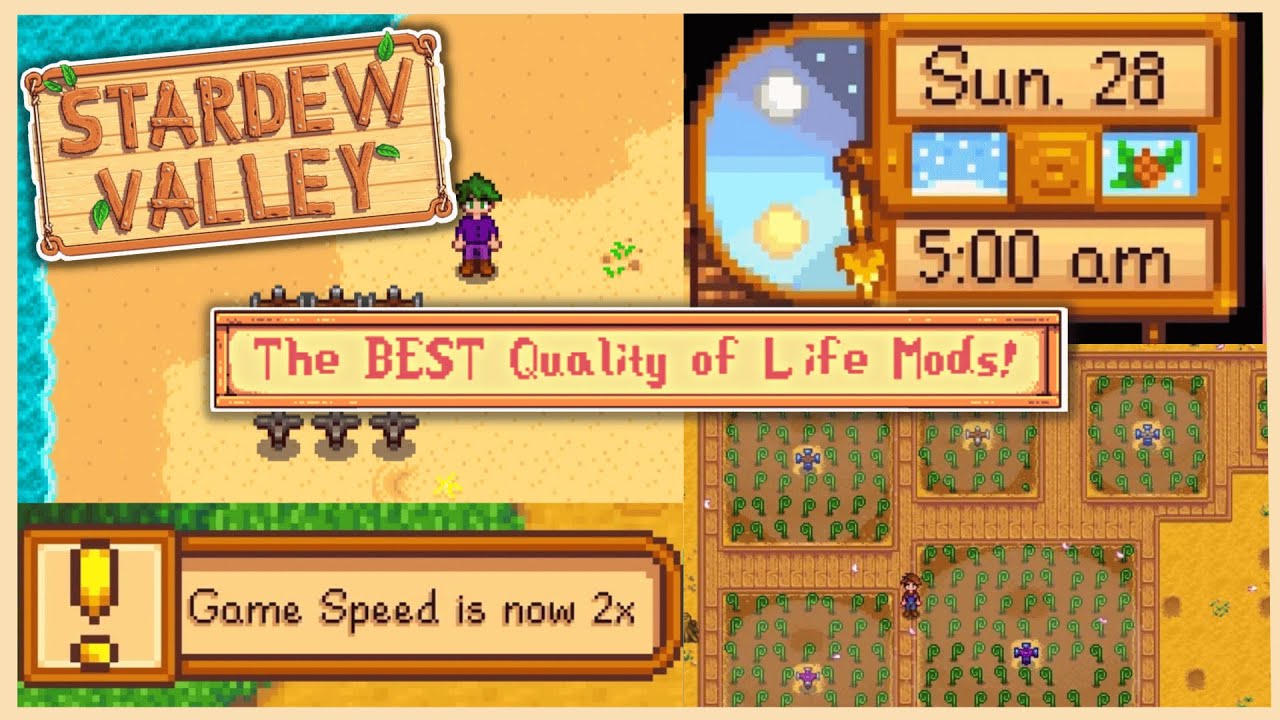
Image source: YouTube
Choosing Your Path: Minimalist vs. Maximalist Mod Packs
Depending on your playstyle, you may want a light touch or a total overhaul. The following table compares two common approaches to modding Stardew Valley in the 1.6 era.
| Feature | Vanilla+ Starter Pack | Power User Automation Suite |
|---|---|---|
| Mod Count | 5-10 Mods | 40-60+ Mods |
| Difficulty Impact | Low (Informational only) | Moderate (Saves significant time) |
| Performance Cost | Negligible | Moderate (Requires optimization) |
| Key Mod | Lookup Anything | Tractor Mod / AutoGate |
| Ideal For | First-time modders | Late-game completionists |
How to Fix Stuttering and Long Load Times
A common issue in the 1.6 update is the "10-minute load time myth." While the base game loads quickly, adding high-resolution cosmetic mods—specifically those using Alternative Textures or Fashion Sense —can cause the game to stutter or take an eternity to launch. This happens because the game engine must sample and load hundreds of high-res sprites into memory at once.
SpriteMaster vs. Clear Glasses
To combat this, many users turn to optimization tools. SpriteMaster is a popular choice that changes how the game samples textures, often resulting in much faster load times and smoother frame rates on mid-range hardware. However, community reports on modding forums suggest that Clear Glasses (a similar optimization tool) can occasionally conflict with recolor mods, leading to crashes. If you experience red-text errors in your SMAPI console, try disabling your optimization mods one by one to find the conflict.
Improving Movement and Navigation Friction
Navigation in Stardew Valley can be surprisingly clunky, especially when riding a horse. The default horse hitbox is two tiles wide, making it impossible to fit through one-tile gaps in fences or forests. This is where movement-focused QoL mods shine.
Horse Overhaul vs. Pony Weight Loss Program
For years, Pony Weight Loss Program was the standard for fixing the horse's hitbox. In the 1.6 era, Horse Overhaul has emerged as a top-tier alternative. It not only allows your horse to fit through one-tile gaps but also adds a thin-body visual and allows the horse to interact with water troughs. When paired with Horse Flute Anywhere , which removes the late-game grind for the Qi item, the horse becomes a much more viable tool for early-game exploration.
Optimizing Stardew Valley Mods for Steam Deck and Controllers
Playing Stardew Valley on the Steam Deck is a fantastic experience, but modding for a handheld device requires specific considerations. The primary issue is "fishing friction"—the difficulty of the fishing mini-game when using small analog sticks compared to a mouse.
Handheld-Friendly Adjustments
For Steam Deck users, I recommend mods that allow you to adjust the fishing bar size or bite windows. Additionally, since the Steam Deck lacks a physical "F1" key, you should use the Generic Mod Config Menu to rebind Lookup Anything to a button combination, such as L3 + R3. You should also ensure that UI Info Suite icons are scaled down in the settings so they do not overlap with the Steam Deck's native HUD elements.
Image source: Technwz
Niche QoL Mods You Might Have Missed
Beyond the big names, several niche mods solve very specific problems. One notable example is the Animal Husbandry Mod . While the base game avoids the topic of butchery, this mod introduces the mechanic for those seeking a more realistic farming experience. For players who find this too dark for a cozy game, it includes a "Meat Wand" soft mode—a notably innovative feature that teleports animals to another dimension in exchange for meat, keeping the experience "cozy" while providing the resources.
Cornucopia and Visible Fish
With 1.6 adding more diversity to the game, Cornucopia has become a popular choice for managing the influx of 90+ new crops and 35 new trees. It organizes seeds and growth cycles in a way that feels native to the game. Another visual QoL favorite is Visible Fish , which shows the actual fish swimming in the water before you cast your line. This doesn't just look great; it tells you exactly what you can catch in that specific spot and time, reducing wasted casts.
Do Mods Disable Steam Achievements?
A common concern for new modders is whether SMAPI will block Steam achievements. The short answer is no, but it requires a small setup step. By default, launching the game through the SMAPI executable won't track your time or achievements on Steam. To fix this, you must copy the file path of the SMAPI loader and paste it into the "Launch Options" in your Steam library settings. Once this is done, Steam will launch SMAPI automatically, and you will continue to earn achievements as you normally would.
Frequently Asked Questions
Which Stardew Valley QoL mods work with the 1.6 update?
Most major QoL mods, including Automate, UI Info Suite 2, and Lookup Anything, have been fully updated for 1.6. However, you should always check the "Last Updated" date on Nexus Mods or the SMAPI compatibility list. If a mod hasn't been updated since early 2024, it may cause issues with the new 1.6 features like the Mastery system or the Meadowlands farm layout.
How do I update my mods when a new version comes out?
Updating mods is a manual process. When you launch the game, the SMAPI console will display purple text if a newer version of a mod is available. You will need to go back to the source (usually Nexus Mods), download the new version, and replace the old folder in your "Mods" directory. Always delete the old folder entirely rather than overwriting files to prevent "ghost" files from causing crashes.
Can I use mods on the Nintendo Switch version?
No, modding is currently limited to the PC (Windows, Mac, Linux) and Android versions of Stardew Valley. The Nintendo Switch, PlayStation, and Xbox versions use a closed ecosystem that does not support the SMAPI framework. If you want to experience QoL mods, you will need to play the game on a computer or a Steam Deck.
What is a top choice for finding NPCs on the map?
The "NPC Map Locations" mod stands out as a top choice for this purpose. It places small, real-time icons of every villager on your in-game map. This is particularly useful in the 1.6 update, as many NPCs have new schedules or locations during the winter season that can be difficult to track manually without a guide.
Does the Tractor Mod break game balance?
The Tractor Mod is a powerful tool that can clear large areas of land in seconds. While it significantly speeds up gameplay, it is balanced by its high gold and resource cost in the late game. Most players view it as a reward for reaching the "end-game" phase where manual labor becomes a chore rather than a core part of the fun.
Final Thoughts on Building Your Perfect Farm
Modding Stardew Valley in 2026 is about enhancing the experience you already love, not replacing it. By focusing on high-quality, verified QoL tools, you can spend less time on the wiki and more time enjoying your farm.
- Install SMAPI and Content Patcher as your first step to ensure all other mods function correctly.
- Prioritize Lookup Anything to eliminate the need for constant browser-tab switching.
- Use Horse Overhaul to fix the frustrating 2-tile hitbox and improve farm navigation.
- Monitor performance with the SMAPI console, especially if you use high-resolution texture mods.
- Rebind keys for Steam Deck to ensure that powerful tools like Lookup Anything are accessible on handheld.
- Check for updates regularly via the SMAPI console's purple alert text.
Start by installing just the "Essential Five" mods today to see how much smoother your daily farm routine becomes.