Home
How to Buy and Redeem Origin Gift Cards for Gaming, Skincare, or Apparel
Identifying the Correct Origin Gift Card for Your Needs
Navigating the market for an "Origin gift card" can be confusing because the name is shared by three major, unrelated industries. Before you spend your money, it is vital to distinguish between these entities to avoid purchasing a non-refundable code for the wrong service.
EA Gaming (Legacy Origin)
Used for purchasing video games like The Sims 4 , Apex Legends , and EA Sports FC . These cards are now officially branded as EA Gift Cards but legacy Origin-branded stock remains in circulation.
Origins Skincare
A cosmetics brand focused on natural skincare products, moisturizers, and face masks. These cards are issued by ELC Brands and are only valid at Origins retail stores or their official website.
Origin USA Apparel
A manufacturer of American-made workwear, tactical gear, and boots. Their gift cards are specific to their online store and physical locations in the United States.
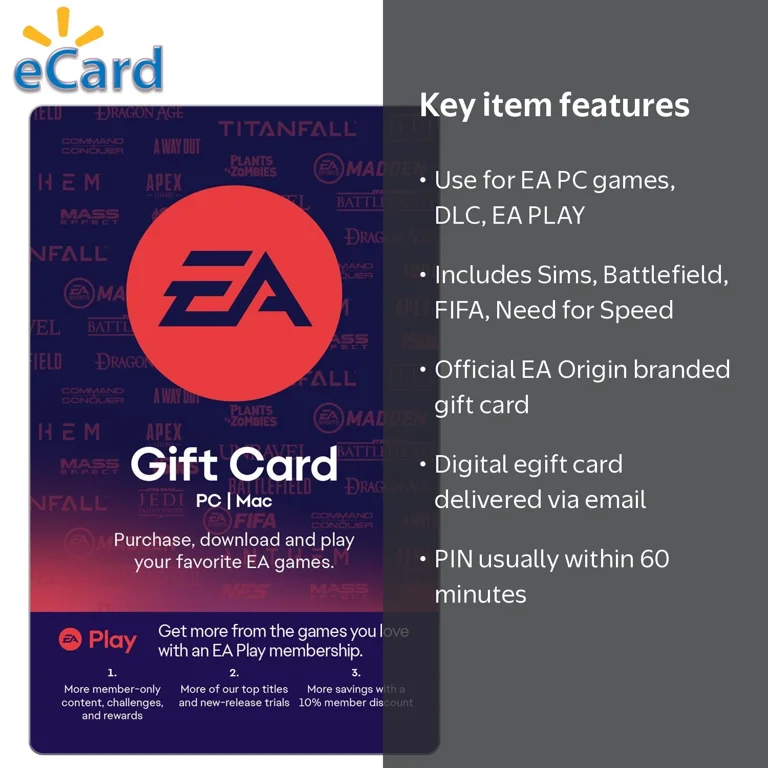
Image source: Walmart
If you are buying a gift for a gamer, ensure the card features the Electronic Arts (EA) logo. If the card features a stylized tree logo, it is for skincare. If it features a bold, patriotic aesthetic, it is likely for Origin USA apparel. Misidentifying these brands is a frequent cause of consumer frustration, as digital gift codes are almost universally non-refundable once the PIN is revealed.
Understanding the Transition from Origin to the EA App
In late 2022, Electronic Arts officially retired the "Origin" desktop client in favor of the new EA App . This rebranding was a significant advancement in the company's infrastructure, designed to provide a faster and more reliable gaming experience. However, this change left many users wondering about the status of their existing Origin gift cards.
According to official EA documentation , all legacy Origin-branded gift cards remain fully functional. When you redeem one of these cards, the funds are deposited directly into your EA Wallet . This wallet balance can be used across the EA ecosystem, including:
- Full game downloads for PC.
- Expansion packs and DLC (notably for The Sims 4 ).
- In-game currency such as Apex Coins.
- EA Play and EA Play Pro subscriptions.
- Pogo Gems and Club Pogo subscriptions (for US residents).
While the name on the card may be outdated, the underlying technology recognizes the code as a valid credit for your EA account. The transition is seamless for most users, but it is important to remember that these funds are platform-specific. An EA Wallet balance cannot be used to purchase games on consoles like PlayStation or Xbox; it is strictly for the PC version of the EA App.
Reliable Retailers for Purchasing EA and Origin Gift Cards
When looking to buy an EA or Origin gift card, choosing a reputable retailer is essential for security and speed. Digital delivery is the most common method, with codes typically arriving via email within an hour of purchase.
- Amazon (Official Store)
- Ranks among the top choices for digital codes. They offer instant delivery and a wide range of denominations. However, ensure you are buying from the official EA storefront to avoid third-party marketplace scams.
- Walmart
- Offers both physical and digital cards. Walmart's digital delivery usually takes about 60 minutes, though they note it can take up to 48 hours if additional fraud verification is required.
- Target
- A strong contender for physical cards, Target often carries denominations up to $200. This is a preferred option for those who want a physical item to put inside a birthday card.
Step-by-Step Guide to Redeeming Codes Without Errors
Redeeming your code should be straightforward, but the EA App can sometimes encounter synchronization issues. To ensure a smooth experience, many community experts recommend a specific method known as the "Browser Bypass."
The Browser Bypass Method
If you receive a "Code not valid" error within the EA App, do not panic. This is often a software glitch rather than a problem with the card itself. Instead of using the desktop application, follow these steps:
- Open a web browser (Chrome, Safari, or Firefox) on your computer or mobile device.
- Navigate directly to ea.com/redeem .
- Log in with your EA account credentials.
- Carefully enter your code. Note that EA codes are case-sensitive .
- Click "Submit" or "Redeem."
By using the web portal, you bypass the local cache of the EA App, which is a highly effective way to resolve redemption errors. Once the code is accepted, the funds will appear in your EA Wallet, and you can return to the desktop app to make your purchase.
Common Character Mix-ups
When typing your code, be mindful of characters that look similar. Users frequently confuse the number 0 (zero) with the letter O , or the number 1 (one) with the capital letter I . If your code is rejected, double-check these specific characters before contacting support.
Navigating Regional Currency Locks and Account Restrictions
One of the most critical aspects of the EA ecosystem is the First Redemption Rule . This is a policy that many users overlook until it causes a significant problem. When you redeem your very first gift card on an EA account, that account's wallet becomes permanently locked to the currency of that card.
For example, if you redeem a $20 USD card, your account is now a "USD account." If you later move to the United Kingdom or receive a gift card in Pounds (GBP), you will be unable to redeem it on that account. The EA system does not currently allow for currency conversion within the wallet.
How to Gift Games Using Digital Codes on the EA App
A common complaint within the gaming community is the "Gifting Gap." While the old Origin client featured a robust "Gift to a Friend" button, the current EA App has removed this native functionality for many titles. This has made gifting specific games like The Sims 4 expansion packs more difficult.
The most reliable workaround is to purchase a digital EA Gift Card and send the code to your friend. They can then redeem the code to their own EA Wallet and "buy" the game themselves. While this lacks the surprise of a direct game gift, it is currently the primary way to share games within the EA ecosystem. When sending the code, it is helpful to include a link to the redemption page to assist your friend with the process.
Managing Balances for Origins Skincare and Origin USA Apparel
If your gift card is for one of the non-gaming brands, the process for checking your balance and redeeming funds is entirely different. These companies use separate payment processors and have their own terms of service.
Origins Skincare (Cosmetics)
Origins skincare gift cards are managed by CashStar. These cards are exceptionally flexible as they have no expiration dates and no service fees. To check your balance, you can:
- Visit the official Origins gift card portal .
- Call their customer service line at 1-800-ORIGINS .
- Present the card at any standalone Origins retail store in the US.
Origin USA (Apparel and Gear)
Origin USA, known for its high-quality American-made products, offers gift cards ranging from $25 to $500. These are digital-first products, though they can be used for any item on their store, including their popular Jocko Fuel line and tactical boots. You can purchase them directly from the Origin USA website . Balance inquiries for these cards are typically handled through the user's account dashboard or via their customer support email.
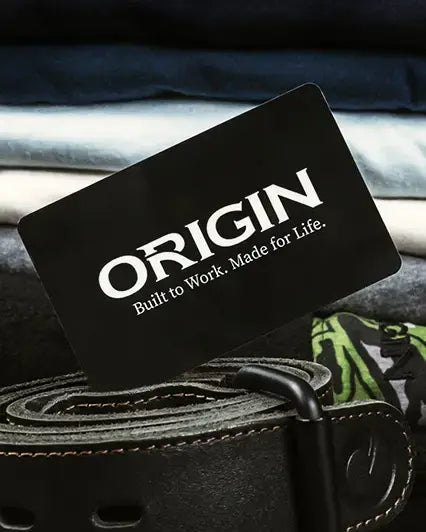
Image source: Origin USA
Comparing the Three Major Origin Gift Card Brands
To ensure you are using the correct service, refer to the comparison table below. This matrix highlights the primary differences in usage, maximum denominations, and where to check your remaining balance.
| Brand | Primary Use | Max Denomination | Balance Check Method |
|---|---|---|---|
| EA (Legacy Origin) | PC Gaming & Subscriptions | $200 (at Target) | EA App "Payment & Wallet" |
| Origins Skincare | Cosmetics & Beauty | Varies | 1-800-ORIGINS / Online |
| Origin USA | Apparel & Tactical Gear | $500 | OriginUSA.com Account |
| Origin Bank | Visa Gift Card (General) | $500 | Origin Bank Website |
Frequently Asked Questions
Do Origin gift cards still work on the EA App in 2026?
Why does my EA code say "not valid" when I try to redeem it?
Can I use an Origins skincare card to buy EA games?
How long does it take for a digital Origin card to arrive?
Can I change my EA Wallet currency after redeeming a card?
Are there any fees associated with Origin or EA gift cards?
Key Takeaways for Using Origin Gift Cards
Managing gift cards across different brands requires attention to detail and an understanding of platform-specific rules. Here is a summary of how to handle your Origin gift cards effectively:
- Verify the brand logo (EA for gaming, Tree for skincare, Patriotic for apparel) before finalizing any purchase.
- Use a web browser at ea.com/redeem to avoid common "invalid code" errors found in the desktop EA App.
- Check your account region before buying, as EA Wallet funds are locked to the currency of the first card redeemed.
- Send digital codes as a workaround for the missing "Gift to a Friend" button in the current EA App.
- Keep your receipt until the funds are successfully confirmed in your account balance.
- Avoid scams by never using gift cards to pay for non-retail services or "emergencies."
Before you buy, double-check the recipient's preferred platform and region to ensure your gift can be used without technical hurdles.