Home
How to Download and Play Sonic 2 HD on PC and Mobile
Image source: sonic2hd.com
What Is Sonic 2 HD and Why Is It Popular?
Sonic 2 HD (S2HD) stands out as a top-tier fan project dedicated to completely overhauling the original 1992 SEGA Genesis title. Unlike simple emulated versions or basic texture swaps, this project is a non-profit, ground-up recreation. The primary goal is to provide a high-definition experience that feels like a modern 2D hand-drawn animation while strictly adhering to the physics and spirit of the original game.
The Vision and Art Direction
One of the most distinctive features of S2HD is its art direction. According to official project documentation , the team explicitly chose to draw inspiration from original Japanese concept art and promotional illustrations rather than the Western box art. This results in a cleaner, more vibrant aesthetic with sophisticated shading that many fans consider one of the strongest visual interpretations of the character to date.
The SonicOrca Engine
The technical backbone of the project is the SonicOrca engine . Developed using C#, SDL2, and OpenGL, this custom engine was built specifically to handle high-resolution assets at a consistent 60 frames per second. The engine allows for native 1080p rendering, which is a significant advancement over the original 320x224 resolution of the Genesis. By building a custom engine, the developers were able to replicate the complex "momentum-based" physics of the 16-bit era without the limitations of older game makers or general-purpose engines like Unity.
Playable Content in Demo 2.0
The current public release, Demo 2.0, offers a substantial amount of content for a fan project. Players can explore three iconic zones, each meticulously redrawn:
- Emerald Hill Zone: Acts 1 and 2, featuring the lush tropical environments and classic loop-de-loops.
- Chemical Plant Zone: Acts 1 and 2, known for its high-speed transport tubes and rising pink "Mega Mack" liquid.
- Hill Top Zone: Act 1, showcasing the volcanic peaks and seesaw mechanics.
Both Sonic and Tails are fully playable, and the demo supports both single-player and the classic "Sonic with Tails" cooperative mode.

Image source: Sonic 2 HD
Where Can You Safely Download Sonic 2 HD Demo 2.0?
Finding a safe source for fan games can be challenging due to the prevalence of ad-heavy mirror sites. For the most secure experience, users should prioritize the official website. As of 2026, the project remains a non-profit endeavor, and no official version should ever require payment or a subscription.
Primary and Secondary Sources
The only verified source for the PC build is the official Sonic 2 HD download page . If the main site is experiencing downtime, the community often points to trusted mirrors like Sonic Fan Games HQ (SFGHQ) . Avoid downloading from generic "free software" portals that bundle installers with unwanted bloatware.
Many users report that Windows Defender or other antivirus suites flag the
Sonic2HD.exe
as a threat. This is a known issue related to the way the SonicOrca engine handles memory and older DRM-like protections used in early alpha builds to prevent unauthorized modifications. According to community technical analysis, the official Demo 2.0 from the main site is safe to run despite these warnings.
How to Install Sonic 2 HD on Windows 10 and 11
Installing the game is a straightforward process, but there are a few technical nuances to ensure the game runs smoothly on modern operating systems. Because the game is portable, it does not require a traditional "Installation Wizard."
System Requirements Comparison
While the game is a 2D platformer, the high-resolution assets and custom engine require more power than a standard emulator. Below is a comparison of the hardware needed to run the game effectively.
| Component | Minimum Requirement | Recommended (2026) |
|---|---|---|
| Operating System | Windows 7 (64-bit) | Windows 10 / 11 |
| Processor | Intel Core i3 2.0GHz | Intel Core i5 2500 or better |
| Memory (RAM) | 2 GB | 4 GB |
| Graphics (GPU) | Intel HD 4000 | GeForce GTX 650 1GB |
| Storage | 400 MB | 1 GB (for future updates) |
Step-by-Step PC Setup
-
Download the Archive:
Obtain the
.zipfile from the official site. -
Extract the Files:
Use a tool like 7-Zip or the built-in Windows Explorer to extract the folder.
Important:
Do not extract the game into the
C:\Program Filesdirectory, as Windows permissions can prevent the game from saving settings or controller maps. Instead, use a dedicated folder likeC:\Games\Sonic2HD. -
Run the Executable:
Double-click
Sonic2HD.exe. If a "Windows protected your PC" popup appears, click "More Info" and then "Run anyway." - Configure Controllers: The game supports XInput (Xbox) and DirectInput (PlayStation/Generic) controllers. Access the "Options" menu from the title screen to map your buttons.
How to Fix VSync Lag and Performance Issues in Sonic 2 HD
One of the most common complaints regarding the SonicOrca engine is a noticeable "input lag" or screen tearing when playing in Full Screen mode. This is often caused by a conflict between the game's internal frame limiter and the Windows Desktop Window Manager (DWM).
The Windowed Mode Solution
Based on community troubleshooting from the Sonic Retro forums , the most effective fix is to switch the game to Windowed Mode . Even if you want a full-screen experience, you can maximize the window. This allows Windows to handle the VSync through its own compositor, which typically eliminates the stuttering and tearing found in the native Full Screen toggle.
Linux and Virtual Machine Compatibility
Users attempting to run Sonic 2 HD on Linux via WINE or within a VMWare environment may encounter the "OpenTK" error. This is a technical limitation of the engine's library, which struggles with specific type bindings in virtualized environments. As of late 2025, there is no official patch for this, though some users have had success by installing the
dotnet45
and
corefonts
packages via Winetricks.
Can You Play Sonic 2 HD on Android and iOS?
While Team S2HD focuses exclusively on the PC version, the community has stepped in to provide mobile alternatives. It is important to note that these are unofficial ports and may not receive the same level of polish or security updates as the main PC build.
The Hiro Android Port
The most popular mobile version is maintained by a developer named Hiro . This port is a re-implementation of the Demo 2.0 assets for the Android platform. It features customizable touch controls and support for Bluetooth gamepads. You can find this version on Gamejolt, which is widely regarded as a top choice for hosting fan-made mobile content.
Android Sideloading Instructions
-
Step 1
Download the
.apkfile from the Hiro port page on Gamejolt. - Step 2 Enable "Install from Unknown Sources" in your Android security settings.
- Step 3 Install the APK and grant the necessary storage permissions.
- Step 4 For the best experience, use a physical controller, as the touch-screen overlays can obscure the high-definition art.
The iOS Situation
For Apple users, the options are more limited. An iOS port was briefly in development, but according to developer updates in late 2024, the project was officially dropped due to the complexities of the App Store's sideloading restrictions and the overhead of maintaining the SonicOrca engine on iOS. As of 2026, there is no functional, safe version of Sonic 2 HD for iPhone or iPad.
Is the Sonic 2 HD Project Still in Development?
The history of Sonic 2 HD is one of the most storied in the fan-game community, spanning nearly 17 years. Because updates are infrequent, rumors often circulate that the project has been cancelled. However, recent evidence suggests otherwise.
A Brief Timeline of Development
- 2009: Project officially begins as a collaborative effort on Sonic Retro.
- 2012: The "DRM Controversy" leads to a temporary cancellation and the departure of key lead developers.
- 2014: The project relaunches with the new SonicOrca engine and a fresh team.
- 2017: Demo 2.0 is released, featuring Chemical Plant and Hill Top zones.
- 2025-2026: Developers confirm in community threads that work continues at a "very slow" pace, focusing on the remaining zones like Casino Night.
2026 Status Update
As of September 2026, the project is active but in a "maintenance and slow-growth" phase. Developer comments from early 2025 debunked the "cancelled" rumors, explaining that the team consists of volunteers who work on the game in their spare time. While there is no definitive release date for a "Demo 3.0" or a final build, community progress videos (such as those by ArcaNine) continue to showcase internal builds and asset updates, proving that the vision is still alive.
How Sonic 2 HD Changes the Original Physics and Gameplay
While the goal is 1:1 parity with the original Genesis game, the transition to a modern engine and higher resolution has introduced subtle nuances that speedrunners and purists should note.
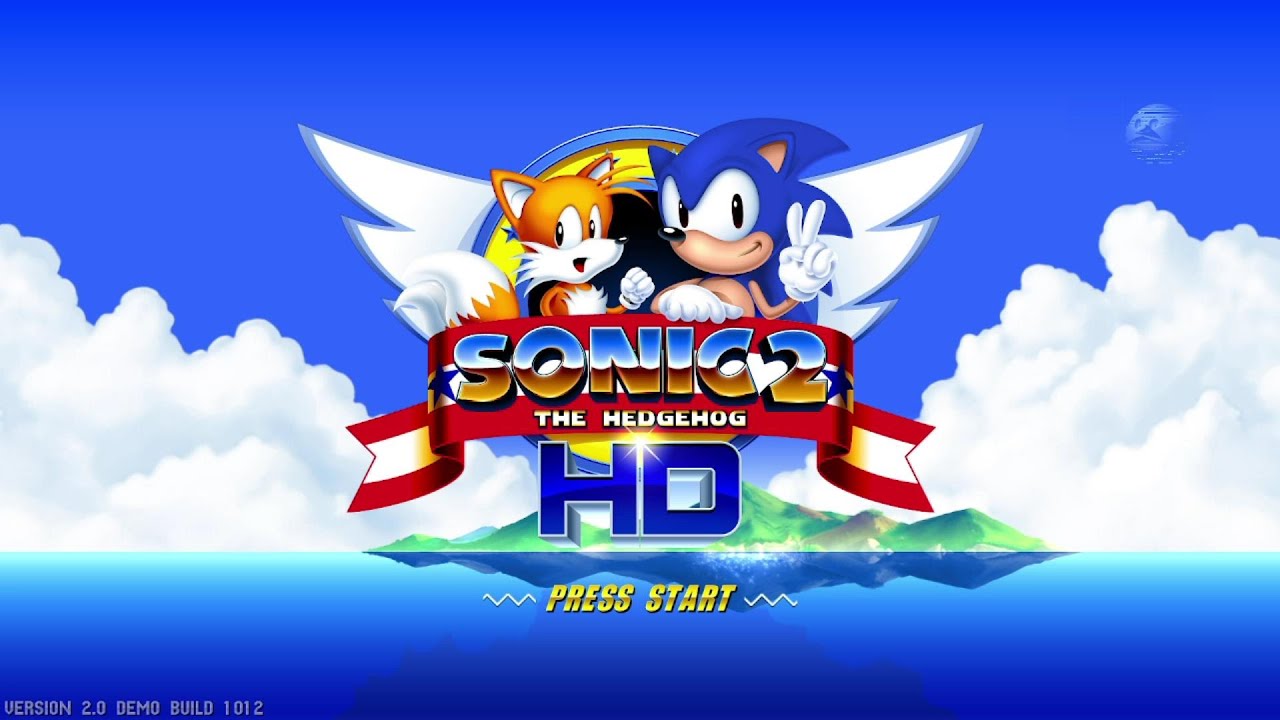
Image source: YouTube
Collision and Momentum Nuances
One notable departure from the 1992 original occurs in Chemical Plant Act 2 . In the Genesis version, hitting a monitor while moving through a loop would rarely interrupt your momentum significantly. In S2HD, the collision boxes are more precise. Hitting a monitor at a specific angle can provide enough counter-force to send the player backward, potentially causing them to fail the loop. This requires a slightly different approach to pathing than the original game.
Visual Cues for Speedrunners
The increased resolution means that "pixel-perfect" jumps are now "sub-pixel" jumps. Speedrunners have noted that the visual cues for timing a Spin Dash or a ledge-jump are different because the sprites have more frames of animation. While the underlying math remains similar, the visual feedback is much smoother, which can actually make certain tricks easier to execute once the player adjusts to the new frame data.
Unlocking Super Sonic
Just like the original, Super Sonic is available in the demo. To unlock him, you must collect all seven Chaos Emeralds through the Special Stages. The Special Stages in S2HD are also fully remade in high definition, featuring a "behind-the-back" perspective that is notably smoother than the original's pseudo-3D effect. Once you have the emeralds and 50 rings, a double-jump will trigger the transformation.
Frequently Asked Questions
Yes, Sonic 2 HD is a non-profit fan project. The developers do not charge for the game, and they do not accept donations to avoid legal complications with SEGA. If you see a site asking for money to download the game, it is likely a scam. Always use the official website for the safest access.
The game ranks among the top fan projects for controller compatibility. It natively supports XInput (Xbox controllers) and DirectInput (PlayStation and generic USB controllers). You can easily map your buttons in the Options menu. Many players find that using a controller with a high-quality D-pad offers a strong advantage over keyboard controls.
This is a common issue known as a "false positive." Because the game is an unsigned executable from an independent developer, Windows Defender often flags it as suspicious. Additionally, older versions used a form of DRM to prevent people from stealing the engine code, which triggered many security suites. The official Demo 2.0 is widely considered safe by the community.
Currently, Knuckles is not a playable character in Demo 2.0. The developers have focused on perfecting the physics and animations for Sonic and Tails first. While there have been hints of Knuckles being added in future updates, he remains unavailable in the public PC and Android builds as of 2026.
The OpenTK error usually occurs because the game cannot find the necessary OpenGL bindings through WINE. To fix this, ensure you are using a 64-bit WINE prefix and have installed the
dotnet45
package. Some users also recommend using
Proton GE
through Steam as a non-Steam game, which often includes the necessary fixes for the SonicOrca engine.
Key Takeaways for Playing Sonic 2 HD
-
Official Source:
Always download from
sonic2hd.comto ensure you have the latest, safest version of Demo 2.0. - Performance Fix: Use Windowed Mode to resolve VSync lag and screen tearing issues common in the Full Screen setting.
- Mobile Options: Use the Hiro port on Gamejolt for Android, but be aware that the iOS version was discontinued in late 2024.
- System Specs: Ensure you have at least 4GB of RAM and a dedicated GPU for a smooth 60 FPS experience at 1080p.
- Project Status: The game is not cancelled; development continues at a slow pace as of 2026, with the community still actively supporting the project.
- Physics: Be mindful of slight collision differences in Chemical Plant Act 2, which can affect your momentum compared to the 1992 original.
To get started, download the ZIP archive today and extract it to a custom folder on your desktop to begin your high-definition journey through West Side Island.