Home
How to Download and Master Floating Sandbox 2D Physics Simulator Safely
Floating Sandbox is a sophisticated 2D physics simulator that uses mass-spring networks to simulate rigid bodies, fluid dynamics, and thermodynamics. To ensure a safe experience, only download from official sources.
Floating Sandbox has carved out a unique niche in the simulation genre. Unlike many destruction-focused games that rely on scripted animations, this simulator calculates every interaction in real-time. Whether you are watching a massive ocean liner snap under its own weight or observing the thermal expansion of metal near an engine fire, the experience is driven entirely by a complex physics engine. As of 2026, the community continues to expand, creating increasingly detailed ships and complex scenarios that push the limits of 2D particle simulation.
What Is Floating Sandbox and Why Is It Unique?
At its core, Floating Sandbox is a two-dimensional particle system simulator. It was originally conceptualized by Luke Wren and Francis Racicot, but the version widely played today was completely rewritten by Gabriele Giuseppini. The engine operates on a "mass-spring" network, where every object is composed of thousands of particles connected by invisible springs. These springs have specific properties: stiffness, damping, and a breaking point.
The Physics of Destruction
When a ship in Floating Sandbox hits an iceberg or is struck by a torpedo, the simulator doesn't just play a "breaking" animation. Instead, the force of the impact travels through the spring network. If the stress exceeds the spring's threshold, the connection snaps. This leads to emergent behaviors—sinking, listing, and structural failure—that are remarkably realistic. The game also incorporates fluid dynamics, where water pressure and buoyancy are calculated based on the displaced volume of the ship's hull.
Emergent Behavior and Thermodynamics
One of the most impressive aspects of the simulator is its "No Visual Tricks" philosophy. Sinking trajectories are not pre-programmed; they result from the interaction between gravity, friction, and fluid dynamics. Furthermore, the game features a detailed thermodynamics system. Heat spreads through materials based on their thermal conductivity, causing them to glow, melt, or even ignite nearby flammable particles. This level of detail makes it a top-tier choice for those interested in engineering and physics simulation.
Image source: Google Play
Where to Download the Official Version of Floating Sandbox
Navigating the download landscape for Floating Sandbox can be tricky due to the prevalence of low-quality clones. To protect your system and ensure you are playing the authentic version, you must verify the developer and the platform.
Official PC and Linux Sources
The primary home for the PC version is GameJolt . Gabriele Giuseppini, the lead developer, maintains this page as the central hub for updates. The PC version is free and offers the most comprehensive set of tools, including the ability to import custom ships and modify the game's core JSON files. It supports Windows (7 through 11) and various Linux distributions.
The Official Mobile Port
For mobile users, the only authentic version is developed by G2 Labs and available on Google Play . This port is specifically optimized for touch controls and includes a starter pack of 41 ships. Unlike the clones, the official mobile version is ad-free and maintains the high-fidelity physics of the desktop counterpart.
The "Clone Trap": How to Spot Fake Versions
Many apps on mobile stores use the "Floating Sandbox" name but offer a vastly different experience. These clones often feature level-based progression, forced advertisements, and simplified physics that do not reflect the true engine. Use the following table to distinguish the real game from imitators.
| Feature | Official (Giuseppini/G2 Labs) | Clones (Samaz/Water Box) |
|---|---|---|
| Monetization | Free (PC) / One-time (Mobile) | Heavy Ads / In-app Purchases |
| Gameplay | Pure Sandbox | Level-based / Timed Rounds |
| Physics | Mass-Spring Network | Basic Sprite Animations |
| Ship Building | Full Customization | None or Limited |
System Requirements and Technical Specifications
While Floating Sandbox is a 2D game, its physics calculations are CPU-intensive. Ensuring your hardware meets the necessary specifications is vital for a smooth frame rate, especially when simulating large vessels like the Titanic or modern aircraft carriers.
Hardware Minimums
The most critical requirement is support for OpenGL 2.1 . The game relies on this graphics API for rendering the thousands of particles simultaneously. If your GPU or integrated graphics chip does not support OpenGL 2.1, the game will fail to launch or display a black screen. For the best experience, a multi-core processor is recommended, as the physics engine can distribute calculations across multiple threads.
OS Performance Differences
Data from the developer indicates that 64-bit versions of Windows typically run the simulator approximately 7% faster than 32-bit versions. This is due to better memory management and instruction set efficiencies. If you are running a modern system, always opt for the 64-bit executable to maximize the number of particles you can simulate before experiencing "lag."
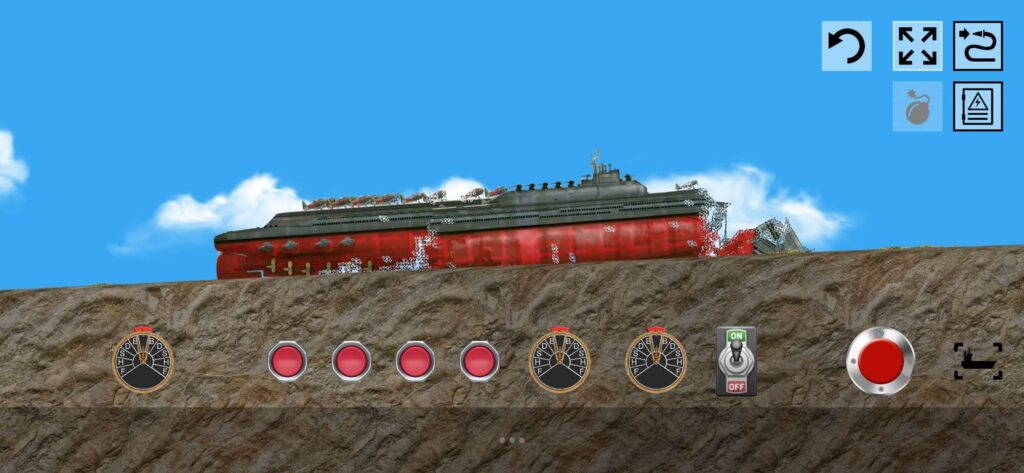
Image source: floatingsandbox.com
How to Fix Common Technical Issues and Errors
Even with a powerful PC, users occasionally encounter technical hurdles. These are often related to software libraries or specific hardware drivers rather than the game code itself.
The Linux SFML Library Fix
Users on modern Linux distributions like Manjaro or Arch often encounter an error stating that
libsfml-audio.so.2.6
is missing. This happens because many modern distros have moved to SFML v3.0, while the game requires the v2.6 compatibility layer. To fix this, you should install the
sfml2
package from the AUR (Arch User Repository) or your distribution's specific legacy repository. This provides the necessary libraries without breaking your system's modern SFML installation.
The "Green Line" Intel Graphics Bug
A specific rendering artifact known as the "Green Line" bug affects users with Intel HD Graphics 6x0 series chips. This bug causes flickering green lines to appear across the water surface. According to community reports and developer notes, the fix is to update your Intel graphics drivers to version 27.20.100.8587 or later. This specific driver version resolved a conflict in how the GPU handles the game's custom shaders.
The Advanced Guide to Building Custom Ships
While the game comes with many ships, the true depth lies in creating your own. The "PNG-to-Ship" pipeline is a notably innovative way to design content, allowing you to use simple image editors like MS Paint to create complex physical objects.
The PNG-to-Ship Pipeline
In Floating Sandbox, a ship is not a single 3D model. It is a collection of layers defined by PNG images. The engine reads the color of each pixel and assigns it a physical property. For example, a pixel with the hex code
#303040
is interpreted as Structural Iron. This material has high mass and stiffness, making it ideal for the hull and internal framing.
The Structural and Electrical Layers
To build a high-quality ship, you typically need three layers:
- Structural Layer: Defines the physical shape and material properties (Iron, Wood, Glass).
- Electrical Layer: A secondary PNG that maps lamps, generators, and engines onto the structural particles.
- Texture Layer: A high-resolution image that is "draped" over the particles for visual detail.
The JSON Bridge
Once your PNG layers are ready, you must link them using a
.json
file. This file acts as the bridge, telling the engine which PNG corresponds to which layer and defining global properties like the ship's name, year of construction, and initial buoyancy settings. Detailed documentation on this process can be found in the
official GitHub guides
.
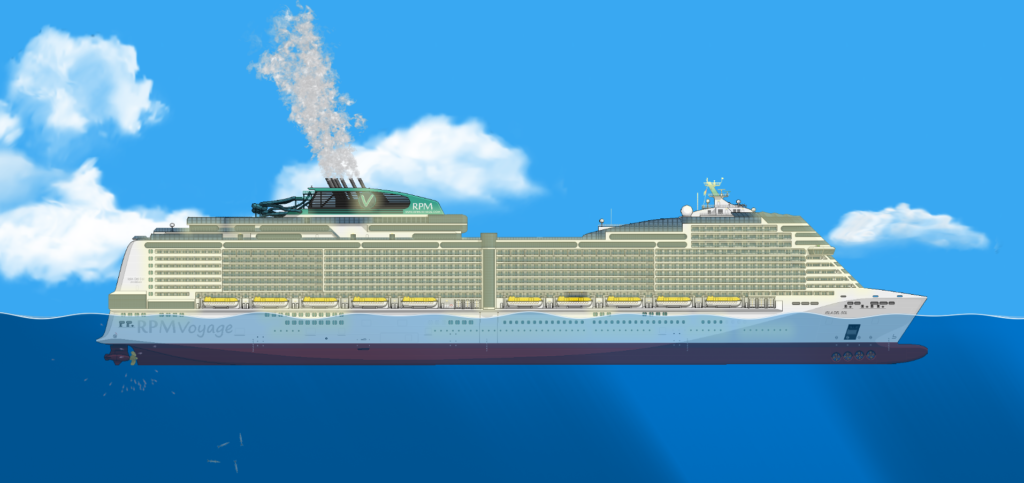
Image source: floatingsandbox.com
How to Play Floating Sandbox on Mac and Other Platforms
Officially, Floating Sandbox is only supported on Windows, Linux, and Android. However, the community has developed several reliable workarounds for other platforms.
The Mac Workaround
Since there is no native macOS version, Mac users (including those on M1/M2/M3 chips) can use Wine or Bottles . By creating a Windows "bottle" and installing the necessary OpenGL dependencies, you can run the Windows executable with minimal performance loss. Many users report that the game runs exceptionally well under translation layers due to its efficient 2D nature.
Chromebook Compatibility
If you own a Chromebook, you can run the Linux version of Floating Sandbox by enabling the Linux development environment (Crostini). Once enabled, you can download the Ubuntu version of the game and run it directly from the Linux terminal. Note that you may need to enable GPU acceleration in Chrome flags (
chrome://flags/#crostini-gpu-support
) to achieve playable frame rates.
Frequently Asked Questions
/Ships
folder. Simply drop your
.shp
files (or the folder containing the PNGs and JSON) into this directory. The next time you launch the game, the new ships will appear in the ship selection browser under the "Custom" category.
Final Takeaways for Floating Sandbox Players
Floating Sandbox remains a premier choice for physics enthusiasts due to its uncompromising approach to simulation. By following these key points, you can ensure a safe and optimized experience:
- 1. Verify your source: Only download from GameJolt (PC) or G2 Labs (Mobile) to avoid malware and low-quality clones.
- 2. Check OpenGL support: Ensure your system supports OpenGL 2.1, which is mandatory for the physics engine to render correctly.
- 3. Update Intel drivers: If you see green lines on the water, update to Intel driver version 27.20.100.8587.
- 4. Master the PNG method: Use specific hex codes like #303040 to create realistic structural materials for your custom ships.
- 5. Use 64-bit Windows: Opt for the 64-bit version of the game to gain a roughly 7% performance boost in physics calculations.
-
6. Fix Linux errors:
Install the
sfml2compatibility library if you encounter missing.sofile errors on modern distros.
Start by downloading the latest official build and experimenting with the thermodynamics settings to see how different materials react to extreme heat.