Home
How to Download and Use the GTA 5 Save Editor by XB36Hazard
The XB36Hazard GTA 5 Save Editor is a widely regarded tool for modifying single-player save files on PC, PS4, and legacy consoles. To use it, you must download the software from the official host, x3t-infinity.com , and ensure you have .NET Framework 4.8 installed. For PS4 users, a third-party tool like Save Wizard is required to decrypt the save before editing. Always create a backup of your original save file to avoid progress loss.
Grand Theft Auto V remains a staple of modern gaming, and for many players, the ability to customize the single-player experience is a significant part of its longevity. Whether you want to bypass the grind for money, unlock all weapon attachments, or create a custom vehicle with colors not found in Los Santos Customs, the XB36Hazard Save Editor stands out as a top choice for the modding community.
As of September 2026, the tool continues to receive database updates to support the latest DLC assets. This guide provides a comprehensive walkthrough on how to safely acquire, install, and utilize the editor while avoiding common pitfalls like the dreaded 90% loading screen bug.
What is the XB36Hazard GTA 5 Save Editor?
The XB36Hazard GTA 5 Save Editor is an offline save manipulation utility that allows players to modify the
Rage.SAV
file. Unlike real-time trainers that run alongside the game, this tool edits the static data stored in your save profile. This makes it a highly stable option for those who want permanent changes without the risk of game crashes associated with active memory injection.
Modify health, stamina, special ability, and shooting skills for Franklin, Michael, and Trevor.
Set your bank balance to the maximum limit for all three protagonists instantly.
Access hidden paint jobs, custom Hex colors, and performance mods beyond standard limits.
According to the official developer documentation at x3t-infinity.com , the software relies on a local database to identify vehicle IDs and mission hashes. The current version, 5.9.0.0, includes support for the latest content updates, ensuring that even the newest DLC vehicles can be spawned into your single-player garages.
Where to Safely Download the Latest Version
Security is paramount when downloading modding tools. Because the Save Editor interacts with system files, it is frequently flagged by overzealous antivirus software. To ensure you are getting a clean, official build, you should only download the editor from the developer's official site.
Image source: YouTube
Avoid third-party mirrors or "repacks" found on file-sharing sites. These versions are often outdated and may lack the
Content_Update.db
Version 14, which is required for recent heist assets. The official host,
x3t-infinity.com
, provides the most current binaries and database files. If you encounter a "Content_Update.db is missing" error, the software usually attempts to download it automatically to
%localappdata%\XB36Hazard\GTA V Save Editor
.
How to Install the Editor on PC
The installation process for PC users is straightforward, but it requires specific environmental settings to function correctly. The editor is a portable application, meaning it does not require a traditional installer, but it does need administrative privileges to read and write to your Documents folder.
- Verify Prerequisites: Ensure your system has .NET Framework 4.8 or higher installed. Without this, the application will fail to launch or crash during the file-loading phase.
- Extract the Files: Download the .zip archive and extract it to a dedicated folder. It is highly recommended to avoid the "Program Files" directory, as Windows' built-in security can block the editor from saving changes to your files.
-
Locate Your Save Profile:
For Steam and Rockstar Launcher users, your saves are typically located in
Documents\Rockstar Games\GTA V\Profiles\[Unique ID]. The files will be namedSGTA50000,SGTA50001, and so on. - Create a Vanilla Backup: Before opening any file in the editor, copy your entire Profiles folder to a safe location. This is a critical step; if a file becomes corrupted during the editing process, you will need this backup to restore your progress.
How to Edit PS4 Saves Using Save Wizard
Editing saves on the PlayStation 4 is more complex due to Sony's proprietary encryption. You cannot simply plug a USB drive into your PC and open the save file with XB36Hazard's tool. Instead, you must use a bridge application to decrypt the data first.
Save Wizard for PS4 MAX is widely considered one of the most effective tools for this purpose. It allows you to "Register" your PS4 profile and export the raw data into a format that the Save Editor can read. The workflow follows a specific "Decrypt → Edit → Re-sign" pattern that is essential for success.
| Platform | Required Tools | Difficulty | File Format |
|---|---|---|---|
| PC (Steam/Epic) | XB36Hazard Editor | Easy | SGTA500XX |
| PlayStation 4 | Save Wizard + Editor | Moderate | Decrypted Data |
| Xbox 360 / PS3 | Horizon / USB | Moderate | Rage.SAV |
Once you have exported the data using Save Wizard's "Advanced Mode," you can open the resulting file in the XB36Hazard editor, make your desired changes, and save. The final, and most important, step is to import that file back into Save Wizard and click "Apply." This re-signs the save with your console's unique ID, allowing the PS4 to recognize it as a valid file.
How to Fix the 90% Loading Screen Bug
One of the most common issues reported by the community is the game hanging at the 90% mark on the loading screen after a save has been modified. This is rarely a fault of the editor itself and is usually a result of a version mismatch or a failure in the re-signing process.
If your game gets stuck, check these three common causes:
- Re-signing Failure: For PS4 users, this almost always means the save was not properly re-signed in Save Wizard after editing.
- Invalid DLC Slots: Adding a vehicle from a newer DLC into a garage slot that the game engine doesn't recognize (or if you lack the corresponding game update) will cause a hang.
-
ScriptHookV Mismatch:
On PC, ensure your
ScriptHookV.dllis updated to match your game build. An outdated hook will crash the game during the initial save load.
To resolve this, try "cleaning" the save by removing the last vehicle you added or resetting the character's location to a safe house. If the issue persists, verify your game cache through Steam or the Rockstar Launcher to ensure no core files were corrupted by external mods.
Advanced Vehicle Customization and Hex Colors
While Los Santos Customs offers a variety of options, the Save Editor unlocks a deeper level of customization through the "Advanced" tab. This is where modders create "Modded Crew Colors" and "Secret Gold" paint jobs that are otherwise unobtainable.
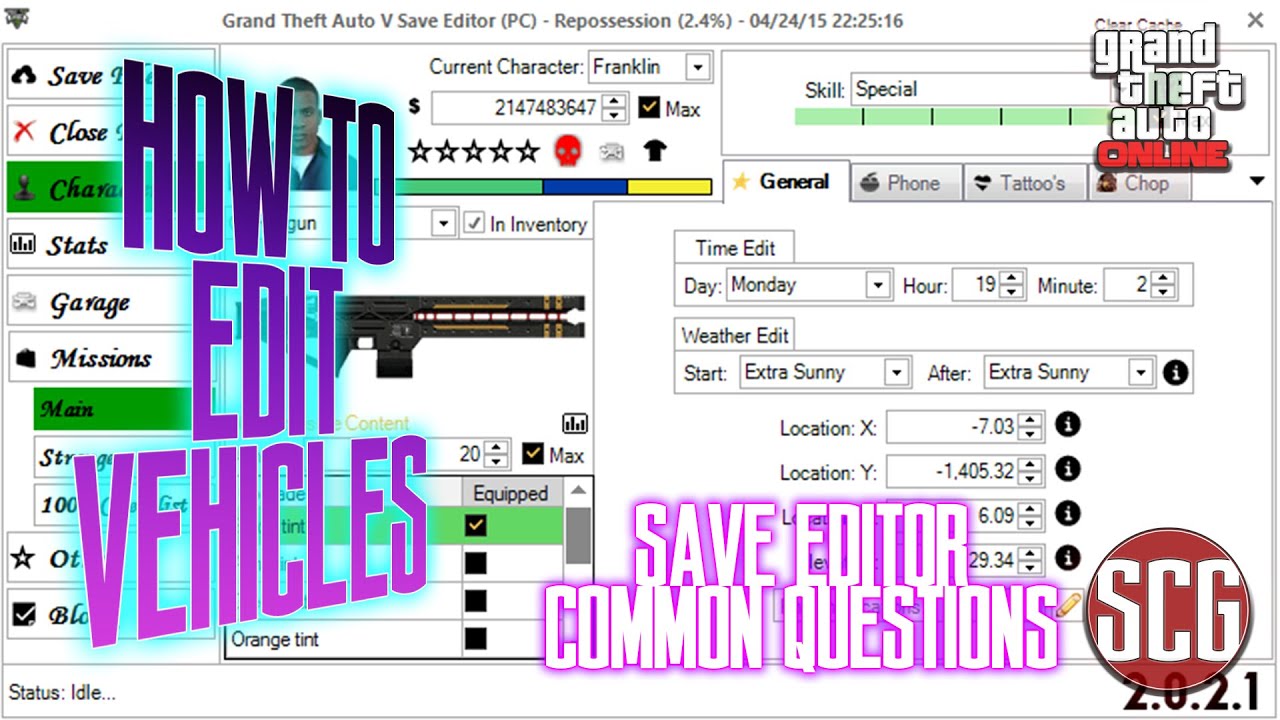
Image source: YouTube
By using external color tools like Adobe Color, you can find a specific Hex code (e.g., #FFD700 for a pure gold) and paste it directly into the editor. Furthermore, the editor allows you to toggle "Vehicle Extras"—components like roll cages, roof racks, or spoilers that may not be available in the in-game shop. Community members on forums like Se7enSins often share specific Hex codes for "Unselected" interior trim colors, such as the elusive "Secret Gold" interior for lowriders.
Using the Save Editor for Director Mode Online (DMO)
Director Mode Online (DMO) is a popular, albeit risky, glitch used to bring modded single-player vehicles into the GTA Online environment. The Save Editor plays a pivotal role here; it is used to build the "perfect" car in a single-player save slot, which is then "flipped" into the online world using a series of character-swapping glitches.
It is important to note that while using the Save Editor in single-player is 100% safe and will not result in a ban, using DMO glitches to bypass Rockstar’s economy carries a significant risk. Rockstar Games actively monitors Online garages for vehicles with impossible modifications or those obtained through exploits. If you choose to use the editor for DMO, do so with the understanding that your Online account could be reset or banned.
Legacy Support for Xbox 360 and PS3
For players still enjoying the "Legacy" versions of GTA V on Xbox 360 or PlayStation 3, the XB36Hazard editor remains a vital tool. These versions use the
Rage.SAV
format, which the editor can open directly without the need for complex decryption tools like Save Wizard.
A common misconception in the legacy community is that "Bruteforce Save Data" is required for PS3 saves. However, as noted in the developer's release threads on 360Haven , the editor can handle these files natively as long as they are transferred via a standard USB drive. For Xbox 360 users, a tool like Horizon is still recommended to properly inject the modified save back into the console's profile container.
Troubleshooting Common Errors and Version Mismatches
As Rockstar continues to patch the game, the Save Editor must be updated to stay compatible. If you receive a "Version Mismatch" error, it usually means the game has been updated to a newer build than the editor's current database supports. In these instances, you may need to wait a few days for XB36Hazard to release a new
Content_Update.db
.
Another frequent error is the "Garage Limit" bug. While the editor allows you to check-mark options for over 100 cars, the GTA V engine is hard-coded to only render a specific number of vehicles in the protagonists' garages (usually around 30 across all three characters). Exceeding this limit won't necessarily crash the game, but it will cause vehicles to disappear or overwrite one another, leading to the loss of your hard work.
Frequently Asked Questions
- Can I get banned for using the Save Editor in Single Player?
- No. Rockstar Games does not monitor or police modifications made to offline single-player save files. You can modify your money, stats, and vehicles as much as you like without any risk to your Rockstar Games Social Club account, provided you do not attempt to take those modifications into GTA Online.
- Does this work on PS5 or Xbox Series X|S?
- Currently, there is no direct save editor for native PS5 or Xbox Series X|S save files due to the advanced encryption on these consoles. However, you can edit a PS4 save and then use the "Save Transfer" feature within GTA V to move that modded save to your PS5. Note that this is a one-way process.
- Why aren't my changes showing up in-game?
- This is often caused by "Cloud Saves." If you have cloud saving enabled, the Rockstar Launcher may overwrite your locally modified file with an older version from their servers. To prevent this, disable cloud saves in the launcher settings before you start editing, or ensure you are loading the correct save slot manually in the game menu.
- Is GTASnP.com safe for sharing and downloading saves?
- Yes, GTASnP.com is the industry standard for sharing GTA save files. It allows you to upload your save to analyze it or share it with others. However, keep in mind that files are automatically deleted 30 days after their last download unless they are marked as permanent by a site administrator.
- Do I need to pay for the Save Editor?
- The XB36Hazard GTA 5 Save Editor is completely free to download and use. You should never pay for the software itself. However, if you are playing on PS4, you will likely need to purchase Save Wizard for PS4 , which is a separate, paid third-party product required for decryption.
Key Takeaways for Using the GTA 5 Save Editor
- ✅ Always create a backup of your original save files before using any editing software.
- ✅ Download only from official sources like x3t-infinity.com to ensure you have the latest database files.
- ✅ Use Save Wizard for PS4 to decrypt and re-sign saves, otherwise the console will reject the modified file.
- ✅ Fix the 90% loading bug by checking for ScriptHookV updates or removing invalid DLC vehicle entries.
- ✅ Leverage Hex codes in the Advanced vehicle tab to create unique, modded paint jobs.
- ✅ Stay offline when using modded saves to avoid any potential issues with Rockstar's Online terms of service.
By following these steps, you can safely enhance your Grand Theft Auto V experience and unlock the full potential of the game's single-player sandbox.