Home
How to Gift Items to Friends and NPCs in Heartopia Successfully
To send gifts to other players in Heartopia, you must first reach Friendship Level 3 (150 affinity points). Once unlocked, you can purchase Wrapping Paper from the Acorn Store using Red Hearts. Note that player-to-player gifting is currently restricted to Books and CDs . For NPCs, you can gift one item daily to boost affinity, with wrapped "Loved" items providing the highest point gains.
Heartopia is a social simulation experience where building connections is just as important as decorating your island. Whether you are trying to surprise a close friend with a new track or aiming to become the favorite neighbor of an NPC, the gifting system is a core mechanic. However, many players find themselves confused by greyed-out buttons or empty inventory screens when trying to share items. This guide breaks down the technical requirements and community-discovered secrets to help you master the art of giving.
Unlocking Player Gifting by Reaching Friendship Level 3
In Heartopia, you cannot simply hand items to every stranger you meet. The game implements a friendship gate to ensure that social exchanges are meaningful and to prevent potential abuse of the economy. The most critical milestone is reaching Friendship Level 3 , often referred to as the "Friend" tier.
According to official community guides , you need to accumulate 150 affinity points with a specific player before the "Gift" option becomes interactive. If you attempt to interact with a player at Level 1 or 2, the gift icon may be entirely invisible or appear greyed out, leading to common confusion among new residents.
How to Level Up Friendship Fast
Reaching Level 3 does not have to be a slow process. By engaging in consistent daily activities, you can unlock gifting within a few days of meeting a new friend. Consider these high-impact strategies:
- Daily Interactions: Simply chatting with a friend once per day provides a steady baseline of affinity points.
- Co-op Activities: Participating in mini-games or visiting each other's islands for shared tasks significantly boosts your standing.
- Postcard Exchanges: Even if you aren't sending a gift, sending a standard postcard through the mailbox counts as a positive interaction.
- Island Visits: Spending time on a friend's island while they are online is one of the most effective ways to build rapport quickly.
To check your current progress, open your Social Menu and look for the heart icon next to your friend's name. The game provides a visual progress bar that indicates how many points are remaining until you reach the next tier. Once that heart fills up to Level 3, the gifting mechanics will fully unlock for that specific relationship.
Where to Buy Wrapping Paper and Gift Boxes in the Acorn Store
Once you have the required friendship level, you need the physical materials to package your gift. In Heartopia, items cannot be sent "raw"; they must be wrapped in either Wrapping Paper or a Gift Box. The primary source for these materials is the Acorn Store , which is accessible via the basket icon in your main user interface.
Inside the Acorn Store, navigate to the "Rare Collectibles" tab. Here, you will find the standard options for packaging. As noted by community discussions on Reddit , these items require Red Hearts, which is a premium currency earned through achievements, daily logins, and specific milestones.
Alternative Ways to Get Wrapping Materials
While the Acorn Store is the permanent source, savvy players look for seasonal opportunities to save their Red Hearts. During special events like the Qixi Fair or the Butterbear Island Adventure , temporary exchange stores often appear. These event shops allow you to trade event-specific tokens—earned through gameplay—for wrapping paper, making it a top choice for free-to-play users.
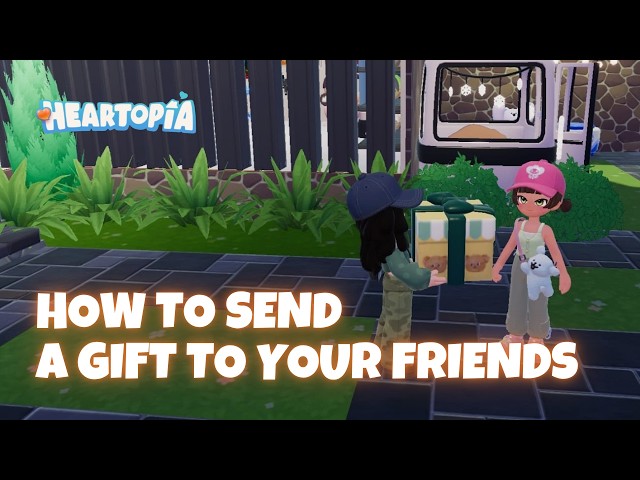
Image source: YouTube
Step-by-Step Instructions to Wrap and Send Your First Gift
The process of wrapping an item is a distinct mechanic that happens within your inventory before the actual delivery takes place. Follow these steps to ensure your gift is prepared correctly:
- Open Inventory: Locate the Wrapping Paper you purchased from the Acorn Store in your bag.
- Select "Use": Tapping the paper will bring up the wrapping interface.
- Choose the Item: Select the eligible item (Book or CD) you wish to package. The game will show a preview of the wrapped gift.
- Confirm Wrapping: Once confirmed, the individual item and the paper will merge into a single "Wrapped Gift" icon in your inventory.
Choosing Your Delivery Method
There are two primary ways to get that gift into your friend's hands. The choice usually depends on whether your friend is currently online.
Face-to-Face Gifting: If you are standing next to a friend (and you are Level 3), tap on their character to bring up the interaction wheel. Select the gift icon, and you can hand over the wrapped item directly. This method is highly recommended for immediate reactions and social screenshots.
The Postcard System: If your friend is offline, head to the mailbox. You can attach a wrapped gift to a postcard. This is a premier option for sending "thinking of you" messages across different time zones. Simply select the postcard, tap the attachment slot, and pick your wrapped gift from your inventory.
Troubleshooting the Nothing Available to Gift Error
The most frequent frustration voiced by the Heartopia community is the "Nothing Available to Gift" error. Players often report that they have reached Level 3 and have wrapping paper in their bags, yet when they open the wrapping menu, it appears completely empty. This is not a bug, but rather a strict limitation on item eligibility .
As highlighted in recent TikTok tutorials , player-to-player gifting is currently restricted to Books and CDs . If you do not have a book or a music CD in your inventory, the wrapping menu will have nothing to display, resulting in the "Nothing Available" message.
Can I Gift This? A Quick Reference Table
| Item Category | Giftable to Players? | Giftable to NPCs? |
|---|---|---|
| Books & CDs | Yes | Yes |
| Furniture & Decor | No | Yes |
| Clothing & Accessories | No | Yes |
| Raw Materials (Wood, Ore) | No | Yes |
| Cooked Food | No | Yes |
Many players hope to send furniture or rare outfits to their friends, but these items are currently locked to the original owner's account. This restriction is likely in place to maintain the game's progression balance and prevent players from using "alt accounts" to artificially boost an island's rating. While this may change in future updates, for now, focus your social sharing on the literary and musical arts.
Strategies to Give Gifts to NPCs for Maximum Affinity
Gifting to NPCs (Non-Player Characters) follows a different set of rules than gifting to friends. While player gifting is restricted to Books and CDs, NPCs will accept almost anything—though their reaction will vary wildly based on their personal tastes. Building affinity with NPCs unlocks unique rewards, special dialogue, and even exclusive furniture items.
According to the Heartopia NPC Guide , every character has a preference tier that determines how many points you earn per gift. You are limited to one gift per NPC per day, so making each one count is essential for efficient progression.
- Loved Gifts (+30 points): These are specific items that resonate with the NPC's personality or hobbies.
- Liked Gifts (+15 points): General items that the NPC finds pleasant but not extraordinary.
- Neutral Gifts (+5 points): Common items like basic fish or wood that don't elicit a strong reaction.
- Disliked Gifts (-10 points): Items the NPC actively dislikes, such as trash or specific foods they hate.
The Wrapping and Birthday Bonuses
To maximize your efficiency, you should always wrap your NPC gifts. Wrapping an item adds a flat +5 bonus to the affinity gain, regardless of the item's quality. A "Loved" gift that is wrapped will yield 35 points instead of 30.
The most impactful strategy involves the Birthday Multiplier . On an NPC's birthday, all affinity gains are multiplied by three. If you give a wrapped "Loved" gift on a birthday, the calculation looks like this: (30 x 3) + 5 = 95 points in a single day. This is widely regarded as one of the most effective ways to reach maximum friendship levels with the town's residents.
"The secret to winning over the island's residents isn't just about what you give, but when you give it. A wrapped favorite on a birthday is worth weeks of casual chatting."
Common Reasons Why the Gift Button Is Greyed Out
If you have checked your friendship level and you have the correct items, but the gift button still won't work, you may be facing a technical or regional hurdle. Heartopia's social systems are sensitive to versioning and server locations.
Server and Region Mismatch
Heartopia operates on multiple regional servers (e.g., North America, Asia, Europe). Players on different servers cannot interact in the same space, nor can they exchange gifts via the postcard system. If you cannot find a friend in your mailing list, verify that you both selected the same region during the initial account setup. Currently, there is no way to send items across different regional clusters.
App Version Conflicts
Whenever a new update is released, the social features often require both players to be on the same version of the game. If your "Gift" button is greyed out, check your respective App Store or Google Play Store for a pending update. Version mismatches are a frequent cause of "Friend Not Found" errors in the social menu.
Recipient Mailbox Limitations
If you receive a "Quantity Limit Reached" error when trying to send a postcard, it might not be your fault. Every player has a maximum capacity for their mailbox. If your friend has a backlog of unread postcards or unclaimed gifts, their mailbox will be "full," preventing any new deliveries. In this case, you will need to ask them to clear out their old mail before you can send your gift.
Key Takeaways for Successful Gifting in Heartopia
Gifting in Heartopia is a rewarding way to build community, provided you understand the underlying mechanics and restrictions. By following the requirements below, you can avoid common pitfalls and ensure your gifts always reach their destination.
- Prioritize Friendship: Reach Level 3 (150 points) with any player before attempting to gift.
- Stock Up on Books and CDs: These are currently the only items you can send to other players.
- Use the Acorn Store: Purchase wrapping paper with Red Hearts, or look for event-based free alternatives.
- Wrap for NPC Bonuses: Always wrap NPC gifts to get an extra +5 affinity points.
- Time Your NPC Gifts: Save your best items for NPC birthdays to trigger the x3 point multiplier.
- Check Technical Specs: Ensure you and your friends are on the same server region and app version.
Start by checking your inventory for any spare Books or CDs and head to the Acorn Store to grab your first roll of Pink Wrapping Paper.
Frequently Asked Questions
Can I gift furniture to my friends in Heartopia?
Currently, you cannot gift furniture, clothing, or raw materials to other players. The gifting system for player-to-player interaction is strictly limited to Books and CDs. However, you can still give furniture to NPCs to increase your affinity with them.
How do I get Red Hearts for free to buy wrapping paper?
While Red Hearts are a premium currency, you can earn them for free by completing daily tasks, reaching specific achievement milestones, and participating in limited-time events. Many players find that consistent daily play provides enough Red Hearts for occasional gifting without spending real money.
Does wrapping paper expire if I don't use it?
No, wrapping paper does not have an expiration date. Once you purchase it from the Acorn Store or earn it from an event, it will stay in your inventory indefinitely until you decide to use it to wrap an item.
What happens if I send a gift to the wrong person via postcard?
Unfortunately, once a postcard with a gift is sent, it cannot be intercepted or cancelled. Always double-check the recipient's username in the mailing menu before hitting the send button to ensure your gift reaches the intended friend.
Why can't I see my friend in the postcard delivery list?
This usually happens if you are on different server regions (such as NA vs. ASIA) or if one of you has not updated the game to the latest version. Ensure both players are on the same server and have the most recent app update installed.