Home
Home
How to Install and Use the Realms Restored Mod for Baldur's Gate 3
Realms Restored (RR) is a visual and lore-accuracy overhaul that modifies over 1,500 NPCs to align with traditional Faerûn standards. Early Access Scenes Restored (EASR) focuses on re-injecting cut dialogue and quests from the game's development phase. For the most immersive experience, many players use both, though they are hosted on different platforms.
In the expansive world of Baldur's Gate 3, the modding community has worked tirelessly to refine the experience. Among the most discussed projects is Realms Restored , a massive undertaking by the Fellowship of the Mods. This project aims to bring the game's population closer to the established lore of the Forgotten Realms. However, a common point of confusion exists between this visual overhaul and Early Access Scenes Restored , a separate mod by Hyperspace_Towel that focuses on narrative content.
As of late 2026, Realms Restored has reached version 4.3, offering a comprehensive transformation of the game's aesthetic landscape. Whether you are looking to fix the "mostly human" feel of the Lower City or want to see Dwarves with lore-accurate beards, understanding how to navigate these two distinct "Restored" projects is essential for any serious modder.
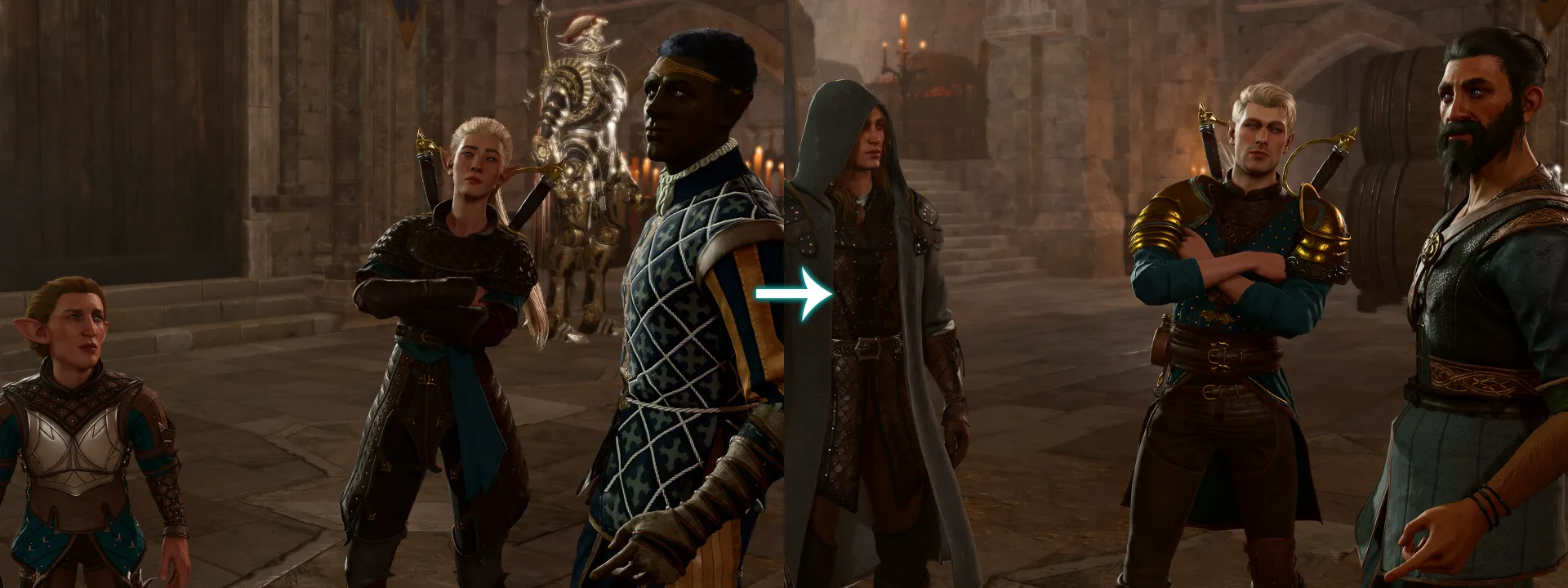
Image source: ModHQ - RPGHQ
Which Restored Mod Do You Actually Need?
Before diving into the installation process, it is vital to distinguish between the two primary mods that use the "Restored" branding. While they share a goal of improving the game, their methods and impacts on your save file differ significantly.
| Feature | Realms Restored (RR) | Early Access Scenes Restored (EASR) |
|---|---|---|
| Primary Focus | Visuals, Lore Accuracy, NPC Races | Cut Dialogue, Deleted Quests, Reactivity |
| NPCs Affected | 1,500+ (Visual changes) | 6+ (Restored interactable characters) |
| Hosting Site | ModHQ / RPGHQ | Nexus Mods |
| Performance Impact | Moderate (Act 3 Crowd Density) | Negligible |
| Key Content | Bearded Dwarves, Racial Palettes | Gale's Stew, Shell Kid Quest |
Realms Restored is widely considered one of the top choices for players who feel the vanilla game's NPC distribution is too homogenized. It relies on the "Fantasy Races Manifesto," a document used by the authors to ensure every character fits the 2026 standards of tabletop lore. On the other hand, EASR is a top-tier option for those who want to experience the "Necromancy of EA"—the process of digging through deleted files to find lost narrative gems.
How Realms Restored Changes the In-Game Population
The scope of Realms Restored is vast, touching almost every corner of the game world. The mod authors identified that the vanilla version of Baldur's Gate 3 often defaulted to human-centric populations in areas where lore suggests a much more diverse racial makeup.
The Dwarf Restoration and Racial Clarity
One of the most celebrated features of the mod is the "Dwarf Restoration." In traditional Faerûn lore, almost all Dwarves—regardless of gender—are known for their impressive facial hair. Realms Restored ensures that Dwarves across the Sword Coast adhere to these standards. Additionally, the mod introduces "Racial Clarity" by differentiating sub-races through distinct color palettes. For instance, Wood Elves and High Elves now possess noticeably different skin and eye tones that reflect their specific heritage, rather than sharing a generic "Elf" asset pool.
Location-Specific Overhauls
The mod does not just change individuals; it overhauls entire locations to better reflect their narrative purpose. According to the official RPGHQ documentation , the following areas have received complete redesigns:
- Umberlee Temple: A more devout and visually distinct priesthood.
- House of Grief: Enhanced Sharran aesthetics for the cloister members.
- Moonrise Towers: A more menacing and diverse array of Absolute cultists.
- House of Hope: Raphael's residence now features more exotic and lore-accurate denizens.
Understanding the Modular Structure of Realms Restored
Realms Restored is not a single "plug-and-play" file. It is built with a modular structure that allows users to customize exactly how much of the game they want to change. This is particularly useful for players who want the visual improvements but wish to keep certain NPC identities intact.
Aesthetics (Core)
This is the foundation of the mod. It changes colors, hair textures, and skin palettes for over 1,500 NPCs. It is generally safe to install mid-playthrough as it does not change the underlying character data, only how it is rendered.
Swaps and Heads
The "Swaps" module is more intensive. it changes the actual race, sex, or body type of NPCs to fit the lore. The "Heads" module adds custom assets to ensure that even background characters have unique, high-quality features.
There are also optional add-ons like "Undeviled Tieflings" (which provides a more classic D&D look for the hell-touched race) and "Dynamic Crowds." The latter is a significant advancement in how Act 3 handles the massive population of the Lower City, adjusting the racial ratios of background NPCs to feel more like a cosmopolitan trade hub.
Step by Step Installation for Realms Restored
Installing Realms Restored requires a bit more care than a standard Nexus mod. Because the mod is hosted on ModHQ/RPGHQ, you must ensure you are downloading the correct version (currently 4.3) and following the specific load order requirements.
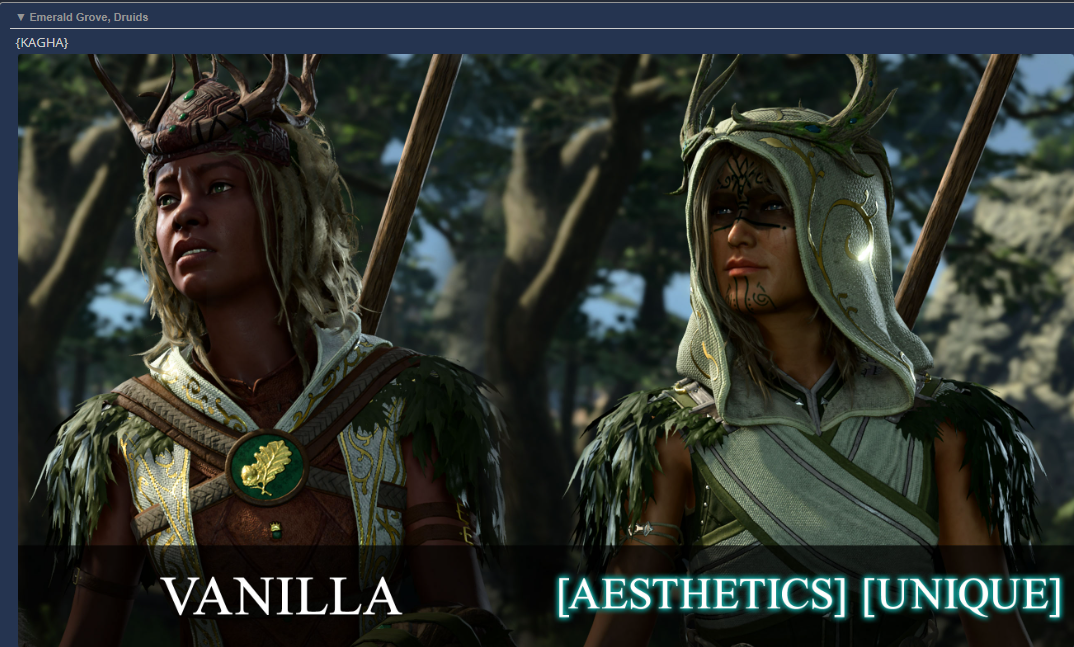
Image source: RPGHQ
Restoring Cut Content with Early Access Scenes Restored
While Realms Restored handles the visuals, Early Access Scenes Restored (EASR) by Hyperspace_Towel handles the "ghosts" of the game's development. This mod uses a process the author calls the "Necromancy of EA" to re-enable dialogue and scenes that were fully voiced and animated but disabled in the final release.
Highlights of Restored Narrative
Many players find that EASR adds a layer of reactivity that was missing from the launch version. Notable restorations include:
- Gale’s Stew Scene: A charming camp interaction where Gale shares a meal and a story with the player.
- Shadowheart’s Confrontation: A tense moment where Shadowheart attempts to kill the player if certain conditions are met, reflecting her more volatile Early Access personality.
- Reflection Dialogues: Over 1,000 lines of dialogue where companions react to major world events, such as the death of Arabella or the first time the party enters the Goblin Camp.
Unlike the visual changes in Realms Restored, EASR requires a new game . The mod must initialize specific NPC flags and item spawns at the very start of the campaign. If installed mid-playthrough, many of the restored scenes will simply never trigger.
How to Complete the Restored Shell Kid Questline
One of the most unique additions in the EASR mod is the restoration of Lotan , also known as the "Shell Kid." This NPC was a fixture of the Early Access Druid Grove but was cut from the final release. Completing his questline provides a rare item and a bit of wholesome world-building.
Walkthrough for Lotan's Quest
- Find Lotan: He is located near the secluded beach area in the Druid Grove, often found staring at the water.
- The Hermit Crab: Speak to him about his "friend." You will need to interact with a nearby Hermit Crab. Using "Speak with Animals" provides additional flavor but is not strictly required.
- The Missing Shell: Lotan is looking for a specific shell that was taken by a "shiny bird" (a Blue Jay). You can find the shell in a nearby nest accessible by jumping or using Misty Step.
- The Reward: Returning the shell to Lotan grants you the Ring of Crabsight . This unique item allows the wearer to see through magical darkness in a very limited radius—a highly impactful tool for early-game encounters.
Managing Mod Conflicts and Technical Issues
With a mod as large as Realms Restored, conflicts are inevitable, especially if you use other "overhaul" style mods. The Fellowship of the Mods has documented several specific edge cases that users should be aware of.
The "No Alphabets" Conflict
A known conflict exists between Realms Restored and the "No Alphabets" mod. If both are present without a specific compatibility patch, the game may crash during the transition to Act 2. Users are advised to check the RPGHQ forums for the latest "Bridge Patch" if they intend to run both. Additionally, because Realms Restored modifies 1,500+ NPC entries, any mod that also changes NPC "Root Templates" will likely cause "naked NPC" bugs or head-clipping issues.
Localization and Language Gaps
While the EASR mod is roughly 85-90% translated into seven major languages, there is a persistent 10-15% of dialogue that will default to English. This occurs because the restored lines were never localized by Larian Studios before they were cut. If you are playing in a non-English language, be prepared for occasional "subtitle swaps" where the text reverts to English for a few sentences.
Does Realms Restored Affect Performance in Act 3?
Act 3, specifically the Lower City, is notoriously taxing on CPUs due to the high density of NPCs. Because Realms Restored changes the data entries for these NPCs, some users have reported a slight dip in frame rates. However, the "Dynamic Crowds" module actually aims to help this by optimizing how background characters are loaded.
In our assessment, the performance impact is negligible on modern systems (2026 hardware), but users on older rigs may want to disable the "Swaps" module in Act 3 to reduce the load on the engine's character renderer. The "Aesthetics" module alone rarely causes performance issues as it primarily swaps textures rather than complex geometry.
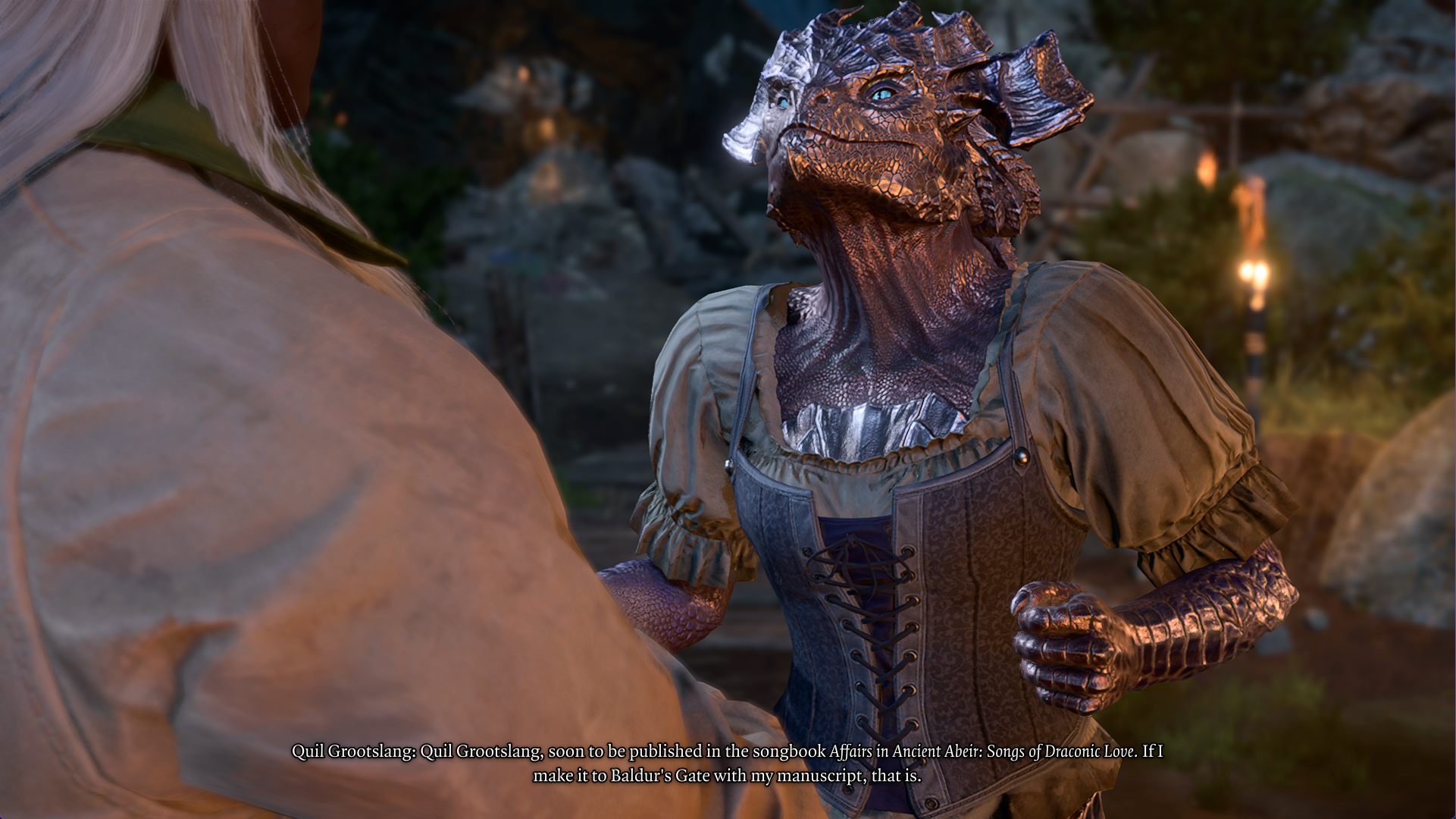
Image source: RPGHQ
Frequently Asked Questions
Key Takeaways for Using Realms Restored
Realms Restored is a significant step forward for players seeking a lore-accurate Faerûn. By following the correct setup, you can transform your game into a much more immersive experience.
- Identify your needs: Use Realms Restored for visuals and EASR for cut narrative content.
- Download from the source: Always get RR from ModHQ/RPGHQ to ensure you have version 4.3.
- Prioritize the Script Extender: This is the most critical prerequisite for both mods.
- Follow the load order: Aesthetics > Heads > Swaps is the only way to prevent visual glitches.
- Start fresh: A new game is necessary to see restored NPCs like Lotan and the Stranded Fishers.
- Check for patches: If using "No Alphabets," ensure you have the required compatibility bridge.
- Monitor performance: If Act 3 lags, consider toggling the "Dynamic Crowds" module.
To begin your journey, download the core Aesthetics module first and verify your load order in the BG3 Mod Manager.