Home
Home
How to Play Baldur's Gate 3 Multiplayer With Your Friends
Baldur's Gate 3 supports 2–4 player co-op online or 2-player local split-screen. The host owns the save file , meaning guests cannot progress their specific characters independently. As of Patch 8 (2025), full cross-play is supported via Larian Accounts. If a friend leaves your campaign, you can store their custom character in Withers' Wardrobe to free up a party slot for NPC companions like Shadowheart or Astarion.
Embarking on a journey through the Forgotten Realms is a massive undertaking, often spanning over a hundred hours of tactical combat and deep narrative choices. While the solo experience is profoundly rich, playing with friends transforms the game into a digital Dungeons & Dragons session. However, the multiplayer systems in Baldur's Gate 3 are distinct from traditional drop-in/drop-out shooters. Understanding how character persistence, dialogue voting, and shared initiative work is essential for a smooth campaign.
How to Start a Multiplayer Session in Baldur's Gate 3
Setting up a game is straightforward, but your choices in the lobby menu dictate who can join and how they interact with your world. Whether you are starting a fresh adventure or inviting a friend into a 50-hour-deep save, the process begins in the Multiplayer menu.
According to IGN's technical breakdown , joining an existing game mid-way requires the guest to create a new custom character. They cannot take control of an Origin character (like Gale or Lae'zel) unless the host manually assigns that NPC to them through the Session Manager (Esc > Session). This is a vital distinction: if you want your friend to play as Astarion, you must have Astarion in your active party before they join.
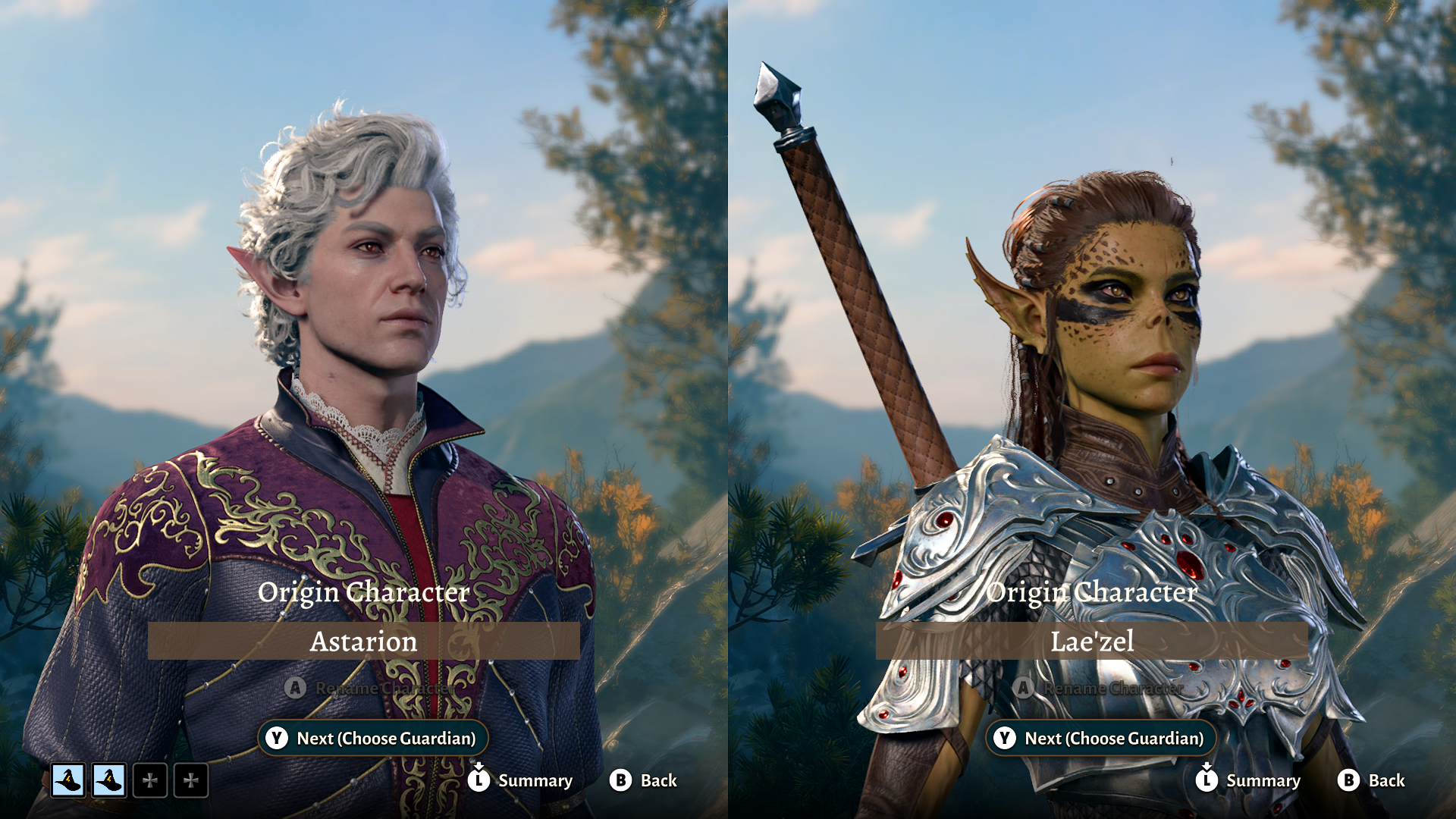
Image source: IGN
How Character Ownership and Save Files Work in Co-op
One of the most frequent points of confusion for new players is the "Host is King" rule. In Baldur's Gate 3, the world, the story progress, and the characters themselves live exclusively on the host's machine or cloud storage. Guests do not "take their character home" to their own single-player games. When the host logs off, the session ends for everyone.
The Permanent Friend Problem
In the early days of the game's release, a major frustration involved "permanent" custom characters. If a friend joined your game for a single session, their custom avatar would occupy a slot in your four-person party forever, preventing you from using the game's voiced NPC companions. This led to many players feeling their save files were "ruined" by a one-time guest.
How to Remove a Friend's Character Using Withers' Wardrobe
Larian Studios addressed this in Patch 2 by introducing Withers' Wardrobe of Wayward Friends . This mechanic allows the host to dismiss custom player characters when the player is no longer in the session. Here is how to manage your party size:
- Locate Withers: Ensure you have found Withers in the Dank Crypt (Act 1) and he has moved to your camp.
- Talk to the Avatar: While the guest player is offline, speak to their character in camp.
- Dismiss to Wardrobe: Select the dialogue option to send them to the wardrobe. The character will disappear from the active party.
- Interact with the Wardrobe: A physical wardrobe will appear in your camp. You can interact with it at any time to bring that friend's character back if they return to play.
This system is a significant advancement for campaign flexibility, allowing you to swap between a full human party and a mix of players and NPCs as needed. As noted by GameFAQs community discussions , this feature is essential for long-term solo players who occasionally want to host guests without losing access to companion questlines.
How to Play Together Without Ruining the Story
Baldur's Gate 3 is a narrative-heavy experience. In multiplayer, the player who initiates a conversation is the "speaker." While other players can watch the cinematic, they do not have direct control over the dialogue choices unless the speaker listens to their input.
The Dialogue Voting System
When a conversation begins, a small ear icon appears on the portraits of other players. By clicking this, they can "Listen In." During choice moments, listeners can click on the dialogue option they prefer. Their choice appears as a small icon next to the text for the speaker to see. While the speaker has the final say, this voting system facilitates a democratic (or chaotic) roleplaying experience.
Veteran communities on Reddit suggest a simple rule: whenever a cinematic starts, the speaker should shout "Movie!" in voice chat. This alerts others to stop what they are doing and click the ear icon so they don't miss critical plot points or character development.
Managing Companion Approval and Romances
Companions in BG3 are picky. They only grant approval or disapproval to the player they are currently "attached" to. If you are trying to romance Karlach, but the host has Karlach assigned to their own character, you will never gain the approval points needed to progress the relationship. The host must use the Session Menu to drag and drop Karlach's portrait under your name to ensure you are the one building that bond.
Combat and Exploration Mechanics in a Group
Multiplayer combat offers tactical advantages that are difficult to replicate in solo play, primarily through the Shared Initiative system. If two or more players have adjacent portraits in the turn order (meaning no enemies act between them), they can take their turns simultaneously.
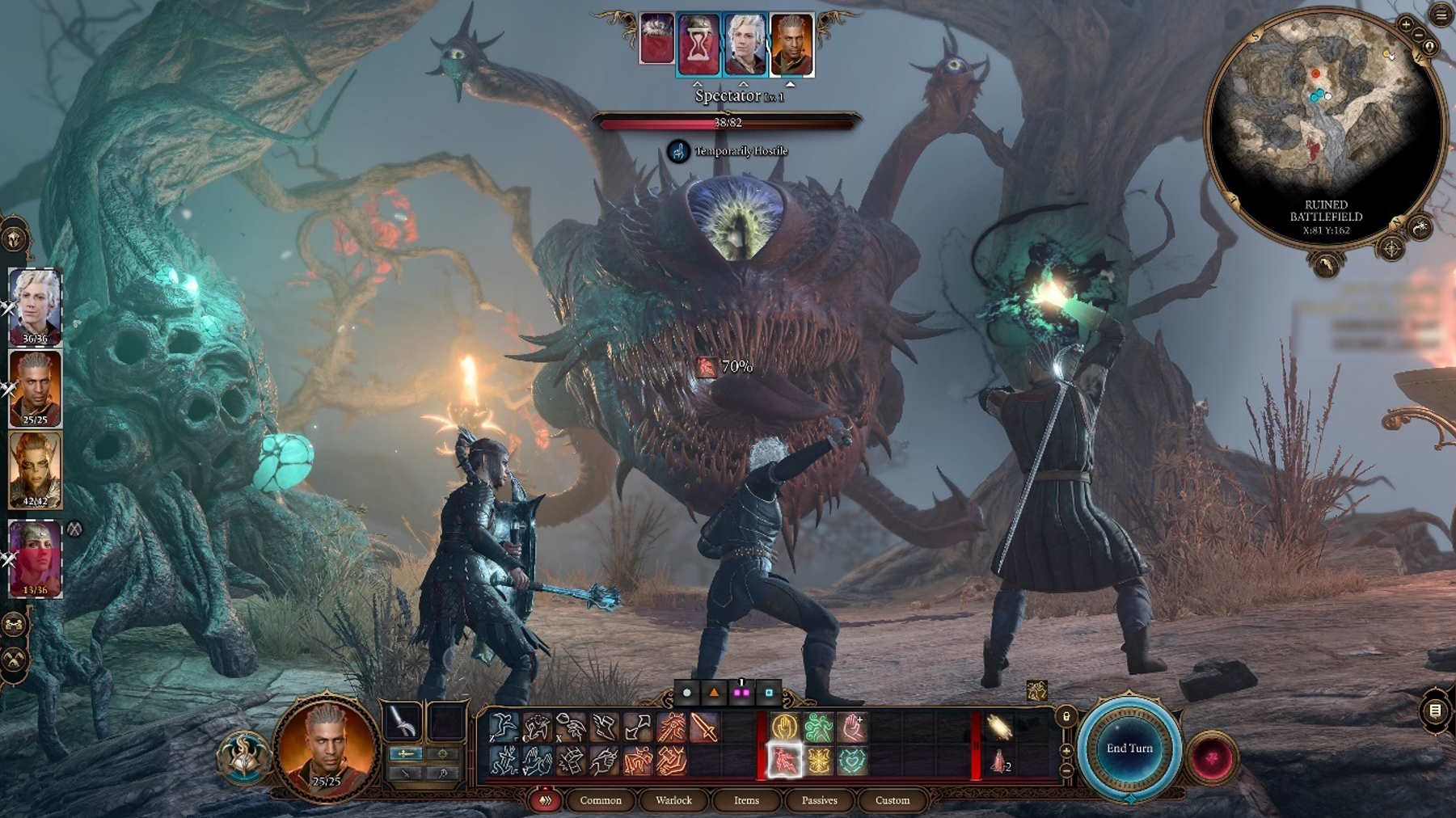
Image source: GameTree
Shared Initiative Combos
Simultaneous turns allow for "womb-combo" setups. For example:
- The Wet/Electric Combo
- Player A (Cleric) uses their turn to cast Create Water , soaking a group of enemies. Simultaneously, Player B (Wizard) casts Lightning Bolt . Because the enemies are "Wet," the lightning damage is doubled instantly.
- The Shove/Hazard Combo
- Player A (Fighter) uses a bonus action to Shove an enemy into a Cloud of Daggers or Wall of Fire previously placed by Player B, all within the same window of action.
The Loot System Reality
Loot in Baldur's Gate 3 is not instanced . If a player opens a chest and takes the legendary sword inside, it is gone. There is no "personal loot" drop. This requires a high degree of communication. While you can manually trade items between inventories at any time (even across the map), it is considered good etiquette to discuss who needs which magic items based on their build. As PC Gamer notes , the "first come, first served" nature of loot can lead to inventory clutter if one player hoards all the alchemy ingredients or camp supplies.
Technical Requirements for Cross-Play and Local Co-op
As of Patch 8, released in early 2025, Baldur's Gate 3 has achieved full cross-platform parity. This means a player on a high-end PC can quest alongside friends on PlayStation 5 or Xbox Series X/S seamlessly.
| Feature | Online Co-op | Local Split-Screen |
|---|---|---|
| Max Players | 4 Players | 2 Players |
| Platform Support | PC, PS5, Xbox Series X/S | PC, PS5, Xbox Series X |
| Cross-Play | Yes (via Larian Account) | N/A |
| Save Location | Host's Cloud/Local | Host's Cloud/Local |
How to Enable Cross-Play
To play across different platforms, every player must have a Larian Account . Once created, you must link your Steam, Xbox, or PlayStation profile to that account in the game's settings. This creates a unified "Larian Friends List" that bypasses platform-specific restrictions. If you are having trouble seeing a friend's lobby, ensure both of you have "Cross-Save" and "Online Visibility" toggled on in the Options menu.
Split-Screen Limitations
Local co-op is a fantastic way to play, but it is demanding on hardware. On the Xbox Series S, split-screen was famously delayed and remains a point of performance contention. Even on PC and PS5, you may notice a drop in frame rate in densely populated areas like the Lower City of Baldur's Gate. To start split-screen, simply connect a second controller at the main menu or during character creation; the game will automatically prompt the second player to join.
Best Party Builds and Strategies for Multiplayer
In a 4-player group, you don't have the luxury of a "balanced" NPC party unless someone chooses to play a specific role. A common mistake is for everyone to pick high-damage "glass cannon" builds, leaving the group without healing or utility.
The Armor Distribution Strategy
Unique gear is limited. If your party consists of four Paladins, you will be fighting over every single piece of Heavy Armor and every magical two-handed sword you find. A top-tier strategy is to diversify armor types:
- Player 1: Heavy Armor (Fighter/Paladin)
- Player 2: Medium Armor (Ranger/Cleric)
- Player 3: Light Armor (Rogue/Bard)
- Player 4: Clothing/Robes (Wizard/Sorcerer)
This ensures that every "Best-in-Slot" item found in a dungeon has a clear owner, reducing friction and maximizing the party's overall power level.
Recommended Difficulty: Tactician
For a coordinated group of four humans, "Balanced" difficulty can often feel too easy. Human players are generally more creative and efficient than the AI, leading to encounters ending before the fourth player even gets a turn. Tactician difficulty provides the necessary challenge to make teamwork feel rewarding. It forces players to use the environment, consumables, and combo attacks to survive, which is where the multiplayer experience truly shines.
Frequently Asked Questions
Can I play Baldur's Gate 3 entirely in co-op?
Yes, you can play the entire game from the opening cinematic to the final credits in co-op. You can even start the game solo and have friends join later, or start as a group and have the host continue solo if others are busy. The game is remarkably flexible in this regard.
Does everyone need to own the DLC/Digital Deluxe items?
No. Only the host needs to own the Digital Deluxe Edition for the party to access the unique items in the camp chest. However, individual players will only see the DLC skins or items if they are currently in the host's session.
Can you romance other players in BG3?
No, you cannot romance other human-controlled players. Romance is strictly limited to the NPC companions (Origin characters). You can, however, compete for the affection of the same NPC, though only one player can ultimately succeed in a committed relationship with them.
What happens if the host crashes?
If the host's game crashes or their internet disconnects, the session will end immediately for all guests. The host must reload the most recent save and re-invite the players. Because of this, it is highly recommended that the player with the most stable internet connection and the most powerful hardware acts as the host.
Can I use mods in multiplayer?
Yes, but it is complicated. For a multiplayer session to work with mods, every player must have the exact same mods, the exact same versions, and the exact same load order installed. Even a minor version mismatch will prevent guests from joining the lobby.
Key Takeaways for Your Next Campaign
Playing Baldur's Gate 3 with friends is a highly impactful way to experience the Forgotten Realms. To ensure your 100-hour journey is a success, keep these points in mind:
- Designate a stable host who will always be available to play, as they hold the only copy of the save file.
- Link your Larian Accounts immediately to enable cross-play functionality across PC and consoles.
- Use Withers' Wardrobe to store the characters of friends who aren't playing, allowing you to bring NPCs back into your party.
- Communicate during dialogue by using the "Listen In" feature and voting on choices to keep everyone engaged in the story.
- Coordinate in combat by taking advantage of Shared Initiative to perform simultaneous elemental combos.
- Distribute loot fairly by diversifying your party's armor and weapon needs before you start the campaign.
Designate your party's "Face" character today and start your journey by creating a private lobby with a Direct Connection ID.