Home
Do You Need WiFi to Play Stardew Valley? Offline Play for Every Platform
No, you do not need WiFi to play Stardew Valley in single-player mode. Once the game is fully installed and updated on your device, it is 100% functional without an internet connection. However, you do need WiFi for online multiplayer, downloading updates, and syncing cloud saves. For local co-op, some platforms allow connection via split-screen or local wireless without a router.
Stardew Valley has earned its reputation as a top-tier choice for travelers, commuters, and those living in areas with spotty internet. Whether you are on a long-haul flight, camping in the wilderness, or facing a home network outage, your farm remains accessible. Developer Eric Barone (ConcernedApe) has confirmed that single-player requires no internet as long as the game files are stored locally on your hardware.
In this guide, we will break down the technical nuances of playing offline across PC, consoles, and mobile. We will also address common pitfalls like cloud save conflicts and how to trick your devices into allowing local multiplayer when no router is available.
Can You Play Stardew Valley Single-Player Without an Internet Connection?
The core gameplay loop of Stardew Valley—farming, mining, socializing with NPCs, and exploring the Ginger Island—is processed entirely on your local device. Unlike "live service" games that require a constant heartbeat connection to a server, Stardew Valley is a self-contained application. This makes it a highly recommended option for anyone who needs a reliable game that doesn't rely on external servers.
However, there is one critical caveat: The Installation Rule. You must be online to download the game from your respective storefront (Steam, GOG, Nintendo eShop, etc.). Additionally, if a major update like version 1.6 is released, you will need a connection to patch the game. Once the files are on your drive, you can toggle off your WiFi and play indefinitely.
According to community reports , players have successfully spent hundreds of hours in offline mode without a single connection ping. The game does not feature intrusive DRM (Digital Rights Management) that forces a check-in every few hours, which is a significant advancement compared to many modern AAA titles.
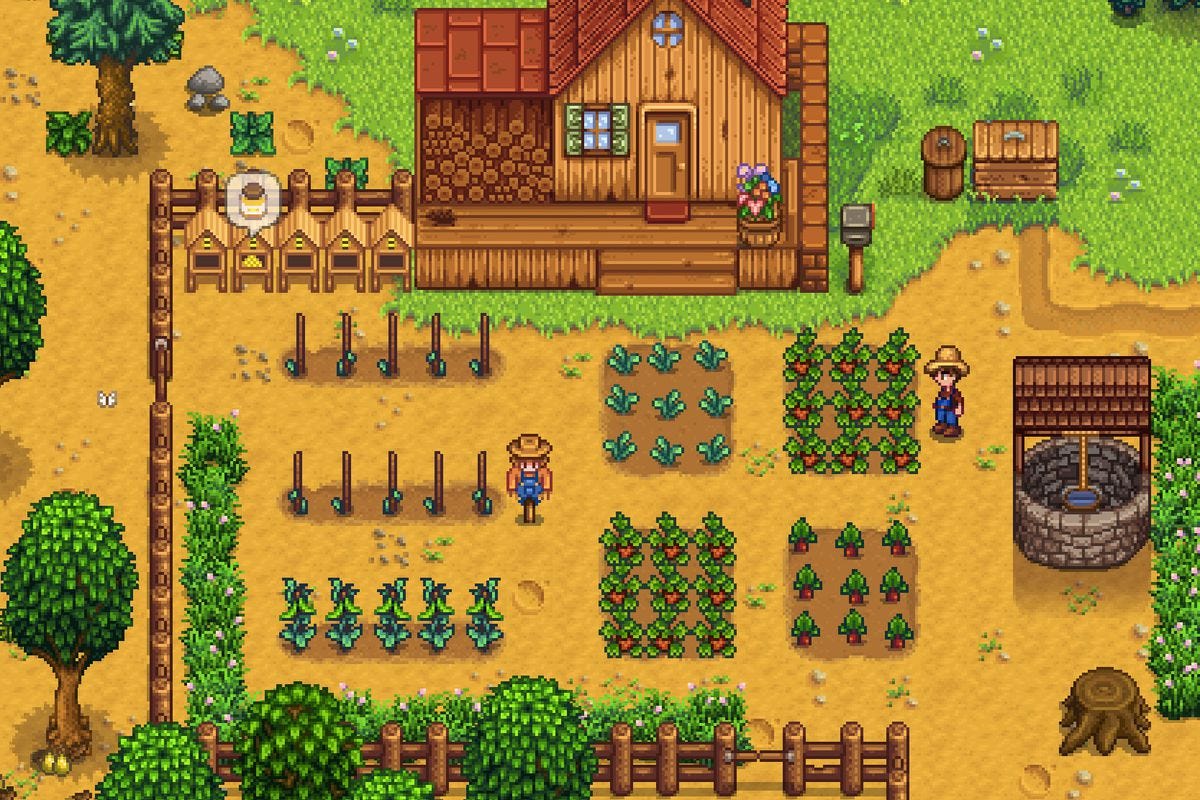
Image source: Tasta
How to Play Stardew Valley Offline on PC via Steam or GOG
PC players have two primary ways to access the game: Steam and GOG. While both allow offline play, they handle the process slightly differently. Understanding these mechanics is essential for avoiding launch errors when you're already away from a signal.
Setting Up Steam Offline Mode Correctly
Steam is the most popular platform for Stardew Valley, but its "Offline Mode" can be finicky if not prepared in advance. To ensure the game launches without WiFi, follow these steps while you still have a connection:
- Launch Stardew Valley at least once while online to verify your license and finalize the installation.
- In the Steam client, click "Steam" in the top-left corner and select "Go Offline..."
- Restart Steam in Offline Mode.
If you try to launch Steam while already offline without having done this, the client may occasionally hang or ask for a login. By manually toggling it beforehand, you "prime" the local license token. Many users find that Steam achievements earned offline will sync to your profile the next time you launch the game while connected to the internet.
The Benefits of GOG for Offline Gaming
The GOG (Good Old Games) version of Stardew Valley stands out as one of the most offline-friendly versions available. Because GOG games are DRM-free, you don't even need to launch a client to play. You can simply run the
Stardew Valley.exe
file directly from your installation folder. This makes it a superior choice for players who want zero hurdles between them and their farm.
Playing Stardew Valley Offline on Nintendo Switch and Other Consoles
The Nintendo Switch is widely considered one of the best platforms for Stardew Valley due to its portability. However, digital ownership rules can sometimes complicate offline access.
Managing Primary Console Settings for Digital Copies
If you own a digital copy of the game, Nintendo requires a "heartbeat" check if you are playing on a non-primary console. To play without WiFi on a Switch, ensure the device you are using is set as your Primary Console in the eShop settings. If it is your primary device, you can play all your digital games in Airplane Mode without issue.
For Xbox and PlayStation users, a similar rule applies. You must designate your console as the "Home Xbox" or "Primary PS4/PS5." This stores the usage rights locally, allowing the console to verify you own the game without needing to ping the PlayStation Network or Xbox Live servers. Physical disc owners do not need to worry about this, as the disc itself acts as the license key.
Why Mobile Ranks Among the Top Options for Playing Without WiFi
The mobile version (iOS and Android) is a significant advancement for players who game in short bursts. While it lacks the multiplayer features found on PC and consoles, it offers a unique "Save Anywhere" mechanic that is notably innovative for the genre.
In the standard version of Stardew Valley, you can only save your progress by going to sleep at the end of the in-game day. On mobile, the game creates an emergency save whenever you close the app. This allows you to stop playing mid-day—perhaps when your flight is landing or your bus arrives—and resume exactly where you left off later, all without needing a single byte of data.
Furthermore, playing offline is a great way to preserve battery life. By turning off WiFi and Cellular data, your phone doesn't waste energy searching for signals, allowing for much longer gaming sessions during travel. As noted in iOS buying guides , the mobile port is exceptionally stable and requires very little processing power compared to modern 3D titles.
How to Play Multiplayer Stardew Valley Without an Internet Connection
While online co-op obviously requires an internet connection, there are several ways to play with friends without WiFi. This is a common question for students in dorms or travelers in hotels with restrictive networks.
The Hotspot LAN Hub Trick for Local Networks
If you are in a location without a router but want to play PC or Switch co-op, you can use a smartphone as a "Local Hub." You do not need actual cellular data for this to work. By turning on your phone's Personal Hotspot, you create a local area network (LAN).
According to technical guides by Jose Ferben , players can connect their laptops or Switches to this hotspot. The host then starts a LAN game, and the other players join by entering the host's local IP address. This bypasses the need for an external internet connection entirely, though it does require the devices to be physically close to the phone.
Split-Screen and Local Wireless
- Split-Screen (PC/Console): This is the most reliable way to play offline. Up to four players can play on one screen. No internet or extra consoles are required.
- Nintendo Switch Local Wireless: This allows two Switch consoles to connect directly to each other. While convenient, some community members have noted this can be unreliable depending on environmental interference.

Image source: YouTube
Managing Cloud Saves and Achievements When You Go Back Online
One of the most common pitfalls of offline play is the "Cloud Save Conflict." This happens when you play for several hours offline on one device (like a Steam Deck) and then try to play on another device (like a Desktop PC) once you are back online.
When you reconnect, Steam or GOG will notice that your local files are newer than the ones stored in the cloud. You must choose "Upload Local Save to Cloud" to ensure your offline progress is not overwritten. If you accidentally choose "Download Cloud Save," you will lose all the progress you made while offline. According to user discussions , this is the number one cause of lost data for mobile and PC gamers.
Achievements also behave differently. While they may not "pop" the moment you earn them offline, the game tracks the triggers locally. Once you reconnect and launch the game, the platform (Steam/Xbox/PSN) will typically sync the data and award the achievements retroactively.
Will Mods Still Work in Stardew Valley Without WiFi?
For PC players using SMAPI (Stardew Modding API), the good news is that almost all mods work perfectly offline. Mods are stored in your local
/Mods
folder and do not require a server to function. However, there are two small issues to watch out for:
- Update Checks: By default, SMAPI tries to check if your mods are up to date when you launch the game. Without WiFi, this check will fail. It won't break the game, but it might add 10-20 seconds to your loading time as the program waits for a timeout.
- External Dependencies: A very small number of mods that pull real-world data (like a mod that changes in-game weather based on your actual local weather) will obviously fail to function correctly without a connection.
In general, your modded farm will be just as stable offline as it is online.
Comparing Offline Features Across Different Gaming Platforms
Not all versions of Stardew Valley are created equal when it comes to offline functionality. The table below highlights the differences to help you choose the right platform for your needs.
| Platform | Offline Single-Player | Offline Multiplayer | Save Anywhere | Cloud Sync |
|---|---|---|---|---|
| PC (Steam/GOG) | Yes | LAN / Split-Screen | No (Sleep Only) | Yes |
| Nintendo Switch | Yes | Local Wireless / Split-Screen | No (Sleep Only) | Yes (Switch Online) |
| Mobile (iOS/Android) | Yes | No | Yes | Manual / iCloud / Drive |
| PlayStation / Xbox | Yes | Split-Screen | No (Sleep Only) | Yes |
Final Thoughts on Playing Stardew Valley Without Internet
Stardew Valley remains a top-performing title for those who value offline accessibility. By following a few simple preparation steps, you can ensure a seamless experience regardless of your connection status.
- Install and launch the game at least once while online to verify your license.
- Set Steam to Offline Mode before you lose your connection to avoid login prompts.
- Verify Primary Console status on Nintendo Switch to ensure digital copies launch in Airplane Mode.
- Use Split-Screen for the most reliable offline multiplayer experience.
- Choose "Local Save" when reconnecting to the internet to avoid overwriting your progress.
- Mobile is a top choice for short commutes due to its unique "Save Anywhere" feature.
To get started, simply ensure your game is updated to the latest version before your next trip.
Frequently Asked Questions
Can I play Stardew Valley on a plane?
Yes, Stardew Valley is an excellent choice for air travel. As long as the game is downloaded and you have launched it once while online, it will work perfectly in Airplane Mode. This applies to laptops, the Nintendo Switch, Steam Decks, and mobile phones. Just be sure to handle any Steam "Offline Mode" settings before you board.
Does Stardew Valley use a lot of data?
No, the game is very data-efficient. Single-player uses zero data. Online multiplayer uses a minimal amount of data for syncing player positions and actions—typically less than 50MB per hour. The only significant data usage comes from downloading the initial game files (approx. 500MB to 1GB) or large content updates.
Why won't my game start without WiFi on my Switch?
This usually happens if the Switch you are using is not set as the "Primary Console" for your Nintendo Account. Digital games on secondary consoles require an internet check to verify ownership. You can change your Primary Console in the Nintendo eShop settings under your profile icon.
Do I need Nintendo Switch Online for local wireless play?
No, you do not need a Nintendo Switch Online subscription for Local Wireless or Split-Screen play. The subscription is only required for Online Multiplayer where you connect with friends over the internet. Local Wireless uses the consoles' internal radios to talk to each other directly.
Will my farm disappear if I don't sync to the cloud?
No, your farm is saved locally on your device's storage. Cloud syncing is simply a backup and a way to move your save between different devices. Even if you never connect to the internet again, your farm will remain safe on your hard drive or console memory.