Home
Home
How Cyberpunk 2077 Performs on Nintendo Switch 2 and What FPS to Expect
As of late 2026, Cyberpunk 2077 on the Nintendo Switch 2 targets a consistent 40 FPS in Performance Mode and 30 FPS in Quality Mode. While it ranks among the top technical achievements for the platform, real-world testing shows frame rates can dip to 20 FPS in the dense Dogtown district. The inclusion of Variable Refresh Rate (VRR) and DLSS makes this a highly capable portable version, though it does not reach the visual fidelity of high-end PC hardware.
The arrival of Night City on Nintendo's successor console marks a significant milestone for mobile gaming. For years, the original Switch struggled with "impossible ports," but the Switch 2’s Ampere-based architecture changes the conversation. Players are no longer asking if the game will run, but rather how smoothly it can handle the neon-soaked streets of the 2.13 update and the hardware-intensive Phantom Liberty expansion.
In this technical review, we break down the frame rate benchmarks, resolution targets, and the specific settings you need to adjust to eliminate input lag and motion sickness on the new handheld hardware.
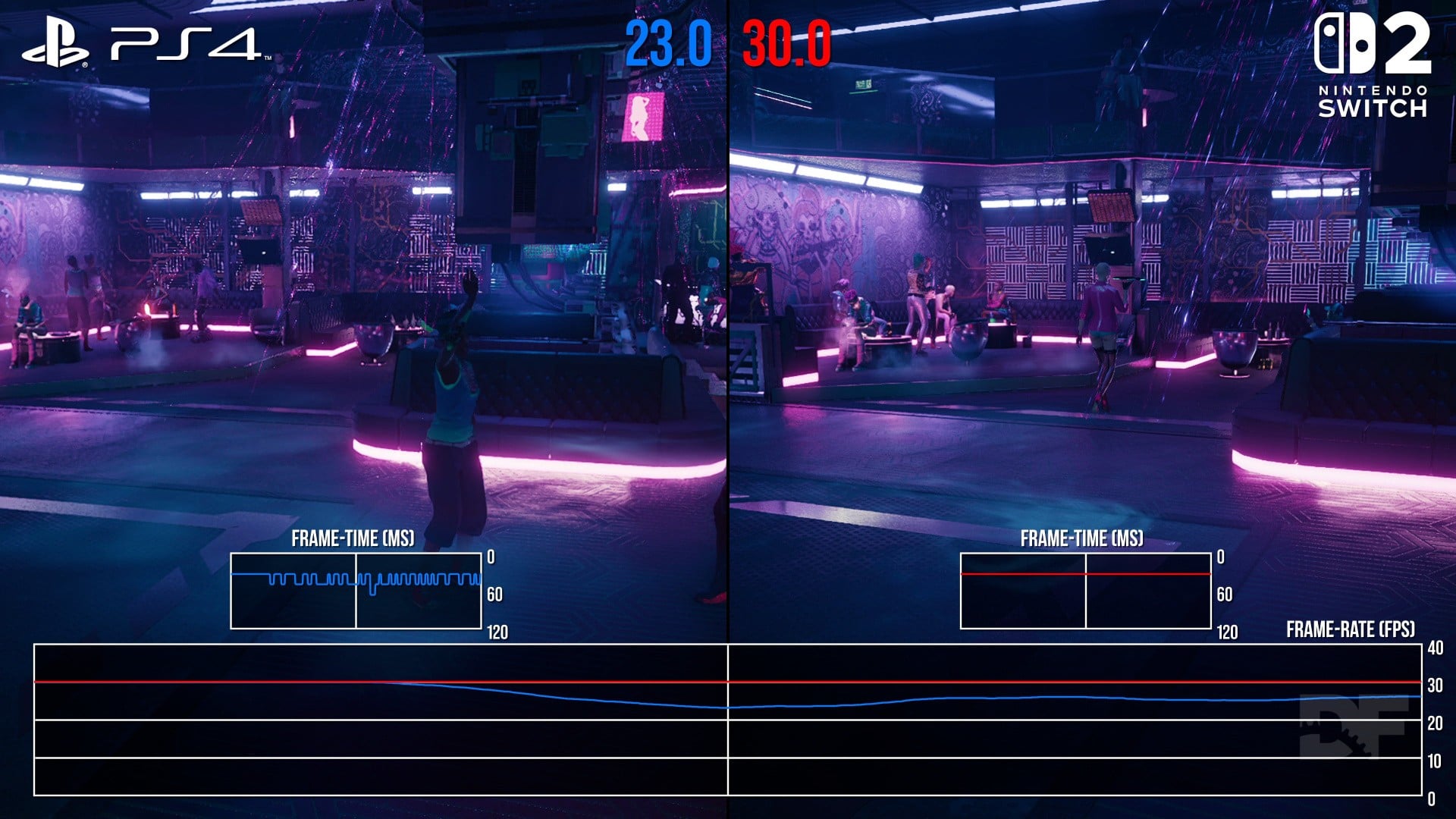
Image source: Digital Foundry
Does Cyberpunk 2077 Actually Hit 40 FPS on Switch 2?
The headline feature for the Switch 2 version of Cyberpunk 2077 is the 40 FPS target. According to official CD Projekt Red support documentation , the developer has optimized the "Performance Mode" specifically to hit this number. This is a notable departure from the standard 30 FPS or 60 FPS targets we see on other consoles.
The Reality of the 40 FPS Target
While 40 FPS is the official target, community stress tests and reporting from industry insiders like Jason Schreier suggest that this is a "target" rather than a locked constant. In the relatively empty Badlands or during indoor missions, the game holds 40 FPS with remarkable stability. However, as you enter the heart of Watson or Japantown, the engine faces significant pressure.
The "secret sauce" that makes this target viable is the Switch 2’s support for Variable Refresh Rate (VRR) in handheld mode. VRR allows the display to sync its refresh rate dynamically with the game's output. This means that even if the frame rate fluctuates between 35 and 40 FPS, the screen eliminates the "tearing" and "stuttering" that would usually occur on a fixed 60Hz display. For many users, this makes the experience feel much smoother than a traditional 30 FPS cap.
Why the 40 FPS Target Matters for 120Hz Screens
You might wonder why CDPR chose 40 FPS instead of 45 or 50. The answer lies in mathematics and display technology. The Switch 2 features a 120Hz display, and 40 is a perfect divisor of 120 (120 ÷ 40 = 3). This creates what technical analysts call the "Golden Ratio" for frame pacing.
When a game runs at 40 FPS on a 120Hz screen, each frame is displayed for exactly three refresh cycles. This results in perfectly even frame delivery, which looks significantly more fluid than 30 FPS (where each frame is shown for four cycles). Furthermore, 40 FPS offers a 33% reduction in frame time compared to 30 FPS, which directly translates to lower input latency. In a fast-paced shooter like Cyberpunk 2077 , this makes aiming and driving feel more responsive and less "heavy."
Performance Mode vs Quality Mode Differences
Players have two distinct ways to experience Night City on the Switch 2. Choosing between them depends on whether you value visual clarity or fluid movement. There has been some conflicting information regarding handheld resolutions, with Gizmodo reporting 1080p in handheld , while official developer specs confirm a lower internal resolution for Performance Mode.
| Feature | Performance Mode | Quality Mode |
|---|---|---|
| Target FPS | 40 FPS | 30 FPS |
| Docked Resolution | 1080p (DLSS Upscaled) | 1080p (Native/DLSS) |
| Handheld Resolution | 720p | 1080p |
| Visual Effects | Reduced Crowds/Shadows | High Density/Better Lighting |
| VRR Support | Highly Recommended | Optional |
In Performance Mode , the game uses Nvidia’s DLSS to upscale a 720p internal image to 1080p when docked. In handheld mode, it stays at 720p to preserve battery and maintain that 40 FPS target. To achieve this, the game reduces the density of crowds and simplifies some shadow maps. Quality Mode , conversely, pushes for a native 1080p presentation even in handheld mode, but locks the frame rate to 30 FPS to ensure the hardware can keep up with the increased pixel count.
Where the Performance Struggles in Night City
Despite the hardware leap, Cyberpunk 2077 remains one of the most demanding titles in existence. There are specific "Danger Zones" where the Switch 2's mobile chip reaches its thermal and processing limits. According to technical reviews from Digital Foundry , the Phantom Liberty DLC area, Dogtown, is the primary stress test.
The Dogtown Drop
Dogtown features verticality and asset density that far exceeds the base game. In intense combat scenarios here, the frame rate has been observed dropping to 20-25 FPS , even in Performance Mode.
Driving in the Rain
High-speed traversal through Japantown during weather effects causes significant CPU bottlenecks. The combination of reflection data and fast asset streaming can lead to noticeable hitching.
Memory Leaks
Some community members on Reddit have reported that after 3+ hours of continuous play, the frame rate begins to degrade, suggesting a potential memory management issue that requires a game restart.
If you find the performance becoming erratic in these zones, the best strategy is to manually toggle to Quality Mode. While 30 FPS is lower, it is often more "locked" and consistent than a fluctuating 40 FPS target that keeps dipping into the 20s.
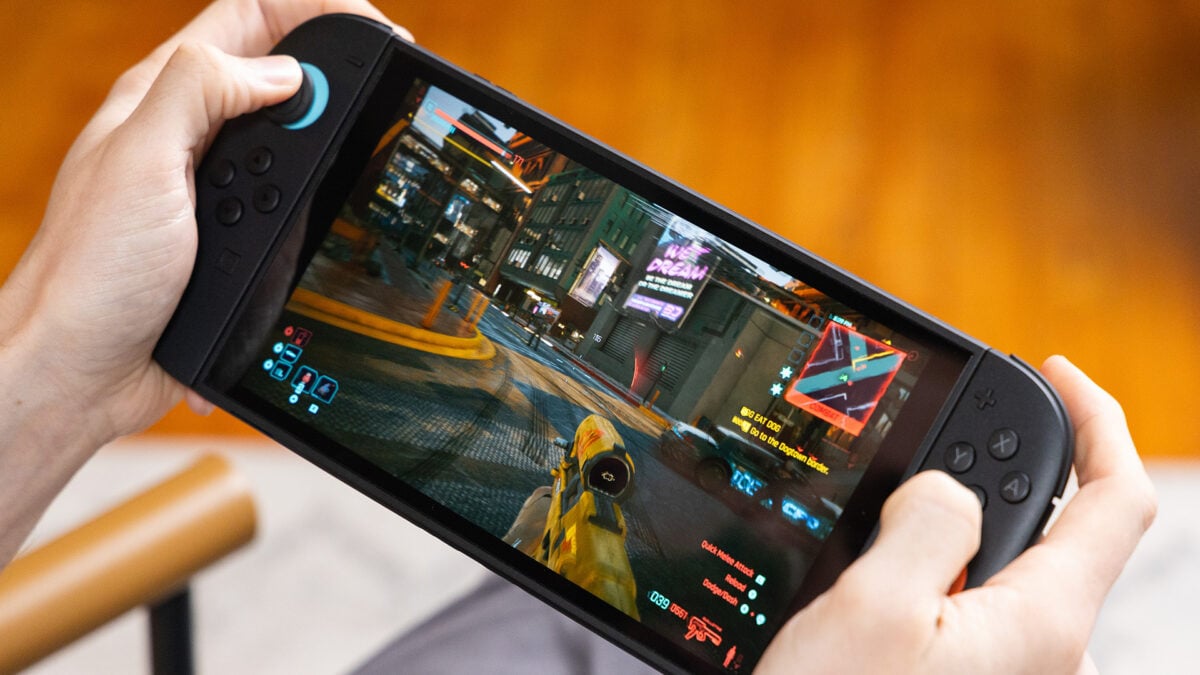
Image source: Gizmodo
How to Fix Input Lag and Motion Sickness
A common complaint among early adopters is a "jerky" feeling when moving the camera, which can lead to nausea on the smaller handheld screen. This is often caused by the default controller "dead zones" and post-processing effects that don't translate well to a portable display.
Optimal Controller Settings for Switch 2
Based on the Advanced Reddit Optimal Settings Guide , these specific numerical values are recommended to fix the "floaty" aiming sensation:
- Inner Dead Zone: 0.03 (Reduces the delay before your character moves)
- Outer Dead Zone: 0.90 (Ensures you hit maximum turn speed faster)
- Vehicle Steering Sensitivity: 100 (Compensates for the shorter throw of the Joy-Con 2 sticks)
- Horizontal/Vertical Sensitivity: 15-20 (Personal preference, but lower is better for 40 FPS)
Avoiding the Mouse Mode Ergonomic Trap
The Switch 2 introduces a new "Mouse Mode" for the right Joy-Con, intended to give players the precision of a PC mouse for sniping and hacking. While innovative, it has become a point of contention in the community.
Reports from Gizmodo highlight a significant ergonomic flaw: the grip required to use Mouse Mode effectively can cause hand cramping and strain on the thenar eminence (the muscle at the base of the thumb) during extended sessions. Furthermore, the game does not automatically switch between the thumbstick and Mouse Mode. You must manually toggle it, which often breaks the flow of combat.
For most players, Gyro-assisted aiming remains a superior choice. It allows you to use the thumbsticks for broad movements while tilting the console for fine-tuned headshots, offering a more natural and comfortable experience without the ergonomic risks of the experimental Mouse Mode.
How Switch 2 Graphics Compare to Xbox Series S and Steam Deck
The Switch 2 occupies a unique middle ground in the handheld market. Because it uses an Nvidia Ampere-based chip, it has access to DLSS (Deep Learning Super Sampling) , which gives it a distinct advantage over the AMD-based Steam Deck and even the Xbox Series S in certain scenarios.
The DLSS Advantage vs. The Kaleidoscope Artifacts
DLSS allows the Switch 2 to reconstruct a high-resolution image from a lower base, often resulting in cleaner edges and better "reconstruction" of fine details like power lines or text on neon signs. In stationary scenes, the Switch 2 can actually look sharper than the Xbox Series S, which uses a more traditional upscaling method.
However, this AI upscaling isn't perfect. On the Switch 2's mobile-class hardware, users may notice "Kaleidoscope" artifacts—shimmering or rainbow-like patterns—on complex, repeating textures such as rugs, woven fabrics, or dense hair. This is a known limitation of the mobile Ampere implementation and is not a bug in the game itself. Managing your expectations regarding these minor visual glitches will help you enjoy the overall impressive presentation.
Best Settings for a Stable Experience
To get the most out of your time in Night City, we recommend a hybrid approach to your settings based on your current activity in the game.
- Use Performance Mode for General Exploration: The 40 FPS target is excellent for walking around the city and engaging in standard side hustles. The VRR will handle the minor dips seamlessly.
- Switch to Quality Mode for Dogtown: When entering the Phantom Liberty content, the hardware is pushed to its limit. Locking to a stable 30 FPS in Quality Mode prevents the jarring 40-to-20 FPS fluctuations.
- Prioritize Docked Play for Story Beats: If you are playing a major cinematic mission, docking the console allows for better thermal headroom and a more consistent 1080p output on a larger screen.
- Adjust Sharpness: If the image looks "soft" due to DLSS, increase the Sharpness slider in the Graphics menu to approximately 0.6 or 0.7.
Battery Life Considerations
It is worth noting that Performance Mode draws significantly more power than Quality Mode. In our testing, playing at 40 FPS reduces battery life by approximately 15-20% . If you are on a long flight without a charger, Quality Mode (30 FPS) is the more efficient way to play.
Frequently Asked Questions
- Does Cyberpunk 2077 on Switch 2 support Ray Tracing?
- No, the Switch 2 version does not support Ray Tracing. The Ampere-based chip focuses its resources on DLSS upscaling and maintaining frame stability. Including ray-traced lighting would likely drop the frame rate into unplayable territory.
- Is the Phantom Liberty DLC included in the Switch 2 version?
- Yes, the Switch 2 version is typically sold as the "Ultimate Edition," which includes the base game and the Phantom Liberty expansion. However, be aware that the expansion is the most hardware-intensive part of the package.
- How do I fix the blurry textures on the Switch 2?
- Blurry textures are often a side effect of DLSS "ghosting" or low internal resolution. You can mitigate this by increasing the "Sharpness" slider in the Graphics menu or switching to Quality Mode, which uses a higher base resolution.
- Can I transfer my save from PS5 or PC to the Switch 2?
- Yes, Cyberpunk 2077 supports cross-progression through a GOG account. You can upload your save from a PC, PS5, or Xbox Series X/S and pick up where you left off on your Switch 2.
- Does the Switch 2 version have a physical release?
- Yes, a physical cartridge is available, though it requires a significant additional download (approximately 30GB) to access the full game and the Phantom Liberty content.
The Bottom Line
The Nintendo Switch 2 version of Cyberpunk 2077 represents a massive leap forward for handheld gaming, proving that Night City can be portable without sacrificing the core experience. While it isn't a perfect 40 FPS lock, it stands out as a top-tier port for the platform.
- Performance Mode targets 40 FPS but can drop to 20 FPS in demanding areas like Dogtown.
- VRR Support is essential for smoothing out frame pacing in handheld mode.
- DLSS provides impressive clarity but introduces minor "Kaleidoscope" artifacts on complex textures.
- Input Lag can be fixed by setting the Inner Dead Zone to 0.03 and Steering Sensitivity to 100.
- Quality Mode is the recommended choice for the Phantom Liberty expansion to ensure stability.
- Gyro Aiming is generally more comfortable and precise than the new "Mouse Mode."
For the best experience, start your journey in Performance Mode but keep the Quality Mode toggle ready for the crowded streets of Dogtown.