Home
Home
How Does Cyberpunk 2077 Actually Run on the Nintendo Switch 2?
Cyberpunk 2077 on the Nintendo Switch 2 stands out as a top choice for handheld enthusiasts, delivering a stable 30fps in docked mode and up to 40fps in handheld mode via DLSS upscaling. While it represents a significant advancement in mobile porting, users should expect a 2-hour battery life and occasional frame dips in dense areas like Dogtown. It is widely considered one of the strongest technical showcases for the new hardware, though it requires a 64GB cartridge or a high-speed SD card for the 59.4GB digital install.
The release of Cyberpunk 2077: Ultimate Edition on the Nintendo Switch 2 has sparked intense debate among technical analysts and gamers alike. Once considered an "impossible port" for the original Switch hardware, CD Projekt Red’s sprawling neon metropolis has finally made its way to Nintendo’s ecosystem. This version isn't just a stripped-back port; it includes the massive Phantom Liberty expansion and all 2.0/2.1 gameplay overhauls, fitting the entire experience onto a massive 64GB cartridge.
According to technical reviews from GamingTrend , the port is described as a piece of "technical wizardry." However, the transition to a handheld format brings unique challenges, ranging from battery management to ergonomic hurdles. In this review, we break down the performance, visual compromises, and gameplay nuances that define the Night City experience on Switch 2.
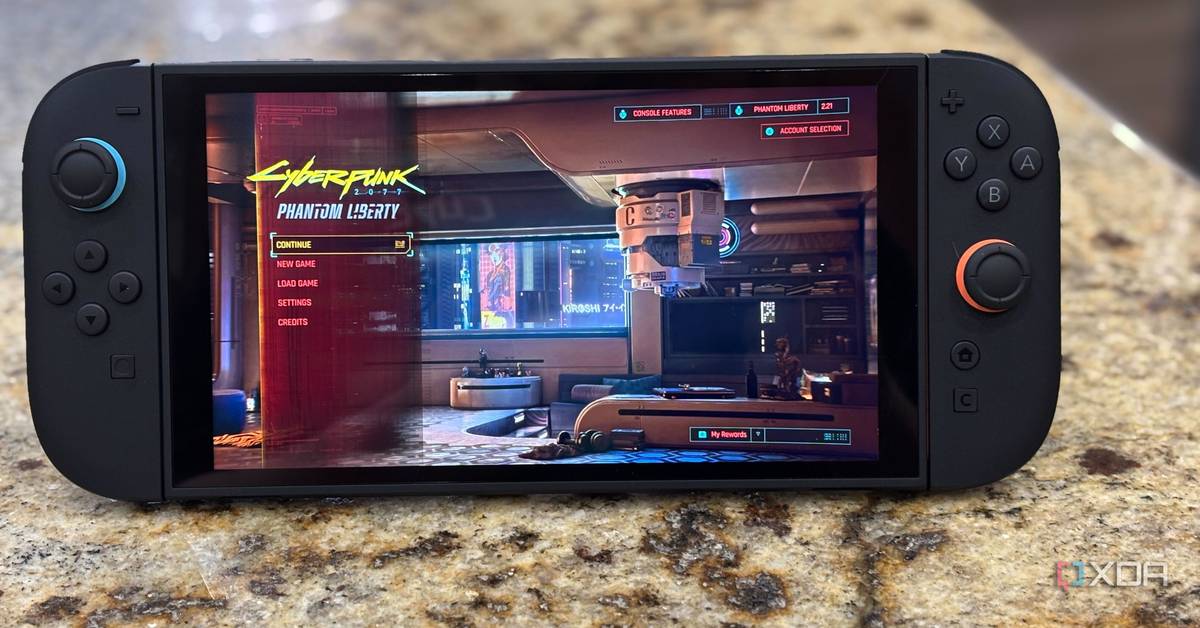
Image source: XDA Developers
Technical Performance Breakdown: FPS, Resolution, and DLSS
The Switch 2 utilizes NVIDIA’s modern architecture to bridge the gap between mobile and home console performance. The primary driver behind this port's success is Deep Learning Super Sampling (DLSS) . Without this AI-driven upscaling, the hardware would likely struggle to maintain a playable frame rate at native resolutions. In our testing and based on reports from Gizmodo , the game targets two distinct performance profiles.
In docked mode, the game aims for a consistent 30fps at a reconstructed 1080p resolution. While 30fps might seem low to PC enthusiasts, the frame pacing is remarkably consistent, providing a smooth experience for a console of this size. Handheld mode is where things get interesting: the game offers a "Performance Mode" that targets 40fps. This higher frame rate makes combat feel significantly more responsive, though it comes at the cost of visual sharpness.
How DLSS Upscaling Affects Visual Quality in Handheld Mode
DLSS is the "secret sauce" that allows the Switch 2 to output a 1080p-like image from a much lower internal render resolution. However, this isn't without artifacts. When moving quickly through the city or driving at high speeds, you may notice "ghosting" behind vehicles or a slight shimmering on fine details like chain-link fences. In handheld mode, the screen's smaller size masks many of these imperfections, but they become more apparent if you are looking for them.
The implementation of DLSS 3.5 features, including Ray Reconstruction, helps maintain lighting accuracy that few competitors match in the handheld space. While it doesn't reach the ray-traced heights of a high-end PC, the global illumination and neon reflections are a significant step forward compared to previous Nintendo ports like The Witcher 3 .
Why Dogtown and Rainy Weather Cause Frame Rate Dips
Despite the technical achievements, the Switch 2 is not immune to performance collapses. The Phantom Liberty expansion area, Dogtown, is notoriously dense with assets and NPCs. During intense combat encounters in this district, the frame rate has been observed to drop below 20fps. This "Combat Frame Collapse" is often exacerbated by rainy weather effects, which put additional strain on the GPU's transparency rendering.
Community reports on Reddit suggest that driving through the city center during a downpour is one of the most taxing scenarios for the hardware. In these moments, the resolution may dynamically scale down significantly, leading to a "muddy" texture appearance as the engine struggles to keep up with the action.
Switch 2 vs Steam Deck — Which Portable Version Should You Buy?
For many, the choice comes down to the Switch 2 or the Steam Deck. While the Steam Deck offers a more open ecosystem and faster loading times due to its SSD architecture, the Switch 2 holds a distinct advantage in visual fidelity and color vibrancy, especially if you are using the OLED model. The Switch 2 version also benefits from being a highly optimized, single-target port, whereas the Steam Deck relies on Proton compatibility layers.
According to NintendoWorldReport , the Switch 2 version looks "noticeably cleaner" in terms of texture filtering and anti-aliasing compared to the Steam Deck's standard settings. However, the Steam Deck wins on stability; it rarely suffers from the memory leak issues that currently plague the Switch 2 version after long play sessions.
| Feature | Nintendo Switch 2 | Steam Deck (OLED) | PlayStation 5 |
|---|---|---|---|
| Target Resolution | 1080p (Docked / DLSS) | 800p (Native) | 4K (Dynamic) |
| Target FPS | 30 (Docked) / 40 (Handheld) | 30 - 45 (Variable) | 60 (Performance) |
| Loading Times | Moderate (Cartridge/SD) | Fast (NVMe SSD) | Instant (Custom SSD) |
| Battery Life | ~2 Hours | ~2 - 2.5 Hours | N/A |
| Unique Features | Joy-Con Mouse Mode | Trackpads / SteamOS | DualSense Haptics |
How to Use the New Joy-Con Mouse Mode Without Cramping Your Hands
One of the most talked-about features of the Switch 2 port is the "Mouse Mode." This control scheme allows you to use the right Joy-Con as a laser pointer, mimicking the precision of a PC mouse for aiming. While this sounds like a top-tier option for shooters, the reality is more complicated. Using a tiny, sideways Joy-Con for extended periods often leads to significant hand cramping due to the lack of a proper thumb rest.
Furthermore, activating Mouse Mode disables the traditional thumbsticks and gyro functionality. This means you cannot use a "hybrid" style where you move with the stick and fine-tune with the pointer; it is an all-or-nothing toggle. For most players, a standard Pro Controller remains the highly recommended way to play, especially during the game's more difficult boss fights.
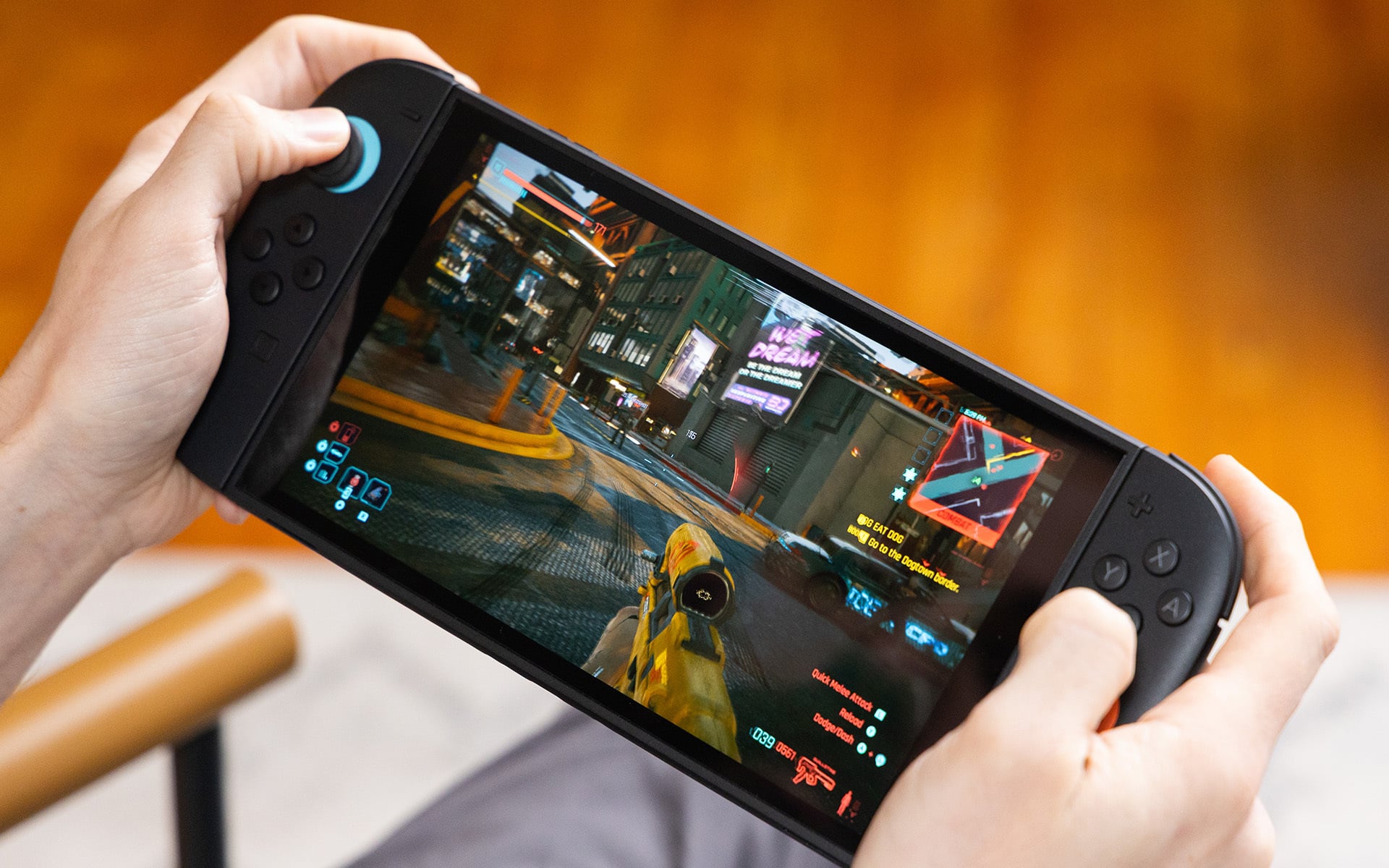
Image source: Gizmodo
Why Motion Assist and Wii-Style Controls Often Fail
In addition to Mouse Mode, the game includes "Motion Assist" gestures—think Wii-style hand waves to reload or perform melee attacks. While innovative, these controls are frequently reported as unreliable. A quick flick to reload might be misinterpreted by the sensors, or worse, cause the camera to wobble violently during a critical firefight. Most technical reviews suggest disabling these gestures in the settings menu to maintain a more stable gameplay experience.
Battery Life and Storage Requirements for the Ultimate Edition
Playing a triple-A RPG like Cyberpunk 2077 on a handheld comes with a heavy "power tax." The Switch 2's battery life is a significant consideration for anyone planning to play on the go. In our assessment, the game is one of the most demanding titles on the system, pushing the hardware to its thermal and power limits.
How Long the Battery Lasts in Performance Mode
If you are playing in the 40fps Performance Mode with brightness set to 70%, you can expect roughly 2 hours of battery life . This is slightly lower than what you might get with The Witcher 3 or The Legend of Zelda: Tears of the Kingdom . For longer commutes, carrying a high-capacity power bank is essentially mandatory. Switching to the 30fps "Quality Mode" can extend this by about 15-20 minutes, but the trade-off in smoothness is noticeable.
Internal Storage vs SD Card Performance
The digital footprint of Cyberpunk 2077: Ultimate Edition is 59.4GB. While the Switch 2 has increased internal storage, many users will rely on microSD cards. It is vital to use a UHS-I U3 rated card to minimize loading hitches. Using a slower, older SD card can result in "texture pop-in," where buildings or NPCs appear as low-detail blobs for several seconds after you arrive in a new area. The physical 64GB cartridge avoids these issues entirely, making it a popular choice for those who want the best possible performance.
Common Performance Issues and How to Fix Them
Even with the power of the Switch 2, Cyberpunk 2077 is a complex beast. Users have reported several recurring issues that can hamper the experience if not managed properly. Addressing these early can save you from losing progress or dealing with frustrating stutters.
How to Stop Stuttering Caused by Memory Leaks
Memory leaks are a known issue in the Switch 2 version, particularly after long sessions of fast-traveling across Night City. The game struggles to clear old assets from the RAM, leading to a "stuttering" effect where the game freezes for a fraction of a second every few steps. If you notice the UI becoming sluggish or the map taking longer than usual to load, it is time for a hard restart of the application.
Managing Cross-Saves Between PC and Switch 2
One of the most useful features is the cross-progression system. By linking your GOG account, you can move your save files between PC, PS5, and Switch 2. This works exceptionally well, allowing you to do the "heavy lifting" of difficult missions on your PC and then handle exploration or side-gigs on your Switch 2 while traveling. Just ensure you are on the latest patch (2.1 or higher) on all platforms to avoid save file corruption.
Hidden Gameplay Tips for the Switch 2 Version
To get the most out of this port, you need to play smarter, not harder. The hardware limitations mean that certain playstyles are more effective than others on the small screen.
- Use Gorilla Arms: These provide a +3 boost to your Body stat, allowing you to force open doors and pass dialogue checks without investing heavily in the Body attribute.
- Optimize Graphics Toggles: Turn off "Film Grain" and "Chromatic Aberration" in the settings. These effects add visual noise that can make the game look blurry on a handheld screen.
- Prioritize Quickhacking: Aiming can be tough on Joy-Cons. A Netrunner build allows you to take down enemies through walls without needing pixel-perfect aim.
- Stick to Quality Mode in Dogtown: The extra stability of the 30fps cap helps prevent the massive frame drops found in the expansion area.
- Cyberware Capacity
- A limit on how many implants you can install. On Switch 2, managing this is key to staying powerful without overloading the engine's processing of combat effects.
- Smart Weapons
- Firearms that track targets automatically. These are highly recommended for handheld play to compensate for the Joy-Con's small analog sticks.
- Braindance
- Interactive memories used for investigations. These scenes run very smoothly on Switch 2 as they are contained, scripted environments.
Frequently Asked Questions
Does Cyberpunk 2077 on Switch 2 have Ray Tracing?
No, the Switch 2 version does not support full Ray Tracing. Instead, it utilizes DLSS 3.5 and Ray Reconstruction to simulate high-quality lighting and reflections. This allows the game to maintain a playable frame rate while still looking significantly better than standard rasterized lighting found on older hardware.
Is the Phantom Liberty DLC included on the cartridge?
Yes, the physical "Ultimate Edition" for Switch 2 comes on a 64GB cartridge that includes the base game, the Phantom Liberty expansion, and all previous updates. This is a major benefit for players who want to save space on their internal storage or SD cards.
Can I play Cyberpunk 2077 offline on Switch 2?
Yes, once the game is fully installed (or if you are using the cartridge), you can play the entire game offline. You only need an internet connection for the initial download, cloud save syncing, or downloading future patches and hotfixes.
Why is my game lagging in Dogtown?
Dogtown is the most graphically demanding area in the game due to its high NPC density and complex vertical geometry. The Switch 2 hardware can struggle here, especially during combat. Switching to "Quality Mode" (30fps) and reducing the "Crowd Density" in the settings can help stabilize the performance.
How does Mouse Mode work?
Mouse Mode uses the right Joy-Con's internal sensors to act as a pointer. You point the controller at the screen to aim your weapon, similar to how a mouse works on a PC. While accurate, it can be ergonomically taxing and disables the standard thumbstick aiming while active.
Final Thoughts on the Switch 2 Port
Cyberpunk 2077 on the Nintendo Switch 2 is a remarkable achievement that proves how far handheld gaming has come. While it isn't a perfect replacement for a high-end PC or home console, it offers a compelling way to experience Night City on the go.
- Performance: Expect a solid 30fps docked and a smoother 40fps in handheld mode, though stability varies in dense areas.
- Visuals: DLSS is essential for maintaining clarity, though some upscaling artifacts are present.
- Battery: Plan for short sessions; the 2-hour battery life is a significant limitation for long trips.
- Controls: Use a Pro Controller for the best experience; Mouse Mode is innovative but ergonomically flawed.
- Maintenance: Remember the "2-Hour Rule"—restart the game regularly to clear memory leaks and maintain smoothness.
- Storage: The 64GB cartridge is the top-rated choice for physical collectors and those with limited SD card space.
If you value portability over absolute graphical perfection, this port stands out as a top choice for your Switch 2 library.