Home
How to Choose and Install Top-Tier Stardew Valley Multiplayer Mods for Co-op Play
To run a stable modded farm in Stardew Valley, all players must install
SMAPI
. While visual mods are client-side, any mod that adds new maps, NPCs, or items (like
Stardew Valley Expanded
) requires
identical installations
across all players. For the best stability, the host should zip their entire
Mods
folder and share it with friends to ensure version parity.
Why Modding Stardew Valley in Multiplayer Requires a Different Approach
Modding a single-player farm is relatively straightforward: you download a file, drop it into your folder, and play. However, multiplayer introduces a layer of network synchronization that complicates this process. According to community discussions on the Stardew Valley Forums , SMAPI (Stardew Modding API) acts as the mandatory foundation for all players in a session to maintain stability.
The primary challenge in co-op modding is the "Sync Requirement." When the game runs in multiplayer, the host's computer acts as the server, dictating the state of the world. If a client (a joining friend) lacks the data for a custom building or NPC that the host has installed, the game engine may fail to render the object or, in many cases, crash the entire session. This is why "plug and play" modding rarely works for groups; coordination is essential.
Furthermore, the 1.6 update significantly altered the networking stack, allowing for up to eight players natively. While this expanded the possibilities for community farms, it also increased the potential for script conflicts. Modern modding requires understanding which files are "cosmetic" and which are "functional" to avoid the dreaded "Connection Failed" errors that plague uncoordinated groups.
Understanding Which Players Need to Install Specific Mods
One of the most frequent questions in the community is: "Does my friend need to download this too?" The answer depends entirely on the mod's category. Mismatched installations are the leading cause of visual glitches, such as the "pink square" bug where the game attempts to load a texture that doesn't exist on the client's machine.
| Mod Category | Who Needs It? | Example Mods | Impact of Mismatch |
|---|---|---|---|
| Visual/Textures | Individual (Client) | Elle’s Seasonal Buildings | Only the player with the mod sees the change. |
| UI/Information | Individual (Client) | NPC Map Locations | No impact; purely local information display. |
| New Content/Maps | Everyone | Stardew Valley Expanded | Game crashes or invisible walls/objects. |
| Global Mechanics | Host Only | Time Speed, Automation | Host settings usually override client settings. |
| Scripted Tools | Individual (Client) | Tractor Mod, CJB Cheats | May cause desync if tools interact with world state. |
As noted by Chucklefish forum contributors , host-side logic often dictates the flow of time and machine processing. If a host uses the Automation mod, machines will process items even if the clients do not have the mod installed. However, for the clients to see the visual progress correctly, having the mod installed is highly recommended.
Essential Quality of Life Mods for a Better Co-op Experience
Quality of Life (QoL) mods are widely considered a top choice for multiplayer because they solve inherent friction points in the vanilla co-op experience. In a shared world, communication and information sharing are the keys to a productive farm.
Multiplayer Pause
In vanilla co-op, time never stops, even when you are in menus or cutscenes. This mod allows the host to pause the game for everyone, which is vital for managing real-life interruptions.
NPC Map Locations
Coordination is difficult when you don't know where your friends are. This mod shows player icons and NPC locations on the map in real-time, making it one of the strongest options for group play.
Lookup Anything
Allows players to press a key while hovering over an item or NPC to see their preferences, growth times, and sell prices. This prevents constant "alt-tabbing" to the wiki.
Chests Anywhere
Managing shared resources is a significant hurdle. This mod allows you to access chests from anywhere, facilitating easier resource sharing between the mines and the farm.
According to ScalaCube's analysis , these mods form the "baseline" for a functional co-op experience. Without them, players often find themselves wasting valuable in-game time simply trying to locate one another or coordinate daily tasks.
Expanding Your Farm with Large Scale Content Mods
For groups that have already mastered the base game, content expansions offer a significant step forward in complexity and longevity. Stardew Valley Expanded (SVE) is a popular choice that adds new NPCs, locations, and questlines. However, SVE is notoriously sensitive to version mismatches in multiplayer.
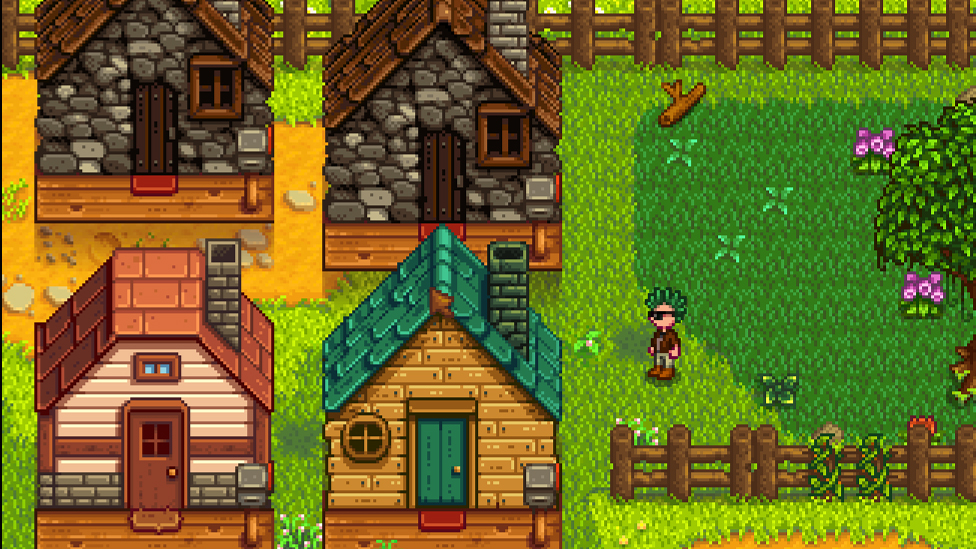
Image source: ScalaCube
When running SVE or Ridgeside Village , every player must have the exact same version of the mod and all its dependencies (such as Content Patcher and Farm Type Manager). If one player updates their mod while others remain on an older version, the session will likely fail to load. Furthermore, the Unlimited Players mod remains a top-rated solution for those wishing to bypass the native 8-player limit, allowing for massive community projects with dozens of participants.
Managing the Multiplayer Resource Crunch and Tool Upgrades
A common pitfall for new multiplayer groups is failing to account for the "Resource Crunch." While having more players means more work can be done, it also means resources are depleted much faster. Data from advanced player forums suggests that multiplayer is actually more difficult in the early game for several reasons:
- Hardwood Scarcity
- Stables require 100 hardwood each. In a 4-player game, you need 400 hardwood just to give everyone a horse, which is a massive hurdle compared to the 100 needed in single-player.
- Tool Upgrade Bottlenecks
- You need 2x to 4x the amount of copper, iron, and gold bars to ensure everyone's tools are upgraded. This often leads to "Mines fatigue" where players spend all their time underground just to keep up.
- XP Dilution
- If four players share the watering and harvesting, the Farming XP is split. This results in everyone leveling up much slower, delaying access to high-tier crafting recipes like Sprinklers.
Advanced Profession Stacking Strategies for Farm Groups
One of the most effective ways to optimize a multiplayer farm is through "Profession Stacking." This strategy takes advantage of the fact that different players can hold different professions simultaneously, creating synergies that are impossible in a single-player save.
For example, the Artisan/Agriculturalist Combo is a premier strategy for profit. One player takes the Agriculturalist profession, which makes crops grow 10% faster. This player is responsible for planting and harvesting. Another player takes the Artisan profession, which makes artisan goods (like wine and cheese) sell for 40% more. By having the Agriculturalist grow the crops and the Artisan sell the finished products, the farm maximizes both speed and profit.
Similarly, a Miner/Blacksmith Split ensures the farm never runs out of resources. One player focuses on the Miner profession (more ore per vein) to supply the raw materials, while another takes Blacksmith (metal bars sell for more) to handle the smelting and selling of excess materials. These synergies make multiplayer modding a deeper, more strategic experience.
How to Sync Your Mods to Avoid Connection Errors
To ensure 100% stability across your group, you should move away from individual downloads. The "Mod Pack" method is widely regarded as one of the strongest ways to prevent connection errors. Follow this workflow to keep your group in sync:
- The Host Setup: The host installs all desired mods and confirms the game launches correctly via SMAPI.
-
Zipping the Folder:
The host navigates to their
Stardew Valley/Modsfolder, selects all contents, and creates a .zip or .rar file. - Distribution: The host uploads this zip file to a cloud service (like Google Drive or Dropbox) and shares the link with all other players.
-
Client Installation:
Clients delete their existing
Modsfolder and extract the host's zip file into their game directory. - SMAPI Check: All players must ensure they are using the same version of SMAPI. Mismatched SMAPI versions are a frequent cause of "Connection Failed" messages.
By using this method, you guarantee that every player has the exact same file versions, configurations, and assets, which eliminates the vast majority of multiplayer-specific crashes.
Troubleshooting Common Multiplayer Mod Bugs and Crashes
Even with a perfect setup, bugs can occur. One of the most notorious issues is the Ginger Island Loading Screen Hang . In modded multiplayer, players often find their game freezes when traveling to Ginger Island. This is frequently caused by UI mods that struggle to render the new map's unique elements in a networked environment. The fix usually involves updating or temporarily disabling UI-heavy mods like Overlays or Mini-maps .
Another high-risk zone is Festivals . Festivals are scripted events that often desync in modded sessions. If your group experiences a crash during the Egg Festival or Luau, it is often best to have the host complete the event alone, or ensure all players enter the festival map at the exact same time to keep the game's internal clock synchronized.
If you encounter a persistent crash, the
SMAPI Log Parser
is your most valuable tool. Direct your friends to
smapi.io/log
, where they can upload their crash logs. The parser will highlight errors in red, often pointing directly to the specific mod that is causing the conflict. This evidence-based approach to troubleshooting is much more effective than trial-and-error guessing.
Frequently Asked Questions About Stardew Multiplayer Modding
Do all players need SMAPI for Stardew Valley co-op?
Can I use mods on the Game Pass or Xbox version of the game?
Does Stardew Valley Expanded work in multiplayer?
How do I add more than 8 players in the 1.6 update?
Why is my modded multiplayer session lagging so much?
Key Takeaways for Modding Your Farm
- Install SMAPI on every player's machine to provide a stable foundation for all mods.
- Use the Compatibility Matrix to determine which mods need to be shared and which are client-side only.
- Sync your Mods folder by zipping the host's files and distributing them to all friends to ensure version parity.
- Prioritize QoL mods like Multiplayer Pause and NPC Map Locations to solve common co-op friction points.
- Leverage Profession Stacking to create synergies between players, such as the Artisan and Agriculturalist combo.
- Prepare for the Resource Crunch by planning for increased hardwood and metal bar requirements early on.
- Diagnose errors using the SMAPI log parser at smapi.io/log to identify specific mod conflicts quickly.
Start your modded journey by having your group's host set up a basic mod pack today to ensure everyone is ready for the next harvest.