Home
Home
How to Download and Install Cyberpunk 2077 v2.31 and Phantom Liberty on PC
To download Cyberpunk 2077 in 2026, the most reliable method is through official storefronts like Steam, GOG, or Epic Games Store . The current version, v2.31 , requires approximately 70GB to 97GB of space. Crucially, as of the 2.0 update, an SSD is mandatory for gameplay; mechanical HDDs are no longer supported. For the full experience, the Ultimate Edition is widely considered a top choice as it includes the Phantom Liberty expansion and all technical updates like DLSS 4 support.
Where Can You Safely Download Cyberpunk 2077?
Navigating the digital landscape to find a secure copy of Cyberpunk 2077 requires prioritizing official channels to ensure game stability and account safety. In 2026, the game has matured significantly, and purchasing through verified platforms guarantees access to the latest patches and cloud saving features.
Official Storefronts
- Steam: The most popular platform for PC users. It offers robust community features, integrated mod support via the Steam Workshop, and seamless updates. You can find the game on the official Steam Store page .
- GOG.com: Owned by CD Projekt, GOG provides a DRM-free version of the game. This means you truly own the files without needing a launcher to run them, making it a favorite for those who prioritize digital ownership and offline play.
- Epic Games Store: Frequently offers competitive regional pricing and occasional coupons that can lower the entry price for new players.
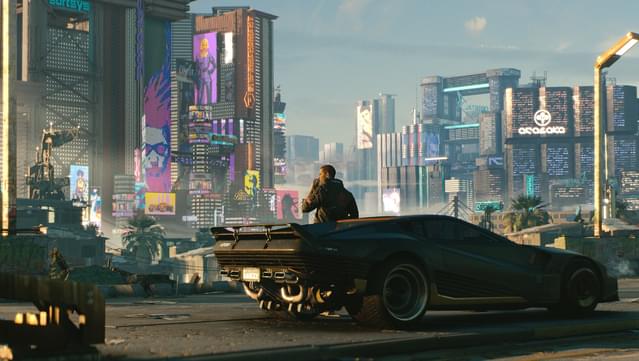
Image source: GOG.com
Safety Warning Regarding Third-Party Sites
While sites like Ali213 or Gamer520 often list "No-install" (免安装) or "Green" versions of the game, users should exercise extreme caution. These versions often lack critical v2.31 updates and do not support official cloud saves. More importantly, community reports have highlighted that "DirectX Repair" tools or "Activation Cracks" bundled with these downloads can contain malware or miners that compromise system performance.
Which Version of Cyberpunk 2077 Should You Choose?
Choosing the right edition depends on whether you are a new arrival to Night City or a returning mercenary looking to expand your story. With the release of the Phantom Liberty expansion, the choice has become simpler for most users.
Standard Edition vs. Ultimate Edition
The Standard Edition includes the base game and all free content updates (up to v2.31). It is a solid entry point if you are unsure about the expansion. However, the Ultimate Edition stands out as a top-tier option for most players. It bundles the base game with the Phantom Liberty expansion, which introduces a high-stakes spy-thriller narrative, a new district (Dogtown), and a completely revamped skill tree.
| Feature | Standard Edition | Ultimate Edition |
|---|---|---|
| Base Game (V's Story) | Included | Included |
| Phantom Liberty Expansion | Separate Purchase | Included |
| v2.31 Technical Updates | Included | Included |
| Digital Goodies (Artbook, OST) | Included | Included |
| Recommended For | Budget-conscious players | The complete experience |
Does Your PC Meet the New 2026 System Requirements?
The technical landscape of Cyberpunk 2077 changed fundamentally with the 2.0 update. The developers moved away from supporting older hardware to embrace modern rendering techniques. If you are downloading the game today, your hardware must meet these updated standards.
The SSD Mandate
According to CD Projekt Red's official support documentation , an SSD is now a strict requirement. The game's streaming engine, which handles the dense environments of Night City, relies on the high read/write speeds of solid-state drives. Running the game on a traditional HDD will result in significant asset pop-in, audio desync, and frequent crashing.
RTX 50 Series and DLSS 4 Support
For users with the latest hardware, Cyberpunk 2077 remains a flagship title for visual fidelity. The v2.31 update introduced support for DLSS 4 , which utilizes new multi-frame generation and Transformer-based AI models exclusive to the NVIDIA GeForce RTX 50 series . This technology allows for smooth path-traced gameplay even at 4K resolutions, making it one of the most visually impressive titles available in 2026.
How to Install and Optimize the Game for a Top-Tier Experience
Once your download is complete, the installation process is straightforward, but a few specific steps can ensure you get the most out of the game's localized features and performance settings.
Enabling Chinese Dubbing and UI
Cyberpunk 2077 features a high-quality Mandarin voiceover that many players find enhances the immersion. To enable this:
- Right-click the game in your Steam/GOG Library .
- Select Properties > Language .
- Choose Chinese (Simplified) from the dropdown menu.
- The launcher will download an additional language pack (approx. 4-5GB).
- Inside the game, go to Settings > Language to toggle between English and Chinese audio/subtitles independently.
Steam Deck and Handheld Optimization
Playing Cyberpunk 2077 on the go has become a popular choice for many. For devices like the Steam Deck, ROG Ally, or Legion Go , follow these settings for a stable 30-40 FPS:
- Resolution: 1280x800 (Native).
- Upscaling: Set AMD FSR 2.1 or FSR 3.0 to "Balanced".
- Texture Quality: Medium (High requires more VRAM than handhelds typically offer).
- Crowd Density: Low (This is the most CPU-intensive setting in Night City).
- Screen Space Reflections: Low or Off to save significant GPU headroom.
How to Fix Common Download and Launch Issues
Despite years of refinement, large-scale games can still encounter installation hurdles. Addressing these early can save hours of frustration.
Solving the Audio Software Crash
A persistent issue identified in community forums involves conflicts with specific audio drivers. If your game crashes immediately upon launch (often at the logo screen), check if you have Nahimic or A-Volute software running in the background. Disabling these services in the Windows Task Manager often resolves the "Flatlined" error instantly.
Steam Disk Write Errors
Because the game requires nearly 100GB, Steam may occasionally report a "Disk Write Error" during the final stages of the download. This is usually caused by the Steam client struggling to move large temporary files to their final directory. To fix this, clear your Download Cache in Steam Settings or ensure you have at least 150GB of free space to account for the temporary "unpacking" process.
Essential Console Commands for New Players
For those who have played through the story before or simply want to experiment with different builds, using the developer console can be a significant time-saver. You will need the Cyber Engine Tweaks mod to enable the console in v2.31.
The Starter Pack Commands
Instead of grinding for hours, you can use these commands to acquire essential gear early in the game:
-
Ashura (Smart Sniper):
Game.AddToInventory("Items.Preset_Ashura_Default", 1) -
Eight Star (Iconic Shotgun):
Game.AddToInventory("Items.Preset_Zhuo_Eight_Star", 1) -
Money (Eurodollars):
Game.GiveMoney(100000)
The Path to v2.31: Major Milestones
Frequently Asked Questions
Technically, the game may launch, but it is not recommended. As of the 2.0 update, the game's engine is optimized specifically for SSD speeds. Using an HDD will result in severe stuttering, missing textures, and game-breaking bugs. An SSD is considered a baseline requirement for a functional experience.
No, Phantom Liberty is a paid expansion. If you purchase the Standard Edition, you will only download the base game. To get the expansion, you must either buy the Ultimate Edition or purchase the Phantom Liberty DLC separately through your chosen storefront.
If you are using Steam, GOG, or Epic, the update should happen automatically unless you have disabled auto-updates. If you are using a "No-install" version from a third-party site, you will likely need to download the entire game folder again, as these versions rarely support incremental patching.
The total download size for the Ultimate Edition, which includes the base game, the expansion, and all high-resolution textures, is approximately 97GB. We recommend having at least 120GB of free space to allow for future patches and temporary file creation during installation.
Yes, Cyberpunk 2077 supports cross-progression through a GOG account. If you download the game on PC, you can sync your saves with the PlayStation 5 or Xbox Series X versions, provided you are logged into the same REDlauncher account on both platforms.
Key Takeaways for Your Night City Journey
- Prioritize official stores like Steam or GOG to ensure you receive the v2.31 security and stability updates.
- Verify your hardware meets the SSD requirement; mechanical drives are no longer supported for this title.
- Choose the Ultimate Edition if you want the complete narrative experience including the Phantom Liberty expansion.
- Leverage DLSS 4 if you are using an RTX 50 series GPU to achieve the highest possible visual fidelity.
- Optimize for handhelds by using FSR 3.0 and lowering crowd density to maintain a smooth frame rate on the go.
- Check for audio driver conflicts (Nahimic/A-Volute) if you experience crashes during the initial launch phase.
Before you begin your download, double-check your available SSD space to ensure a smooth installation of this massive open-world experience.