Home
How to Download and Use GDPS Editor Safely on All Devices
The GDPS Editor is a fan-made Geometry Dash Private Server that allows players to access 2.2 and 2.3 features, such as Platformer Mode and Gradient Triggers, independently of the official RobTop servers. To get started, download the Rick GDPS APK for Android, use Sideloadly for iOS, or the native FHGDPS executable for PC. Always verify files via VirusTotal to ensure a secure experience.
The Geometry Dash community has long been defined by its creativity and technical ingenuity. While the official game updates occasionally face long development cycles, the private server ecosystem has stepped in to provide a sandbox for innovation. A GDPS (Geometry Dash Private Server) is an entirely separate environment with its own leaderboards, level database, and economy. As of 2026, these servers remain the primary way for creators to experiment with advanced mechanics before they are fully integrated into the main game.
Using a GDPS Editor is not just about playing new levels; it is about accessing a suite of tools that remove the standard limitations of the official editor. From unlimited object counts to real-time multiplayer integration, these servers offer a glimpse into the future of rhythm-based platforming. This guide provides a detailed walkthrough on how to navigate this ecosystem safely and effectively.
Which GDPS Editor Version Should You Choose?
Not all private servers are created equal. Depending on whether you want stability, the latest experimental triggers, or a massive library of community levels, your choice of version will vary. The community currently recognizes several distinct branches, each maintained by different developers.
| Version Name | Engine Base | Key Features | Stability |
|---|---|---|---|
| Rick GDPS (RGDPS) | 2.2 Full Engine | 50k+ Levels, Real-time Multiplayer, World/Meltdown content | High |
| Frogbush GDPS | 2.2 Lite / 1.9 | Classic editing, lightweight performance | Moderate |
| Subzero GDPS | v1.4 Branch | Subzero-specific mechanics, unique physics | High |
| FHGDPS | 2.3 Experimental | Advanced Gradient Triggers, Web Dashboard | Experimental |
Rick GDPS (RGDPS) Overview
According to Rick GDPS Official , this version stands out as a top choice for players who want a complete experience. It integrates assets from Geometry Dash Meltdown, World, and SubZero into a single client. One of its most notable advancements is the built-in real-time multiplayer system, allowing you to see other players' icons as they navigate the same level you are playing. With a catalog exceeding 50,000 levels, it offers the most robust community content available on a private server.
Subzero GDPS Overview
For those focused on the specific mechanics introduced in the Subzero expansion, the Subzero GDPS branch (currently at version 1.4) is highly recommended. It focuses on refining the physics and triggers unique to that version, providing a specialized environment for creators who want to master Subzero-style level design.
Is GDPS Editor Safe to Download?
Safety is a common concern when downloading modded software. Because GDPS editors are fan-made and use unsigned certificates, they are frequently flagged by antivirus software as "False Positives." This does not necessarily mean the file is malicious, but it does mean you must exercise caution.
Understanding False Positives
When you download a modded APK or EXE, Windows Defender or Android Play Protect may warn you of a "Trojan" or "Unsafe App." This often happens because the app's signature doesn't match the official RobTop signature. While many community-trusted versions like Rick GDPS are safe, third-party mirrors on sites like itch.io have occasionally been reported to contain unwanted scripts. According to community feedback on Frogbush itch.io, users should always verify the source before proceeding.
- Download the file but do not open or install it yet.
- Go to VirusTotal.com and upload the APK, IPA, or EXE file.
- Analyze the results. If only 1-2 obscure engines flag it as "Generic.Malware," it is likely a false positive. If major engines (Bitdefender, Kaspersky, Symantec) flag it, delete the file immediately.
- Check the Aptoide trust rating if downloading from mobile stores; Aptoide's GDPS listing often includes malware-scan badges for specific versions.
How to Install the GDPS Editor APK on Android
Android is the most popular platform for GDPS usage due to the ease of sideloading APK files. Most versions, including Rick GDPS, require Android 5.0 or higher to run the 2.2 engine features smoothly.
Go to your phone's Settings > Security (or Apps) and toggle on "Install from Unknown Sources." This allows you to install apps from outside the Google Play Store.
Visit a verified source such as the Rick GDPS site or the FHGDPS dashboard. Ensure the file size is approximately 100MB; significantly smaller files may be incomplete or fake.
Open the downloaded file. If you see an "App Not Installed" error, you likely have another version of Geometry Dash (official or another GDPS) installed with a conflicting package name. You may need to uninstall the official game or use a "Clone" version of the GDPS.
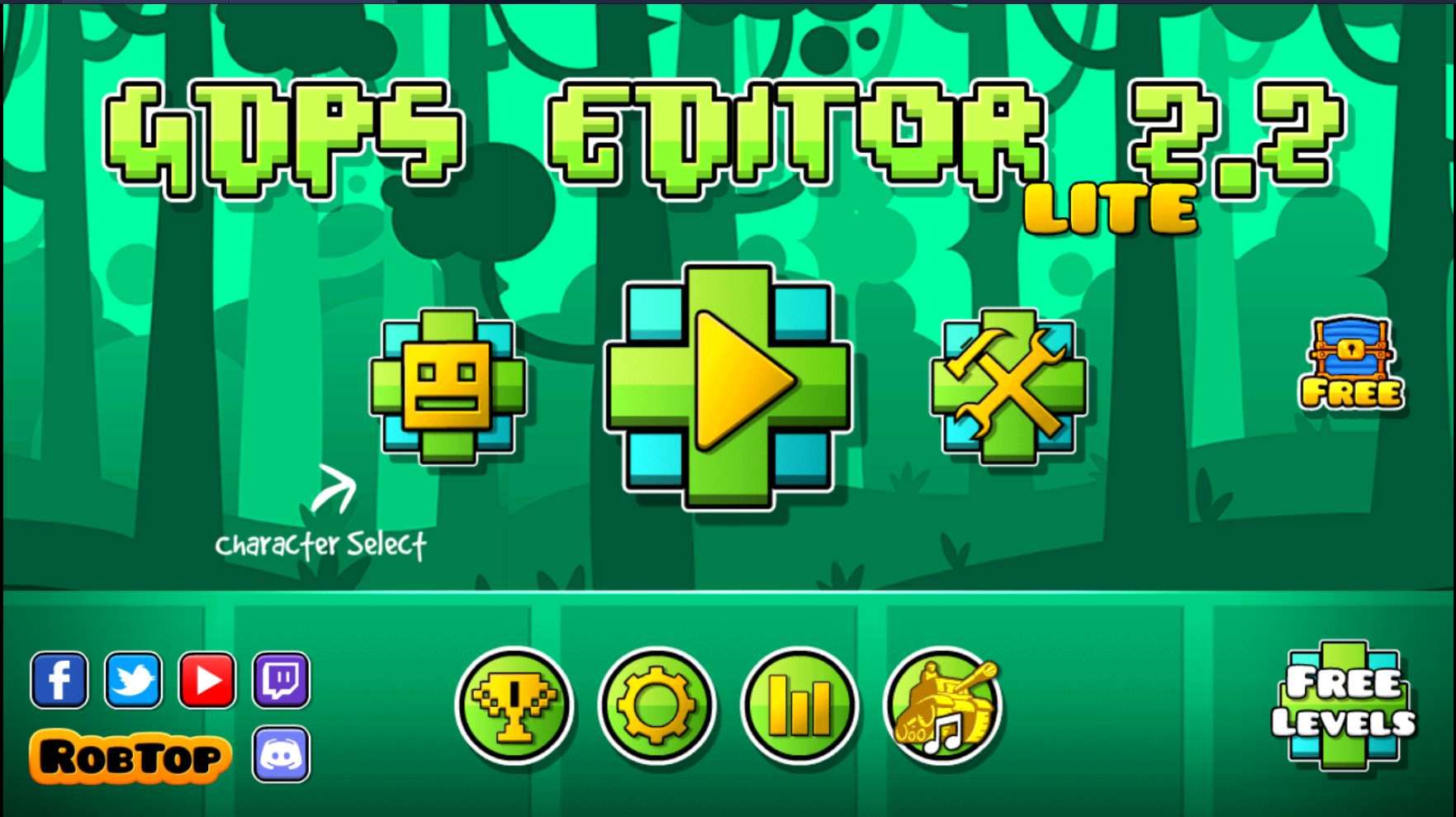
Image source: Frogbush Productions - itch.io
How to Get GDPS Editor on iOS Using Sideloading
Installing a GDPS on iOS is more complex because Apple does not allow direct APK installation. Instead, you must use an IPA file and a sideloading tool. This process requires a computer (Windows or Mac).
Using Sideloadly or AltStore
To get the GDPS on your iPhone, follow these steps:
- Download the .ipa file from the FHGDPS Dashboard .
- Install Sideloadly on your PC.
- Connect your iPhone to your PC via USB.
- Drag the GDPS IPA file into Sideloadly, enter your Apple ID, and click "Start."
- Once installed, go to Settings > General > VPN & Device Management on your iPhone and "Trust" your Apple ID developer profile.
Note that free Apple developer accounts require you to "refresh" the app every 7 days by reconnecting to your PC, a standard constraint of the iOS ecosystem.
How to Run GDPS Editor on Windows PC
For the best performance and lowest input lag, running the GDPS natively on Windows is a top-tier option. While many users resort to Android emulators like BlueStacks, native executables offer a much smoother experience.
Native Windows Version vs. Emulators
The
FHGDPS
project provides a native
.exe
file that runs directly on Windows. This version is highly optimized for high-refresh-rate monitors and eliminates the overhead of emulation. If the native version is unstable on your hardware, using an emulator like
LDPlayer
is a reliable fallback. Emulators allow you to use the Android APK on your PC, though you may experience slight frame drops during complex levels with high object counts.
How to Use 2.2 Features and Advanced Triggers
The primary reason users flock to the GDPS Editor is to master the 2.2 toolset. These features represent a significant advancement in how levels are constructed and played.
Mastering the Gradient Trigger
The Gradient Trigger allows for dynamic color shifts across the screen, creating atmospheric effects that were previously impossible. There are two main types:
- Basic Gradient: A simple two-color transition that follows the player's movement.
- Advanced Gradient: Allows for multiple color points and complex blending modes, similar to professional graphic design software.
Platformer Mode and Physics
Unlike the traditional "auto-scrolling" mode, Platformer Mode gives the player full control over left and right movement. In the GDPS Editor, you can toggle this in the level settings. This mode introduces new physics interactions, such as friction and momentum, which require a different approach to level design compared to standard rhythm gameplay.
Why Is GDPS Editor Not Working?
Technical issues are common in fan-maintained projects. If you encounter bugs, they are usually related to server status or local file conflicts.
Fixing the "Empty Search" Bug
A frequent complaint is that the search bar returns no results, even for popular levels. This usually happens when the server's database is undergoing maintenance or if your account isn't properly synced. To fix this, try logging out and back in, or check the official Discord to see if the search API is temporarily offline.
Server Status and Shutdowns
Individual servers may close permanently if the maintainer can no longer support the hosting costs. For instance, a notable Reddit thread recently discussed the closure of a specific 2.2 editor server. If your preferred server goes down, you can often migrate your levels by exporting the level data as a string and importing it into a different GDPS like Rick GDPS.
Frequently Asked Questions
No, you cannot be banned. GDPS editors use entirely separate servers and account databases. Your progress in a private server does not interact with your official RobTop account, making it a safe environment for experimentation without risking your main game standing.
Once you have finished creating a level in the editor, click the "Save and Play" button, then click the "Share" icon (the cloud with an arrow). You must be logged into a GDPS account to upload. If the upload fails, check if the server has a minimum object requirement or if the server is currently in read-only mode.
Yes, many older private servers still run on the 2.1 engine for maximum stability. However, most current interest is focused on the 2.2 and 2.3 experimental branches because they offer features that are not available in the 2.1 version of the game.
The official GDPS Editor Discord community has over 64,000 members. You can typically find the invite link on the FHGDPS dashboard or the Rick GDPS homepage. Joining the Discord is highly recommended for receiving real-time server status updates and troubleshooting help from experienced developers.
Direct transfers are not officially supported. However, you can use level-copying tools or manually copy the level string if the official game supports the triggers used in your GDPS level. Note that if you use 2.2 triggers in a GDPS, they will not function if you try to move them to an official 2.1 version of Geometry Dash.
Key Takeaways
- Choose the right version based on your needs; Rick GDPS is top-rated for features, while Subzero is better for specific mechanics.
- Prioritize safety by scanning every APK or IPA file through VirusTotal before installation.
- Android users should enable "Unknown Sources" and ensure no package conflicts exist with the official game.
- iOS users must use sideloading tools like Sideloadly and refresh their apps every seven days.
- Master new triggers like the Gradient and Platformer toggles to stay ahead of the creative curve.
- Back up your data frequently by saving level strings locally in case a private server shuts down.
Start by downloading a community-verified version today to begin exploring the next generation of level design tools.