Home
How to Find and Install Top-Tier Stardew Valley Portrait Mods for Version 1.6
For the Stardew Valley 1.6 update, the most important factor is Winter Outfit compatibility . If a mod is not updated for 1.6, characters will revert to their original pixel art during winter. Content Patcher remains the standard framework for most users, while Portraiture is a popular choice for those who want to swap styles in-game. For high-resolution art like DC Burger, the HD Portraits framework is required to handle larger image files without scaling issues.
Why You Need Updated Portrait Mods for the 1.6 Update
The release of Stardew Valley 1.6 brought significant changes to how the game handles NPC assets. The most notable addition is the introduction of unique winter clothing for every villager. Previously, characters wore the same outfit year-round unless a specific seasonal mod was installed. Now, the base game expects a winter variant for every portrait file.
According to community documentation on the Stardew Valley Forums , using an outdated mod (pre-1.6) will result in "visual regression." When the in-game calendar hits Winter 1, the game looks for a winter asset. If the mod doesn't provide one, the engine defaults back to the vanilla winter portrait, creating a jarring disconnect between the modded style and the original art.
Furthermore, the technical framework for modding has evolved. The old method of manually replacing
.xnb
files is now considered obsolete and risky. Modern modding relies on
SMAPI (Stardew Modding API)
and frameworks like Content Patcher. These tools allow for "non-destructive" modding, meaning your original game files remain untouched, and mods can be toggled on or off without reinstalling the entire game.
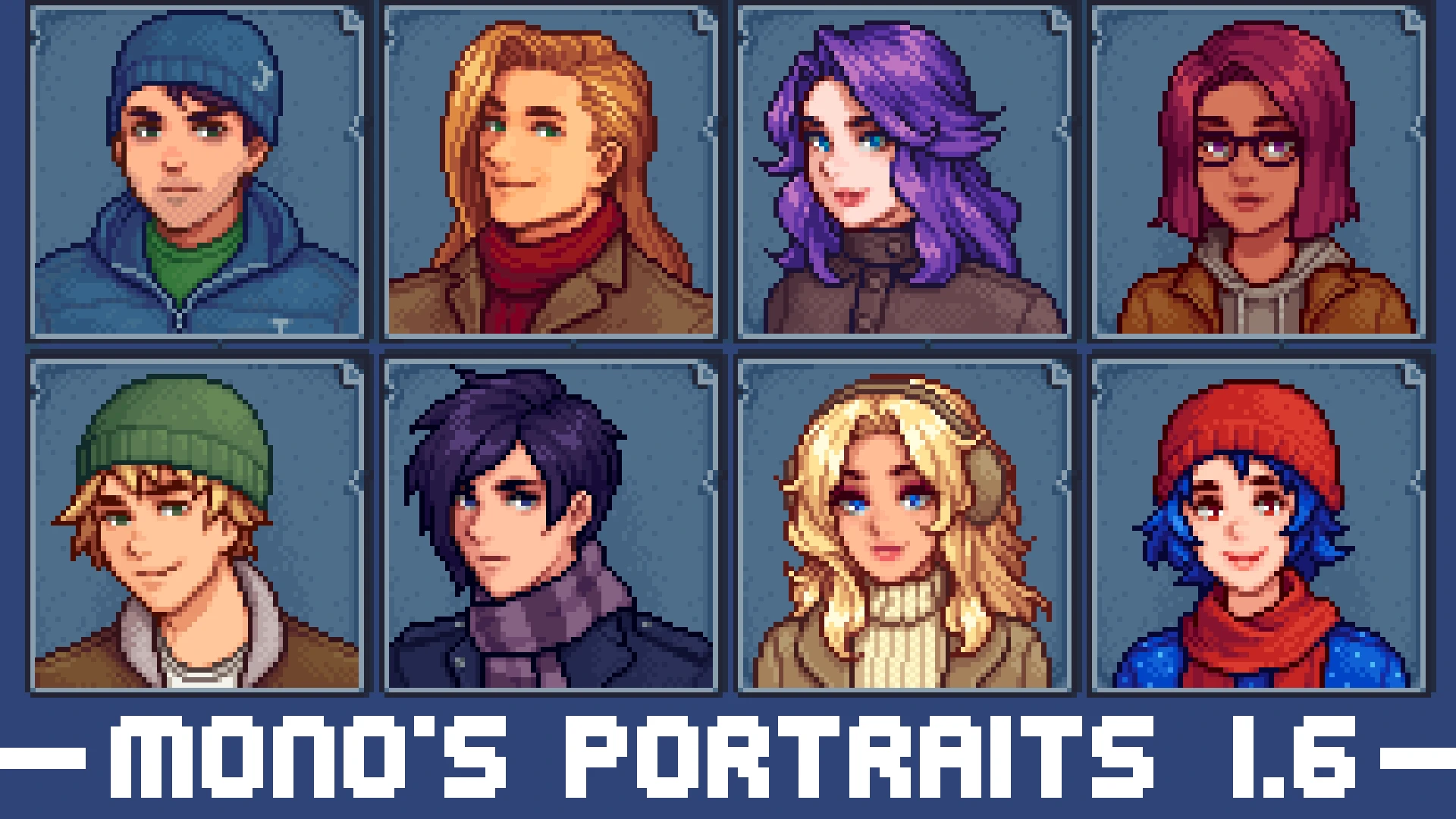
Image source: Stardew Valley Forums
Which Portrait Framework Is Right for You?
Before downloading art files, you must choose a framework. Think of the framework as the "engine" that tells the game how to display the new portraits. There are three primary options, each serving a different type of player.
Content Patcher
This is the industry standard. It is highly efficient and handles seasonal changes automatically. It is a top choice for users who want a "set it and forget it" experience.
Portraiture
A unique framework that allows you to press the "M" key while talking to an NPC to cycle through different installed styles. It is a popular choice for those who can't decide on just one look.
HD Portraits
Standard Stardew portraits are 64x64 pixels. HD Portraits allows for much higher resolutions (256x256 or higher). This is required for detailed, painterly mods like DC Burger.
| Framework | Best For | Difficulty | Key Feature |
|---|---|---|---|
| Content Patcher | Stability & Seasonal Changes | Easy | Native 1.6 Support |
| Portraiture | Switching Styles In-Game | Moderate | "M" Key Hot-swapping |
| HD Portraits | High-Res / Realistic Art | Moderate | Bypasses 64x64 limit |
How to Install Stardew Valley Portrait Mods Without Breaking Your Game
Installing mods in 2026 is much safer than in the early days of the game, but it still requires a specific sequence to avoid the common "empty folder" or "manifest missing" errors. Follow these steps to ensure a clean installation.
- 1 Install SMAPI
- Download the latest version of the Stardew Modding API. This is the foundation for almost every mod on Nexus Mods .
- 2 Download Your Framework
-
Choose Content Patcher or Portraiture based on the requirements of the portrait mod you like. Place the framework folder into your
Stardew Valley/Modsdirectory. - 3 Extract the Portrait Mod
-
Never drag a
.zipfile directly into the Mods folder. Extract the folder first. Ensure the folder you move contains amanifest.jsonfile at the top level. - 4 Verify the Path
-
A common pitfall is "nested folders" (e.g.,
Mods/ModName/ModName/manifest.json). SMAPI will not see the mod if it is buried too deep. Themanifest.jsonshould be exactly one folder deep from the/Modsroot.
Mods/Portraiture/Portraits/[YourModName]
. If you put them in the general
/Mods
folder, they won't show up when you press "M".
Top Vanilla-Plus Portrait Mods for a Subtle Refresh
Many players love the original art style but feel it lacks variety. "Vanilla-Plus" mods aim to enhance the existing pixel art without changing the core identity of the characters. These are often the most stable options for the 1.6 update.
Seasonal Outfits - Slightly Cuter Aesthetic
Widely regarded as a leading choice for a "purist" playthrough, this mod adds hundreds of new outfits based on the weather, season, and even specific festivals. It was one of the first to be fully updated for the 1.6 winter requirements. It fixes minor anatomical oddities in the original sprites while keeping the iconic Stardew look.
Diverse Stardew Valley
This mod is a significant advancement in representation. It allows players to toggle different ethnic and cultural backgrounds for the villagers, along with seasonal outfits. It is highly modular, meaning you can choose exactly which characters you want to change and which you want to keep vanilla.
Talkohlooeys' Portraits
If you find the vanilla portraits a bit too "crunchy," Talkohlooeys offers a cleaner, smoother pixel art style. It feels like a modern remaster of the original game. The lines are crisper, and the expressions are more nuanced, making it a popular choice for long-term players.
Realistic and High-Definition Portrait Mods for Mature Aesthetics
For those who want their farm life to feel more like a visual novel or a gritty RPG, high-definition mods are the way to go. These mods often require the HD Portraits framework to function correctly.
DC Burger’s High-Res Portraits
DC Burger's work is a standout for its "gritty" and mature aesthetic. The characters look older, more detailed, and slightly more somber. While the original mod was hosted on Nexus, many users now look for 1.6-compatible mirrors or patches on the Stardew Forums to ensure the new winter outfits are included.
Gigi’s Hi-Res Portraits
Gigi’s style leans into a "90s Cartoon" or classic anime aesthetic with high-resolution linework. It provides a bright, vibrant look that contrasts sharply with the more muted tones of DC Burger. It is an excellent choice for players who want a high-fidelity experience without losing the game's inherent cheerfulness.
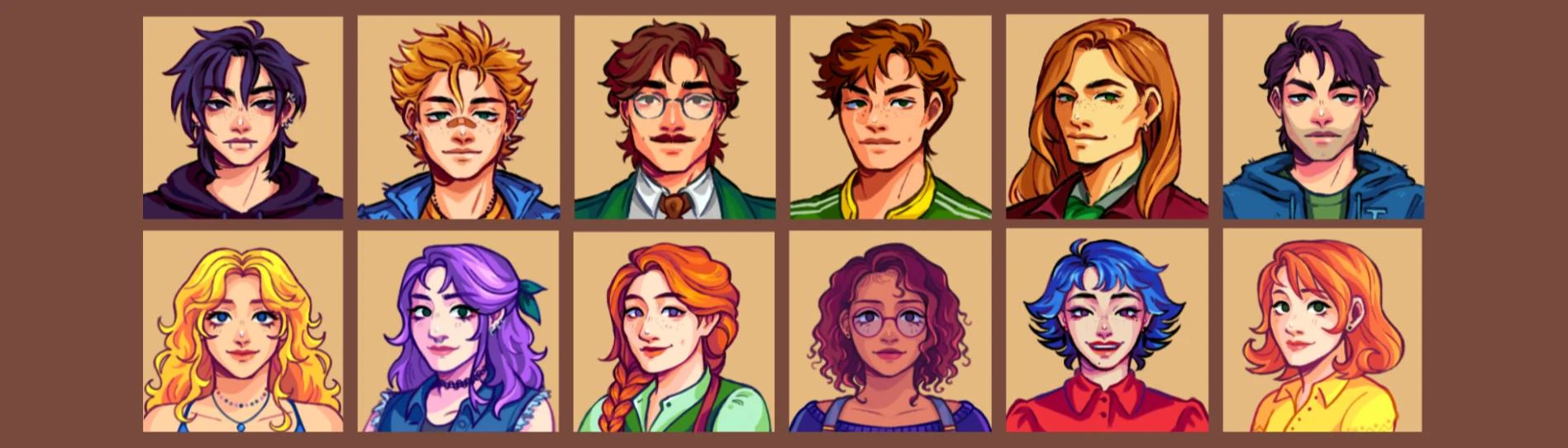
Image source: Nexus Mods
Anime and Visual Novel Style Portrait Mods for a New Look
Anime-inspired mods are among the most downloaded categories on Nexus. They range from soft, Ghibli-esque watercolors to sharp, modern visual novel styles.
- Leyalluna’s Portraits: Offers a soft, painterly aesthetic that many users compare to Studio Ghibli films. It is exceptionally strong at capturing the whimsical nature of the game.
- RukaBravo’s Portraits: A top-rated option for fans of modern visual novels. The characters have expressive, clean lines and vibrant coloring.
- Bunnerfly’s Portraits: Known for a "pastel anime" look, this mod is a popular choice for players who want a cute, cozy atmosphere on their farm.
One common issue with anime mods is the "Consistency Problem." If you only download an anime mod for the bachelors, the rest of the town will still look like vanilla pixel art. To avoid this, look for "Complete" packs or artists who have covered the entire villager roster, including the 1.6 additions.
Portrait Mods for Stardew Valley Expanded and Ridgeside Village
If you use major expansion mods like Stardew Valley Expanded (SVE) or Ridgeside Village , your portrait needs become more complex. These mods add dozens of new NPCs who won't be covered by standard portrait packs.
Fortunately, the community has created specific patches. For example, if you use the "Slightly Cuter Aesthetic" for the base game, you should also download the "Slightly Cuter Aesthetic for SVE" patch. This ensures that Sophia, Victor, and Olivia match the art style of Penny and Abigail. According to modding tutorials by Yoria , keeping these patches updated is vital for 1.6 stability, as expansion NPCs also received new winter outfits in their respective updates.
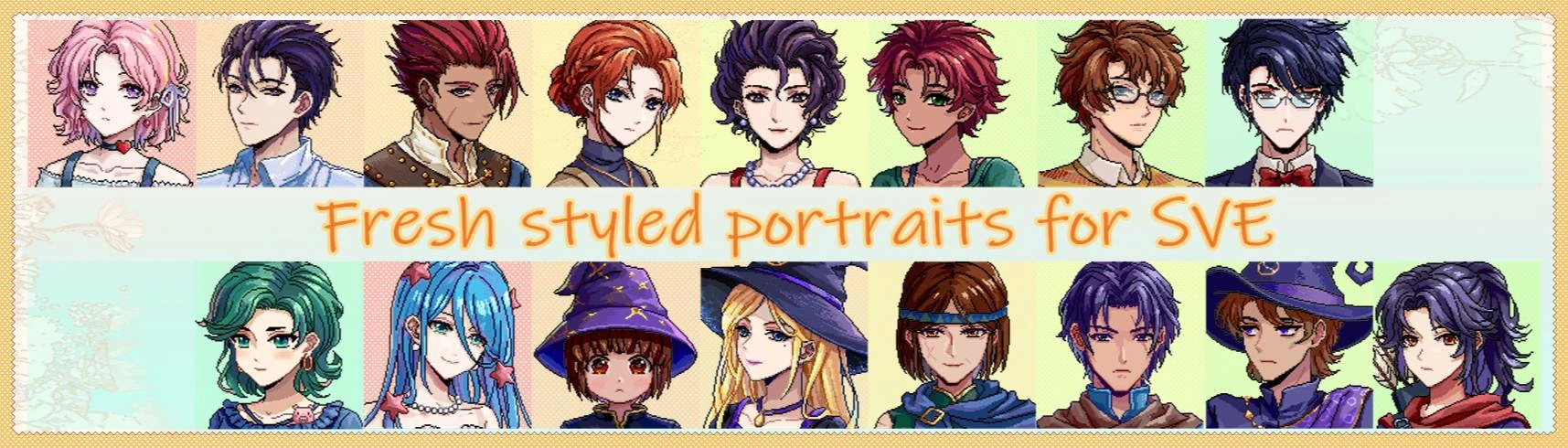
Image source: Nexus Mods
How to Fix Common Portrait Mod Errors and Glitches
Even with the best tools, things can go wrong. Here are the most frequent issues reported by the community and how to resolve them.
Why Are My Portraits Still Vanilla?
If you've installed a mod but see no change, the first step is to check the SMAPI console (the second window that opens with the game). Look for red text. If you see "Mod skipped: manifest.json missing," you likely have a nested folder issue. Ensure the mod files are not inside a double folder.
Fixing the "Missing Winter Outfit" Glitch
If your modded portraits disappear or turn into vanilla sprites during winter, the mod is likely not 1.6 compatible. You can sometimes fix this by checking the mod's "Posts" or "Bugs" tab on Nexus. Often, a community member will have uploaded a "1.6 Patch" in the comments section that adds the missing winter assets.
Vortex vs. Manual Installation
While Vortex is a capable tool, many veteran modders recommend manual installation for Stardew Valley. Vortex can occasionally create "empty folders" or fail to place files in the correct sub-directory for frameworks like Portraiture. If a mod isn't working via Vortex, try deleting it and dragging the folder into
/Mods
manually.
Frequently Asked Questions
Do portrait mods work in multiplayer?
Yes, portrait mods are "client-side." This means only you will see the changes on your screen. Your friends in the same multiplayer session do not need to have the same mods installed, and your mods will not affect their game experience. This makes portrait modding one of the safest ways to customize a shared farm without worrying about compatibility issues between players.
Can I use multiple portrait mods at once?
By default, Content Patcher only allows one mod to overwrite a specific character's portrait at a time. However, if you use the Portraiture framework, you can install as many styles as you like. By placing different art sets into separate sub-folders within the Portraiture directory, you can cycle through them in-game using the "M" key. This is a top-tier solution for players who enjoy variety.
Are these mods compatible with Stardew Valley Mobile?
Compatibility on mobile (Android) depends on the current status of SMAPI for the mobile version of 1.6. Historically, Android users could use many Content Patcher mods, but the 1.6 update changed the game's code structure significantly. Always check the "Android" tag or the mod's description page to see if the author has verified mobile support before attempting an installation.
Will portrait mods disable Steam achievements?
No, using SMAPI and portrait mods will not disable your Steam achievements. However, you must ensure that Steam is launching the SMAPI executable rather than the original game executable. You can set this up in the Steam Launch Options by pasting the file path to the SMAPI launcher. Once configured, you will earn achievements normally while enjoying your modded visuals.
How do I know if a mod is 1.6 compatible?
The easiest way is to look at the "Last Updated" date on Nexus Mods. Any mod updated after March 2024 is likely 1.6 ready. Additionally, check the "Requirements" section to see if it lists Content Patcher. Most importantly, look for mentions of "Winter Outfits" in the description. If the author hasn't added winter sprites, the mod is considered incomplete for the 1.6 version of the game.
Key Takeaways for Stardew Portrait Modding
- Prioritize 1.6 Compatibility: Ensure the mod supports the new winter outfits to avoid visual glitches.
- Choose the Right Framework: Use Content Patcher for stability or Portraiture for style-swapping.
- Install SMAPI First: Every modern Stardew mod requires the latest version of the Modding API.
- Avoid Manual XNB Replacement: Use framework-based mods to keep your game files safe and easy to update.
- Check for Expansion Patches: If you use SVE or Ridgeside, download the corresponding portrait patches for consistency.
-
Verify Folder Structure:
Ensure the
manifest.jsonis not buried in nested folders within your Mods directory.
Start by installing the "Seasonal Outfits - Slightly Cuter Aesthetic" mod to see how much a subtle refresh can enhance your next playthrough.