Home
How to Install and Play the Stardew Valley Expanded Mod for a Fresh Experience
Stardew Valley Expanded (SVE) is a fan-made expansion that adds 28 new NPCs, 50+ locations, and 278 character events to the base game. To play, you must install SMAPI and several core dependencies like Content Patcher and Farm Type Manager. SVE ranks among the top choices for players seeking a "Stardew 2.0" experience, though it requires a fresh save file to avoid terrain glitches and broken bushes.
What Makes Stardew Valley Expanded a Significant Advancement for the Game?
Stardew Valley Expanded, created by the developer FlashShifter, is widely considered one of the most comprehensive mods available for the title. Rather than simply adding a few items, it reimagines the entire geography of Pelican Town and its surrounding areas. According to data from Nexus Mods , the project introduces 28 new NPCs, 50 new locations, and over 270 character events, effectively doubling the narrative depth of the original game.
The mod is not just a collection of assets; it is a cohesive expansion that respects the lore of the base game while introducing mature themes and complex backstories. For example, players can explore the Blue Moon Vineyard, visit the bustling Shearwater Bridge, or venture into the dangerous Crimson Badlands. These additions provide a significant step forward for veteran players who have already achieved "Perfection" in the vanilla version and are looking for new challenges.
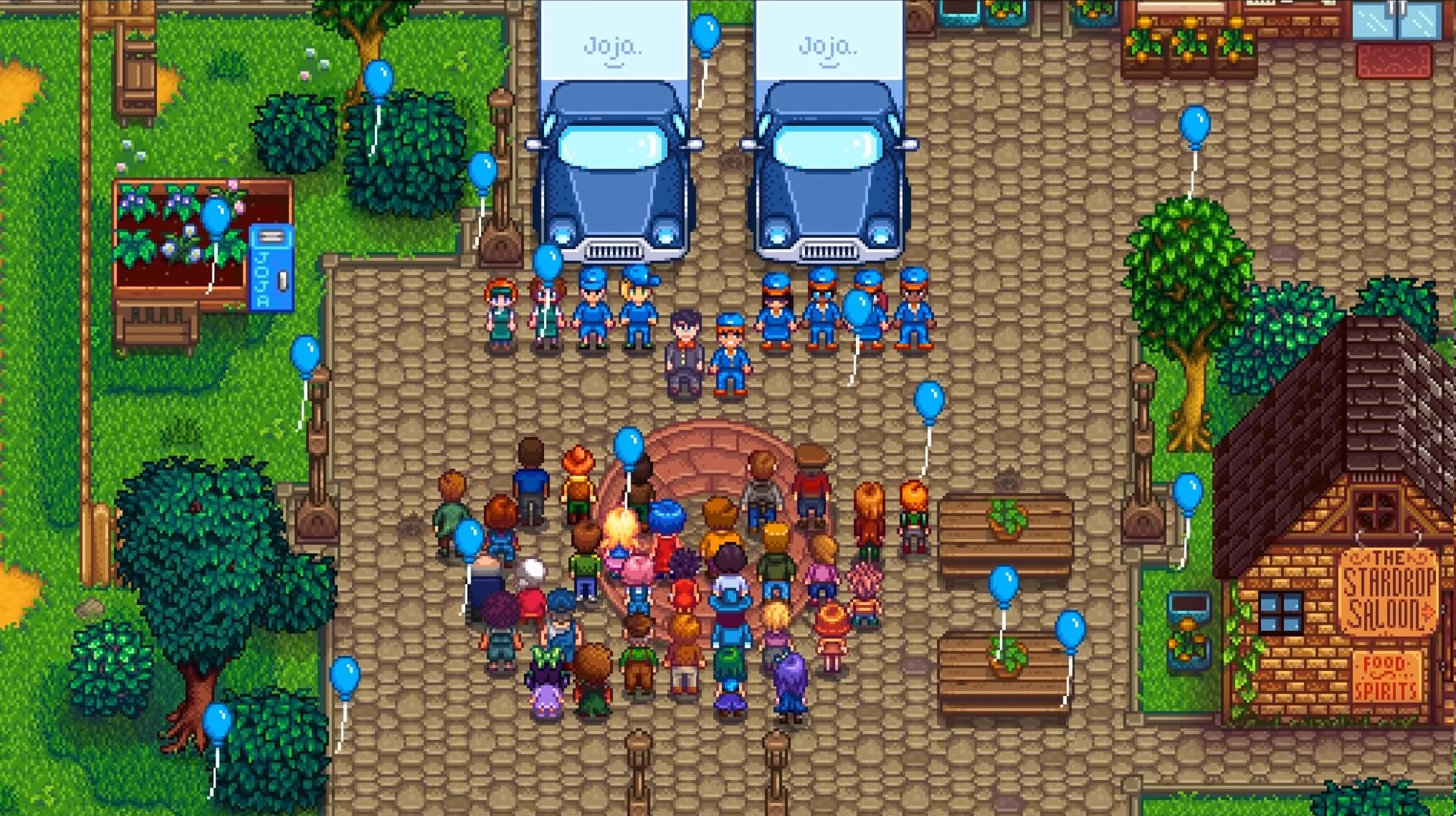
Image source: PC Gamer
One of the most notable aspects of SVE is its late-game content. While the vanilla game often slows down after the third year, SVE introduces the Enchanted Grove and Castle Village, providing dozens of additional hours of gameplay. The mod also adds 43 new fish species and unique crops, ensuring that every skill tree—from fishing to farming—feels refreshed and rewarding.
How to Install Stardew Valley Expanded Without Breaking Your Save File
Installing a mod of this scale requires precision. Because SVE alters the map layout, installing it on an existing save file often results in trees growing in the middle of lakes or bushes blocking your front door. For the most stable experience, starting a new game is highly recommended. The installation process relies on the Stardew Modding API (SMAPI), which acts as the foundation for all modern Stardew mods.
The Essential Dependency Checklist for a Stable Build
SVE is a modular mod, meaning it requires several "helper" mods to function. If you miss even one, the game may crash or fail to load the new NPCs. Ensure you have the following installed in your
Mods
folder:
- SMAPI: The core modding tool.
- Content Patcher: Allows the mod to replace game textures without changing core files.
- Farm Type Manager (FTM): Handles the spawning of new forage and monsters.
- Json Assets: Adds new items like Sophia's wine and unique crops.
- SAAT / STF / Extra Map Layers: These handle audio, shop textures, and complex map rendering.
According to the Official SVE Wiki , you should always download the "core" SVE pack from Nexus Mods, which contains multiple sub-folders. A common mistake is moving these sub-folders out of their parent directory or renaming them, which can prevent SMAPI from recognizing the mod correctly.
Organizing Your Mods Folder to Prevent Common SMAPI Errors
A frequent pitfall for new modders is the "Nested Folder" error. When you download SVE, it often comes in a zipped folder named something like
Stardew_Valley_Expanded_1.14
. If you simply drag that entire folder into your
Mods
directory, SMAPI might skip it because it is looking for the specific sub-folders like
[CP] Stardew Valley Expanded
.
Stardew Valley/Mods/[CP] Stardew Valley Expanded
.
To keep your game running smoothly, avoid using "Mod Managers" that automate the process unless you are comfortable manually verifying the file paths. Many users on the Stardew Valley Forums report that manual installation is the most reliable way to ensure all 7+ dependencies are correctly placed. If you are experiencing long load times, this is normal for SVE; the mod has to load thousands of new assets, so a 30-60 second wait on the title screen is expected.
Meeting the New NPCs and Marriage Candidates in the Expansion
SVE introduces a diverse cast of characters that feel right at home in Pelican Town. Among the 28 new NPCs, seven are available for marriage, each offering unique heart events and spouse rooms. These characters are often more complex than vanilla candidates, with storylines that intersect with the town's history and the ongoing conflict with JojaCorp.
- Sophia
- The owner of Blue Moon Vineyard. She is a shy, anime-loving farmer who struggles with the loss of her parents. Pursuing her provides access to unique wines and a touching narrative about grief and recovery.
- Victor and Olivia
- A wealthy mother and son living in the new Jenkins Residence. Olivia is a sophisticated former accountant, while Victor is a recent college graduate trying to find his path. Their events offer a glimpse into the "high society" side of the valley.
- Magnus (The Wizard)
- In SVE, the Wizard becomes a fully fleshed-out marriage candidate with a significantly expanded backstory involving his ex-wife and his magical duties.
- Lance
- A late-game candidate found in the Highlands. He is a member of the First Slash Guild and offers a more action-oriented romance involving monster hunting and ancient magic.
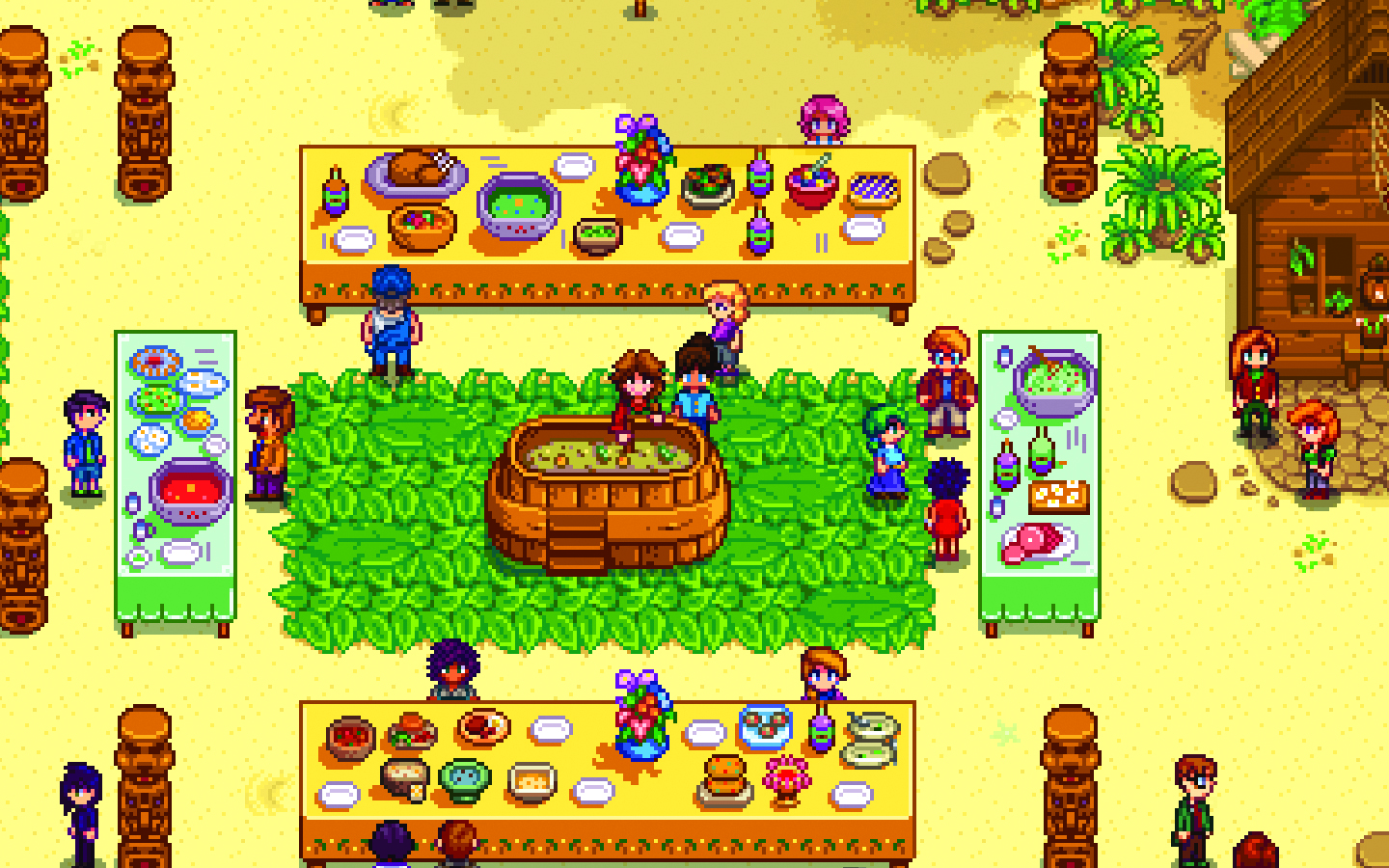
Image source: PC Gamer
Beyond marriage, NPCs like Claire (the JojaMart worker) and Martin provide life to previously static locations. Claire, in particular, has a beautifully written arc where she pursues her dreams of acting if the player completes the Community Center, making the world feel reactive to your choices.
Choosing the Right Farm Map for Your New Adventure
SVE offers three custom farm maps designed to take advantage of the mod's new mechanics. Choosing the right one is critical, as you cannot easily switch maps mid-save without corrupting your farm's layout. Each map caters to a different playstyle, from cozy traditionalism to massive industrial farming.
- Grandpa's Farm: This is the recommended choice for most players. It is a "Vanilla+" style map that replaces the Standard Farm. It includes a secret forest area, a dedicated questline to repair Grandpa's shed, and a layout that feels manageable yet spacious.
- Immersive Farm 2 Remastered (IF2R): This map is exceptionally large. It is designed for players who love automation and want to manage hundreds of crops. It features a private quarry, a massive greenhouse, and even a functional minecart system within the farm boundaries.
- Frontier Farm: The newest addition, offering a unique layout that emphasizes exploration and a rugged, wilderness aesthetic.
According to community discussions on Wiki.gg , Grandpa's Farm is often cited as the top choice for a first-time SVE playthrough because it integrates the new questlines more naturally than the massive IF2R map, which can feel overwhelming for a solo player.
Comparing the Joja Route and Community Center Consequences in SVE
In the vanilla game, the choice between JojaMart and the Community Center is largely cosmetic. However, in Stardew Valley Expanded, this decision has permanent mechanical consequences. SVE makes the Joja route a much more viable and content-rich path, but it comes at a significant cost to your access to magical areas.
| Feature | Community Center Route | JojaMart Route |
|---|---|---|
| Junimo Woods | Fully Accessible (New Shops & NPCs) | Permanently Locked |
| Joja Emporium | Not Available | Accessible (Unique Furniture & Seeds) |
| NPC Impact | Claire pursues acting; Morris leaves. | Morris stays and becomes a friendable NPC. |
| Late Game | Focuses on Junimo magic and restoration. | Focuses on urban development and efficiency. |
The most significant drawback of the Joja route in SVE is the loss of Junimo Woods . This area contains unique shops that sell rare seeds and magical items. While the Joja route offers the "Joja Emporium" as a counter-balance, many players find the loss of the Junimo content to be a steep price. If you want to see everything the mod has to offer, the Community Center route is generally considered the more complete experience.
Understanding New Gameplay Mechanics Like the Spooked Condition
SVE introduces several new status effects and mechanics that aren't found in the base game. One of the most confusing for new players is the Spooked condition. This debuff is typically triggered by overnight events or specific monster encounters in the Highlands and Crimson Badlands.
"The Spooked condition represents a character's fear of the unknown. When active, it significantly reduces your attack power and movement speed, making combat in late-game areas much more dangerous."
To clear the Spooked status, you can consume specific items like Ginger Ale or wait for the timer to expire. Additionally, SVE introduces "Overnight Sounds"—random events where you might hear a scream or a crash during the sleep transition. These aren't just flavor text; they can sometimes indicate that a new forage item has spawned or that a specific NPC has a new dialogue option the next day.
Current Status of Stardew Valley Expanded on Mobile and Android Devices
A common question among the community is whether SVE can be played on mobile. The short answer is: it is complicated and generally not recommended for a stable experience. As of late 2025 and early 2026, there is no official support for SVE on Android or iOS. While community workarounds exist, they are prone to frequent crashes.
The primary issue is a version mismatch. Mobile Stardew Valley often lags behind the PC version in terms of updates. SVE requires the latest version of SMAPI (3.18.3.3 or higher for the 1.6+ game version), which is difficult to maintain on Android. Many users report a "Day 3 Crash" where the game fails to load the morning of the third day due to the way mobile devices handle the massive memory requirements of the SVE maps. If you want a crash-free experience, playing on PC or Steam Deck is a much stronger option.
Top Mod Recommendations to Use Alongside Stardew Valley Expanded
While SVE is massive on its own, it is designed to work in harmony with other "Mega-mods." Building a stable "Mod Stack" can turn Stardew Valley into a truly epic RPG. Based on community synergy tiers, here are the top recommendations:
Tier 1: Essential QoL
UI Info Suite 2: Essential for finding NPCs on the expanded map. It shows their icons in real-time.
Lookup Anything: Allows you to press F1 on any NPC or item to see their preferences and uses.
Tier 2: Expansion Synergy
Ridgeside Village: Adds another massive town. SVE has built-in compatibility for Ridgeside, including shared travel systems.
East Scarp: Adds a coastal town to the east of Pelican Town that fits perfectly with SVE's geography.
When combining these mods, be mindful of your computer's RAM. Running SVE, Ridgeside, and East Scarp simultaneously can require upwards of 8GB to 16GB of RAM just for the game to load. If you experience "Out of Memory" errors, consider using the Large Address Aware fix or reducing the number of visual mods you have installed.
Troubleshooting Frequent Crashes and Version Mismatch Errors
Even with a perfect installation, you may encounter issues. Most SVE problems stem from the 1.6 update or missing sub-folders. If your game crashes upon entering a new area like the Highlands, it is likely a conflict with another map-altering mod. Always ensure that SVE is at the bottom of your load order if you are using other mods that change the town's layout.
Another common issue is "Missing Json Assets." If you see items in shops with a "Missing Texture" icon (a colorful box), it means one of the SVE sub-folders, specifically the one labeled
[JA]
, is missing or corrupted. Re-downloading the main mod file and replacing the
Mods/StardewValleyExpanded
folder usually fixes this. For technical support, the
Nexus Bugs Tab
is the most active place to find solutions to specific error codes.
Can I add SVE to an existing save file?
Technically yes, but it is not recommended. You will likely encounter "floating" bushes, trees growing in water, and blocked paths. If you must do it, you will need to use the "Reset Terrain Features" mod to fix the map glitches.Who is the most profitable marriage candidate in SVE?
Sophia is often considered a top choice for profit. Her Blue Moon Vineyard questline provides access to high-value wines, and her spouse room includes unique items that can assist in farm management.How do I reach the Crimson Badlands?
The Crimson Badlands is a late-game combat zone. You must first complete the Enchanted Grove questline, which involves meeting Alesia at the Adventurer's Guild and progressing through the Wizard's expanded story.Does SVE work with the Stardew Valley 1.6 update?
Yes, SVE has been fully updated for version 1.6. However, you must ensure that all your dependencies (SMAPI, Content Patcher, etc.) are also updated to their 1.6-compatible versions to avoid startup crashes.Is Grampleton Fields included in the main download?
No, Grampleton Fields is a separate optional download. It provides a massive additional farming area for players who find the standard maps too small, but it can significantly impact game performance.Stardew Valley Expanded is a premier example of what a dedicated modding community can achieve, offering a professional-grade expansion that breathes new life into a beloved classic. By following the correct installation steps and understanding the new mechanics, you can enjoy a significantly deeper version of the valley.
- Start a fresh save to ensure all new map features and bushes load correctly.
- Verify all 7+ dependencies are present in your Mods folder before launching.
- Choose the Community Center route if you want to access the Junimo Woods and its unique shops.
- Use UI Info Suite 2 to help navigate the much larger world map and find new NPCs.
- Avoid mobile versions for now if you prioritize stability and a crash-free experience.
- Monitor the SMAPI console for red text to catch "Skipped Mod" errors early.
For your next step, download the core SVE package from Nexus Mods and begin your journey at Grandpa's Farm to experience the new questlines firsthand.