Home
How to Use a Stardew Valley Farm Simulator to Plan Your Perfect 1.6 Layout
A Stardew Valley farm simulator is an interactive tool used to map out crop placement, building locations, and sprinkler coverage before committing resources in-game. As of the 1.6 update, planners like Stardew Planner v3 and StardewPlan are widely considered top choices for optimizing the new Meadowlands Farm and Blue Grass mechanics. These tools help players maximize their 3,427 tillable tiles on the Standard Farm or navigate the tighter 1,578 tiles of the Riverland layout.
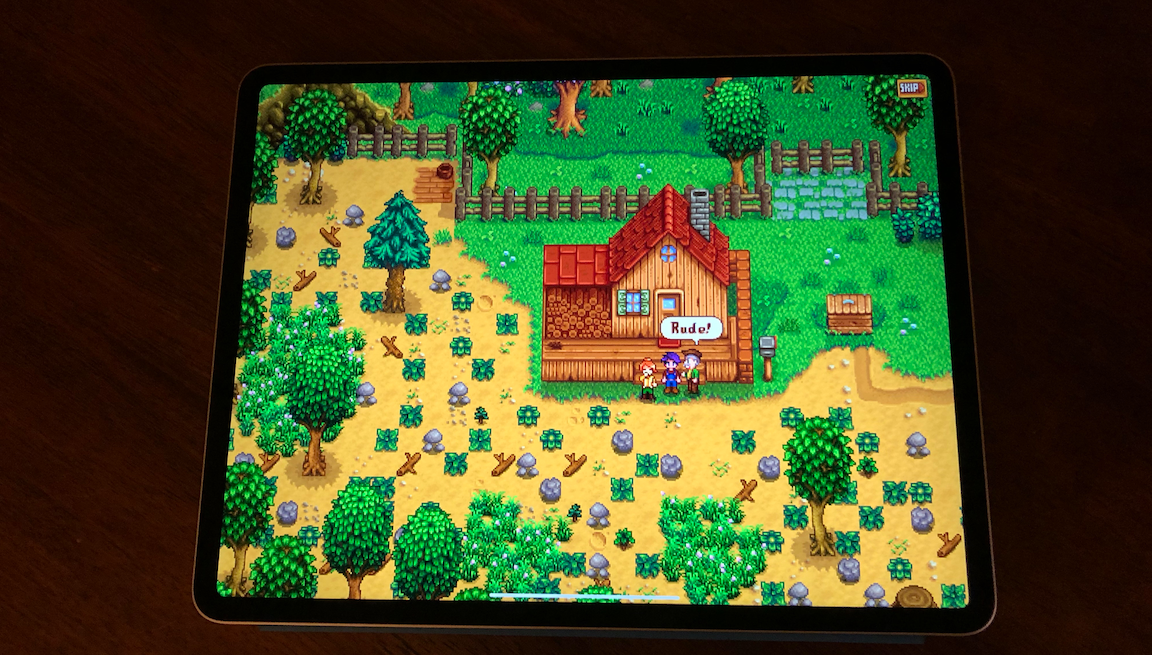
Image source: Farmer-ish
What Is a Stardew Valley Farm Simulator and Why Should You Use One?
In the context of Pelican Town, a "simulator" typically refers to third-party, web-based applications that replicate the game's grid system. While the game itself is a social and agricultural simulation, these external tools serve as a blueprinting phase. Using a simulator allows you to experiment with the placement of expensive structures like Deluxe Barns or Junimo Huts without spending a single piece of gold or a single point of energy. This is particularly useful for players who enjoy "min-maxing"—a strategy focused on achieving the highest possible efficiency within the game's time constraints.
The value of pre-planning has increased significantly with recent updates. The 1.6 update introduced the Meadowlands Farm, which prioritizes animal husbandry over traditional crop farming. Simulating this layout is essential because the starting area includes fixed bushes and specific "Blue Grass" patches that influence how you should orient your fences. According to the Official Stardew Valley Wiki , each farm map has a distinct number of tillable and buildable tiles, making a simulator a vital tool for understanding the spatial limitations of your chosen environment.
Beyond simple aesthetics, these simulators provide technical overlays. You can toggle views for scarecrow protection radii, sprinkler reach, and even the "hidden" paths that NPCs take. By simulating these elements, you avoid the common frustration of waking up to find a crow has eaten your rare Ancient Fruit because it was one tile outside your scarecrow's range. For many, the simulator is where the "cozy" experience meets high-level strategy, allowing for a stress-free transition from a blank plot of land to a thriving estate.
Which Stardew Valley Farm Planner Tool Is Right for Your Project?
Choosing the right tool depends on your specific needs, whether you are playing the vanilla game or using extensive mods like Stardew Valley Expanded (SVE). Two primary tools dominate the community, each offering a distinct set of features for different types of players.
Stardew Planner v3
Stardew Planner v3 ranks among the top options for technical depth. Its standout feature is the ability to import actual save files (.xml). This means you don't have to manually recreate your farm from scratch; you can simply upload your progress and start rearranging. It also offers exceptionally strong support for modded maps, including the popular "Immersive Farm 2 Remastered." Many users find it to be a highly capable tool for calculating exact tile counts and ensuring that every square inch of the Standard Farm's 3,427 tillable tiles is utilized.
StardewPlan
StardewPlan is a more modern alternative that stands out for its visual fidelity. It features a "Night Mode" with game-accurate shaders, allowing you to see how your farm will look under the glow of Glowstone Rings or Lamp Posts. It is also highly recommended for mobile users, as it includes virtual joysticks and a "Left-hand mode" that makes planning on a tablet much smoother than the mouse-heavy interface of v3. While it may lack some of the deep mod support found in v3, its rendering of 1.6 items like the Fish Smoker and Big Chests is remarkably accurate.
| Feature | Stardew Planner v3 | StardewPlan |
|---|---|---|
| 1.6 Item Support | Full Support | Full Support |
| Save Game Import | Yes (.xml) | Limited |
| Mod Support (SVE) | Exceptionally Strong | Basic |
| Mobile UI | Functional | Highly Optimized |
| Visual Shaders | Standard | Night Mode / Seasonal |
How to Simulate Your Farm Layout Using a Professional Workflow
To get the most out of these tools, many veteran players use a "Cross-Tool Workflow." This involves leveraging the technical strengths of one tool and the aesthetic strengths of another. By following a structured simulation process, you can ensure your farm is both productive and beautiful.
- The Structural Phase: Start in Stardew Planner v3 . Import your save file to see your current progress. Focus on the "bones" of the farm: place your Greenhouse, Silos, and Barns. Use the "Scarecrow Overlay" to ensure 100% coverage of your tillable areas.
- The Optimization Phase: Calculate your sprinkler needs. If you are using Iridium Sprinklers with Pressure Nozzles (a 1.6 addition), ensure the simulator is set to the correct version to reflect the expanded 7x7 range. This prevents over-crafting expensive equipment.
- The Aesthetic Phase: Export your layout or take a screenshot and move to StardewPlan . Here, you can test different "Building Paint" colors—a feature added in later updates—and check the lighting. Use the "Night Mode" to place torches and lamps in a way that eliminates dark spots.
- The Mobile Adjustment: If you are playing on the go, use StardewPlan’s joystick controls to fine-tune the placement of decorative items like Seasonal Plants or Tub o' Flowers, which can be finicky on desktop-focused interfaces.
Choosing a Farm Map for Your Simulation Goals
The foundation of any simulation is the map itself. Each of the eight official maps offers a unique challenge and a different number of buildable tiles. Your choice should align with your primary gameplay goals, whether that is high-volume crop production or specialized resource gathering.
- Standard Farm
- The "blank canvas" of Stardew Valley. With 3,427 tillable tiles, it ranks among the top choices for players who want to simulate massive ancient fruit vineyards or starfruit fields.
- Meadowlands Farm (1.6)
- Specifically designed for animal lovers. It starts with a small coop and two chickens. The simulation challenge here involves managing the spread of Blue Grass, which provides double friendship gains for animals.
- Riverland Farm
- A map that trades space for water. It only has 1,578 tillable tiles, making it a popular choice for "challenge runs." In 1.6, this map is a strong contender for profit due to the inclusion of the Fish Smoker, which doubles the value of caught fish.
- Forest Farm
- Excellent for forage and wood. It features unique simulation mechanics, such as a 5% base chance (plus daily luck) to catch the rare Woodskip in the farm ponds.
According to community data, the Standard Farm remains the most popular for simulation because its rectangular layout is the easiest to optimize. However, the Meadowlands Farm has seen a significant surge in interest as players attempt to simulate the most efficient way to rotate livestock through different grazing patches to allow grass to regrow.
Advanced Simulation Strategies for the 1.6 Update and Meadowlands Farm
The 1.6 update changed the simulation landscape by introducing items that alter how we think about space. For example, the "Big Chest" holds nearly double the items of a standard chest but occupies the same single tile. In a simulator, this allows for much denser storage rooms inside sheds.
Another critical 1.6 mechanic to simulate is the Blue Grass spread. Unlike regular grass, Blue Grass is rarer and more beneficial. When planning your Meadowlands layout, you should simulate "grass starters" placed under fences or lightning rods. This prevents animals from eating the source tile, allowing the grass to spread to adjacent tiles every morning. A well-simulated Meadowlands farm can maintain a self-sustaining ecosystem for dozens of animals without the need to constantly buy hay from Marnie.
Furthermore, the Fish Smoker has become a cornerstone of Riverland farm simulations. Since the smoker requires coal and a fish to produce a smoked product that retains its quality (e.g., Iridium Smoked Legend), your layout should include a dedicated "processing zone" near your primary fishing docks. Simulating the workflow from water to smoker to shipping bin can significantly increase your daily profit margins in the early game.
How to Fix Common Performance Issues and Lag in Farm Planners
As farm layouts become more complex—especially with the addition of hundreds of 1.6 items—some users report significant lag or stuttering when using web-based simulators. This is rarely a fault of the tool itself and is usually related to browser settings.
Image source: Corey McCullough
The Hardware Acceleration Fix
The most effective way to stop planner lag is to enable Hardware Acceleration in your browser (Chrome, Edge, or Firefox). This allows the simulator to use your computer's GPU to render the thousands of tiny sprites (crops, paths, fences) instead of relying solely on the CPU. To do this, go to your browser settings, search for "System," and toggle "Use hardware acceleration when available" to the ON position. Many users in the Facebook Stardew Community have noted that this single change resolves 90% of performance issues.
Managing Large Save Files
If you are importing a massive save file from a Year 10+ farm, the simulator may struggle to load all entities at once. A strong strategy is to use the "Save Game Import" feature in v3 but immediately toggle off the "Crops" and "Trees" layers. This reduces the number of active sprites the browser needs to track, allowing you to move buildings and paths smoothly. Once your structural changes are done, you can toggle the layers back on to see the final result.
Is Stardew Valley a Realistic Farming Simulator Compared to Other Games?
When users search for a "farm simulator," they are often comparing Stardew Valley to titles like Farming Simulator 22 (FS22). While both involve agriculture, they simulate entirely different aspects of the experience. Stardew Valley is a "Social/RPG Simulator," focusing on the economy, relationships, and time management. FS22 is a "Mechanical Simulator," focusing on physics, heavy machinery, and realistic soil chemistry.
In Stardew Valley, the simulation of time is the primary challenge. For example, the "2 AM pass-out strategy" is a well-known min-maxing tactic. According to the Min-Maxing Guide , passing out at 2 AM only costs you 10% of your gold (capped at 1,000g). If you level up a skill that night, you wake up with full energy regardless of the time you went to bed. This type of economic simulation is vastly different from FS22, where the focus might be on the turning radius of a tractor.
game.xml
file and changing the
<renderer>D3D_12</renderer>
tag to
D3D_11
. This often resolves the "Unable to start 3D system" error found on many
community forums
.
Key Takeaways for Farm Planning
- Choose your map based on your primary goal: Standard for crops (3,427 tiles) or Meadowlands for animals.
- Use Stardew Planner v3 for technical layouts, save game imports, and modded maps like SVE.
- Switch to StardewPlan for aesthetic checks, mobile-friendly editing, and "Night Mode" lighting tests.
- Enable Hardware Acceleration in your browser settings to prevent lag when simulating complex layouts.
- Account for 1.6 items like the Fish Smoker and Big Chests to maximize your farm's efficiency.
- Leverage Blue Grass on the Meadowlands farm by placing starters under permanent fixtures like fences.
- Understand the 2 AM cap : You will never lose more than 1,000g by passing out, which is often worth the extra work time.
Start by importing your current save file into a planner today to see how much space you could be using more effectively.
Frequently Asked Questions
Can I import my Stardew Valley save into a farm simulator?
Does the Stardew Planner work on mobile devices?
What is a top farm for profit in the 1.6 update?
How do I fix lag when using a farm simulator tool?
Is there a planner that supports Stardew Valley Expanded (SVE)?