Home
Why the Cyberpunk 2077 Switch 2 Physical Edition Is Worth the 64GB Cartridge Price
The Cyberpunk 2077 Switch 2 physical edition stands out as a top choice for players because it includes the base game and the Phantom Liberty expansion on a single 64GB cartridge . This release saves approximately 70GB of internal storage , requires no mandatory day-one downloads for the core experience, and supports a 40 FPS Performance Mode. While digital sales occasionally see steep discounts, the physical version's rarity and storage efficiency make it a highly recommended option for collectors and handheld enthusiasts alike.
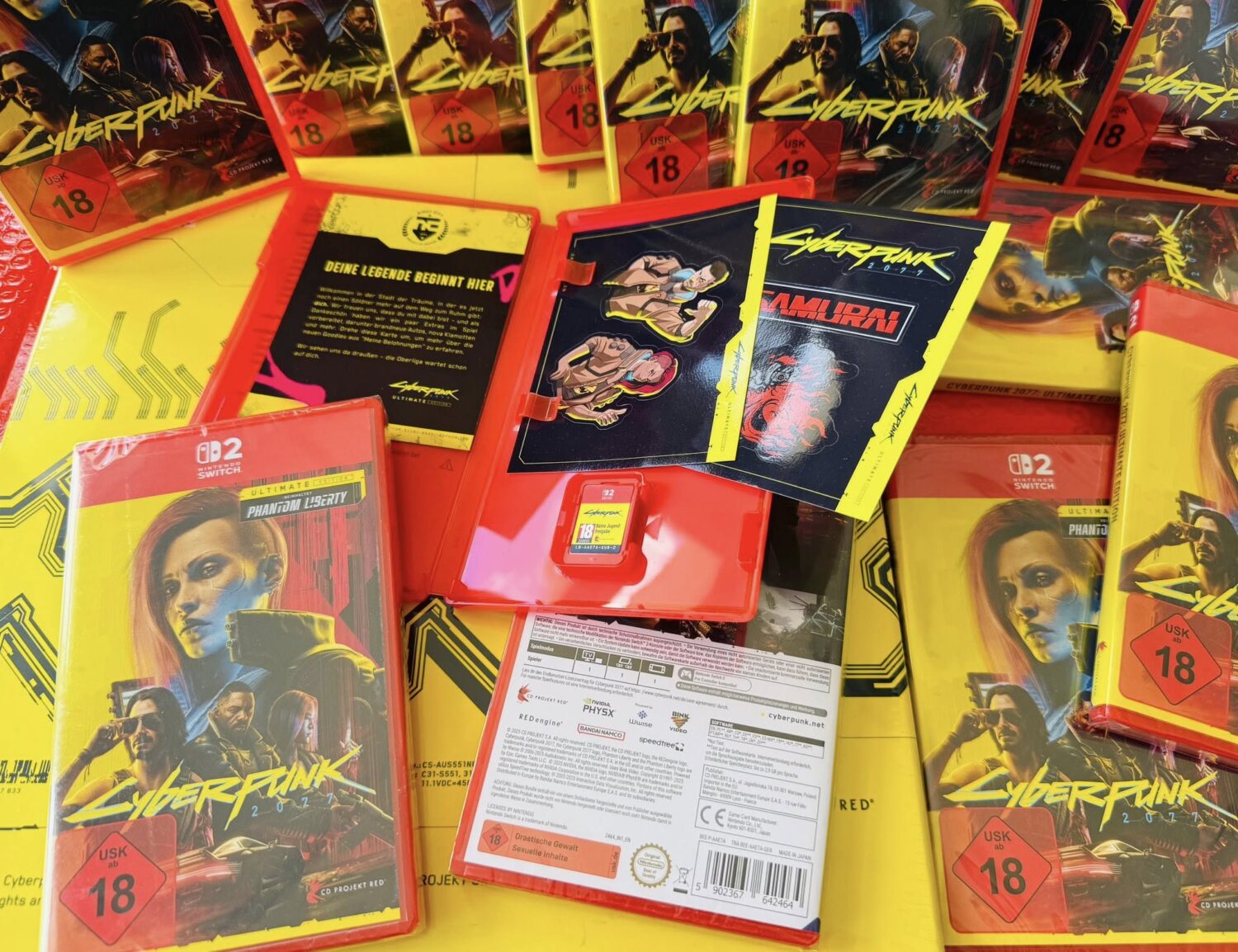
Image source: NintendoSoup
Does the Physical Edition Include the Phantom Liberty Expansion?
One of the most significant concerns for physical media collectors is whether the "Ultimate Edition" label actually translates to all content being present on the disc or cartridge. For the Switch 2 release of Cyberpunk 2077, the answer is a definitive yes. CD Projekt Red has utilized a rare and expensive 64GB game card to ensure that both the base game and the Phantom Liberty expansion are fully contained within the hardware, according to reports from GameSpot and other technical outlets.
This is a significant advancement over many other modern "physical" releases that act as little more than a license key, forcing players to download tens of gigabytes before the game even launches. With the Switch 2 version, you can insert the cartridge and begin your journey as V immediately. This "All-on-Cart" reality is a major selling point for those concerned about long-term game preservation and digital storefront longevity.
The Language Exception and Voiceover Packs
While the core gameplay, textures, and expansion content are on the card, there is one minor caveat regarding audio. To fit the massive amount of data onto 64GB, only the English voiceovers are included on the cartridge by default. If you prefer to play with Japanese, German, French, or other localized voice acting, you will need to download a free language pack from the Nintendo eShop. These packs are typically small compared to the game itself, but it is a detail worth noting for international players.
How Much Storage Space Does the Physical Version Save You?
Storage management is one of the primary hurdles for Switch 2 owners, especially with the increasing size of AAA titles. The digital version of Cyberpunk 2077: Ultimate Edition requires a staggering 60GB to 70GB of space . Given that the Switch 2 internal storage, while improved, is still shared with system files and other games, this footprint can be prohibitive. By opting for the physical edition, you effectively reclaim that entire 70GB block for other titles.
Data trends suggest that this utility is a primary driver for the market split; approximately 75% of users chose the physical version over the digital download, according to Quora sales analysis . This preference highlights how much value players place on physical cartridges when they solve real-world hardware limitations.
Load Time Hierarchy: Cartridge vs. Internal Memory
While the physical version saves space, there is a slight trade-off in speed. Technical testing by Checkpoint Gaming indicates a specific hierarchy for loading times in Night City:
- Internal System Memory: The fastest option, offering the snappiest transitions.
- SD Express Cards: A close second, taking advantage of the Switch 2's new card slot speeds.
- Physical Cartridge: The slowest of the three, though the difference is often only 2-4 seconds during initial loads.
| Feature | Physical Edition | Digital Edition |
|---|---|---|
| Storage Required | ~0GB (Core Game) | 60GB - 70GB |
| DLC Included | Yes (On Cartridge) | Yes (Download) |
| Resale Value | High (Collector's Item) | Zero |
| Portability | Requires Swapping Cards | Instant Access |
Choosing Between Performance and Quality Modes on Switch 2
The Switch 2 hardware allows for a level of visual fidelity that was previously impossible on Nintendo's handhelds. Cyberpunk 2077 offers two distinct graphical profiles to suit different playstyles. Understanding these modes is essential for getting the most out of your physical copy.
Performance Mode (40 FPS)
Performance Mode targets a frame rate of 40 FPS . This is a notable choice, as 40 FPS provides a much smoother experience than 30 FPS while being easier for the hardware to maintain than a full 60 FPS. However, there is a technical requirement: to use 40 FPS in docked mode, you must have a 120Hz television . The Switch 2 uses a 120Hz container to deliver the 40 FPS signal evenly, preventing the stuttering often associated with non-standard frame rates.
Quality Mode (30 FPS)
For those who prioritize visuals over fluidity, Quality Mode locks the game at a stable 30 FPS. This mode increases the resolution and improves graphical features like ambient occlusion and screen-space reflections. In handheld mode, Quality Mode often pushes the resolution toward 1080p, whereas Performance Mode may scale down to 720p to maintain its frame rate target. Many users find that Quality Mode is a popular choice for slower-paced exploration of Night City's neon-soaked streets.
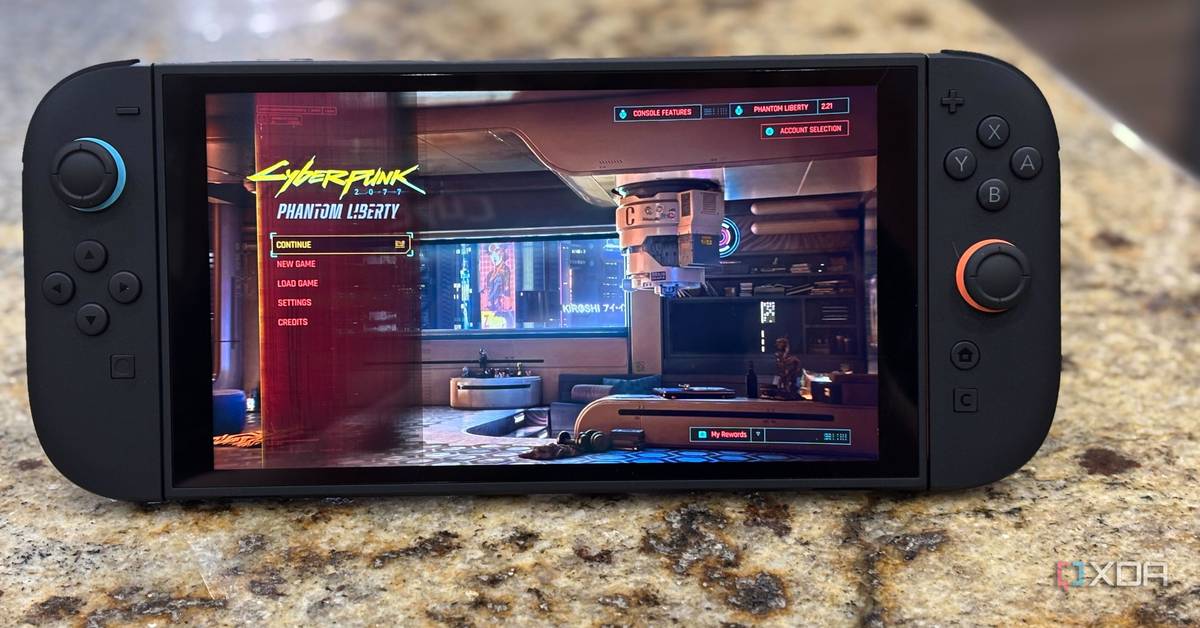
Image source: XDA Developers
How to Use the Switch 2 Exclusive Control Features
Beyond the graphical upgrades, the Switch 2 version introduces several control schemes that are not available on PC or other consoles. These features can significantly change how you interact with the game's complex systems.
Gyroscope Aiming and Combat
Gyro aiming allows you to fine-tune your shots by physically tilting the console or controller. This is exceptionally strong for precision weapons like pistols and throwing knives. However, Checkpoint Gaming notes that gyro can feel "disorienting" during fast-paced melee combat. It is highly recommended to adjust the sensitivity in the settings menu or toggle it off specifically for close-quarters encounters.
Touch Screen Navigation and "Mouse Mode"
The Switch 2 version allows players to bypass the sometimes clunky controller navigation in menus. By using the touch screen, you can tap directly on Map icons, Journal entries, or Inventory slots. There is also a "Mouse Mode" that lets you drag items across the screen, mimicking the PC experience. This makes managing your cyberware and gear significantly faster than using the analog sticks.
How to Transfer Your Saves from PC or PS5 to Switch 2
If you have already spent hundreds of hours in Night City on another platform, you don't have to start over. CD Projekt Red's cross-save infrastructure allows you to bring your V to the Switch 2. This process requires a GOG account and an active internet connection for the initial sync.
Where to Buy the Physical Edition and How to Get a Price Match
The physical edition is widely available at major retailers like Amazon, Best Buy, and GameStop. However, because of the high cost of the 64GB cartridge, the MSRP usually stays firm at $69.99. If you are looking for a deal, there is a community-driven strategy you might consider.
The $18 Price Mistake Strategy
In December 2025, a digital price error occurred where the game was listed for just $18. While the physical version was not included in this error, some users on Reddit have reported success by contacting Nintendo support. If you can provide proof that you attempted to purchase the game during a failed transaction window or if you have a screenshot of a previous price match, support agents have occasionally offered eShop credit that can be applied to the digital version, or in rare cases, honored the price for physical orders that were canceled. While not guaranteed, it is a popular choice for budget-conscious players to check these community threads for the latest success stories.
Known Technical Issues and Community Requests
Despite being a significant step forward for handheld gaming, the Switch 2 port is not without its flaws. Users have identified several areas where the game could use further optimization.
- UI Pixelation: Many players have noted that while the gameplay looks sharp, the menus and loading screens appear to be rendered at a lower resolution. This is likely a trade-off to save system resources for the actual game world.
- Texture Pop-in: In high-speed driving scenarios through the City Center, textures can sometimes struggle to keep up. The community is currently calling for a "Patch 2.4" to address these issues and improve weather effects like rain.
- Battery Life: This title is one of the most demanding on the Switch 2 hardware. Handheld players should expect significantly shorter play sessions compared to less intensive titles, as the power draw is exceptionally high.
The Bottom Line
The Cyberpunk 2077 Switch 2 physical edition is a remarkable achievement in portable gaming, offering a complete experience without the typical compromises of digital-only releases.
- 64GB Cartridge: Includes both the base game and Phantom Liberty expansion with no mandatory core downloads.
- Storage Efficiency: Saves approximately 70GB of internal space, making it a top choice for those with full libraries.
- Performance Options: Offers a 40 FPS mode for 120Hz TV owners and a stable 30 FPS Quality mode for handheld play.
- Exclusive Controls: Features gyro aiming and touch-screen menu navigation that sets a high standard for console ports.
- Cross-Save Support: Allows for seamless transition of progress from PC, PS5, and Xbox platforms.
- Collector Value: As one of the few games using the expensive 64GB card, it is likely to remain a sought-after physical item.
If you value physical ownership and want to save massive amounts of storage space, purchasing the physical cartridge is the most practical way to experience Night City on the go.
Frequently Asked Questions