Home
How Much Storage Space Does Cyberpunk 2077 Actually Need on Your Drive?
Navigating the storage requirements for Night City has become increasingly complex since the game's initial launch. While early marketing materials suggested a 70 GB footprint, the evolution of the REDengine 4 and the introduction of massive overhauls in Update 2.0 have significantly expanded the game's digital weight. For players looking to dive into the neon-soaked streets, understanding the "cyberpunk size" is no longer just about meeting a minimum requirement; it is about optimizing your hardware for a top-tier gaming experience.
In this guide, we break down the exact storage needs for every major platform, investigate the technical discrepancies between storefronts, and address emerging rumors regarding future hardware compatibility. Whether you are managing a crowded NVMe drive or planning a fresh install, these data-driven insights will help you prepare your rig for the most demanding version of the game to date.
Current Install Sizes for Every Major Platform
The storage footprint of Cyberpunk 2077 varies notably across different ecosystems. This variance is primarily due to how each platform handles asset compression and localized data. According to official Steam requirements , the base game is listed at 70 GB, but real-world reports from the community indicate that the actual disk usage is higher once the game is fully patched.
For PC users, the installation size has grown steadily. While the initial download is compressed to save bandwidth, the final uncompressed footprint on a Steam or Epic Games Store installation typically settles around 85.06 GB. This includes all free content updates, such as the 2.0 and 2.1 patches, which introduced new vehicle combat systems and the metro network.
| Platform | Base Game (v2.12+) | Ultimate Edition (Base + DLC) | Recommended Free Space |
|---|---|---|---|
| PC (Steam/Epic) | ~85 GB | ~85-90 GB* | 100 GB |
| PlayStation 5 | ~82 GB | ~90-102 GB | 110 GB |
| Xbox Series X/S | ~80 GB | ~88-95 GB | 100 GB |
| Legacy (PS4/Xbox One) | ~70 GB (Final) | N/A | 80 GB |
*Note: The PC Ultimate Edition often uses shared assets to keep the total size lower than the sum of individual parts.
On the PlayStation 5, the game utilizes the console's Kraken compression technology, which helps keep the file size relatively lean compared to the raw assets. However, the PS5 version often requires additional overhead for the "copying" process during updates. Xbox Series X/S users see a similar footprint, though the specific BCPack compression used by Microsoft results in slightly different final numbers. Legacy consoles remain frozen at Version 1.6, meaning their size will not increase further, but they lack the significant advancements found in the current-gen versions.
Why the PC Install Size Varies Between Steam and GOG
One of the most common points of confusion for PC players is the massive discrepancy between the GOG (Good Old Games) version and the Steam version. Users have reported that the GOG Offline Installer for the Ultimate Edition can reach a staggering 143 GB, while the Steam version remains under 90 GB. This is not a bug, but rather a difference in how localized content is packaged.
The Steam and GOG Galaxy clients are designed to be "smart" installers. They detect your preferred language and only download the specific voiceover (VO) files required for that language. A single high-quality VO pack for a game of this scale can weigh between 4 GB and 5 GB. Cyberpunk 2077 supports over a dozen languages, including Japanese, Mandarin, French, and German. When you download via a launcher, you are only getting about 5 GB of audio data.
pc/content
folder. Look for files named
lang_xx_voice.archive
. If you find language packs you don't use (e.g.,
lang_ja_voice.archive
for Japanese), deleting them can reclaim significant space. However, be aware that verifying game files via Steam will likely redownload them.
The 143 GB figure seen on GOG forums is the result of the "Offline Installer" including every single language pack by default. This ensures that a user who downloads the installer for archival purposes has access to the full experience regardless of their internet connection later. According to discussions on the GOG forums , the actual installed footprint after using the launcher is virtually identical to the Steam version, as the launcher discards the unused VO packs.
How Much Space Does the Phantom Liberty Expansion Add?
The Phantom Liberty expansion is a significant addition to the game, both in terms of content and storage requirements. Unlike smaller DLCs, this expansion introduces a completely new district, Dogtown, which is densely packed with high-resolution assets, unique character models, and hours of new cinematic dialogue. On PC and PS5, the expansion adds approximately 32 GB to 33 GB to the base installation.
Interestingly, the "Ultimate Edition" (which bundles the base game and the expansion) does not simply add 70 GB + 32 GB. CD Projekt Red has implemented asset deduplication and shared libraries that allow the Ultimate Edition to sit comfortably around the 90 GB mark on most platforms. This optimization is a significant advancement in how the studio manages large-scale data, ensuring that players don't need to dedicate an entire drive to a single title.
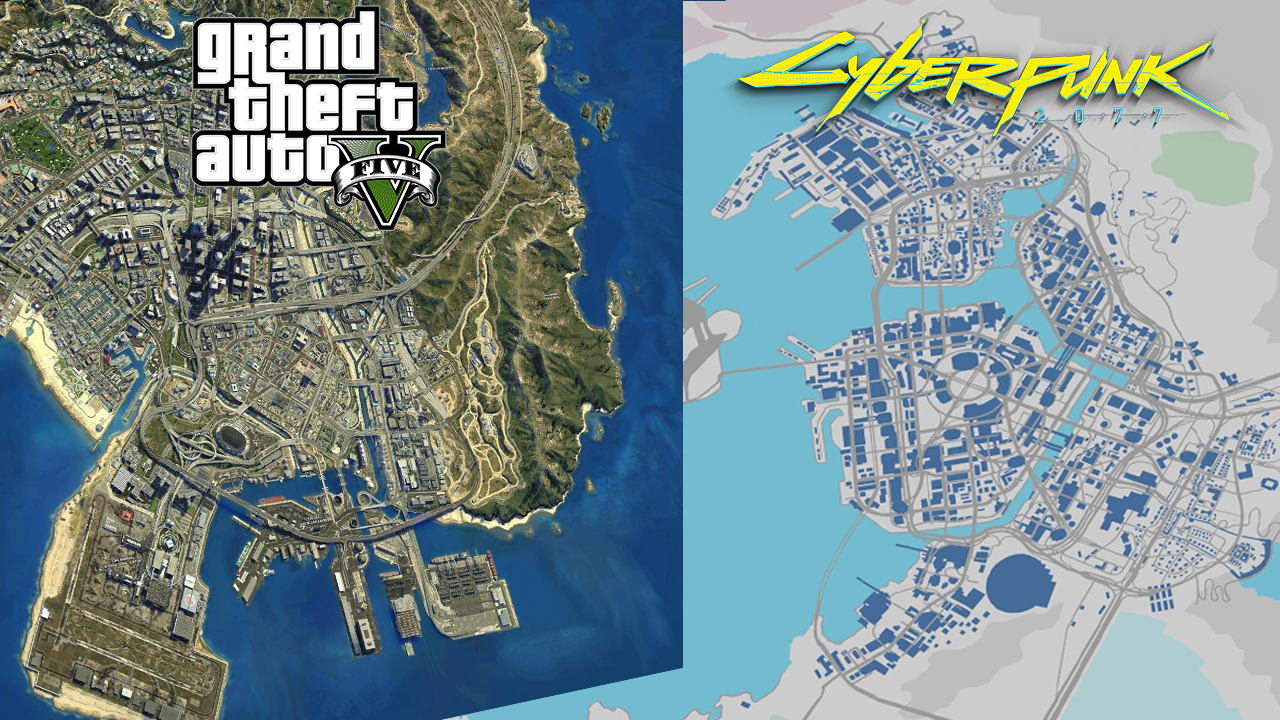
Image source: AltChar
When planning for the expansion, it is wise to account for the "patching overhead." Even if the final size is 90 GB, the installation process may require up to 120 GB of free space temporarily. This is because the system often creates a copy of existing files to apply changes safely, preventing file corruption if the power cuts out or the system crashes during the update. Once the installation is complete, the temporary files are deleted, and the footprint shrinks back to its normal size.
Why You Absolutely Must Use an SSD for Cyberpunk 2077
As of the 2.0 update, CD Projekt Red officially changed the system requirements to state that a Solid State Drive (SSD) is mandatory. While the game may technically launch on a traditional Hard Disk Drive (HDD), the experience is widely considered unplayable by modern standards. The technical reason lies in how the REDengine 4 handles asset streaming.
Night City is designed without traditional loading screens between districts. As you drive through the city at high speeds, the engine must stream gigabytes of texture data, geometry, and NPC logic from the storage drive into the RAM and VRAM. A mechanical HDD, with its physical spinning platters and limited seek speeds, simply cannot keep up. This leads to several game-breaking issues:
- Asset Pop-in: Buildings, roads, and vehicles may appear invisible or low-detail for several seconds.
- Audio Desync: Dialogue and sound effects may lag behind the action on screen.
- Script Stutter: The game may freeze momentarily while waiting for the drive to locate the next set of instructions.
- Quest Corruption: In extreme cases, triggers for quests may fail to load, preventing progression.
For handheld users, such as those on the Steam Deck or ASUS ROG Ally, the storage medium is equally important. While a high-speed microSD card (UHS-I U3) can run the game, the internal NVMe SSD provides a notably smoother experience with faster initial load times. If you are using a 64GB Steam Deck, you will be unable to install the game on the internal drive at all, making a high-capacity SD card or an SSD upgrade a necessity.
The Mystery of the 59 GB Nintendo Switch 2 Listing
In a fascinating turn of events, eagle-eyed fans discovered a metadata anomaly on the official CDPR support site. A URL structure explicitly referenced a "Nintendo Switch 2" platform with a storage requirement of 59 GB. While CDPR has not officially announced a port for Nintendo's successor console, this metadata leak suggests that the studio is at least preparing for the possibility.
The 59 GB figure is particularly interesting because it is significantly smaller than the PC or PS5 versions. This implies that a potential mobile chipset version would utilize even more aggressive texture compression or lower-resolution assets to fit within the constraints of a handheld cartridge or internal storage. If this version exists, it would represent a significant step forward in mobile porting, similar to how The Witcher 3 was successfully brought to the original Switch.
For now, this remains a technical "Easter egg" in the support documentation, but it highlights the ongoing efforts to optimize the game's size for diverse hardware configurations. It also serves as a reminder that the "cyberpunk size" is a moving target that adapts to the capabilities of the target hardware.
Why Your Save Files Might Be Getting Too Large
Beyond the installation itself, the size of your save files can become a concern for long-term players. Cyberpunk 2077 uses a complex "ItemID" system to track every object in the game world. Every time you pick up a weapon, craft an item, or move a piece of clothing to your stash, the game generates a unique identifier for that specific instance, including its stats, mods, and history.
In the early days of the game, there was a notorious 8MB limit on save files. If a player hoarded too many items or engaged in excessive crafting, the save file would exceed this limit and become permanently corrupted. While CDPR has since increased this limit and optimized the way metadata is stored, "save file bloat" is still a reality for completionists. According to discussions on the CDPR forums , players with 200+ hours of gameplay may notice their save files growing to 15 MB or 20 MB.
How to Fix Common Installation and Patching Errors
Many players encounter the dreaded "Disk Write Error" on Steam or a "Not Enough Space" error on consoles, even when they appear to have enough room. This is usually due to the way modern digital storefronts handle updates. When a 10 GB patch is released, the launcher doesn't just add 10 GB of data; it often needs to reorganize the existing 80 GB of files to integrate the new code.
On PlayStation 5, this is known as the "copying" phase. The console essentially clones the entire game file, applies the patch to the clone, and then deletes the original. This means that for a brief moment, you need double the game's size in free space. If you have 90 GB of Cyberpunk installed, you might need another 90 GB of free space just to install a minor update. If you find yourself stuck, the fastest solution is often to delete the game entirely and perform a fresh download, which bypasses the copying phase.
For PC users, "Disk Write Errors" are often caused by the drive's file system (NTFS vs. exFAT) or background processes like antivirus software scanning the files as they are written. Ensuring that your Steam library is on an NTFS-formatted drive and adding the Cyberpunk folder to your antivirus exclusion list can resolve many of these storage-related headaches.
Frequently Asked Questions
No, the base game exceeds the internal storage of the 64GB Steam Deck model. Even with the most aggressive compression, the game requires at least 80 GB. To play on a 64GB Deck, you must install the game on a high-speed microSD card (UHS-I U3) or upgrade the internal M.2 NVMe SSD. Many users find that an SSD upgrade is a top-tier choice for maintaining stable frame rates and reducing asset pop-in during fast travel.
The 150 GB figure was an early estimate used during the game's launch period to account for massive Day 1 patches and uncompressed assets. As of Version 2.12 in 2026, the game is much better optimized. A full installation of the Ultimate Edition typically occupies between 85 GB and 105 GB. While having 150 GB free is helpful for the patching process, the final footprint is significantly smaller than those early estimates suggested.
Yes, the 2.0 update was a significant advancement that overhauled core systems, added new animations, and improved texture quality. While it replaced many old files, the net result was an increase of about 10-15 GB over the previous version. This update is also what triggered the mandatory SSD requirement, as the new systems rely heavily on fast data streaming to function correctly without stuttering.
To minimize the footprint on PS5, ensure you only have the necessary language packs installed. You can manage this by going to the game's "Manage Game Content" menu from the PS5 home screen. Additionally, clearing your system cache periodically can help remove temporary update files that might be lingering. If you don't plan on playing the expansion immediately, you can choose to install only the base game to save about 32 GB.
The download size is usually smaller than the final install size because the files are compressed for transmission. For example, a Steam download might be around 55-60 GB, but once the files are "unpacked" on your drive, they will occupy roughly 85 GB. Always ensure you have enough space for the uncompressed final version, not just the initial download size shown in the store.
This specifically refers to the GOG Offline Installer, which includes all localized voiceover files for every supported language. If you use the GOG Galaxy client to install the game, it will only download your selected language, resulting in a final size of approximately 85-90 GB, which is consistent with other platforms like Steam and Epic Games Store.
Key Takeaways for Managing Your Storage
- Plan for 100 GB: While the game sits around 85-90 GB, keeping 100-110 GB free ensures smooth patching and prevents "Disk Write Errors."
- SSD is Non-Negotiable: Do not attempt to run the game on an HDD; the asset streaming will fail, leading to significant performance issues.
- Manage Language Packs: PC users can save up to 40 GB by ensuring only their active language VO files are installed.
- Monitor Save Health: Avoid hoarding thousands of items to keep your save file metadata lean and prevent UI lag.
- Ultimate Edition Optimization: The bundled version is notably efficient, often weighing less than a separate base game and DLC install.
- Handheld Requirements: Steam Deck users should prioritize internal SSD storage or high-speed SD cards for the best experience.
Check your available drive space now and ensure you are using an NVMe SSD before starting your next journey into Night City.