Home
How to Choose and Use a Reliable PKM Editor for Your Pokémon Games
In the modern era of Pokémon gaming, managing your collection often requires tools that go beyond the limitations of the in-game interface. Whether you are a competitive player preparing for a VGC tournament or a casual fan looking to fix a nickname on a traded Pokémon, a high-quality PKM editor is essential. As of September 2026, the landscape of save editing has expanded to support every generation from the original Game Boy titles to the latest releases like Legends: Z-A .
Choosing the right tool involves balancing technical difficulty with the specific features you need. Some editors focus on deep data manipulation and legality verification, while others prioritize ease of use on mobile devices. This guide explores the leading options available today, providing actionable workflows for every type of player.
Identifying the Right PKM Editor for Your Device and Goals
The first step in save editing is determining which platform matches your current setup. Not all editors are compatible with every game generation, and some require specific console modifications (Custom Firmware or CFW) to function. The table below provides a structured comparison of the most prominent tools in the community.
| Tool Name | Platform | Supported Games | Difficulty | Key Feature |
|---|---|---|---|---|
| PKHeX | Windows PC | Gen 1 - Gen 9+ | High | Advanced Legality Engine |
| PKMDS | Web / Mobile | Gen 1 - Gen 9 | Low | Browser-based editing |
| PKSM | 3DS (Homebrew) | Gen 1 - Gen 7 | Medium | On-console storage bank |
| GenPKM | Web / Switch | Gen 8 - Gen 9 | Low | No-CFW Trade Bots |
| PokEditor-v2 | PC (Java) | Gen 4 (DPPt/HGSS) | High | ROM Data Modification |
According to documentation from Project Pokémon , PKHeX remains the foundational engine for most modern save editing, as its core logic is utilized by several other web-based and mobile applications. While PKHeX offers the most comprehensive feature set, users who prefer a touch-friendly interface often find PKMDS to be a more accessible choice for quick adjustments.
Methods for Editing Pokémon Without Modifying Your Nintendo Switch
A common misconception is that you must "hack" or modify your Nintendo Switch to use a PKM editor. While having Custom Firmware (CFW) allows you to export your save file directly, many users prefer to keep their consoles in a stock state to avoid potential bans or hardware risks. For these users, the "No-CFW" workflow is a highly effective alternative.
The Trade Bot Workflow
This method relies on automated services that can read Pokémon data files and deliver them to you via the standard Link Trade system. It effectively bridges the gap between a PC-based editor and a retail console.
.pk9
(for Scarlet/Violet) or
.pa8
(for Legends: Arceus) file.
Why PKHeX Stands Out as a Primary Tool for PC Users
For those who have the means to export their save files (via JKSV on Switch or Checkpoint on 3DS), PKHeX is widely regarded as the most robust PKM editor available. Developed in C#, it provides a granular level of control over every byte of data within a Pokémon save file.
Advanced Batch Editing for Power Users
One of the most significant advancements in PKHeX is the Batch Editor. Instead of modifying Pokémon one by one, you can use simple command strings to update hundreds of entries simultaneously. This is particularly useful for fixing Trainer IDs or mass-leveling a collection.
- .IsShiny=true : Converts all selected Pokémon to their shiny forms while maintaining legality where possible.
- .SetAllIVs=31 : Maximizes the Individual Values of every Pokémon in a specific box.
- .OT_Name=YourName : Updates the Original Trainer name to match your current save file.
Recent updates in 2026 have introduced real-time affected slot counts and full undo/redo support within the Batch Editor, making it much harder to accidentally corrupt a large collection. As noted by Project Pokémon , the software now also supports recursive egg move checking for older generations, ensuring that inherited moves are verified against complex breeding chains from Gen 2 through Gen 5.
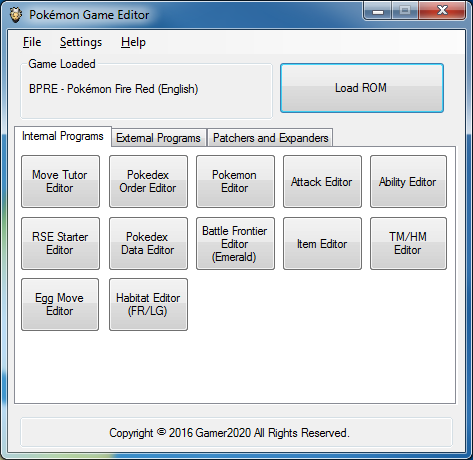
Image source: GitHub
Editing Pokémon Saves on Mobile Devices Using PKMDS
For players on the go, the Blazor-based PKMDS application is a top-tier choice. Because it runs in a web browser, it bypasses the need for installation and works seamlessly on both iOS and Android devices. It leverages the same core logic as PKHeX, ensuring that the data it generates is consistent with desktop standards.
The Cross-Platform Sync Strategy
Many power users employ a hybrid workflow to maximize efficiency. By storing save files on a cloud service like Google Drive or Dropbox, you can perform quick edits on your phone and then perform a final "legality clean" on your PC.
For example, you might use PKMDS on your phone to change a Pokémon's nature or held item while commuting. Once home, you can open that same save file in PKHeX to run a full legality check, ensuring that the changes didn't inadvertently trigger any red flags in the game's complex encounter database. This strategy offers a high level of flexibility without sacrificing the depth of desktop-class verification.
Managing Your Collection Directly on 3DS Hardware with PKSM
While the Nintendo 3DS is an older platform, it remains a hub for many collectors due to its ability to bridge the gap between the Game Boy Advance era and the modern Switch era. PKSM is a homebrew application that runs natively on the 3DS, offering a suite of features that even desktop editors struggle to match.
PKSM functions as a free, offline alternative to Pokémon Bank. It allows you to store thousands of Pokémon in internal "banks" and move them freely between games from Gen 4 (Diamond/Pearl) through Gen 7 (Ultra Sun/Moon). It also includes a built-in script engine that can automate tasks like completing the Pokédex or generating specific items. According to the PKSM GitHub repository , the tool is open-source, allowing the community to continuously update its legality scripts and feature set.
Maintaining Legality and Avoiding Online Bans
The most critical aspect of using a PKM editor is understanding the difference between a "legal" Pokémon and an "illegitimate" one. A legal Pokémon is one that could have been obtained through normal gameplay, even if it was actually generated by a tool. An illegitimate Pokémon contains data that is impossible to achieve naturally, such as a Pikachu that knows the move "Roar of Time."
The PKHeX Legality Engine
PKHeX features a sophisticated legality engine that checks several variables:
- Encounter Origin: Does the Poké Ball match the location where the Pokémon was caught?
- Moveset: Can the Pokémon learn these moves via leveling, TMs, or breeding?
- IV/EV Correlation: For older games, are the stats mathematically possible based on the Pokémon's PID (Personality ID)?
- Ribbons and Medals: Are the assigned ribbons appropriate for the game of origin?
In the context of VGC (Video Game Championships), even a "legal" Pokémon can be risky. Official tournaments often use advanced tools to detect if a Pokémon was generated, looking for specific patterns in the save file's metadata. For online ladder play, however, staying within the bounds of the PKHeX "Green Checkmark" is generally considered safe for most users.
Resolving Frequent PKM Editor Errors and Save File Issues
Technical hurdles are common when dealing with save files, especially when working with older hardware or emulation. Understanding these pitfalls can prevent data loss.
The Emerald Save Size Glitch
A frequent issue reported by the community involves Pokémon Emerald save files. Depending on the physical cartridge or emulator settings, the save file may be 64k or 128k. If the size is incorrect, a PKM editor will fail to load the file or, worse, corrupt it upon saving. Most modern editors now include a toggle to force a specific save size, but users should always verify their emulator's "Flash" settings are set to 128k for Gen 3 titles.
PKHeX Startup Hangs
Some users experience a freeze when launching PKHeX. This is often caused by the software attempting to scan network drives or disconnected external storage for save files. To fix this, you can launch the program with a specific flag or temporarily disable network discovery in Windows. This issue is well-documented in the Project Pokémon forums .
Distinguishing Between Save Editing and ROM Editing
It is important to distinguish between tools that modify your progress and tools that modify the game itself . A PKM editor like PKHeX is a save editor; it changes the Pokémon you own and the items in your bag. It does not change the game's code.
Conversely, a ROM editor like PokEditor-v2 or Hex Maniac Advance allows you to change wild encounter rates, trainer teams, and even the base stats of Pokémon. These tools are primarily used by the ROM hacking community to create custom game experiences. If your goal is simply to add a specific Pokémon to your existing team, a save editor is the correct tool. If you want to make the game harder or add new features, you are looking for a ROM editor.
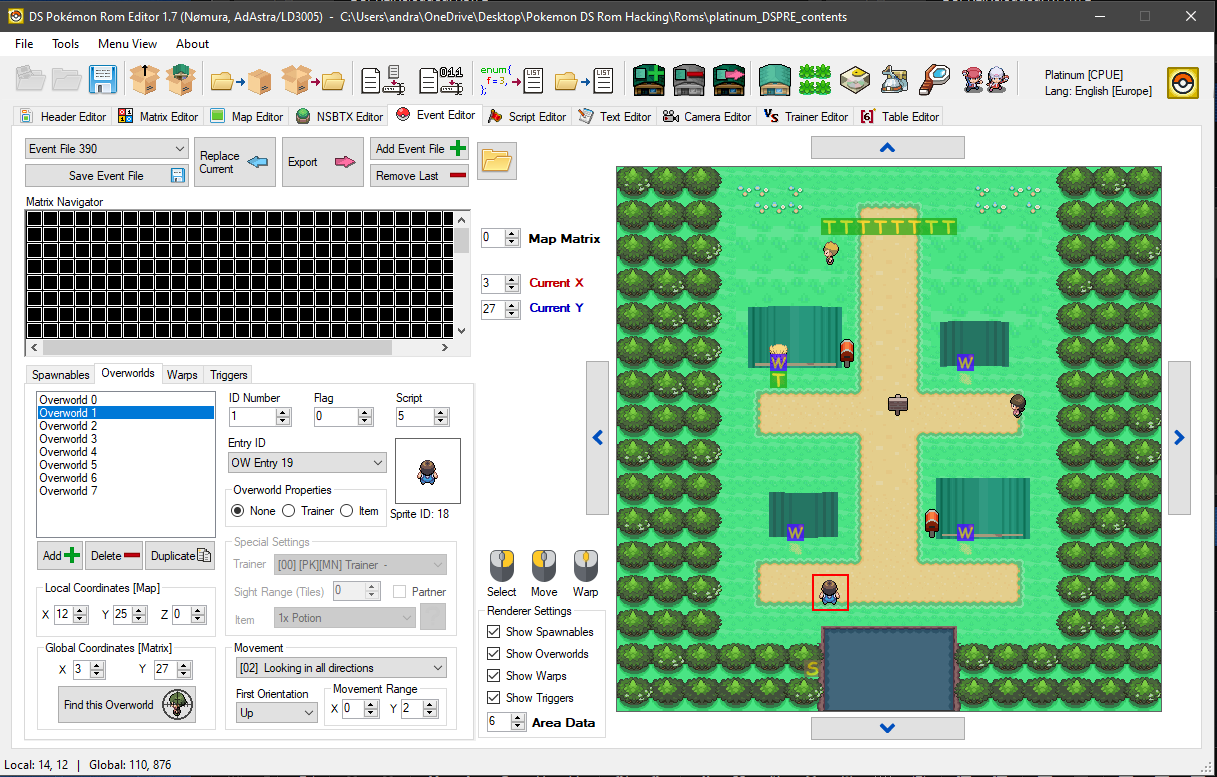
Image source: ROMhacking.net
Key Takeaways for Choosing a PKM Editor
- Select your tool based on hardware: Use PKHeX for PC, PKMDS for mobile, and PKSM for 3DS.
- Prioritize legality: Always look for the "Green Checkmark" in PKHeX to ensure your Pokémon are safe for online play.
- Use Trade Bots for stock consoles: You don't need to hack your Switch if you use the GenPKM trade bot workflow.
- Master the Batch Editor: Save hours of time by using command strings to modify entire boxes at once.
- Always create backups: Before opening any save file in an editor, make a copy to prevent permanent data loss.
- Understand the limits: Save editors change your team, while ROM editors change the game's rules and encounters.
Start by downloading the latest version of PKHeX and experimenting with a backup of your favorite save file to see the depth of customization available.
Using a PKM editor is not "illegal" in a judicial sense, but it does violate the Terms of Service (TOS) of Nintendo and The Pokémon Company. While using these tools for personal enjoyment or offline play is generally safe, using them to gain an unfair advantage in official tournaments can lead to disqualification or permanent bans from online services.
PKHeX is a native Windows application. However, Mac users can run it using compatibility layers like Wine or Bottles . Alternatively, the web-based PKMDS is a highly effective option for Mac users as it runs entirely within the browser and requires no installation or Windows emulation.
If used correctly, a PKM editor will not delete your progress. However, save files are delicate. If an editor writes data to the wrong offset or if the file size is mismatched, it can lead to a "Save Data is Corrupted" error. This is why the community's number one rule is to always create a backup of your save file before making any changes.
Nintendo Switch save files are stored in the console's internal system memory, not on the SD card. To access them, you must have a console with Custom Firmware (CFW) and use a homebrew tool like JKSV or Checkpoint to "export" the save to your SD card. From there, you can move it to a PC for editing.
A
.pk9
file is a specific data format used to store the information for a single Pokémon from the Generation 9 games (Scarlet and Violet). It contains all the metadata for that Pokémon, including its species, moves, IVs, EVs, and original trainer info. These files are small and easy to share, making them the standard format for trade bots and online repositories.