Home
How to Choose and Use a Top-Rated Mod Editor for Your Favorite Games
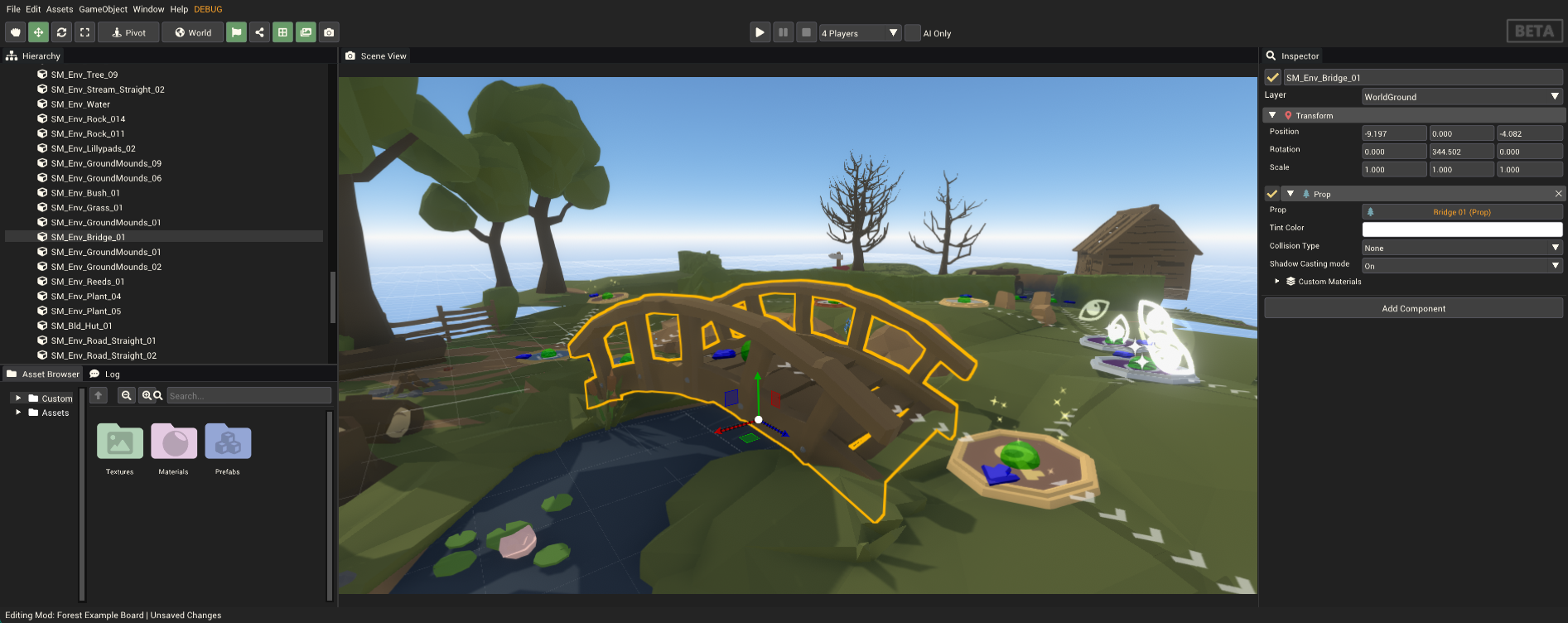
Image source: Pummel Party Mod Documentation
High-end tools like Wayfinder or RoadCraft for deep integration.
User-friendly options like MCreator for Minecraft enthusiasts.
Modified APKs for racing games, often found on Modeditor.com.
Always use an SSD and check for 260GB+ space for official SDKs.
Understanding Different Categories of Mod Editors
The term "mod editor" is widely used across the gaming community, but it refers to several distinct types of software. Understanding these categories is the first step toward successfully modifying your favorite titles. Generally, these tools fall into three buckets: Official Developer Software Development Kits (SDKs), Third-Party Creation Suites, and Mobile Modification Hubs.
Official SDKs, such as the Wayfinder Mod Editor , are provided directly by game studios. These tools offer a high level of access to the game's internal systems, allowing you to create new characters, environments, and mechanics that feel native to the experience. Because they are built on the same engines as the games themselves (often Unreal Engine or Unity), they require significant hardware resources.
Third-party suites like MCreator represent a more accessible entry point. These are often "no-code" or "low-code" environments designed for specific games like Minecraft. They allow users to drag and drop elements to create new blocks, items, or mobs without needing to write complex Java or C++ code. While they may not offer the same depth as an official SDK, they are widely considered among the top choices for beginners.
Finally, the mobile landscape is dominated by sites like Modeditor.com. It is important to clarify that these are often distribution hubs for pre-modified APKs rather than tools you use to edit the game yourself. These sites are popular for simulation and racing games, offering "adrenaline-fueled" customizations that are not available in the standard app store versions.
Setting Up High-End Official Modding Tools Correctly
If you are planning to use a professional-grade tool like the Wayfinder Mod Editor or the RoadCraft Modding Tools , you must prepare your hardware. These editors are not simple applications; they are essentially full versions of the game's development environment.
One of the most common pitfalls for new modders is the storage requirement. For instance, the Wayfinder editor requires a staggering 260 GB of available space. This is because the source files—textures, meshes, and animations—are stored in an uncompressed format to allow for rapid editing. Attempting to run these tools on a standard HDD will likely result in frequent editor hang-ups and crashes.
Proper file organization is also vital. According to official documentation, mod source files should typically be stored in a specific directory:
%userprofile%\Documents\[StudioName]\[GameName]\mods_source
. Keeping your files in this standard path ensures that the editor can correctly link textures and scripts during the build process. Deviating from this path often leads to "missing asset" errors that can be difficult to troubleshoot later.
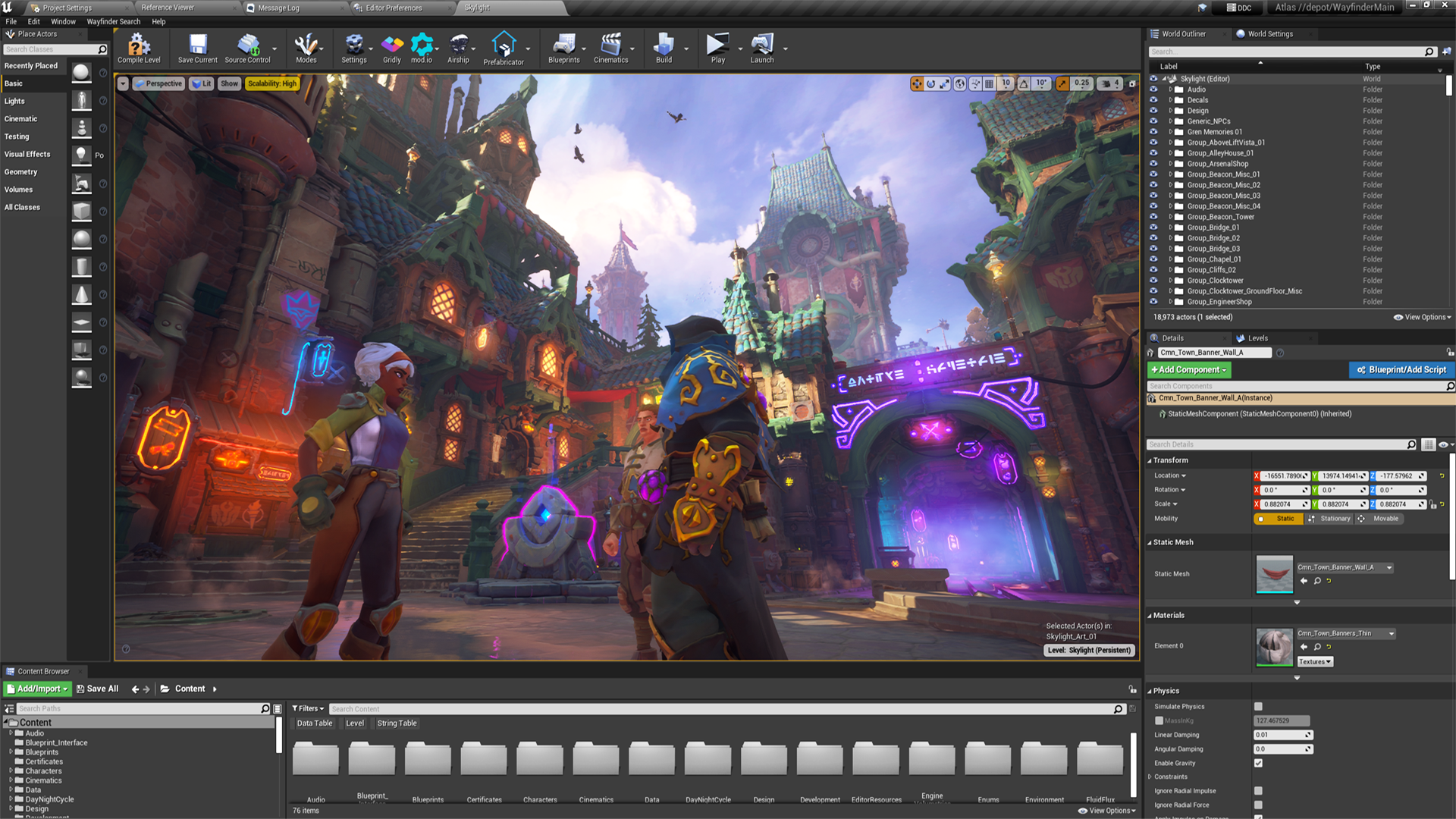
Image source: Epic Games
Following the Professional Nine-Step Workflow for Game Assets
Creating a mod is rarely a single-step process. Professional modders use a "pipeline" that involves multiple pieces of software. For example, you might create a 3D model in Blender, design its textures in Photoshop, and then use the mod editor to integrate those assets into the game. Based on standards set by studios like Saber Interactive, here is the recommended nine-step workflow:
This structured approach ensures that your mod is optimized. Skipping steps like LOD setup might not cause a crash immediately, but it will significantly degrade performance for other players who download your mod, especially those on lower-end systems.
Modifying Android Games Safely Without Device Risks
The mobile modding scene is quite different from PC modding. Most users searching for a "mod editor apk" are looking for ways to customize games like Car Simulator 2 or Bus Simulator . While these modifications can add a lot of fun, they come with significant security risks that are often overlooked in generic guides.
When you download a modified APK from a site like Modeditor.com, you are essentially installing a piece of software that has been altered by a third party. Unlike official tools, these modified binaries can contain malware or hidden scripts that compromise your personal data. Furthermore, using these mods in online-connected games often leads to permanent account bans, as they are viewed as a violation of the terms of service.
For those who want to modify mobile games safely, the recommended practice is to look for games that have built-in modding support or use verified platforms like mod.io . These platforms act as a bridge between developers and creators, ensuring that the mods you download are screened for malicious content and are compatible with the current version of the game.
Troubleshooting Common Mod Crashes and Blurry Textures
Even experienced creators encounter issues. Two of the most common problems in modding are game crashes due to compatibility issues and textures appearing blurry or failing to load correctly. Addressing these requires a deeper understanding of how games handle data.
The Texture Cache Secret
In many modern games, textures are not loaded directly from image files. Instead, they are "cooked" into a cache. According to
expert discussions on the CD Projekt Red forums
, skipping the generation of
.cache
files is a primary cause of blurry loading screens and dialogue glitches. While some users suggest that blob bundles are sufficient, generating a proper texture cache ensures that the game engine can access the assets with minimal latency.

Image source: Enlisted Forum
The Compatibility Trap
Another frequent issue involves "Global Variables." In games like Game Dev Tycoon , adding a new asset class (like a new game genre) can break the entire ecosystem. If your mod introduces a variable that other mods don't recognize, the game may crash when those mods interact. Before adding new logic, always check if your changes will conflict with the game's core global variables.
When updating your mod editor, you may be prompted to "Replace" files in your Documents folder. While it might feel counterintuitive to overwrite your work, clicking "Replace" is often necessary for stability. Always keep a separate backup of your custom scripts before performing an update to avoid losing progress.
Selecting the Right Tool Based on Your Current Skill Level
Choosing the right editor depends heavily on your technical background and what you hope to achieve. A tool that is exceptionally strong for one user might be overwhelming for another. The following table compares some of the most popular options available today.
| Tool Name | Difficulty | Coding Required? | Best Suited For |
|---|---|---|---|
| MCreator | Beginner | No | Minecraft blocks and items |
| Geode | Intermediate | Some | Geometry Dash extensions |
| Wayfinder SDK | Advanced | Yes | High-fidelity Action RPGs |
| RoadCraft | Advanced | Yes | Simulation and physics assets |
For those looking to distribute their work across multiple platforms, mod.io stands out as a top choice. It provides the infrastructure needed to share mods between PC, consoles, and even VR headsets, handling the complex task of version control and user feedback in one place.
Frequently Asked Questions
For mobile users, the landscape is split between distribution sites and actual tools. While sites like Modeditor.com are popular for downloading pre-made mods for racing games, they are not editors. If you want to create your own mods for mobile-friendly games like Minecraft, MCreator is widely considered one of the best options due to its visual interface and ease of use.
Yes, MCreator is a verified and safe tool used by thousands of creators. However, it is a resource-heavy application. You should ensure your computer has at least 8GB of RAM and a decent processor to handle the workspace, especially when you are compiling your mod for the first time. Always download it from the official site to avoid tampered versions.
The large storage requirement is due to the inclusion of uncompressed source assets. When developers build a game, they compress files to save space for the player. However, to edit those files, you need the original, high-resolution versions. This allows you to make changes without losing quality, but it requires a significant amount of SSD storage.
It depends on the tool. "No-code" editors like MCreator use visual blocks to represent logic, making them accessible to everyone. However, professional SDKs like those for Wayfinder or RoadCraft often require a basic understanding of scripting languages like C++ or Python, as well as familiarity with engine-specific tools like Unreal Engine's Blueprints.
Blurry textures are usually caused by a missing or improperly generated texture cache. Ensure that you have "cooked" your assets within the editor before exporting. If the problem persists, check your LOD settings; the game might be accidentally displaying a low-resolution model even when you are standing close to the object.
Key Takeaways for Successful Game Modding
- Verify hardware compatibility by ensuring you have an SSD and sufficient storage (up to 260GB) before installing official SDKs.
- Distinguish between tools and hubs ; use creation suites like MCreator for building and verified platforms like mod.io for safe distribution.
- Follow the nine-step pipeline to ensure your assets include proper physics, collision, and levels of detail.
- Prioritize texture caching to avoid visual glitches like blurry loading screens or dialogue errors.
- Check global variable compatibility before adding new logic to prevent crashing the game's existing mod ecosystem.
- Maintain regular backups of your source files, especially before updating your editor software.
Start your modding journey by selecting a beginner-friendly tool like MCreator to learn the basics of asset logic before moving on to more complex professional SDKs.