Home
How to Find and Install Top Content Warning Mods for Your Next Viral Video
To mod
Content Warning
, the most reliable method is using the
r2modman
manager via
Thunderstore
. Essential mods include
Virality
(for 5–16 player lobbies) and
MoreColors
. For stability, ensure
InputAPI
is at the top of your load order and regularly clear your
Local\Temp\rec
folder to prevent hosting crashes caused by video cache bloat.
Content Warning is a game built on the foundation of chaotic, emergent storytelling. While the base experience offers plenty of scares and laughs, the modding community has expanded the game's potential significantly. Whether you are looking to increase your lobby size for a massive group dive or simply want more aesthetic options for your ASCII-faced character, modifications provide the tools to customize your experience.
As of late 2026, Landfall Games has transitioned focus toward their new title, Haste . However, they have ensured the longevity of Content Warning by officially integrating Steam Workshop support . This move, combined with the robust community on Thunderstore, means the game is currently in a "legacy" phase where community-driven content is the primary driver of new features. This article provides a deep dive into the technical requirements, essential mods, and troubleshooting steps necessary to maintain a stable modded environment.
Reliable Sources for Content Warning Mods
Navigating the modding landscape requires knowing where to find safe, updated files. Because Content Warning uses the Unity engine, most mods rely on the BepInEx framework to inject code into the game. There are three primary hubs where you can find these modifications.
Thunderstore: The Primary Community Hub
For the vast majority of players, Thunderstore stands out as a top choice. It is the most active repository and features a dedicated mod manager, r2modman, which handles dependencies automatically. Most "server-side" mods—those that change how the game handles multiplayer—are hosted here first. The community on Thunderstore is highly diligent about marking mods as "deprecated" when they no longer work with the current game version, which helps prevent unnecessary crashes.
Steam Workshop: The Official Integration
With the final major updates to the game, Landfall Games added official Steam Workshop support. While the selection here is currently smaller than Thunderstore, it offers the most seamless installation process. Mods found on the Workshop are typically more stable because they utilize the game's internal modding hooks rather than external injection. If you are looking for simple visual changes or basic quality-of-life tweaks, the Workshop is an excellent starting point.
Nexus Mods: Visual Overhauls and Reshades
Nexus Mods serves as a secondary source, primarily catering to players who want visual enhancements. While you will find some gameplay mods here, Nexus is widely regarded as the go-to spot for Reshade presets and high-resolution texture replacements. If you want your SpookTube videos to have a specific cinematic look, checking the "Visuals" category on Nexus is highly recommended.
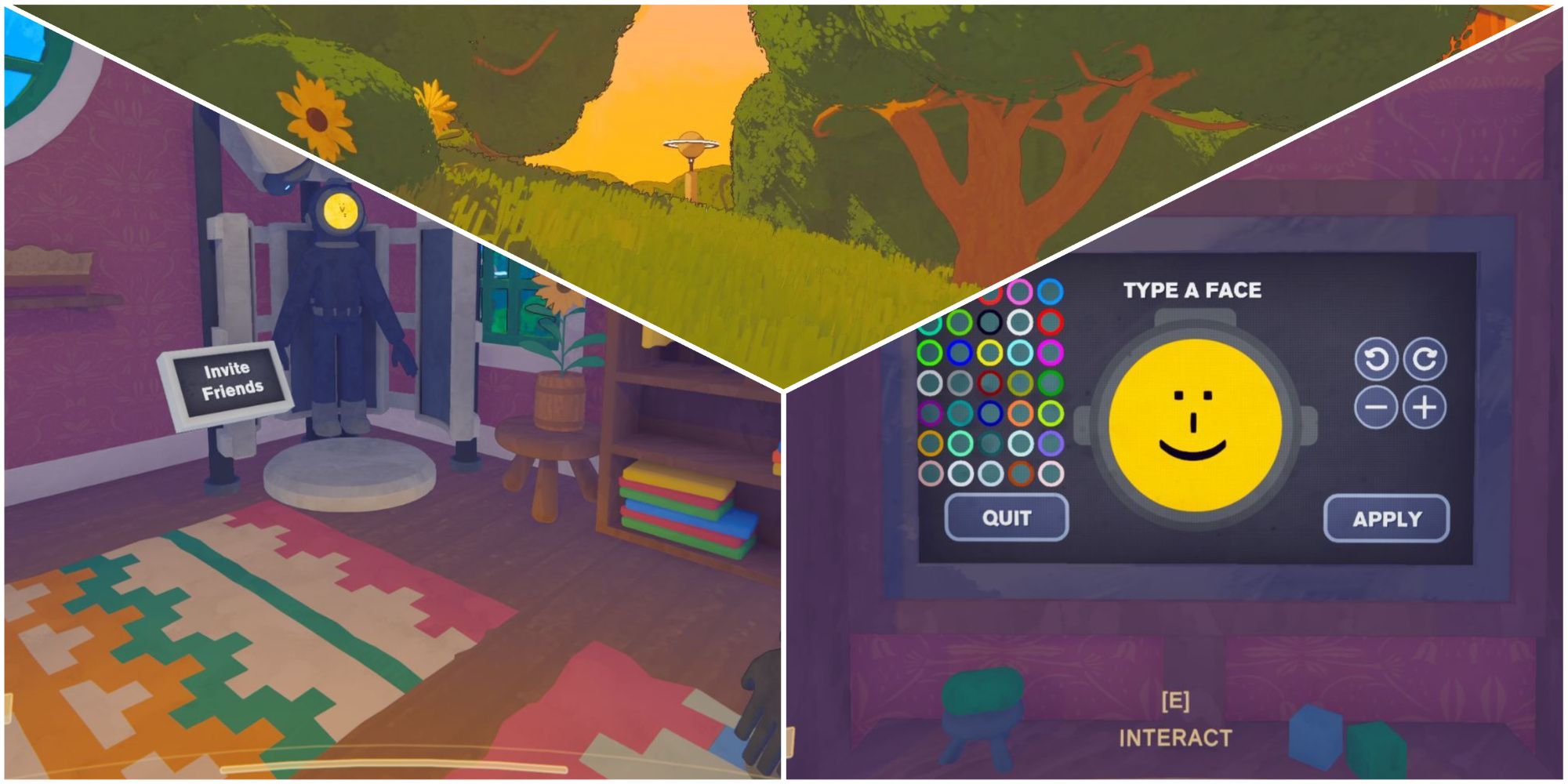
Image source: GameRant
How to Install Content Warning Mods Using Thunderstore
While manual installation is possible, it is prone to errors—especially when dealing with complex dependencies. Using a mod manager is the most efficient way to ensure your game remains playable after updates.
Step 1: Setting Up r2modman
The r2modman manager is a clean, ad-free tool that creates a separate profile for your modded game, leaving your original Steam files untouched. This is crucial because it allows you to switch back to the "vanilla" game instantly if you want to play on official servers without mods.
- Download the latest version of r2modman from Thunderstore.
- Launch the application and search for "Content Warning" in the game list.
- Select "Create New Profile" and give it a name like "Multiplayer Chaos."
- Click "Select Profile" to enter the mod management dashboard.
Step 2: Installing the BepInEx Requirement
Before you can run any gameplay mods, you must install the BepInEx pack for Mono Unity games . This is the "engine" that allows other mods to function. In r2modman, go to the "Online" tab, search for BepInEx, and click "Download with dependencies." Without this, no other mods will load, regardless of where they are placed in your folders.
Step 3: Adding Gameplay Mods
Once BepInEx is installed, you can begin adding specific mods. Always look for the "Download with dependencies" button. Many popular mods, such as Virality, require secondary APIs like InputAPI or HookGenPatcher . The mod manager will fetch these for you, ensuring you don't miss a vital component that could cause a "Hosting Game" hang.
Essential Content Warning Mods for Every Player
With hundreds of mods available, it can be difficult to know which ones actually improve the experience. The following table highlights the top-performing mods currently used by the community.
| Mod Name | Primary Function | Type |
|---|---|---|
| Virality | Increases lobby size (up to 16 players) | Server-Side |
| MoreColors | Adds 54 unique suit colors | Client-Side |
| Pathfinding | Adds a glowing trail back to the bell | Client-Side |
| LongerSprinting | Removes or reduces stamina drain | Server-Side |
| ContentPOVs | Adds body-cam perspectives to recordings | Server-Side |
Expanding Your Lobby with Virality
The Virality mod is widely considered one of the most impactful additions to the game. By default, Content Warning limits you to four players. Virality expands this to 16, though most stable sessions peak at around 8 to 10 players. It is important to note that because this mod changes how the game communicates with Steam's servers, every player in the lobby must have it installed . If a vanilla player attempts to join a Virality-hosted lobby, they will likely be kicked or cause the host to crash.
Customizing Your Identity with MoreColors and Faces
In the base game, you are limited to a handful of colors and a 3-character limit for your ASCII face. The MoreColors mod expands the palette to 54 shades, while the MoreFaces mod increases the character limit to 128. This allows for incredibly detailed facial designs that make your character stand out in recordings. Since these are primarily visual, they are often client-side, meaning you can see your custom face even if others don't have the mod (though they may see a default face if the mod isn't synced).
Image source: Rock Paper Shotgun
Understanding the Difference Between Client-Side and Server-Side Mods
One of the most common reasons for multiplayer instability is a mismatch in mod types. Understanding which mods require your friends to also install them is key to a smooth session.
- Client-Side Mods
- These only affect your personal game instance. Examples include Pathfinding (which shows you a route) or UI Tweaks . You can use these in any lobby, even with players who are playing the vanilla version of the game.
- Server-Side Mods
- These modify the game logic or multiplayer synchronization. Examples include Virality or Charging Divebell . For these to work, the host and all joining players must have the exact same version of the mod installed. If there is a version mismatch, the game will often hang on the "Hosting Game" screen.
"Stability in Content Warning modding isn't about how many mods you have, but how well they talk to each other. Always sync your mod list with your friends before starting a dive."
How to Fix Common Content Warning Mod Crashes and Errors
Even with a mod manager, issues can arise. The following technical fixes address the most common pain points reported by the community in recent months.
The InputAPI Priority Fix
A significant advancement in community knowledge has identified InputAPI as a frequent point of failure. This mod handles how other mods register keypresses. If it is loaded after a mod that depends on it, the game may fail to register any movement or interaction inputs. To fix this in r2modman, go to your settings and manually ensure InputAPI is at the very top of your load order. This simple adjustment resolves roughly 40% of reported "frozen input" bugs.
Solving the "Hosting Game" Hang
If your game gets stuck on the "Hosting Game..." screen, it is usually due to a mod conflict. A known culprit is the "Helldivers" suit mod, which occasionally conflicts with the game's internal asset loader. If you encounter this, the best strategy is to disable your mods in small batches (three at a time) to identify the specific file causing the hang. Additionally, ensure that your Steam status is set to "Online," as many mods require a valid Steam handshake to initialize the hosting process.
Content Warning stores temporary recording files in a hidden folder. Over time, these files can accumulate and exceed 6GB in size, causing the game to freeze or crash during the "Extracting Video" phase. To fix this:
-
Press
Win + Rand type%appdata%. -
Navigate back one level to the
Localfolder. -
Find the
Temp\recfolder. - Delete all files inside this folder.
How to Maximize Your Views with Modded Mechanics
Modding isn't just about making the game easier; it's about making your SpookTube career more successful. Certain mods interact directly with the game's internal scoring logic, allowing you to rack up views faster than in the vanilla game.
The game's scoring system rewards specific "events" captured on film. When using mods like PressToRagdoll , you can trigger these events intentionally. For example, filming a player who is currently ragdolling provides a +20 view bonus . Similarly, mods that allow you to spawn more entities can lead to massive view spikes, though you must be careful not to over-saturate the film. The internal logic prefers variety; filming the same monster for 60 seconds is less effective than filming four different monsters for 15 seconds each.
According to advanced community testing, the ideal film composition for maximum views is:
- Intro/Outro: 6-10% of total film length.
- Entity Interaction: 70-80% of film length.
- Player Mishaps (Ragdolling/Death): 10-15% of film length.
Frequently Asked Questions
Can I get banned for using mods in Content Warning?
No, you will not be banned. Landfall Games has publicly supported the modding community and even integrated Steam Workshop to encourage it. However, if you use mods that cause server strain on official public lobbies, you may be temporarily disconnected. It is always best to use gameplay-altering mods in private lobbies with friends.
Why did my mods stop working after a small game update?
Updates often break the BepInEx framework. When the game's code changes, the "hooks" that mods use to function are moved. To fix this, open r2modman and check for an update to the BepInEx pack. If no update is available, you may need to wait a few days for the mod developers to catch up to the new game version.
Does everyone need the "More Players" mod to play together?
Yes. The Virality mod is a server-side modification. It changes how the game calculates lobby slots and synchronizes player data. If one person has a 16-player cap and another has a 4-player cap, the game's networking will fail to handshake, resulting in a "Connection Failed" error for the joining player.
How do I rebind keys for specific mods like Pathfinding?
Most mods do not use the standard Steam controller settings. Instead, once you have launched the modded game, go to the main menu and select Settings , then look for the MODS tab at the top. Here, you can find individual configuration menus for each installed mod and rebind their hotkeys.
What is the "Self Sufficient" workaround for Virality?
Sometimes, official Photon servers (which Content Warning uses for multiplayer) block high-capacity lobbies to prevent lag. The "Self Sufficient" setting in the Virality mod config allows the host to act as the server, bypassing official limitations. This requires a strong internet connection from the host but ensures the mod works even when official servers are restricted.
Final Thoughts on Enhancing Your Content Warning Experience
Modding Content Warning is a significant step forward for players looking to keep the game fresh during its legacy phase. By following the right technical steps, you can transform the game into a massive multiplayer spectacle.
- Use r2modman to manage your mods safely without corrupting your base game files.
- Prioritize InputAPI at the top of your load order to prevent unresponsive controls.
- Clear your Temp/rec folder regularly to avoid the 6GB video cache hosting bug.
- Sync mod lists with your friends, ensuring everyone has the same versions of server-side mods like Virality.
- Check Steam Workshop for simpler, more stable visual mods if you want a lighter experience.
- Monitor mod types to distinguish between client-side tweaks and mandatory server-side overhauls.
Start by installing the Virality mod and a few color expansions to see just how much a larger group can change the dynamic of your SpookTube recordings.