Home
How to Find and Use a CoC Save Editor for Both Popular Games
The term "CoC Save Editor" refers to two different tools. For Corruption of Champions (Fenoxo), you can edit local .sol files using web-based tools like SaveEditOnline or desktop software like CoCEd. For Clash of Clans (Supercell), player data is stored on secure servers and cannot be edited locally . However, you can use SCEditor to modify game assets (.sc files) for private servers or local visual mods. Always back up your files before attempting any modifications.
Which CoC Save Editor Are You Actually Looking For?
In the gaming community, the acronym "CoC" is shared by two vastly different titles. This often leads to confusion when players search for modification tools. Before proceeding, it is essential to identify which game you are trying to modify, as the technical requirements and possibilities differ significantly.
Corruption of Champions is a text-based RPG that runs primarily on Flash-based technology. Because it was designed as a single-player experience with local storage, editing your save file is a straightforward process. Conversely, Clash of Clans is a massive multiplayer online strategy game. Supercell utilizes a server-side architecture to prevent cheating, meaning your gems, gold, and elixir levels are not stored on your phone, but on their protected databases.
| Feature | Corruption of Champions (Fenoxo) | Clash of Clans (Supercell) |
|---|---|---|
| Save Type | Local (.sol / Flash Object) | Server-Side Database |
| Edit Currency? | Yes (Gems, Gold, Stats) | No (Server-protected) |
| Primary Tool | CoCEd / SaveEditOnline | SCEditor (Assets only) |
| Platform | PC / Browser / Android | iOS / Android |
| Risk Level | Low (Save corruption) | High (Account ban / Scams) |
How to Edit Your Corruption of Champions Save Files
Editing saves for the Fenoxo-developed RPG involves manipulating Flash Local Shared Objects, commonly known as .sol files . These files act as the game's memory, storing every variable from your character's strength to their current inventory. According to the CoC Wiki , these files contain various data types, including Booleans, Strings, and Integers.
Where to Find Your Save Files on Windows and Mac
Finding the save location is often the most difficult step because modern browsers hide Flash data in deep directory structures. Depending on your operating system and browser, the path will vary:
-
Windows (Standard/Firefox):
%AppData%\Roaming\Macromedia\Flash Player\#SharedObjects\[RandomID]\ -
Windows (Chrome):
%AppData%\Local\Google\Chrome\User Data\Default\Pepper Data\Shockwave Flash\WritableRoot\#SharedObjects\[RandomID]\ -
Mac OS X:
~/Library/Preferences/Macromedia/Flash Player/#SharedObjects/[RandomID]/ -
Linux:
~/.macromedia/Flash_Player/#SharedObjects/[RandomID]/
How to Use Web-Based Editors for CoC and CoC2
For users on Mac, Linux, or those who prefer not to install software, web-based parsers are a top-tier option. Tools like the CoC2 Save Editor v69 are specifically optimized for the sequel's complex variable structures.
Why CoCEd Is a Top Choice for Windows Users
If you are a power user on Windows, CoCEd ranks among the top choices for offline editing. Developed by T.M. Edwards, this software provides a dedicated interface that categorizes variables into tabs like "Stats," "Appearance," and "Perks."
Unlike generic hex editors, CoCEd understands the game's logic. It requires the .NET Framework 4 to run and offers a much safer environment for editing, as it prevents you from entering values that might crash the game engine. You can find the official repository on GitHub . Note that this tool is Windows-only and does not natively support Mac or Linux without the use of compatibility layers like Wine.
Advanced Editing with CoCTweak and Command Line Tools
For developers or modders who prefer a more granular approach, CoCTweak offers a command-line interface for batch editing saves. This is particularly useful if you are testing specific game builds or need to modify hundreds of variables simultaneously. It is widely regarded as a highly impactful tool for the modding community, though it requires a basic understanding of terminal commands.
The Truth About Clash of Clans Save Editors for Supercell
When users search for a "Clash of Clans save editor" in the context of the Supercell mobile game, they are often met with misleading advertisements. It is vital to understand the technical limitations of mobile MMOs.
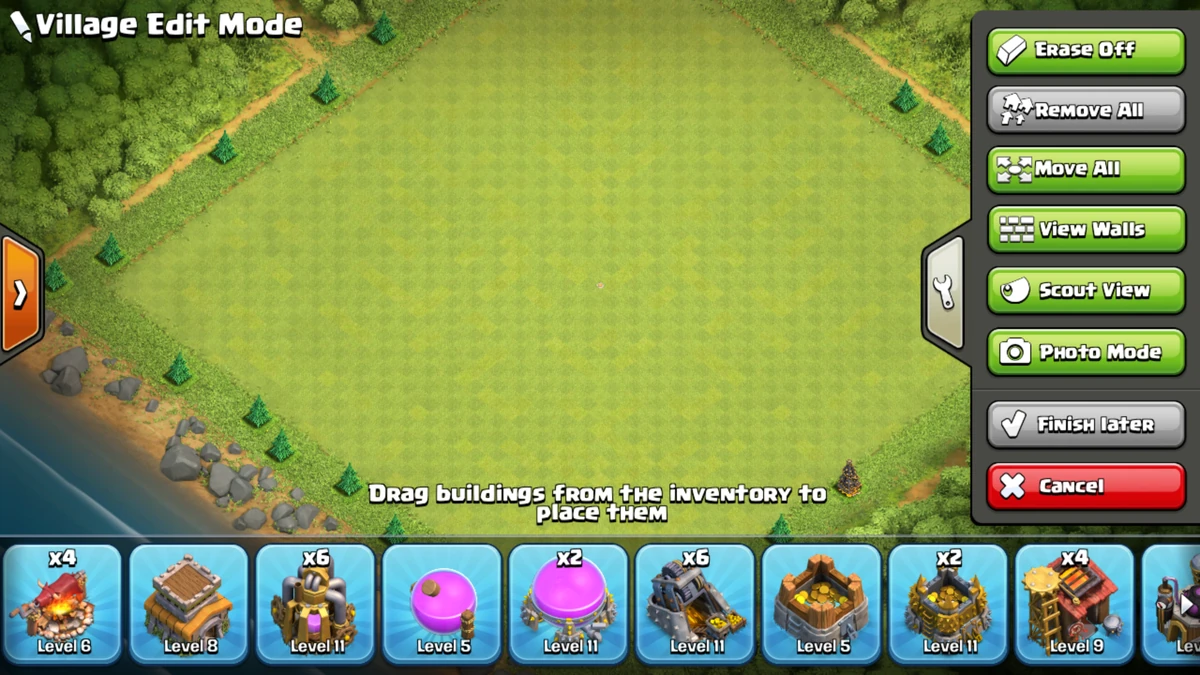
Image source: Clash of Clans Wiki - Fandom
Why You Cannot Edit Gems or Gold on the Live Server
Clash of Clans uses a server-authoritative model . When you collect gold from a mine, your phone sends a request to Supercell's server. The server verifies the action and updates your balance in their database. Your phone merely displays a "reflection" of what the server says you have.
Because of this, no local "save editor" can grant you free gems. Any website claiming to be a "Gem Generator" or "Save Editor" that asks for your login credentials is a phishing scam designed to steal your account. There is no known method to locally modify your resource count on the official global servers.
How to Use SCEditor to Modify Game Assets and Textures
While you cannot edit your player save, you can edit the game's visual assets using a tool called SCEditor . Developed by ToxicLand, this tool is notably innovative for the modding scene. It allows users to open .sc files , which contain the textures, shapes, and animations for every character and building in the game.
According to the SCEditor documentation , the tool supports decompression and compression of LZHAM, LZMA, and ZSTD formats. This is primarily used by developers of private servers to create custom skins or new defensive structures. To use it, you will need:
- A Windows PC with at least 2 CPU cores.
- .NET Core 6 installed.
-
The game's APK or IPA file extracted to access the
/assets/folder.
Editing Saves for Private Servers Like Null’s Clash
The only legitimate instance where "save editing" exists for Clash of Clans is within
private servers
. These are independent versions of the game hosted on non-Supercell hardware. Because the server owners have access to the database, they often provide commands (like
/full
or
/max
) that function as a built-in save editor, instantly granting the player maximum resources and levels.
How to Avoid Scams and Keep Your Account Safe
The search for game modifiers is unfortunately filled with malicious actors. Protecting your digital security is more important than gaining a few extra resources in a game. Many "editors" are actually Trojans or phishing scripts.
- Password Requests: A legitimate editor will NEVER ask for your Supercell ID password or email login.
- Human Verification: If a site forces you to complete surveys or download other apps to "unlock" your save, it is a scam.
- Browser Warnings: If your browser or antivirus flags a download from a "mod site," heed the warning.
- Unlimited Promises: Any tool promising "Unlimited Gems" on the official Supercell app is lying.
Technical Limits and Troubleshooting for Save Editing
Even when using legitimate tools for Corruption of Champions , you may encounter technical hurdles. Understanding the underlying data structures can help you resolve these issues quickly.
What to Do When Your Browser Cannot Find Flash Save Folders
Since the deprecation of Adobe Flash, many browsers have changed how they handle local storage. If you cannot find the
#SharedObjects
folder, it is likely because your browser is using a sandboxed environment. In these cases, the "Save to File" method is the most reliable workflow for 2026. If you are using a standalone Flash player, ensure you are checking the
%AppData%\Roaming
directory rather than the local browser cache.
How to Fix Metadata Errors in SCEditor
When using SCEditor for Clash of Clans asset modding, you might encounter errors where the game crashes after you replace a texture. This is often due to metadata mismatch . As noted in recent developer logs, metadata generation for v4 .sc files is currently not fully understood by the community. If your modified asset fails to load, try using an older version of the asset as a base or ensure you are using the correct compression algorithm (LZMA is the most common for older assets).
Frequently Asked Questions
For Corruption of Champions , yes. You can use the "Save to File" feature in your mobile browser and then upload that file to a web-based editor. For Clash of Clans , however, modifying game assets (.sc files) usually requires root access to reach the protected system folders where the game is installed, or you must use a modified APK.
SaveEditOnline is generally considered a safe, web-based parser. Because it runs in your browser and doesn't require an executable download, the risk of malware is low. However, always keep a backup of your original save file. If the editor writes data incorrectly, it could corrupt your progress, making the file unreadable by the game.
This usually happens for one of two reasons. First, you may have exceeded the 32-bit integer limit , which is 2,147,483,647. If you set your gold to 9,999,999,999, the game will crash. Second, you might be using an editor designed for CoC1 on a CoC2 save file. The data structures are different, and using the wrong tool will break the file.
Yes, if you use it to modify the official game client. Supercell's anti-cheat systems can detect modified files. SCEditor is intended for use with private servers or for educational modding purposes. If you value your main account, never use modified files on the official global servers.
.sol files are specific to Flash (Local Shared Objects), while .sav is a generic extension used by many different games. Corruption of Champions uses .sol for internal browser saves, but the "Save to File" feature often outputs a file that can be renamed or treated as a .sav by various online editors.
Key Takeaways for CoC Save Editing
Navigating the world of game modification requires a clear understanding of which game you are targeting and the technical limits involved.
- Identify your game: Determine if you are editing the local .sol files of Corruption of Champions or the server-side assets of Clash of Clans .
- Use the right tools: Opt for CoCEd or SaveEditOnline for Fenoxo's RPG, and SCEditor for Supercell asset modding.
- Respect the limits: Never exceed the 32-bit integer limit (2.1 billion) to avoid immediate save corruption.
- Prioritize safety: Ignore any tool promising free gems on official servers; these are consistently fraudulent.
- Backup everything: Always create a copy of your original save file before using any editor.
- Understand the architecture: Remember that server-side games like Clash of Clans cannot be modified for currency locally.
Before you begin, ensure you have located your save file and created a secure backup on a separate drive.