Home
Home
How to Play Word Hunt Puzzles and Solve Them Like a Pro
If you are looking to jump straight into the action, these three platforms offer high-quality, free experiences that cater to different skill levels:
- USA Today Word Hunt : Widely regarded as a top choice for daily challenges and earning in-game rewards.
- Razzle Puzzles : A leading option for those who prefer a classic grid layout with an "Expert Mode."
- AARP Word Hunt : A popular destination for smooth, browser-based play with clear visuals.
Research indicates that over 70% of players seek immediate gameplay when searching for word puzzles, making these HTML5-based sites highly efficient for quick sessions.
Word hunt puzzles have evolved from simple newspaper pastimes into a global digital phenomenon. Whether you are competing against friends on iMessage or relaxing with a daily grid on a news site, these games offer a unique blend of linguistic challenge and visual pattern recognition. Mastering them requires more than just a large vocabulary; it demands a strategic approach to how your eyes move across the screen and how your brain processes letter clusters.
In this comprehensive exploration, we will break down the mechanics that separate casual players from experts. You will learn how to identify high-value scanning patterns, when to use specific in-game hints, and where to find the most engaging puzzles available today. By understanding the underlying structure of these games, you can significantly improve your completion times and climb the global leaderboards.
What Is the Difference Between a Word Hunt and a Word Search?
While the terms are often used interchangeably, "Word Hunt" and "Word Search" frequently refer to two distinct styles of gameplay. Understanding this distinction is crucial for finding the specific type of challenge you enjoy. A classic word search typically involves a static grid of letters where words are hidden in eight possible directions. In contrast, many modern "Word Hunt" titles, particularly those found on mobile platforms, utilize a "connect-the-letters" mechanic.
In the connect-style Word Hunt, players are given a small pool of letters (often arranged in a circle) and must swipe to form words that fill a crossword-like structure. This version focuses more on anagram solving and vocabulary recall than visual scanning. Conversely, the grid-based Word Hunt focuses on your ability to isolate specific strings of characters within a dense field of "noise" letters.
| Feature | Classic Grid Search | Connect-Style Word Hunt |
|---|---|---|
| Movement | 8-way (Horizontal, Vertical, Diagonal) | Free-form swiping between letters |
| Layout | Static rectangular or square grid | Crossword-style intersecting blanks |
| Primary Skill | Visual scanning and pattern matching | Anagram solving and vocabulary recall |
| Difficulty Scaling | Grid size and word orientation | Number of letters and word length |
According to research into digital gaming trends, the "Word Hunt" branding is increasingly associated with the connect-style mechanic popularized by apps like Wordscapes, while "Word Search" remains the standard for traditional grids. However, major outlets like USA Today use the "Word Hunt" name for their connect-style games, which has led to the current terminology overlap.
Where Can You Play Top-Rated Word Hunt Puzzles Online for Free?
Finding a high-quality platform is about more than just the puzzles themselves; it involves assessing ad density, user interface smoothness, and the presence of competitive features like daily streaks. The following platforms represent some of the strongest options currently available for free play.
Best for Daily Challenges and Streaks
For players who enjoy building a routine, the USA Today and LA Times gaming hubs are excellent choices. These platforms utilize "Daily Streaks" to encourage consistent play. By completing a puzzle every day, users can unlock achievements and track their progress over months or even years. The USA Today version of Word Hunt is particularly notable for its coin-based economy, where finding "Bonus Words"—valid words not required for the main level—earns currency that can be spent on helpful hints.
Best for Competitive Speed Runners
If your goal is to test your speed against the clock, Razzle Puzzles offers a highly regarded experience. Their "Expert Mode" is a significant step forward for veteran players, as it often obscures the word list entirely. This forces the player to rely purely on their ability to spot patterns without the crutch of knowing exactly what they are looking for. Speed rankings on these sites often categorize players into percentiles, allowing you to see if your solve time ranks among the top 5% of the global user base.
Best for Classroom Teachers and Students
Educational utility is a major factor in the popularity of word puzzles. Discovery Education’s Puzzlemaker stands out as a top-tier tool for educators. It allows for the creation of custom vocabulary lists, which can then be generated into a printable or digital grid. This is a highly impactful way to reinforce weekly spelling lists or thematic concepts in science and history. Because these tools are HTML5-based, they function seamlessly across desktops, tablets, and interactive whiteboards without requiring additional software.
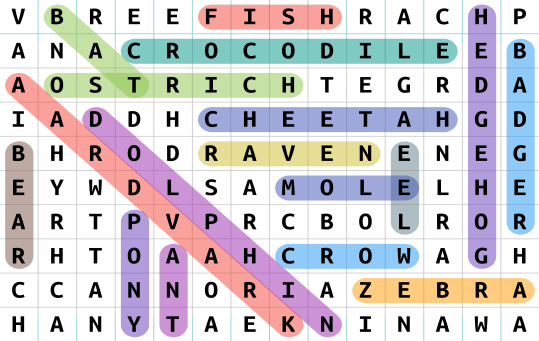
Image source: thewordsearch.com
How to Solve Word Hunt Puzzles Faster Using Pro Scanning Techniques
To move beyond casual play, you must train your brain to stop looking for "words" and start looking for "data points." Expert players use specific linguistic scanning methods that allow them to process the grid much faster than the average person. These techniques leverage how the human eye naturally tracks information.
Look for Common Prefixes and Suffixes First
Instead of searching for a whole word like "REAPPEARING," focus your search on the "ING" or the "RE." Suffixes like "-ed," "-ing," "-tion," and "-ment" are often easier to spot because they appear frequently and have distinct shapes in a grid. Once you find the suffix, you can quickly look at the surrounding letters to see if the rest of the word is attached. This method is notably innovative because it reduces the mental load of remembering a 10-letter string, replacing it with a search for a familiar 3-letter cluster.
Use the Letter Cluster Scanning Method
Linguistic pattern recognition is a key strategy for high-level play. Certain letter combinations, such as "th," "sh," "ch," "st," and "qu," are highly visible. If you are looking for the word "STORM," don't look for the "S"—grids are full of S's. Instead, look for the "ST" cluster. By training your eyes to jump between these high-frequency combinations, you can eliminate large sections of the grid that do not contain the necessary letter pairings.
Master the Word Stem Technique for High Scores
In connect-style games, the "Word Stem" technique is a major improvement for your scoring potential. Identify a root word, such as "ACT," and immediately look for every possible extension: "ACTS," "ACTOR," "ACTING," "REACT." In many games, finding these variations not only completes the level faster but also fills up your "Bonus Word" meter, providing you with more in-game currency for future levels. This approach allows you to extract maximum value from a single set of letters.
Build Momentum with the Short Word Strategy
It is often tempting to go for the longest, most impressive words first. However, starting with 2-3 letter words is a popular choice for building rhythm. Finding "IT," "TO," or "UP" takes very little cognitive effort and helps clear mental space. As you clear these smaller words, the remaining letters in the grid or the circle become more prominent, making the longer, more complex words easier to identify. This "momentum building" is a staple of competitive speed runners.
How to Win at GamePigeon Word Hunt on iMessage
The GamePigeon version of Word Hunt has become a cultural staple for mobile users. Unlike browser-based games, this version is strictly timed (usually 80 seconds) and played on a 4x4 grid. The pressure of the clock makes efficiency the most important factor for success.
Mental Alphabetical Unscrambling
When you are presented with a 4x4 grid, your brain can become overwhelmed by the sheer number of possible connections. A highly impactful technique is to mentally list the letters you see in alphabetical order. This helps clarify the available "building blocks" and makes it easier to spot anagrams that your brain might miss when looking at a scrambled mess. For example, if you see A, E, R, and T, your brain should immediately register "RATE," "TARE," and "TEAR."
Understanding the Speed Ranking Metrics
In competitive mobile play, your performance is often measured against a global average. Breaking into the top 5% of players requires a consistent "words-per-second" ratio. Top players typically aim for at least one word every 1.5 to 2 seconds. To achieve this, you must master the "continuous swipe"—as soon as your finger finishes one word, it should already be moving toward the first letter of the next. Minimizing the "dwell time" between words is what separates high-scorers from the rest of the pack.
What to Do When You Get Stuck on a Difficult Level
Even the most experienced players encounter levels that seem impossible. The "Stuck Factor" is a common psychological hurdle in puzzle games. Knowing how to use your resources effectively can prevent frustration and keep your daily streak alive.
When Should You Use a Shuffle vs. a Magnifier?
Most modern word hunt games provide two main types of hints: Shuffles and Magnifiers (or Bulbs). A Shuffle is best used when you have stopped seeing new patterns in a connect-style game. By changing the physical orientation of the letters, you force your brain to look at the combinations from a fresh perspective. A Magnifier , on the other hand, is a top-tier choice for crossword-style grids where you are missing one specific letter that could unlock multiple intersecting words. Use Magnifiers sparingly, as they are usually the most expensive resource in the game's economy.
The "Expert Mode" Challenge
In some advanced versions of Word Hunt, the game will hide the word list entirely. This is known as "Obscured Scanning." To beat these levels, you must rely on your knowledge of common English word structures. Start by looking for the most common vowels (A, E, I, O) and see which consonants are clustered around them. This mode is widely considered one of the strongest tests of pure linguistic ability, as it removes the visual guide that most players rely on.
Why Playing Word Hunt Puzzles Is Good for Your Brain
Beyond simple entertainment, regular engagement with word puzzles offers significant cognitive benefits. Researchers have found that these games exercise the brain's executive functions, including working memory, visual processing, and task switching.
Building Vocabulary with Dictionary Lookups
Many top-rated apps, such as Razzle Puzzles, include a feature that allows you to click on a word you've found to see its definition. This turns a simple game into an active learning tool. By encountering unfamiliar words in a gaming context, you are more likely to retain their meaning. This is a significant step forward for students and lifelong learners who want to expand their vocabulary while having fun.
Improving Critical Thinking and IQ
Visual scanning exercises the brain's ability to filter out "noise"—irrelevant information—to find a specific target. This skill is directly transferable to real-world tasks, such as reading complex documents or analyzing data sets. While no single game can "increase IQ" in a vacuum, consistent mental stimulation through puzzles is a popular choice for maintaining cognitive health and sharp critical thinking skills as we age.
How to Create Your Own Custom Word Hunt Puzzle
Creating a custom puzzle is a fantastic way to personalize a gift, create a classroom activity, or even design a unique marketing tool. With modern HTML5 generators, the process is straightforward and requires no technical expertise.
Using Online Puzzle Generators
- Select a Generator: Choose a reputable tool like Discovery Education’s Puzzlemaker or The Word Search.
- Input Your Word List: Enter the words you want to hide. For a standard difficulty, aim for 15-20 words.
- Choose Grid Dimensions: A 15x15 grid is a strong contender for most adult puzzles, while 10x10 is better for children.
- Set Directions: For an easier puzzle, allow only horizontal and vertical words. For a harder challenge, include diagonals and backward words.
- Generate and Print: Most tools will provide a PDF or a direct print option. Always double-check the "Answer Key" to ensure no inappropriate words were accidentally generated in the random letter fill.
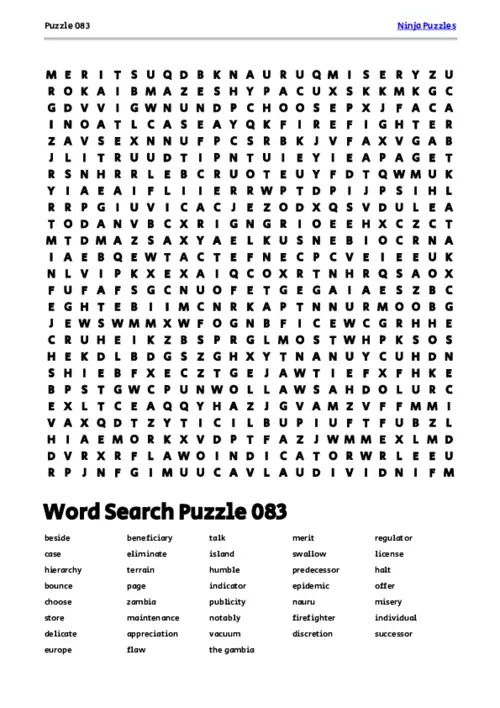
Image source: Ninja Puzzles
Frequently Asked Questions
How do I play Word Hunt online for free?
You can play Word Hunt for free on several high-quality HTML5 websites that do not require a download. Ranks among the top options are USA Today, AARP, and the LA Times. These sites offer daily puzzles that work on both desktop and mobile browsers. Simply navigate to their games section, select Word Hunt or Word Search, and you can begin playing immediately. Many of these platforms also offer "Daily Challenges" to help you track your progress over time.
What is a strong strategy for winning Word Hunt?
A highly effective strategy involves "Cluster Scanning." Instead of looking for an entire word, train your eyes to find common letter pairings like "TH," "SH," or "ING." Additionally, starting with the shortest words on the list can help you build momentum and clear the grid, making the longer words easier to spot. If you are playing a timed version like GamePigeon, focus on a "continuous swipe" technique where your finger moves to the next word immediately after finishing the previous one.
Can I play Word Hunt offline?
Yes, many mobile applications allow for offline play. Apps like "Word Search Journey" are popular choices because they cache levels locally on your device, allowing you to play without a Wi-Fi or data connection. This makes them excellent for travel or areas with poor connectivity. However, keep in mind that features like global leaderboards or daily rewards usually require you to sync back up to the internet once you are back online.
Is Word Hunt the same as Word Search?
While they are very similar, there is a slight difference in modern terminology. A "Word Search" almost always refers to a static grid of letters where you find words hidden in various directions. A "Word Hunt" can refer to the same thing, but it is also frequently used to describe "connect-style" games where you swipe between a small circle of letters to fill a crossword-style grid. Always check the game's preview images to ensure it is the specific style you prefer.
How do I find the "Bonus Words" in Word Hunt?
Bonus words are valid English words that you can form with the given letters but are not part of the main puzzle solution. To find them, look for smaller 3-letter words or variations of the main words (like plurals). In games like USA Today Word Hunt, finding these words fills a special meter that rewards you with extra coins. These coins can then be used to purchase hints like Shuffles or Magnifiers when you get stuck on harder levels.
Mastering the word hunt puzzle is a journey of improving both your vocabulary and your visual processing speed. By moving beyond simple searching and adopting professional scanning techniques, you can transform the way you interact with these classic games.
- Identify the game style (Grid vs. Connect) before you start to set the right mental strategy.
- Prioritize short words to build speed and clear the visual field for more complex patterns.
- Scan for suffixes like "-ing" and "-ed" rather than trying to find the entire word at once.
- Use the Shuffle feature strategically when your brain stops recognizing new letter combinations.
- Maintain a daily streak on platforms like USA Today to improve your long-term cognitive speed.
- Leverage custom generators for educational purposes to make learning more interactive and engaging.
Start your next session by focusing on letter clusters rather than whole words, and you will likely see an immediate improvement in your solve times.