Home
How to Rotate and Place Furniture in Stardew Valley Across All Platforms
To rotate furniture in Stardew Valley, select the item in your hotbar so your character is holding it, then use the following controls:
- PC/Mac: Right-click the item.
- Nintendo Switch: Press the A button.
- Xbox: Press the A button.
- PlayStation: Press the X button.
- Mobile: Tap the item once it is placed in the "ghost" position.
Interior design is a significant aspect of the Stardew Valley experience. Once you have upgraded your farmhouse or unlocked the Ginger Island hut, you will likely find yourself spending hours arranging rugs, chairs, and tables to create a cozy atmosphere. However, the game's 2D perspective and grid-based system can sometimes make furniture placement feel restrictive. Understanding the specific mechanics of how to turn furniture is essential for any player looking to maximize their space and aesthetic appeal.
While many items can be rotated to face four different directions, others are hard-coded to face only one way. This guide explores the nuances of furniture rotation for every device, troubleshooting common placement bugs, and even using furniture for advanced gameplay strategies like sequence breaking.
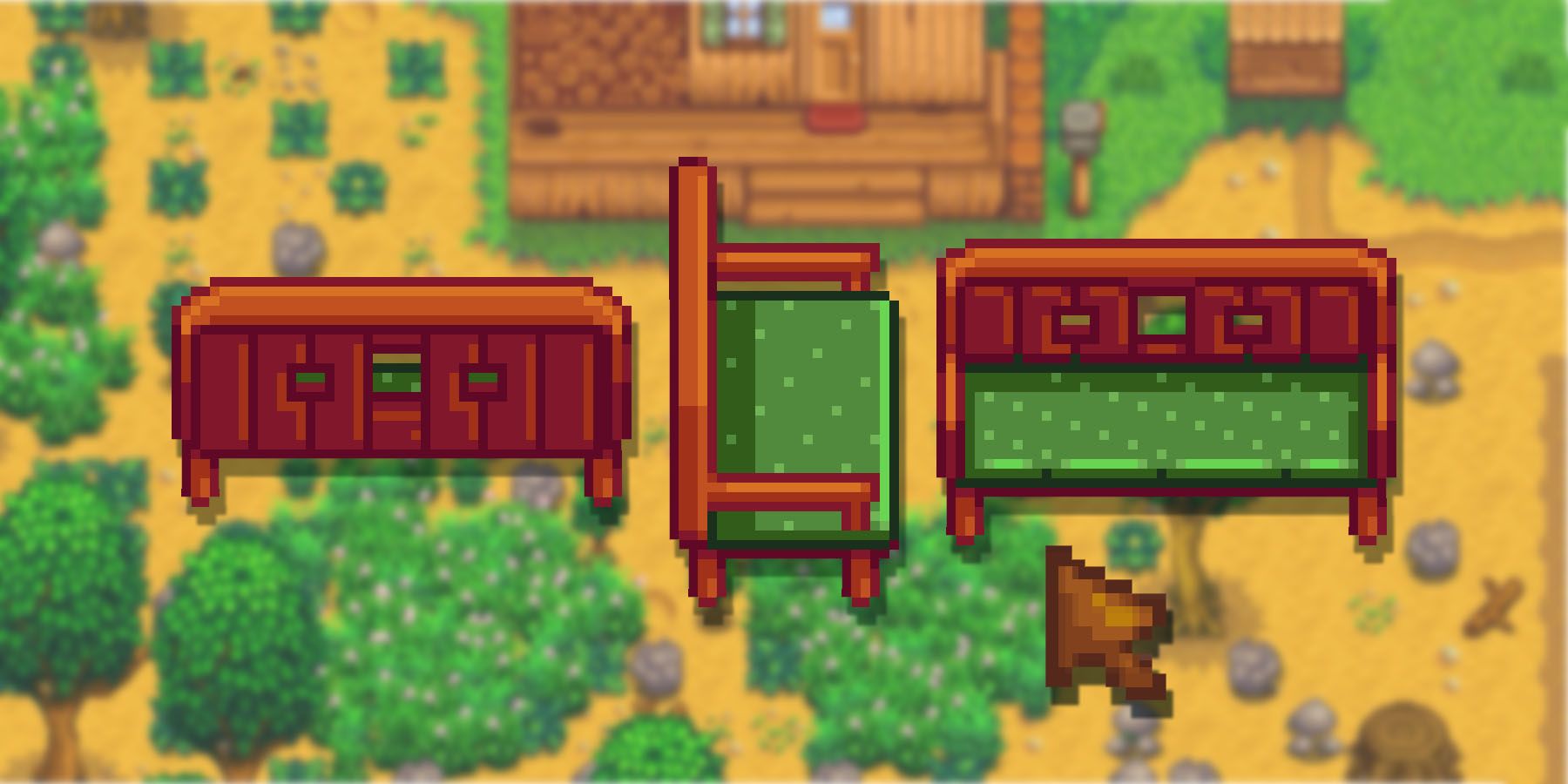
Image source: GameRant
Master the Controls for Rotating Furniture on PC and Mac
For players on PC and Mac, the mouse is your primary tool for interior decoration. The process is generally intuitive, but there are specific settings that can make the experience much smoother. By default, you rotate an item by right-clicking while it is held above your character's head. Each click will cycle the item 90 degrees clockwise.
One common frustration for laptop users is the lack of a physical right-click button. If you are playing on a MacBook or a laptop with a trackpad, you may need to use a two-finger tap to trigger the rotation. Some players find it easier to remap the "Check/Do Action" key in the options menu to a keyboard key (like 'X' or 'C') to avoid trackpad issues entirely. This ranks among the top recommendations for players who prefer keyboard-only navigation.
It is also worth noting that your character's position matters. You cannot place or rotate furniture on the tile your character is currently standing on. If the tile turns red, try moving one step back. This grid-based logic ensures that you don't accidentally trap yourself behind a heavy oak dresser or a decorative plant.
How to Turn Furniture Using Nintendo Switch Controllers
The Nintendo Switch version of Stardew Valley is widely considered one of the top ways to play the game due to its portability. However, the controller mapping can be slightly confusing for new players. On the Switch, the A button is used to rotate the item, while the Y button is used to place it down.
A frequent issue reported by the community is the "accidental placement" glitch. Because the A button is also used for many general interactions, players often find themselves placing the item instead of turning it. To avoid this, ensure you are using the Right Joystick to move the placement cursor away from your character's immediate vicinity. This allows you to cycle through rotations without the game engine defaulting to a "place" command.
Rotate: A Button
Place: Y Button
Move Cursor: Right Stick
Rotate: Right-Click
Place: Left-Click
Precision: Shift + Click
For those who find the joystick cursor too sensitive, you can toggle the "Controller Style Menus" in the settings. This changes how the cursor behaves, making it snap to the grid more aggressively, which is a significant advancement for players who want a more "PC-like" precision on a handheld console.
The Touch Interface Method for Stardew Valley Mobile
Rotating furniture on iOS and Android devices requires a different mental model than the console or PC versions. Since there are no physical buttons, the game relies on a "tap-to-cycle" logic. When you select a piece of furniture from your inventory, a "ghost" version of the item will appear on the screen where you are touching.
To rotate the item on mobile, simply tap the ghost item before you release your finger to set it. Each tap will rotate the item. Because mobile screens are smaller, it is highly recommended to use the pinch-to-zoom feature to get a closer look at your farmhouse floor. This increases the "hit-box" accuracy of small items like stools, torches, or the small crystal rugs.
As of the most recent mobile updates, the interface has been refined to be more responsive. If you find that the item isn't rotating, ensure you aren't dragging your finger. A drag movement is interpreted as a "move" command, while a quick tap is interpreted as a "rotate" command. Mastering this distinction is a top-tier skill for mobile decorators.
Why Certain Furniture Items Cannot Be Rotated
One of the most common questions in the Stardew Valley community is: "Why won't my TV turn?" It is important to understand that not all furniture in the game is created equal. The game uses 2D sprites, and many of these sprites were only drawn from a single perspective.
The "One-Sided Sprite" Rule
Items that have a clear "front" and "back" are often locked to a single orientation. This includes:
- Televisions: These must always face the player so you can see the screen.
- Fireplaces: These are designed to sit flush against a back wall.
- Paintings and Wall Decor: These require a wall to hang on and cannot be placed in the middle of a room.
- Statues: Most statues, like the Statue of Perfection, have a fixed forward-facing pose.
Functional vs. Decorative Items
There is also a distinction between "Furniture" and "Crafted Items." While you can rotate a chair (Furniture), you generally cannot rotate a Keg, Furnace, or Seed Maker (Crafted Items). These functional machines have specific animations—like the pulsing of a furnace or the bubbling of a keg—that are tied to a single sprite sheet. Because of this technical limitation, these items will always face forward, regardless of where they are placed on your farm.
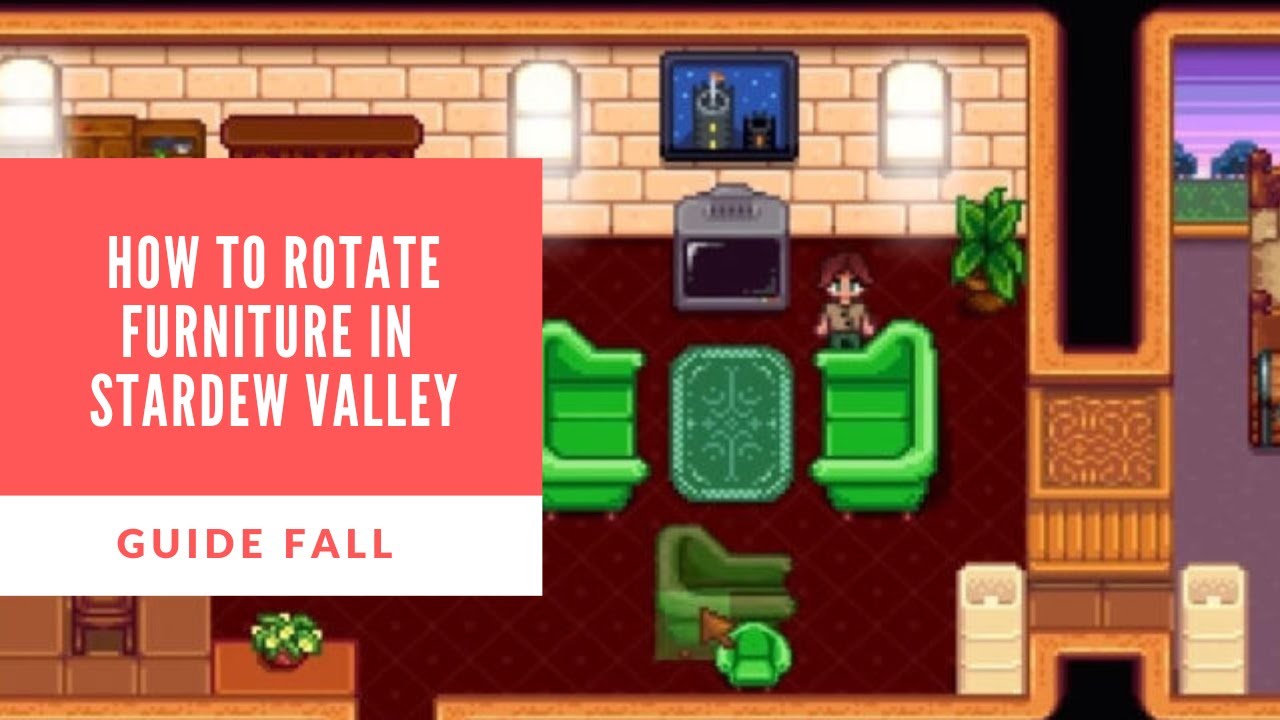
Image source: YouTube
Advanced Placement Techniques and the Famous Chair Trick
In Stardew Valley, furniture is more than just decoration; it can be a tool for "sequence breaking" or controlling NPC movement. The most famous example of this is the Secret Woods Chair Trick . Normally, to enter the Secret Woods, you need a Steel Axe to break a large log. However, by placing a simple chair on the other side of the log and "sitting" in it, your character will teleport across the boundary, allowing early-game access to Hardwood and the Old Master Cannoli statue.
Beyond glitches, furniture can be used to manage your farm's efficiency. Many players use Tubs of Flowers or Hay Bales as indestructible fences. Unlike wooden or stone fences, furniture items never decay. This sets a high standard for farm longevity, as you won't need to spend resources repairing your animal pens every season.
Troubleshooting Common Furniture Placement Glitches
Even experienced players encounter the dreaded "Red Tile" when trying to decorate. If you are certain an item should fit but the game won't let you place or rotate it, check the following:
| Issue | Potential Cause | Solution |
|---|---|---|
| Red Tile on Floor | Hidden debris or grass | Clear the tile with a scythe or pickaxe. |
| Item won't rotate | One-sided sprite | Check if the item is a TV, fireplace, or statue. |
| Character stuck | Placement on self | Move one tile away before placing. |
| Rug won't place | Furniture already there | Pick up furniture, place rug, then replace furniture. |
For PC players who find the vanilla rotation options too limited, the Nexus Mods community offers several notably innovative solutions. Mods like "Furniture Rotation" allow you to turn items that are normally fixed, though this can sometimes result in visual glitches where the "back" of a TV looks like a strange mirror of the front.
Frequently Asked Questions
- Can you rotate rugs in Stardew Valley?
- Yes, most rugs can be rotated using the standard rotation button for your platform. However, square rugs will look the same regardless of rotation, while rectangular rugs will flip between horizontal and vertical orientations. This is an excellent choice for defining different "zones" in an open-plan farmhouse.
- How do I pick up furniture I accidentally placed?
- For most furniture, you can simply "interact" with it (Right-click on PC, A on Switch) while your hands are empty to pick it up. If the item is functional or stubborn, hitting it with a pickaxe or an axe will always return it to your inventory.
- Why can't I rotate my bed?
- In older versions of the game, beds were fixed. However, since the 1.5 update, players can now move and rotate beds. If you are playing on an older mobile version that hasn't been updated, you might still find beds to be stationary. On current versions, they follow the same rules as chairs.
- Is there a way to rotate furniture 360 degrees?
- No, Stardew Valley operates on a 4-way cardinal direction system (North, South, East, West). Because the game is built on 2D sprites, there are no diagonal orientations. You are limited to 90-degree increments.
- Can I rotate windows?
- Windows are considered wall decor and must be placed on a back-facing wall. You cannot rotate them to sit on "side" walls because the game's perspective does not show the thickness of the side walls in a way that would accommodate a window sprite.
Key Takeaways for Farm Decoration
- Identify rotatable items by checking if they are decorative (chairs/tables) rather than functional (machines).
- Use the correct button for your platform: Right-click for PC, A for Switch/Xbox, and X for PlayStation.
- Enable "Tool Hit Location" in the settings menu to see exactly where your furniture will land.
- Clear the area of any hidden grass or debris if you encounter a persistent red placement tile.
- Leverage the "Chair Trick" if you need to bypass obstacles in the Secret Woods or other areas.
- Remember the layering rule: Always place rugs before placing the furniture that goes on top of them.
Start by enabling the "Always Show Tool Hit Location" setting in your options menu to immediately improve your placement precision.