Home
How to Use Top-Rated FNaF Editors for Save Files and Creative Fan Edits
The term
FNaF editor
refers to three distinct toolsets:
Save Editors
(like Yunivers or Rust-based tools) used to modify game progress,
Creative Editors
(like CapCut) used for viral speed edits, and
Game Makers
(like FNaF Maker) for developing fan games. For save editing, navigate to
%AppData%\Roaming\MMFApplications\
to find your files. For creative work, focus on 3D Zoom effects and audio-syncing to reach the community on TikTok and YouTube.
What Are the Different Types of FNaF Editors?
The Five Nights at Freddy's (FNaF) community is incredibly diverse, leading to a tri-modal ecosystem of tools. Depending on your goal, an "editor" could mean something entirely different. Understanding these categories is the first step toward mastering the software available to fans.
First, we have Utility Editors . These are primarily used to modify save data. Whether you are stuck on Night 5 of the original game or trying to unlock the "Custom Night" in a complex fan game like The Joy of Creation , these tools allow you to bypass difficulty spikes by editing text files or using a Graphical User Interface (GUI).
Second, the Creative Editors branch focuses on content creation. This includes "Speed Edits" where artists rapidly manipulate animatronic assets to create Original Characters (OCs). These creators often use professional-grade mobile and desktop video suites to produce high-energy content for social media platforms.
Finally, there are Development Editors . These are specialized engines designed to help users build their own "Five Nights" style experiences. Tools like FNaF Maker by Lemking have become a popular choice for those who want to implement jumpscares and power management logic without learning complex coding languages from scratch.
How to Edit FNaF Save Files to Skip Nights and Unlock Content
Save editing is a long-standing tradition in the FNaF community. It allows players to experience late-game content, such as the "Extras" menu or 20/20/20/20 mode, without the frustration of repeated failure. Most official FNaF games and many fan games built in Clickteam Fusion store their data in a simple, human-readable format.
Where to Find Your FNaF Save Files on Windows and Mobile
To manually edit your progress, you must first locate the save directory. On Windows, FNaF games typically store data in the
MMFApplications
folder. This is a hidden directory used by Clickteam Fusion applications.
Win + R
, type
%AppData%
, and hit Enter. Then, navigate to
Roaming > MMFApplications
.
Inside this folder, you will find files named after the game. For example:
-
freddy— Five Nights at Freddy's 1 -
fnaf2— Five Nights at Freddy's 2 -
ck— Five Nights at Candy's -
fnac3— Five Nights at Candy's 3
According to Steam community guides , these files do not have an extension, but they can be opened with any standard text editor like Notepad.
How to Manually Edit Save Data Without Downloading Tools
Once you open the file in Notepad, you will see a list of variables. To skip to a specific night, look for the
level
variable. Changing
level=1
to
level=5
will immediately grant you access to the fifth night. Other common variables include:
-
beatgame=1: Unlocks the main stars and the "6th Night." -
beat6=1: Unlocks the Custom Night menu. -
c1=1, c2=1, c3=1: These often correspond to specific challenges or trophies in the "Extras" menu.
Leading Third-Party Save Editors for Modern Fan Games
While manual editing works for older titles, modern fan games often use encryption or complex data structures. In these cases, a GUI-based editor is a top-tier option. The FNaF Save Editor 2.0 by Yunivers is widely regarded as one of the most versatile tools available, supporting over 40 games including Five Nights at Candy’s and Jolly . It requires .NET 6.0 to run and provides a clean interface for toggling stars and nights [Source 3] .
Another notable advancement is the Modern FNaF Save Editor built in Rust. This tool stands out for its ability to handle "intrinsics" in games like Pizzeria Simulator and FNaF World . These games store data in formats that are difficult to read in Notepad, making a dedicated GUI editor essential for players who want to modify their animatronic roster or Faz-Rating [Source 1] .
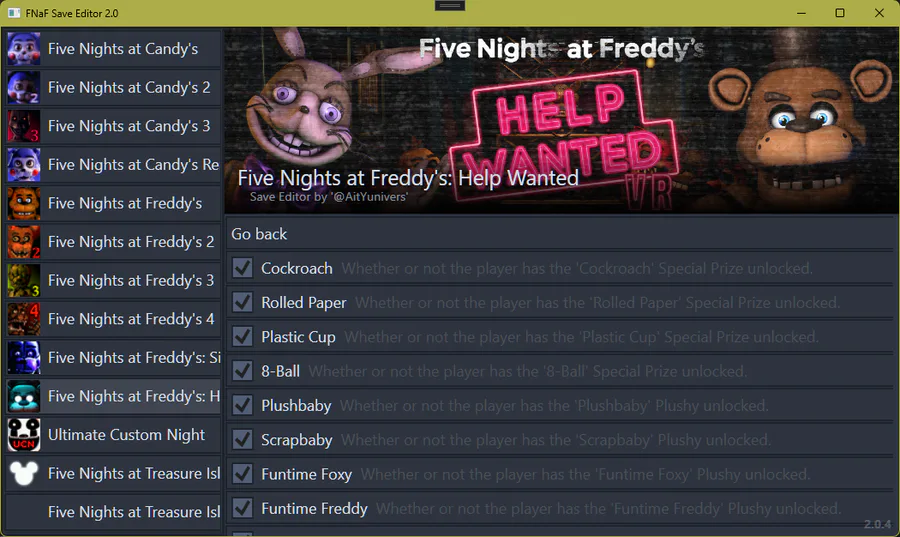
Image source: Game Jolt - Share your creations
How to Create Professional FNaF Speed Edits for TikTok and YouTube
The creative side of the FNaF community thrives on "Speed Edits." These are high-speed videos showing the process of taking an existing animatronic—like Freddy or Springtrap—and transforming them into a new, terrifying character. This niche has grown into a significant part of the DeviantArt and TikTok ecosystems.
Designing Your Own Animatronic Original Characters
Creating a high-quality OC starts with asset manipulation. Most editors use "Bluey-style" editing, named after prominent community creators. This involves taking high-resolution renders of animatronics and using tools like Photoshop or Lightroom to adjust color grading, add "withered" textures, or swap limbs between characters. According to DeviantArt community data , the FNaF editing scene is a massive economy where artists share templates and PNG assets for others to use.
Using CapCut to Make Viral FNaF Video Edits
Once the character design is complete, the next step is the video edit. CapCut has become a popular choice for this due to its built-in effects that perfectly match the FNaF aesthetic. To create a viral speed edit, follow this Pro Workflow Stack :
How to Build Your Own Fan Game with FNaF Maker
For those who want to move beyond editing existing games and start creating their own, FNaF Maker by Lemking is a significant advancement. It is a specialized engine that simplifies the process of creating a point-and-click horror game, handling the heavy lifting of camera systems and jumpscare triggers.
Why FNaF Maker Triggers Antivirus Warnings and How to Fix It
A common pitfall for new developers is the "virus" warning triggered by FNaF Maker. It is important to understand that this is typically a false positive . The tool is built using Clickteam Fusion, and its packaging method involves the application reading its own executable to extract assets at runtime. This behavior is similar to how some malware operates, leading Windows Defender to flag it [Source 7] .
To use the tool safely, you should whitelist the FNaF Maker folder in your antivirus settings. This prevents the software from being quarantined while you are working on your project.
Essential Logic for Power Meters and Jumpscares
Building a fan game requires a basic understanding of game logic. One of the most important systems is the Power Meter . In FNaF, the player's survival depends on managing a limited resource. A common error for beginners in engines like GameMaker is the "Constant Variable" error, where a user tries to assign a value to a name that the engine already uses for an object.
Instead, you should use a simple logic flow like this:
If (Camera_Is_Open == True) { Power -= 0.5; }
If (Power <= 0) { Trigger_Event(Blackout); }
By keeping your variables distinct and using simple "If/Then" statements, you can create a tense gameplay loop that ranks among the top fan experiences in the community.
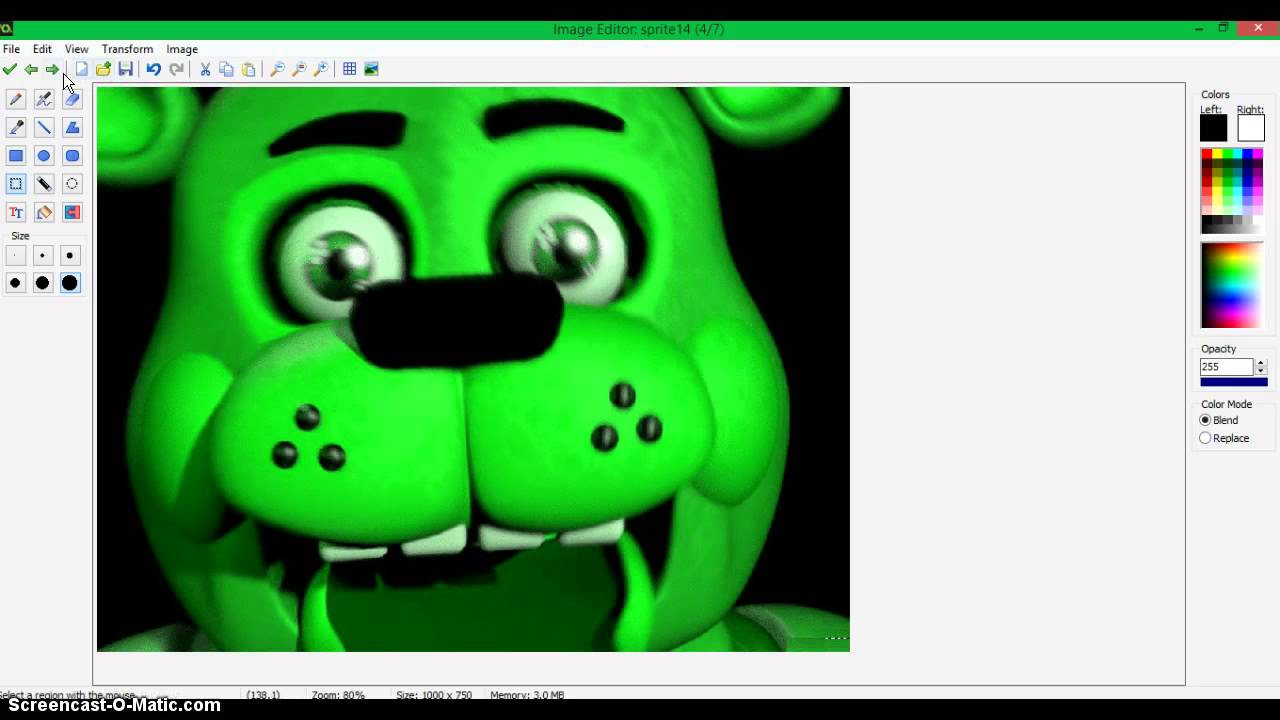
Image source: YouTube
Which FNaF Editor Should You Choose?
Choosing the right tool depends entirely on your end goal. Use the table below to compare the most popular options currently available in the community.
| Tool Name | Primary Use | Difficulty | Platform |
|---|---|---|---|
| Manual Notepad | Save Editing | Easy | PC |
| Yunivers 2.0 | Save Editing | Medium | PC |
| CapCut | Video Edits | Easy | Mobile/PC |
| FNaF Maker | Game Development | Hard | PC |
| Modern Rust Editor | Complex Saves | Medium | PC |
Save Editing
Best for players who want to unlock content quickly. Focus on tools like Yunivers for the widest game support.
Content Creation
Best for artists and social media creators. Focus on CapCut and Lightroom for high-quality visual effects.
Frequently Asked Questions
%AppData%\Roaming\MMFApplications\
and open the file named
freddy
in Notepad. Change the line that says
level=X
to
level=5
. Save the file and restart your game to see the changes reflected on the main menu.
data/data/
directory where these files reside. However, some third-party APKs come with pre-modified save data.
.sav
files rather than the simple text files used by Clickteam Fusion. You will need a specialized tool like Yunivers 2.0 that specifically supports Unreal Engine formats, as Notepad cannot read these encrypted files.
Final Takeaways for FNaF Creators
The FNaF editor ecosystem offers a path for every type of fan, from those looking to beat a difficult night to those aspiring to become the next big horror game developer. By choosing the right tool for your specific needs, you can unlock the full potential of this legendary franchise.
- Always backup your save files before manually editing them in Notepad to prevent data corruption.
- Use GUI-based editors for complex games like FNaF World or Pizzeria Simulator to handle non-readable data.
- Focus on 3D Zoom and audio-syncing in CapCut to create viral speed edits that stand out on social media.
- Whitelist FNaF Maker in your antivirus settings to avoid false positive interruptions during game development.
- Check framework requirements like .NET 6.0 before attempting to run modern third-party editing tools.
- Explore DeviantArt for high-quality PNG templates when designing your own animatronic OCs.
Start by locating your MMFApplications folder today to see exactly how your favorite FNaF games track your progress and achievements.